Google Apps


Hangouts 4.0 hasn’t been around that long, but according to a tip from Derek Ross, version 5.0 will be launching imminently with a handful of important improvements. Most of the improvements seem to center around speed and efficiency. Ross posted the following list of features to his Google+ profile, suggesting we might see some visual differences as well as performance improvements:
Visual changes include a new Hangouts splash screen as well as making the ‘signed in as’ pop-up white, giving it a cleaner look. What’s more, GIFs now work for the first time, so you’ll be able to annoy your friends and contacts with animated pictures, if you like.
We’re not sure when the update is going to drop, but the last couple of points are a good indication that it’s coming very soon. The Dogfood icon being removed suggests that internal testing is completed and that it’s ready for public use.



Google isn’t just building Android for mainstream consumers — the company also wants to tackle the business sector. And to educate business owners on why they might want to take advantage of what Google has to offer, the Mountain View company is holding its first Android for Work online conference, dubbed Android for Work Live, on November 4th.
At Android for Work Live, you’ll:
- Hear from Andrew Toy, product management director for Android for Work, who’ll discuss the broad vision of Android in the workplace and how businesses can mobilize every worker and workflow.
- Learn how Android’s vast selection of devices – from affordable phones to locked-down hardware and customized devices – creates choice and agility for BYOD, corporate deployments and single-purpose scenarios.
- Get an in-depth look at how companies can rely on Android’s built-in multi-layered protections to keep business data secure and managed across all devices in an overview from Adrian Ludwig, technical lead for Android security.
- Hear insights from Android customers, including Guardian Life Insurance Company.
If this sounds interesting to you, Google says you can register for the event over at the Google for Work website.
Google Apps has offered Mobile Application Management (MAM) on Android for quite some time, but today the Mountain View company is introducing the same functionality on iOS. As was the case with the Android version, MAM lets Google Apps administrators suggest the apps that it would prefer their employees install on Apps-managed iOS devices…
Expand
Expanding
Close


Back in 2010 Google launched the Google Apps Marketplace to feature third-party software that enhances Google Apps for Work, and today that website is seeing a major update.
Expand
Expanding
Close

Update: Two other minor updates targeted to business customers have also been included. Text inside a Sheets cell can now be partially formatted, rather than formatting all the text to one font style (i.e. italics), and Google’s fonts are preserved when opening a Docs or Sheets file in Microsoft Word and PowerPoint.
Google has today pushed a bunch of new features and general improvements to its Docs suite of web-based productivity apps. It’s the beginning of the school year so it’s no surprise that the company’s post on the changes is targeted towards teachers, but anyone using Docs will benefit.

It’s been possible on the web for quite a while, but a recent update to the Google Keep app now lets you quickly export your notes to a Google Doc. To do so, make sure you have the latest version of the app, and then select the notes you’d like to export. Then tap the drop down menu at the top right of the screen and tap “Copy to Google Doc”. It’s pretty nifty.
You can grab the app from the Play Store for free of course, and if you’d like to try out the feature right now, open this page on your Android device. All you have to do is tap below to download the APK (via APKMirror), and then tap the notification on your phone once the app is done downloading. You’ll be walked through a couple steps, and then you’ll be on the latest version.
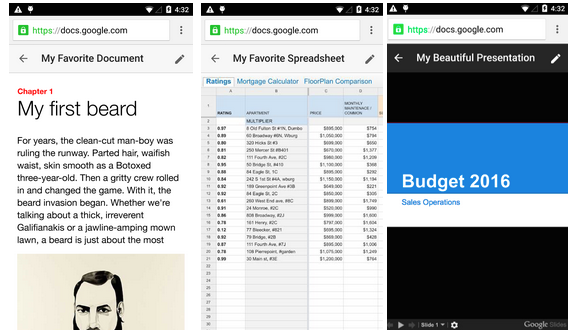
Google Drive for the mobile web has always restricted editing to just Docs files — attempting to edit Sheets or Slides files required downloading the Google Drive app for iOS or Android. That changes today. No, you won’t be able to edit Sheets or Slides files now, but rather Google is also killing off the editing capabilities in Docs for mobile web.
The change makes total sense, if for consistency at the very least. But Google says it’s because the Drive native mobile app is “easier to use and offers more robust functionality.” Native apps typically have more access to the hardware and system-level software capabilities of the devices they’re installed on than web apps, and since they are downloaded directly onto the device, much of the boilerplate user interface doesn’t have to be loaded from the Internet each time the user goes to use them.
From now on, when a Drive user opens a Docs, Sheets, or Slides document from the mobile web, they’ll be presented with one of Google’s new app install banners that make it easy to launch or download the native app, and then be taken directly to the file they were initially viewing in the browser. Tapping the pencil icon in the top right will also trigger the banner to appear.
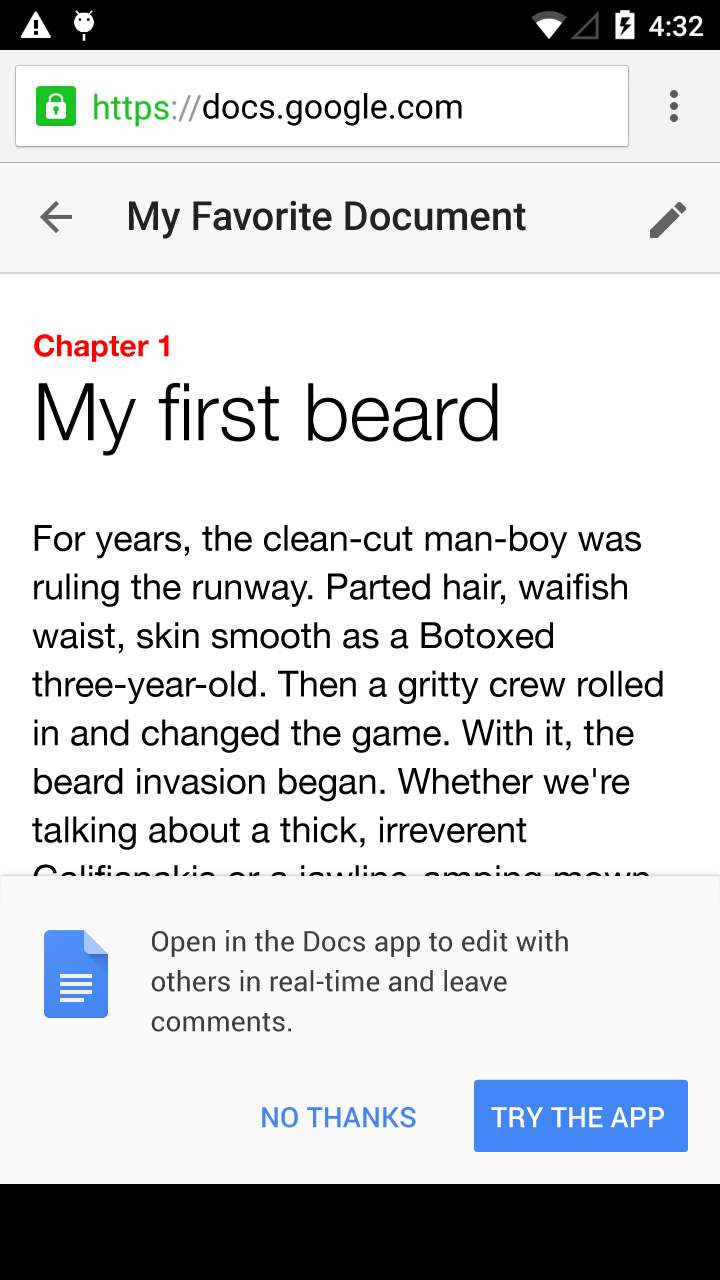
The user interface across the mobile web viewers for the three aforementioned editing tools have also been cleaned up to create a more consistent experience, which is nice.
Google has announced today that its voicemail transcription service is getting a much-needed update. Hoping to leave behind the days of hilariously bad voicemail transcriptions, Google asked some users for access to their voicemail. Now, the fruit coming thanks to those kind souls who trusted the company with their precious information has been officially announced.
Here’s the word:
So, we asked users if they would kindly share some of their voicemails for research and system improvements. Thanks to those who participated, we are happy to announce an improved voicemail system in Google Voice and Project Fi that delivers more accurate transcriptions. Using a (deep breath) long short-term memory deep recurrent neural network (whew!), we cut our transcription errors by 49%.
According to Google, errors have been cut by 49% post-update. And, good news for those who might not even see this post nor Google’s announcement, you don’t have to do anything at all to reap the benefits of these changes. Just keep using Google Voice and Project Fi as you always have, and you should notice that your voicemail transcriptions are suddenly less horrid.

Carrier billing, also known as direct billing, is a way through which customers of Google Play can pay for premium downloads without ever manually inputting a credit, debit or gift card – by having new charges billed directly to the carrier service plan they pay monthly. Now it’s available for Play Store customers on a few more select carriers in several countries – only on select carriers, though. The change was initially spotted by Android Police.
Here are the carriers and countries where Play Store carrier billing is now available:
Typing on mobile devices can be a frustrating, mistake-prone experience that takes longer than typing on a full-sized desktop keyboard, so it’s no surprise to see app developers quickly bringing to fruition changes that reduce the amount of finger-pecking necessary to take action – making password input a fallback to fingerprint scanning being one example. The full list of carriers and countries that have support for Play Store carrier billing is available on Google’s support site.
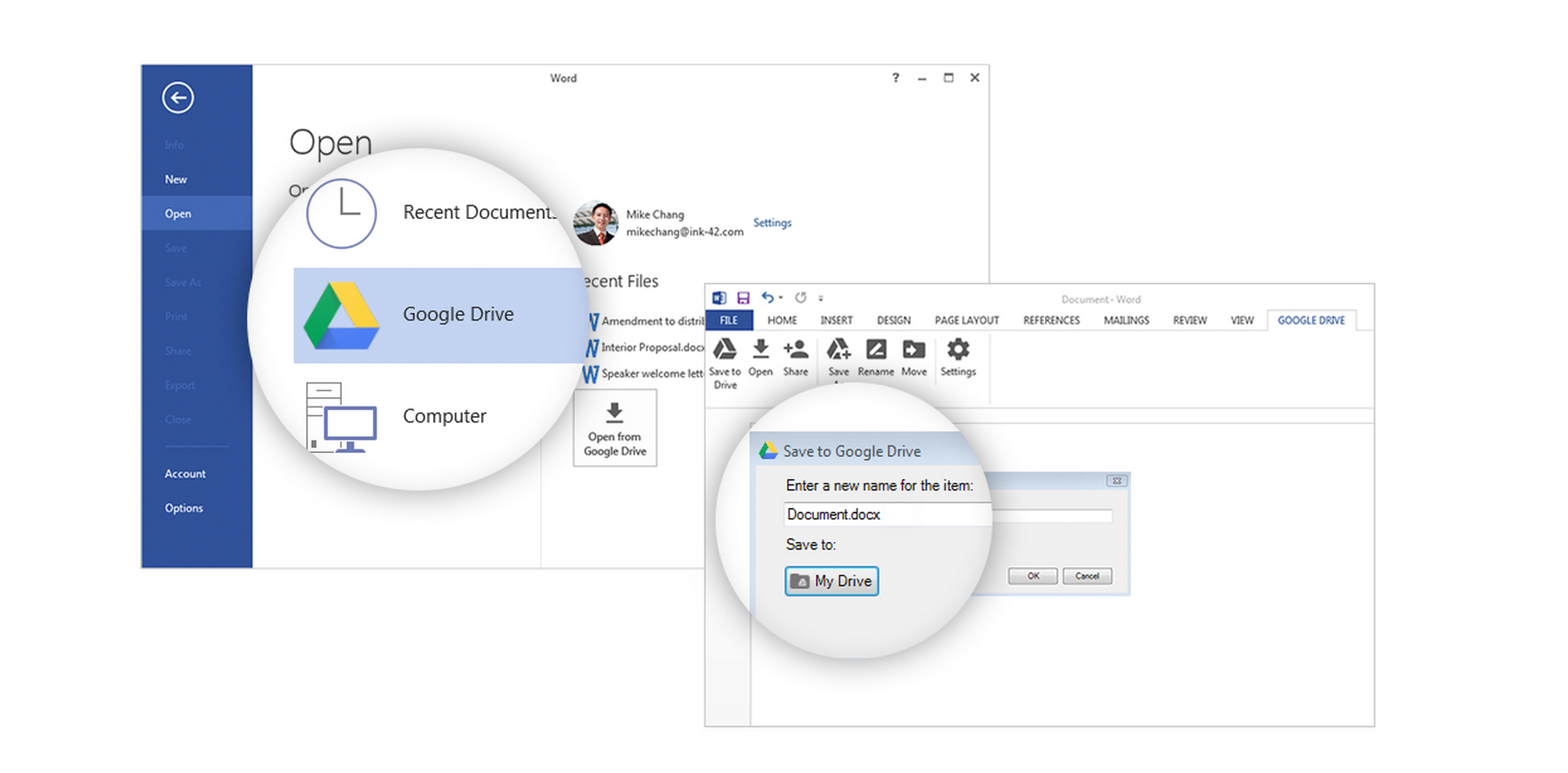
Google has a new plugin out for Microsoft Office (Windows only, for now) which makes it possible to access files stored in Drive from Office and save edits back to the cloud storage service, as well as create new files in Office and save them directly to Drive. The plugin works with Word, Excel, and Powerpoint (2007, 2010, and 2013 versions), and Office 365.
Here’s what saving a new document looks like in Word once the plugin is installed:

This plugin isn’t anything monumental, but Microsoft’s Office suite of productivity applications still has an undeniably significant hold on the corporate market. By making Drive more interoperable with the suite, Google can ease people into trying its cloud-based applications for getting work done, initially by pushing the benefit of Drive for sharing files with teams, and easily accessing files across devices. It’s a strategy Google’s competitors have claimed to use to gain a foothold in the corporate world – get enough average employees in a company using your product for some of their needs, and eventually IT will budge and consider switching over for everything. Google has a website up dedicated to the new plugin.
Google’s productivity apps have received two small updates today, one specifically for paid customers of Google Apps, the enterprise-grade version of Google’s online productivity suite for those who want to use Google products with their own domain, and the other for all users of the products. Let’s take a look.
First off, a couple products which tend to fall under the “Docs” brand have received a new UI button (pictured above) for all users which makes it clearer want kind of access you have to a document you’re viewing, and easier to request greater access. If you’re viewing a spreadsheet and have only been granted the ability to view it but not edit or add comments, for example, you’ll see a blue button which says “View only.” Clicking the downward facing arrow reveals the option to request greater access, in this case the ability to edit. Viewers with the ability to comment will see a similar button in the color green. The blue “View only” button will appear across Docs, Slides, Sheets, and Drawings, while the “Comment only” button will only appear across Slides, Sheets, and Drawings.
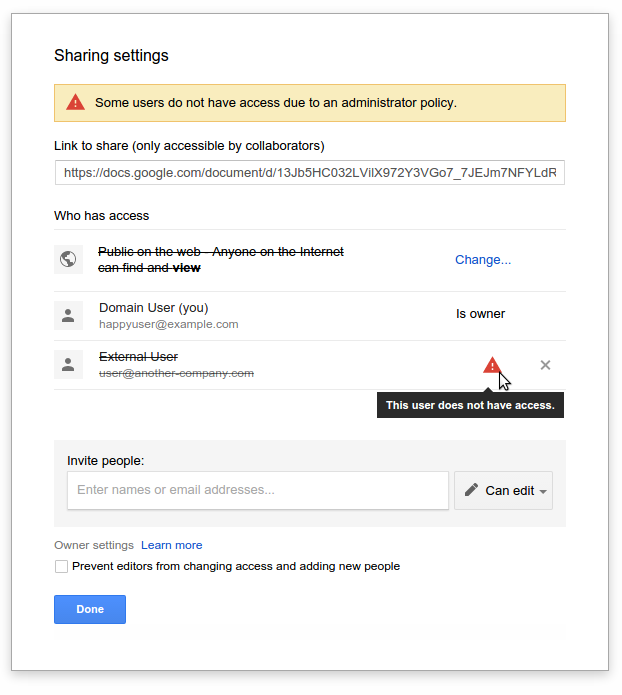
The second minor change up on the block is specifically for Apps administrators, and alerts company employees to when a document they’ve shared with someone cannot be viewed by that person for one reason or another. Oftentimes to prevent sensitive information from getting into the wrong hands, Google Apps administrators will restrict their employees from sharing files with any user of Google’s apps other than those on the same domain (i.e. tom@corpemail.com). This is what it may look like if you attempt to share a document with someone outside your corporation and sharing outside your own domain is disabled:
More information on both updates is available on the Google Apps Updates blog, here for the new Docs UI buttons, and here for the new invalid sharing settings alerts.


Google is launching a new version of Google Patents today, its web app that lets anyone search for references in patents to better assess if their own invention or patent application is already covered by another.
Expand
Expanding
Close
We shared last month that a number of changes were coming to Google’s Classroom service for educators and students, and now Google says that one of those changes is rolling out now: mobile alerts. Google says that the Classroom app for both Android and iOS will gain support for mobile notifications this week.
For instance, students will be alerted immediately when they receive new assignments or grades, notes from teachers, comments from fellow classmates, and more—allowing them to stay on top of their schoolwork even more easily.
To support the new notifications feature, Google released an updated version of its Classroom app for Android on the Play Store and iOS on the App Store this week. Google first announced the new alerts feature for Classroom, which it launched last year to help teachers and students manage classwork, alongside other upcoming changes coming to Classroom including a new developer API, a share button for sending work to other services, and the ability to re-use assignments.
Customers of Google’s Internet-based productivity suite, this one’s for you: As an Apps for Business or Education admin, you can now whitelist specific outside domains to share files with people across organizations.
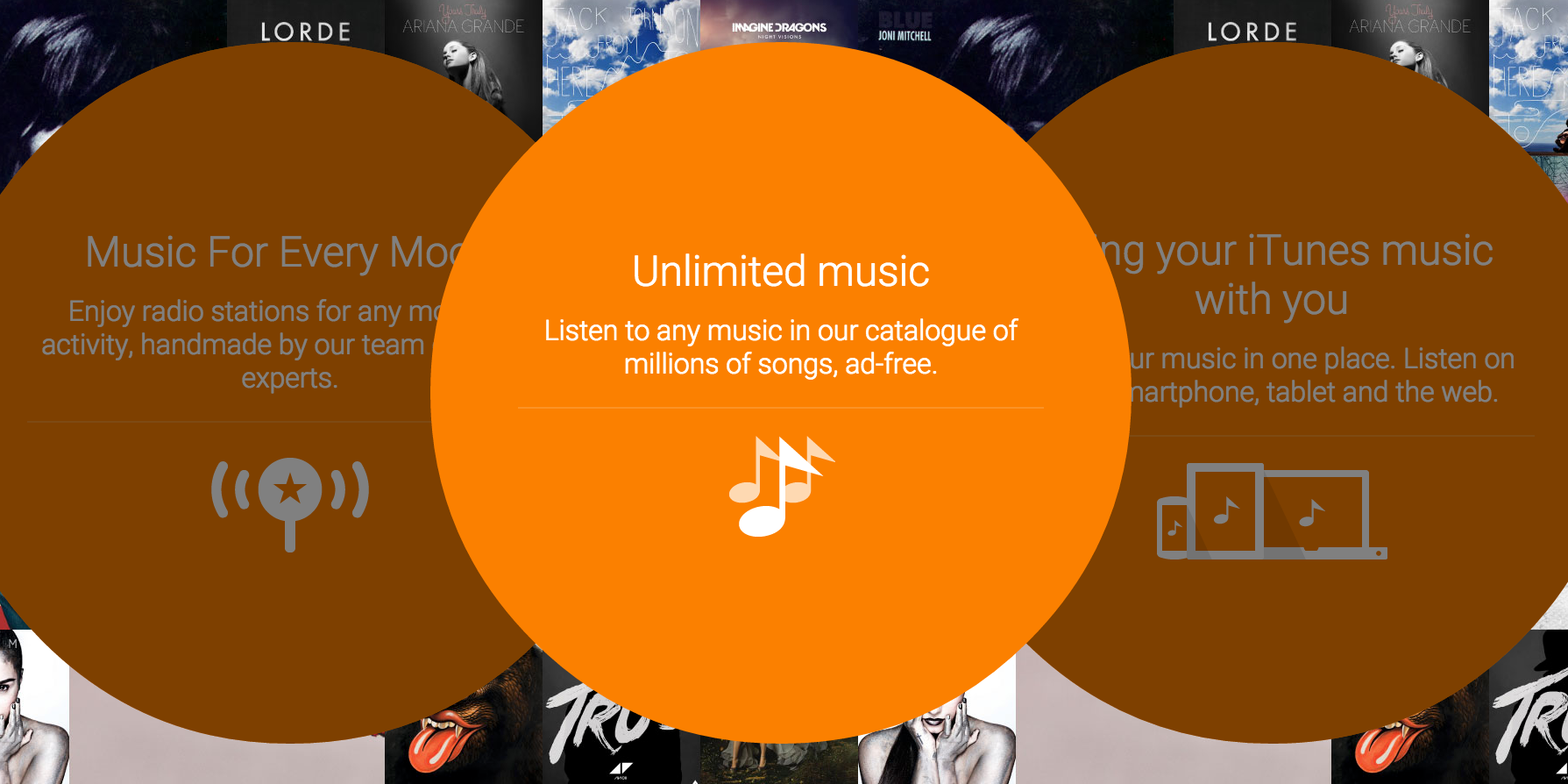
Reports online indicate that Google’s Play Music app isn’t playing nice with downloaded/stored music. Specifically, music stored or cached on a Micro SD card is vanishing or being wiped from memory every time a phone is rebooted, or the memory card is removed and reinserted …
Expand
Expanding
Close
Are you a holdout who’s been using the classic Google Drive ever since Google unveiled the new design over a year ago? Unfortunately, it seems that your time to give in has come.
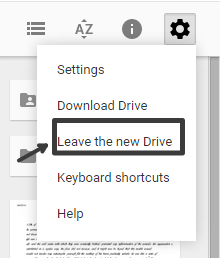
Initially spotted by a tipster talking to the (unofficial) Google Operating System blog, the toggle in Drive’s settings dropdown which allowed switching between the new Drive experience and the classic version appears to be disappearing. I can no longer see it myself. It was possible to switch to the classic version by clicking the settings icon in Drive and then choosing “Leave the new Drive”.
We don’t have our own image of it, but thanks to techinfoweb.com here’s what the toggle did look like:
And from a Google support page on how to switch between the two (it’s still live), here’s a comparison of the design and user interface of the new Drive and the classic Drive:
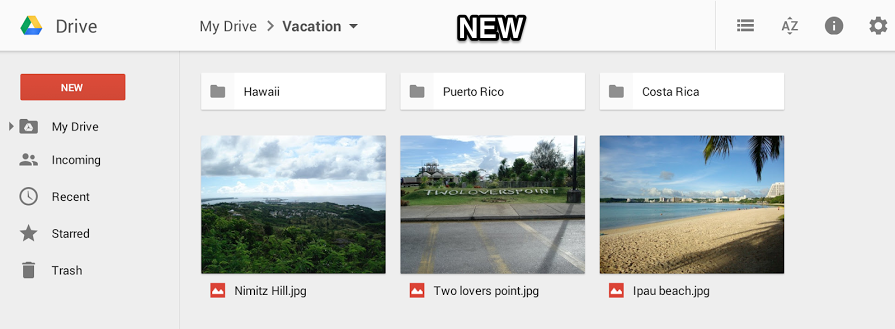
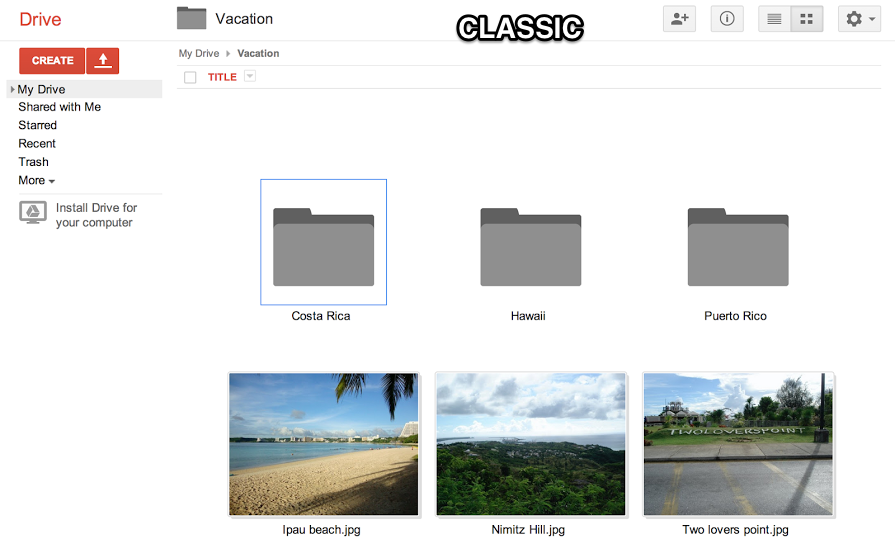
I know a lot of diehard users were upset when Google unveiled the new Drive, but I’m not quite sure what exactly is believed to be worse about the new experience. Maybe one of you can enlighten me?

Google’s My Maps product was launched all the way back in 2007 and still isn’t very well known, but it’s a really cool service for Apps customers and it’s receiving even more attention now with a quick-access button inside Google Drive.
Update: Google says that the issue has now been fixed and limits have been reapplied.
The new Google Photos service saw its launch last month at Google I/O 2015, and its announcement came with much fanfare thanks to its “unlimited” storage option—which lets you store as many photos and videos as you want for free as long as you’re willing to sacrifice some amount of quality. Now, it looks like some users who have tried to take advantage of this offer are actually hitting an invisible limit…
Expand
Expanding
Close
After making a spreadsheet in Google Sheets, you can make your content publicly visible through the app’s “Publish to the web” tool. As Google announced on the Google Apps updates blog today, this feature now supports publishing to five new formats. On top of being able to choose Web page, you can now publish in Comma-separated values (.csv), Tab-separate values (.tsv), PDF document (.pdf), Microsoft Excel (.xlsx), and OpenDocument spreadsheet (.ods).
Today’s launch allows people to publish spreadsheets in five additional formats—as comma-separated values (.csv), tab-separated values (.tsv), a PDF document (.pdf), a Microsoft Excel® spreadsheet (.xlsx), or an OpenDocument spreadsheet (.ods). The URL generated, when opened in a browser, will automatically download the spreadsheet in the chosen format (spreadsheets in these additional formats cannot be embedded).
To see the new options, head over to a Google Sheets document and click “File,” and then “Publish to the web…” The feature should be available over at the Google Sheets website right now.
Google is steadily improving its Classroom feature introduced last year that lets teachers set up lesson plans and students use apps in education. Today Google unveiled a number of improvements coming to Classroom including a developer API, a new share button, mobile notifications, and more.
Expand
Expanding
Close
Google lets the administrators of Google Apps accounts view an auit log of all the activity happening in their company’s Google Drive account. Before today, you could see in these logs all of the events when someone would view, create, update, delete, or share Drive content. Starting today, Google says that admins can now see download events in these logs as well.
To help analyze and monitor the use of Google Drive content in their organizations, Drive for Work and Google Apps for Education admins are able to access audit logs in the ‘Audit’ section of the Admin console Reports area and via the Reports API. The current Drive audit logs include events such as create, view, and delete, among others. With today’s launch, we’re adding download event support to the Drive audit logs.
Google says that these new “download events” will include user file downloads for both Google and non-Google file formats. As if the case with other types of audit events, admins will be able to filer by document name, user name and timestamp. Finally the company says that they’ll add more sources in the future including “Sync Client downloads and exports of documents through the Google Docs editors.”
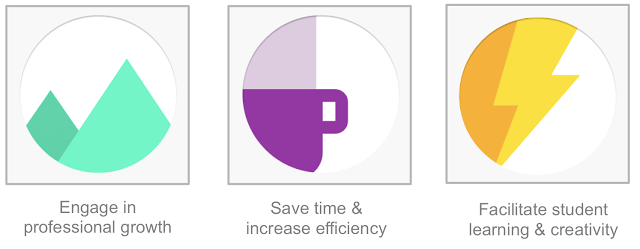
Google wants schools to take advantage of its Apps for Education suite of productivity tools and services, but it also recognizes that proper professional development is essential to enabling educators and transforming education. The company today announced the release of a free training platform that provides interactive lessons with a focus on how to successfully complete real classroom tasks and objectives using Google products.
The new platform is called Google for Education Training Center and builds upon a recent survey by the American Federation of Teachers which found that 71% of educators and administrators surveyed cited “adoption of new initiatives without proper training or professional development” as a primary source of stress in their work lives. The new tools are supposed to help teachers apply Google’s tools in the classroom and beyond.
The lessons, like how to get students collaborating using Drive and Docs, are organized around the three themes above and range in difficulty from beginner courses to those targeted at teachers who already know their way around Google’s products quite well but might inspiration on how to differently using the products with their students.
As part of the announcement, Google says that it has brought on the Chicago Public Schools, a school district including over 600 schools and 400,000 students, as a launch partner for the Training Center. The district will use Training Center as a part of its technology professional development program, and the course will count towards its teachers’ professional development hours.
“The Training Center reflects what we value most about education, focusing on the process of learning rather than the tools themselves,” the company says. More information about the Training Center and to try the lessons, Apps for Education customers can visit g.co/edutrainingcenter.
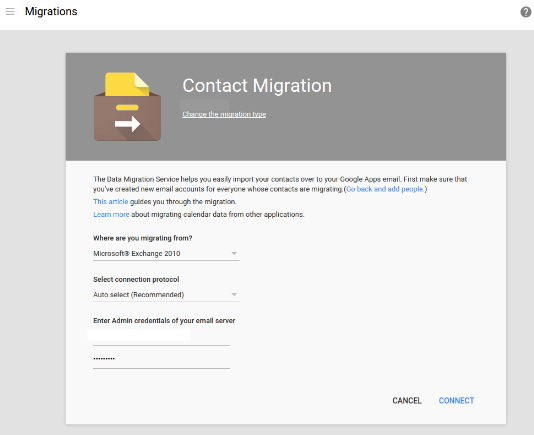
Google is making it easier for businesses to switch to its Apps for Business productivity suite from Microsoft’s Exchange and Office 365 services. The company today added a new migration tool to the Apps admin console that makes bringing over employees’ contacts as easy as filling out a form, according to its blog post.
The familiar Google App Launcher that you may or may not use on a daily basis — found on Google’s many web properties — has four rows of icons and the ability to move them around to organize them the way you’d like. You probably didn’t even notice when these features were added, but they’re nice to have. If you have a Google Apps account too, though, you may know that the App Launcher is stuck in the past for Apps users.
Expand
Expanding
Close