
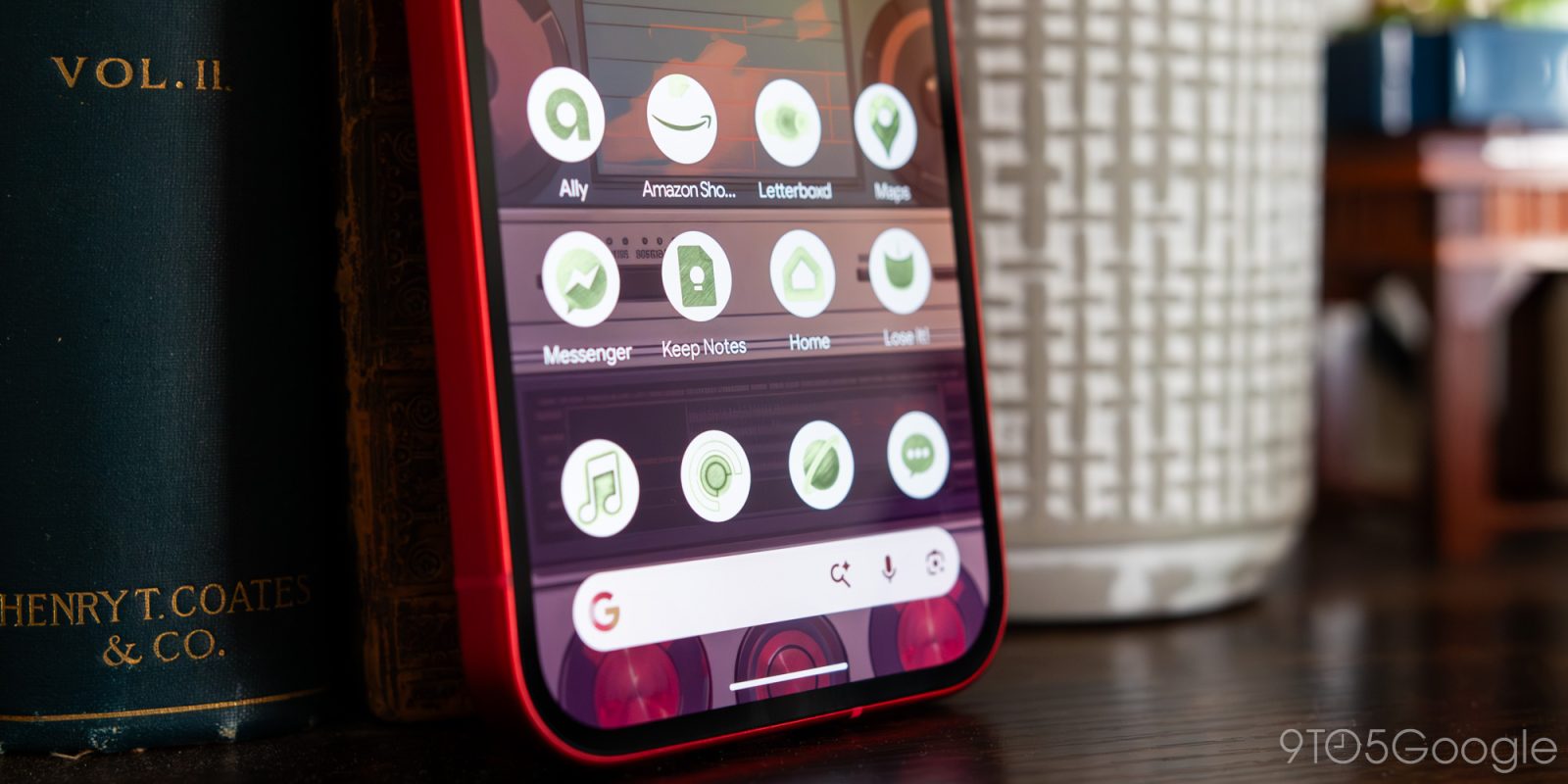
With this month’s rollout of Android 16 QPR3 and its associated Pixel Drop, anyone rocking one of Google’s growing collection of Pixels is finally getting access to something we’ve waited on for a long time: custom app icons. Unfortunately, using this feature is locked behind a basic set of generative AI tools, and compared to what you’ll find on other launchers — from both first and third-party developers — it’s just not good enough.
I’ve been trying out Google’s AI-generated icons on my Pixel 10a over the past week or so, and unfortunately in my eyes, the problems really start appearing right from the beginning of the process. After this update, you’ll find five custom icon styles in the Wallpaper & Style menu on your device: Scribbles, Cookies, Easel, Treasure, and Stardust. Selecting one allows you to lightly customize your color packs with a handful of pre-selected color options, but just like with Google’s genAI-based wallpaper creator, you’re working within some pretty strict guardrails. Cookies and Stardust are, unfortunately, completely locked to their pre-built colors.
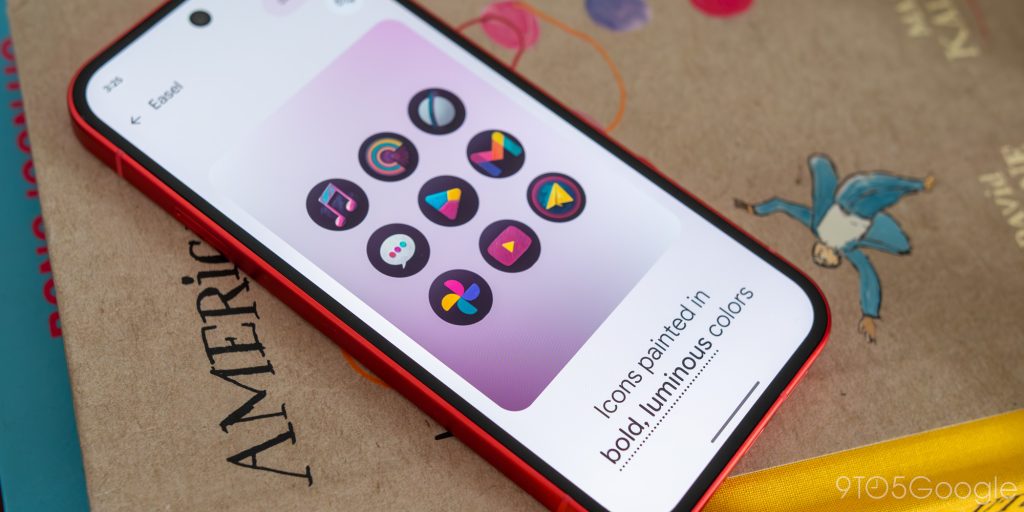
Once you’ve selected your style and color, Google previews nine of your homescreen app icons, using a mix of first and third-party offerings to give you some sense of what this style looks like. Most of these worked pretty well on first go, especially on the first-party side. But in my limited testing, some of my most-used apps, including Apple Music, Pocket Casts, and Letterboxd, had fairly rough designs. It seems like any icon with predominantly circular icons really struggled in being properly generated in a recognizable fashion; Letterboxd, for example, often had two of the three circles in its icon disappear.
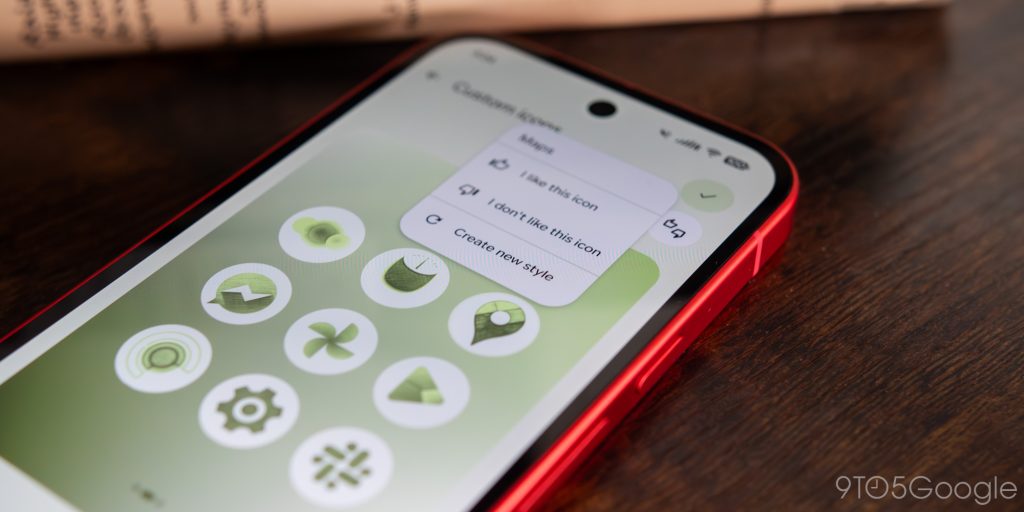
If you don’t like what’s been generated, tapping on an icon preview allows you to give feedback or regenerate the look. However, as is often the case with AI-generated art, its second and third attempts often either moved in the wrong direction or echoed the design I already disliked. And without the ability to specify what you need fixed with a prompt, you’re basically stuck trying to regenerate with the hope that you’ll find something that doesn’t crumble under scrutiny.
What’s even more annoying, however, is the inability to see all of your homescreen icons until you’ve created, downloaded, and saved your new pack. You can’t initially see beyond those nine selected icons, which means the only way to modify your icons is to return to Wallpaper & Style after you’ve applied your changes. There currently isn’t a way to, say, regenerate an icon design right from the homescreen through a long-press action, making the entire thing feel a little more tedious than it otherwise needs to be. Some packs appear to be more successful than others at nailing the look of your apps, so your mileage may vary depending on which style you start off with.
I’ve been waiting what feels like ages for Google to finally bring some additional customization to its Pixel launcher, but just as I don’t believe AI-generated wallpapers are a good replacement for pieces of art from real human creators, I don’t think these icons replace traditional icon packs. These are, at best, auto-generated themes that take inspiration from your pre-existing icons to add new elements to what’s already there, but they do very little to make your homescreen feel more unified around a specific look and feel. For that, you’re still better off with a third-party launcher and the icon pack of your choosing.
They also fail to improve on some of the shortcomings that actual icon packs already face, save for missing out on potentially underused or niche applications. Google’s system can’t even spot and apply changes as new icon designs roll out; for example, after a recent Maps update changed the look of its pin-shaped logo, my Pixel kept the old design because I’d used AI to regenerate this art style.


It’s possible that this feature really is the future of Android customization, specifically on Pixel, where it’s always been difficult to find a system that works without some various headaches. But despite my desire for a more personalized homescreen experience on Google’s hardware, I’m just not sure this is anything more than a novelty — an opinion that, unfortunately, is dogging plenty of AI features on mobile these days.


FTC: We use income earning auto affiliate links. More.


Comments