
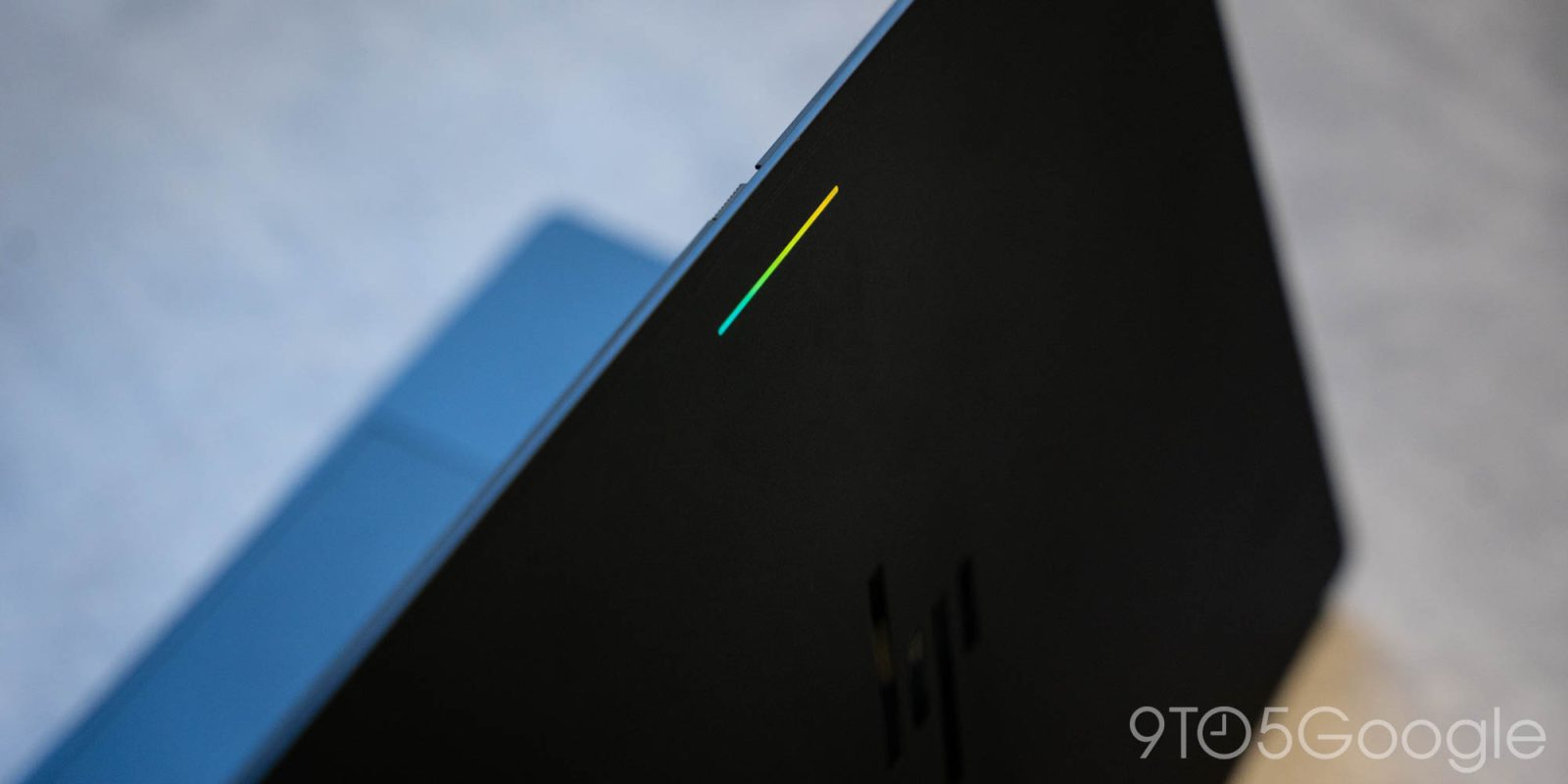
Buried in the settings of Googlebook is a “Glowbar Disco” app that activates the LEDs on your laptop constantly, instead of leaving it blank.
The Glowbar on Googlebook is a carryover from the iconic light bar on the original Chromebook Pixel. It doesn’t function quite the same, lacking the fun and useful “knock knock” gesture that Google’s original offered, but it still shows battery on plug-in, and serves as a nice accent too.
But, hidden behind the scenes is more control over the glowbar.
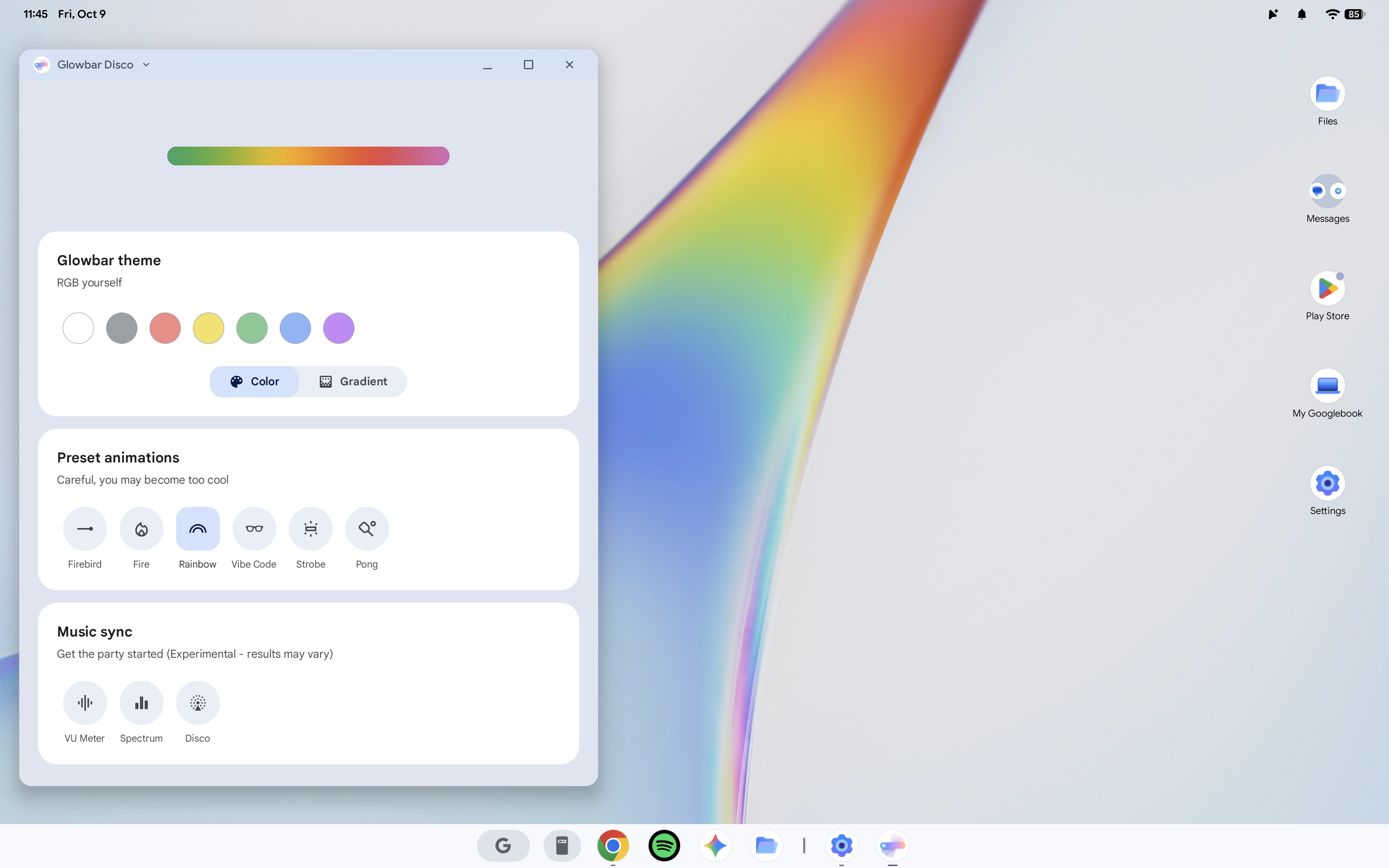
The “Glowbar Disco” app is an Easter egg buried deep within the OS, and even Google’s Alexander Kuscher admits it might be “too hard to find.” The app itself lets you set the Glowbar on a Googlebook to show a constant color, a preset animation, a gradient of colors, or even sync with music. It leaves the Glowbar active whenever the machine is turned on and the Disco app is open, and it’s a super fun little addition.
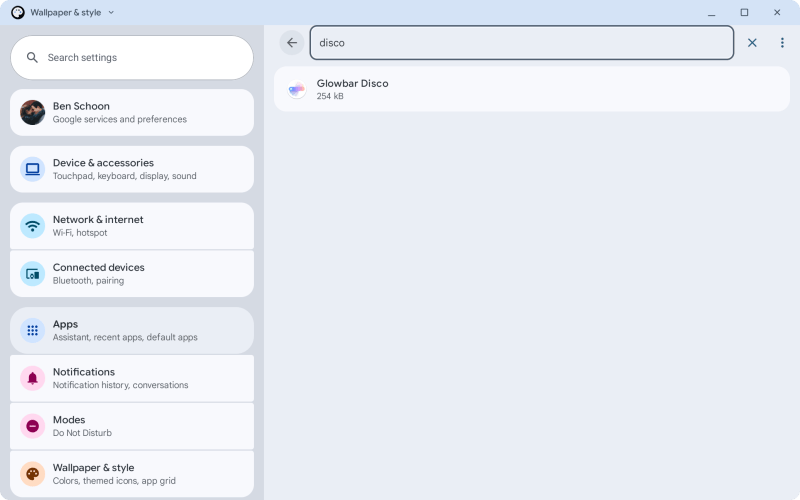
Finding the app, though, is not exactly an easy task.
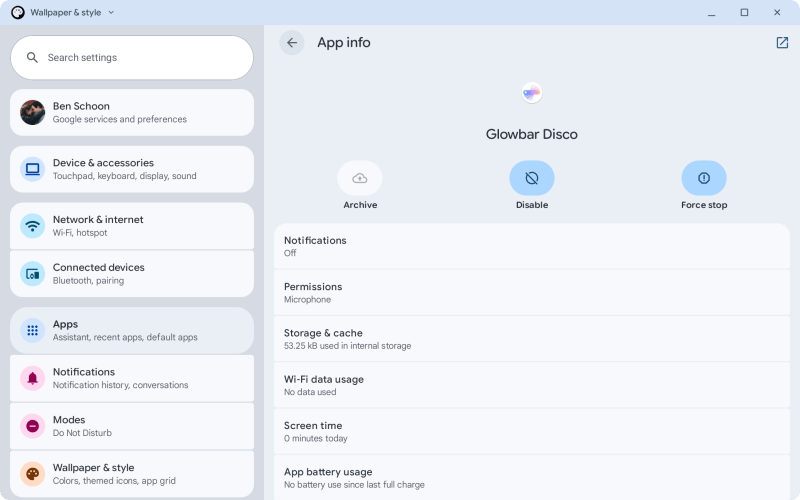
You’ll have to go to Settings > Apps then allow the search function to show system apps, then search for “Glowbar Disco.” From there you can launch the app, but you’ll need to repeat that process every time you want to access it. And, if you close the app, the effects stop.
If you ask me, this should be baked into the Settings because it is very fun. Hopefully that’ll change in time — Googlebooks certainly need a lot of updates.
More on Googlebook:
- Logitech brings its mouse & keyboard controller to Googlebook, supports Magic Pointer
- Googlebook Glowbar doesn’t have the ‘knock-knock’ Chromebook Pixel battery gesture
- Googlebooks don’t have the same web app or Linux app support as Chromebooks
Follow Ben: Twitter/X, Threads, Bluesky, and Instagram


FTC: We use income earning auto affiliate links. More.


Comments