
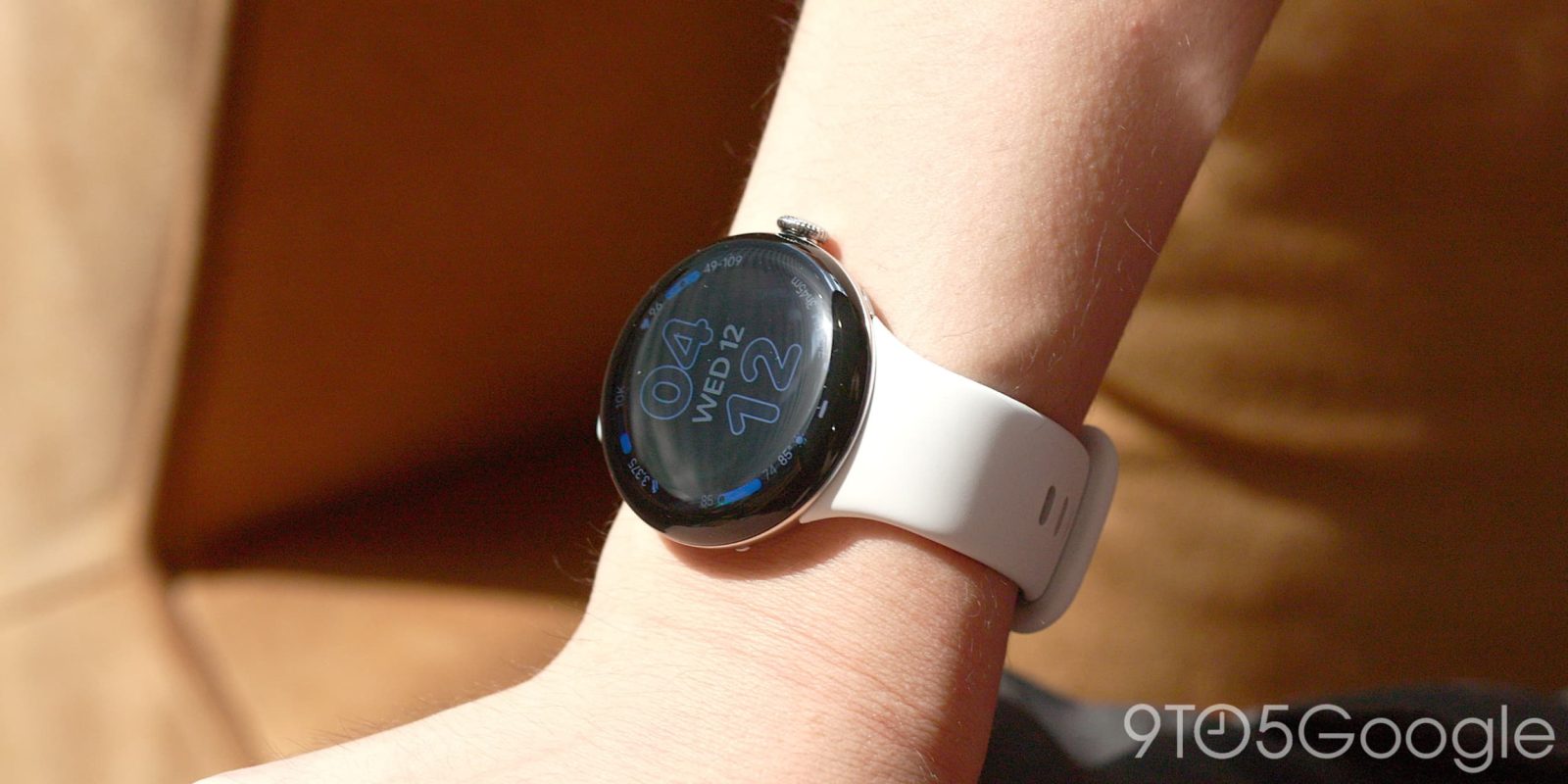
The result of two changes made by Google means I’m using the Pixel Watch 5 in an entirely different way from the previous four generations, and it feels so futuristic.
Design
The external design is exactly the same, and I’m perfectly happy to spend another year, if not longer, with Actua 3D. I am amused by its domed nature every time I open Quick Settings, notifications, or widgets. There’s no practical benefit — beyond accelerating swipes — but it sure does complement the watch’s round nature.
This design trait, which already feels like a hallmark of Google’s wearable aesthetic, adds a little bit of three-dimensionality to what appears on the screen. A prime example is the curved Material 3 Expressive button that appears at the bottom of widgets. This tactility is probably Google’s best melding of hardware and software.
A year later, I have no complaints about the contacts that protrude from the left edge of the Watch or the Quick Charge Dock they connect to, which I continue to applaud for its heft. The Watch batteries are only a few mAh larger, and Google did not make any changes to its 30-hour (41mm) or 40-hour (45mm) estimates. My year-old 41mm PW4 ends the day with battery life in the 50% to 55% range, while the PW5 is firmly left with about 60% over the past week.

Meanwhile, battery life on the 45mm size of Pixel Watch has never been a particular problem. Last year’s charging speed boost was far more impactful. My colleague Ben found a noticeable bump to battery life on his 45mm Watch 5. A single day uses as little as 40% of the battery even with AOD turned on, meaning you can almost certainly get through two days on a charge. With charging being just as fast, the 45mm model just provokes zero battery anxiety, as you’ll almost certainly never use more power in a day than a quick 15-minute top-off can refill.
The 2nd-generation Active Band, which switches to a new material that has fewer “forever chemicals,” might feel flimsier when it’s off your wrist. But the change is otherwise not noticeable in day-to-day wear.


If I have one note on the hardware, it’s the band-swapping mechanism. I’ve been ruined by how much easier it is to change bands on the Fitbit Air. The physical form factor is not one-to-one, but I change bands on the new tracker so much more often than on the Pixel Watch.
The Pixel Watch 5 gets a new chip with the Snapdragon W5 Gen 2 Accelerated. The 12% boost in CPU processing power and extra gigabyte of RAM aren’t things I have noticed in day-to-day usage. Some animations are slightly snappier, but the changes are subtle. I don’t really have any performance complaints.
Software
The software experience on the Pixel Watch 5 is the most refined it has been in years. It starts with expanded watch face complications that show more information. The sunset/sunrise time is now accompanied by a countdown, which led me to remove the dedicated widget that I was using for that sole purpose. Meanwhile, heart rate includes your recent range and temperature adds the high/low. These updates greatly increase the likelihood that you can simply stay on the watch face.
Old vs. new


The other big addition is color, like the red heart rate complication, that makes it much easier to distinguish information on information-dense faces. Given the small screen, it is much better than everything being themed the same.

The refinements continue with updates to Auto Bedtime Mode, with Google letting you set auto-pause for audio, while a new night vision-friendly watch face in red just shows the time and your next alarm. It’s another example of Google optimizing the UX of workflows you encounter daily.
I also want to mention Express Pay (introduced March 2026), where you can just tap your watch to an NFC reader instead of opening the Google Wallet app, as another example of reducing friction. With the Pixel Watch 5, Google updated the motion model to improve accuracy with more payment terminals.
There are two new faces this year. Chronograph functions like its namesake, while Weave incorporates the Neural Expressive design language, which is also now live in the Gemini app, and responds to wrist motion.
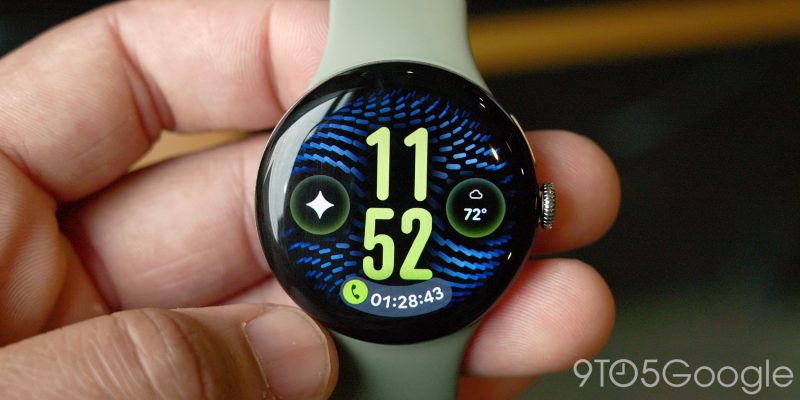
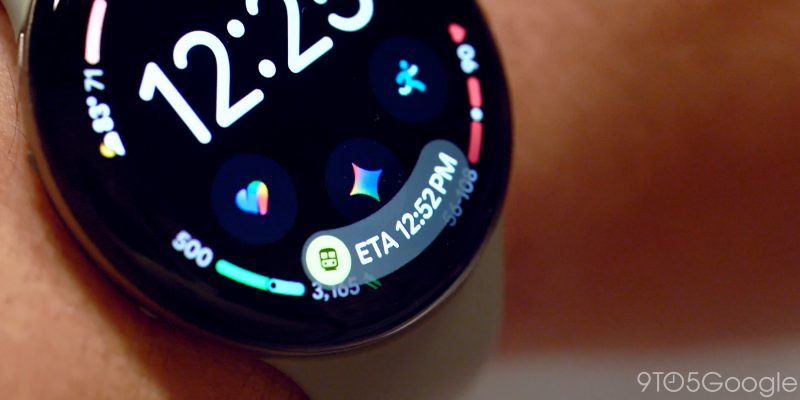
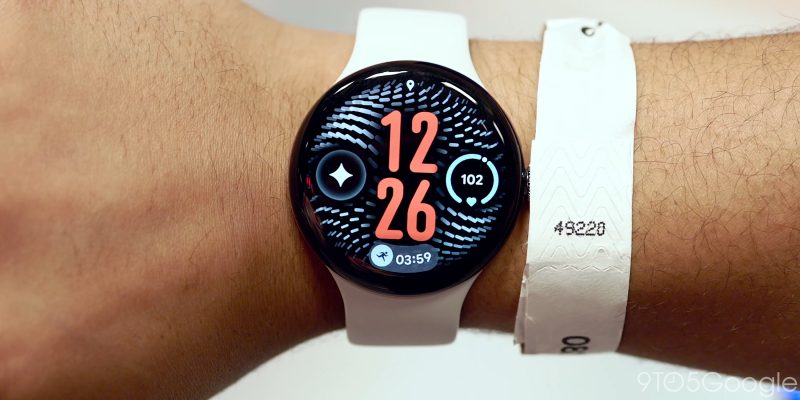
My absolute favorite software addition is At a Glance. It’s a space at the bottom of watch faces for Live Updates and other real-time information. This includes media controls, timers, ongoing navigation, flight boarding passes, and workouts. Previously, you just got a small icon to resume an activity, but At a Glance shows information directly in a nice arc that curves to the display.
As part of this, Wear OS has made some tweaks like replacing the new notification dot with a line, while the Airplane Mode and microphone indicators have been moved to the top of the screen.
When combined with one-handed gestures for scrolling and tapping, I’m touching the wearable much less while getting the same utility. Google first introduced them last December on the PW4 before bringing it to the PW3 this March. With the Pixel Watch 5, gestures are supported in many more apps, while you can now customize actions in Settings:
- Media controls: Play/pause or Skip
- Alarm: Snooze or Dismiss
- Watch face: Open ongoing notification or Always scroll notification tray


My go-to move is double-pinching to launch media controls from At a Glance on the watch face, while pinching a second time pauses the audio. I then turn or flick my wrist away for the universal back gesture. Tip: By default, Media Controls just shows a dot in At a Glance, but you can long-press to also see the track name at the bottom of your watch face.
I find this combo of At a Glance and gestures so powerful that I’ve enabled Tilt-to-Wake, which I’ve turned off on every Wear OS watch dating back to the Moto 360. It lets me perform gestures immediately instead of having to first tap and wake the screen for truly touch-free interactions.
I’m not sure that Google set out to offer a comprehensive new way to use the Pixel Watch 5, but being able to use it one-handed feels very futuristic.


Gemini Intelligence
Gemini now supports offline voice commands like controlling music (skip and volume), setting timers and alarms, turning on/off settings like Wi-Fi, controlling Do Not Disturb, Water Lock, and other modes, opening apps, and starting workouts.
They are nice if you have the non-LTE model and exercise without your phone. The use case I’ve found very convenient is around bedtime. I somewhat curiously enable Airplane Mode (and Battery Saver) on my Pixel Watch before falling asleep. When I wake up in the morning, I can now issue voice commands to disable both.
Meanwhile, Raise to Talk makes use of an updated motion model to reduce the number of false positives. I’ve come around to this being how I launch Gemini, with the Pixel Watch 5 finally convincing me to disable hotword detection.
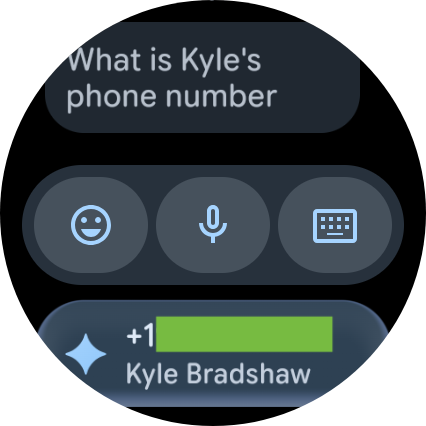
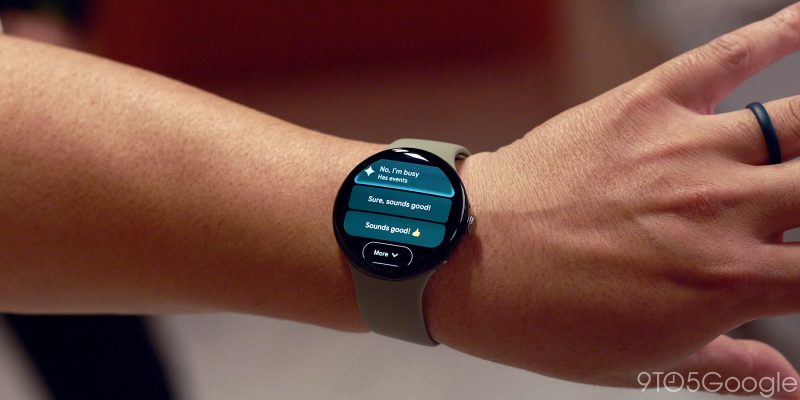
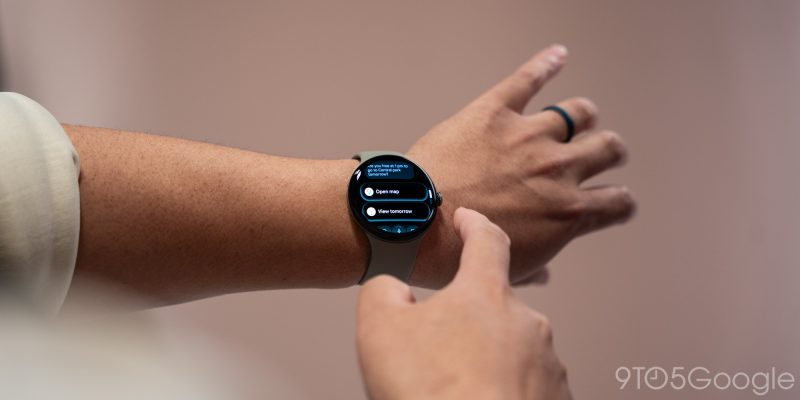
Gemini Intelligence Proactive Suggestions — yes, that’s the full name — just feel natural on this form factor. One-tap suggestions for addresses and phone numbers unlock actions that you’d previously have waited to do on a phone. These Suggestions only appear in notifications, starting with Google Messages. At the very least, they should also be available in the app.
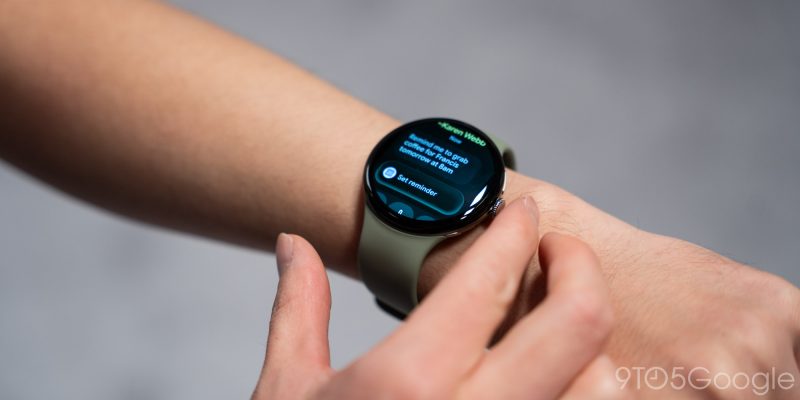
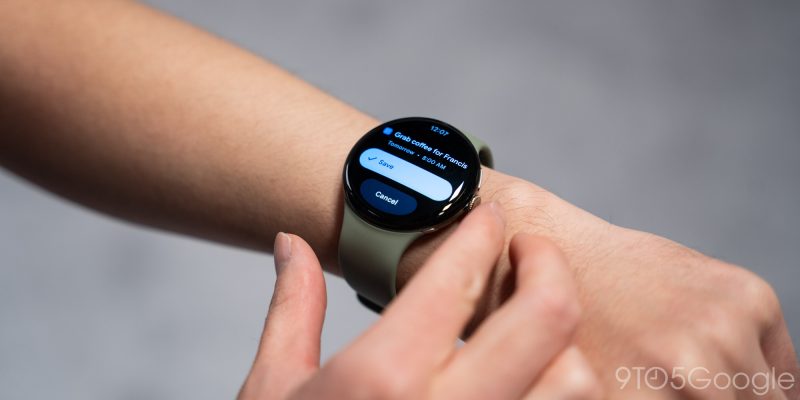
Task Automation cannot be initiated from the watch. Rather, this integration just lets you see progress in At a Glance after the action is started from a phone. Google might as well let you trigger tasks from your wrist to reduce any friction.
Health
We’re still testing the health features for the Pixel Watch 5, with more than a few features not yet live on day one. This includes the on-wrist Strength Training interface, while Blood Pressure and Insulin Resistance Trends aren’t coming until September 2026 after a month of data. Additionally, Breathing Emergency Detection is only available in Europe at launch.
What is available out of the box is the improved GPS performance, though it takes up to 10 minutes for the data to appear in the Google Health app after a workout because of the processing required. Until then, you’ll see what Google calls the “non-optimized” map. Google has also updated the workout views with a larger font, updated typography, and refreshed color palette.
Google says the Pixel Watch 5’s latest machine learning models mean sleep stage tracking is 15% more accurate, while Smart Wake Alarms are the other notable addition. Alarms go off within a 30-minute range to wake you up during a lighter state of sleep, with more testing needed here.
One feature I want is for the Google Health app on Wear OS to add water and food logging. The latter is probably best served by Health Coach integration with Gemini voice commands.
Conclusion
Top comment by DiamondMaster115
I have been happy with my 41mm PW4, also ending the day with 50-55% battery life with the AoD on. If Google ends up backporting the GPS path post processing to the previous generation, I'll be more than content to hang on to it for a while yet.
Ever since the first Pixel watch, updates have been minute, but iterative, and I think with the launch of last year's PW4, with a repair-friendly design, two day battery with the AoD, and really fast charging, there isn't anything outstanding that desperately needs upgrading from a hardware perspective.
Google can continue to add first-on-pixel-watch software features not seen on any other smart watches that can make it tempting to upgrade, but not necessary.
In other words, we've reached peak Pixel Watch.
It’s not often that a familiar product you use every day changes so drastically. The Pixel Watch 5 demonstrates that the UX of wearables can still drastically improve after all these years.
In addition to primarily interacting with the Pixel Watch 5 touch-free, the introduction of At a Glance and more info-dense complications means I haven’t really left the watch face this past week. In making information immediately accessible (with Gemini Intelligence also playing a role to a lesser degree), I’m relying on the watch for more phone-level actions.
In many ways, Google’s narrative of being able to use your phone less is actually coming to fruition on the Pixel Watch 5.
PW4 owners have absolutely no reason to upgrade and it’s not a slam dunk either for the PW3, especially when many of these updates are software changes. Owners of the first two generations should absolutely do so for a very complete and thorough package of improvements.
Where to buy


FTC: We use income earning auto affiliate links. More.


Comments