
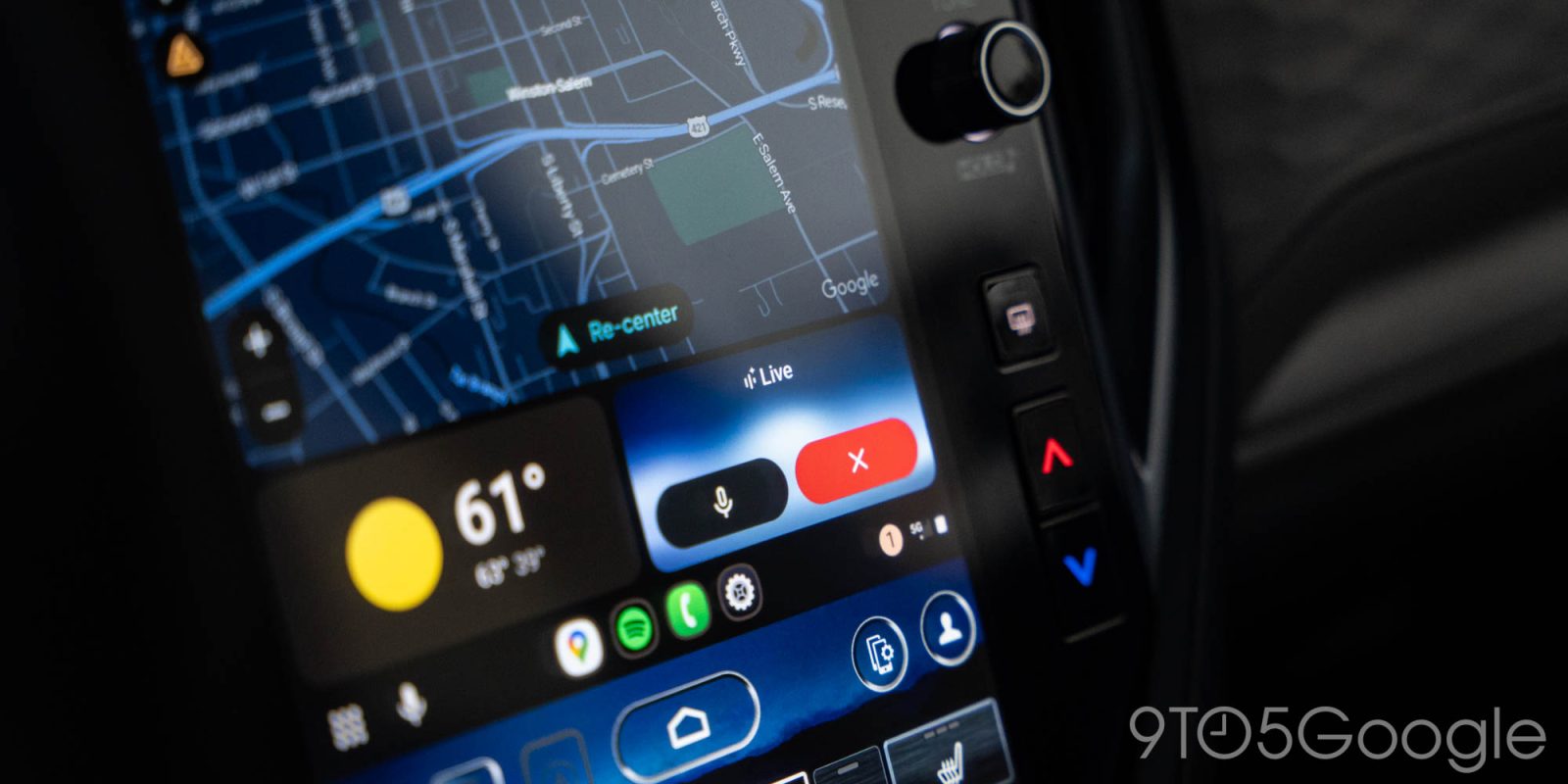
Over the past few months, especially, Gemini has taken over everything Google, with Assistant having largely vanished. Yet, in most cases, the biggest upgrade I’ve felt from Gemini is just the lack of Assistant being so awful. But there is one big exception, and that’s with Gemini on Android Auto.
This issue of 9to5Google Weekender is a part of 9to5Google’s rebooted newsletter that highlights the biggest Google stories with added commentary and other tidbits. Sign up here to get it delivered to your inbox early!
Google’s pitch with Gemini has, to me, always felt a little ambitious. The thought of having full-fledged conversations with my smartphone, speakers, earbuds, and other devices just seems… weird. At least for me, I’m usually using voice commands on these devices to handle a task in the quickest way possible, often just for things like smart home controls or quick questions I need a one-sentence answer for.
Often when Google shows examples of how it expects people to use Gemini, I truly just can’t believe anyone is typing out 50-word prompts like they’re talking to another person.
But the recent rollout of Gemini for Android Auto is what’s managed to change my tune a fair bit.
Gemini on Android Auto is not something I ever expected to want because, frankly, Assistant seemed like enough. If I’m looking to navigate to a location, I don’t need a ton of context, I just need my voice assistant to do the thing I’ve asked of it. And, really, I think I was right about that. Assistant was enough for that, at least until it started to crumble and become something about as useful as a dumpster fire in your passenger seat. Gemini at the very least cleans up the problems Assistant was having, though not without introducing its own such as continuing to ask questions of you or read out its replies long after you’ve used the touchscreen to complete the action.
Where Gemini managed to stand out on Android Auto for me was in its conversational manner, and it’s ability to find information quickly.
Much like “shower thoughts,” I often find myself brainstorming ideas while driving alone. But, for safety’s sake, I usually can’t gather any new information behind the wheel. Gemini, and especially Gemini Live, has been brilliant for this. Lately I’ve found myself having full conversations with Gemini about things I want to buy, like a drone, or details about rules in a disc golf event I’m looking to run. Instead of thinking about these questions in my head and either quickly looking up information at a stoplight or, just as likely, inevitably forgetting to look them up by the time I reach my destination, I can just talk it through with Gemini.
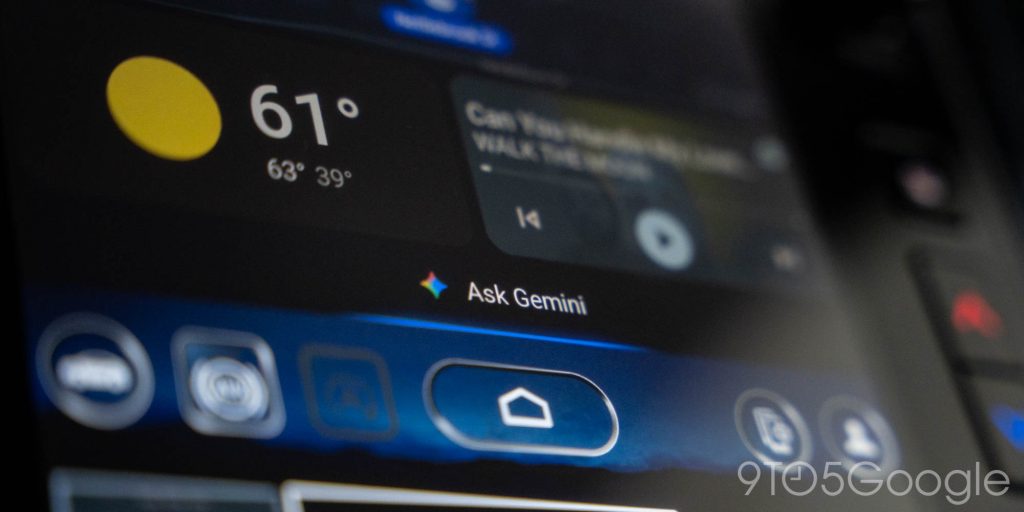
I still have an inherent distrust of anything AI has to say, but when I’m using Live as a sounding board for topics I already have some knowledge in, or just gathering some very basic details around an idea, Gemini turns into a great way to stay productive behind the wheel without compromising safety at all.
Truly, this is the first time I’ve felt Gemini’s voice functions are actually useful.
Matters flip entirely when it comes to another recent Gemini rollout, though. I’ve just started testing out the TCL QM9K TV at home, and Gemini on Google TV just feels utterly useless to me. Voice assistants on a TV are super useful for looking up content without pecking your way through an on-screen keyboard with the remote, but the long-winded replies of Gemini just make it an absolute drag on the TV. Ironically, it’s exactly the problem I thought I’d run into in the car. There are some obvious use cases for Gemini on the TV, such as finding content, but I’m again back to not being able to believe that people are holding up their remote and trying to have a full conversation with their TV just to find something to watch.
What do you think? Have you found Gemini useful in day-to-day life outside of the chatbot that started it all?
This Week’s Top Stories
YouTube Recap and Spotify Wrapped
After years of user demand, YouTube finally rolled out “Recap” as an overview of your past year watching videos on the platform. It arrived right at the time that the recap that started it all, Spotify Wrapped, rolled out its 2025 edition with a new “Party” function.
- YouTube ‘Recap’ is like Spotify Wrapped for videos, starts rolling out today
- YouTube ‘Recap’ is here; how to find it
- Spotify Wrapped 2025 now available, can compare your listening to your friends
Android 16 QPR2
Google has rolled out Android 16 QPR2 to Pixel phones this week, with plenty of fixes on board and also some new updates for Android in general.
- Android 16 QPR2 rolling out with December 2025 security update
- Google expands dark mode across Android as it makes some big accessibility changes
- Circle to Search can now recognize and detail digital scams with AI Overview
- Pixel December 2025 update fixes 33 issues: Battery limit, UI, more
- Google Chrome for Android now lets you pin tabs to save important pages
More Top Stories
- Walmart’s affordable Google Home camera is a no-brainer at $10 sale price
- Google launches Workspace Studio to create automated Gemini-powered agents
- OnePlus 15 US pre-orders are now open, includes free smartwatch, earbud bundles
- MKBHD’s ‘Panels’ wallpaper app is shutting down at the end of the year
- Netflix kills Google Cast support on ‘most TVs,’ still charges more for Chromecasts
- Samsung reveals Galaxy Z TriFold, confirms US launch in early 2026
- Galaxy Z TriFold likely priced around $2,800, first look shows display creases, DeX, more [Video]
- This is how Google Fi’s new Web Calls and RCS system works, rolling out now
- From stands to wallets, my Pixel 10 has me falling in love with magnets
From the rest of 9to5
Top comment by Henry!
Still eagerly awaiting the rollout on my device! I find myself talking to Gemini on my watch to get around the limitations of the Assistant in AA
9to5Mac: Apple design boss Alan Dye departing for Meta
9to5Toys: Spigen debuts new magnetic iPhone/AirPods wrist lanyard down at $17 Prime shipped
Electrek: Elon Musk claims Tesla FSD drivers can now text and drive, do police agree?
Follow Ben: Twitter/X, Threads, Bluesky, and Instagram


FTC: We use income earning auto affiliate links. More.




Comments