
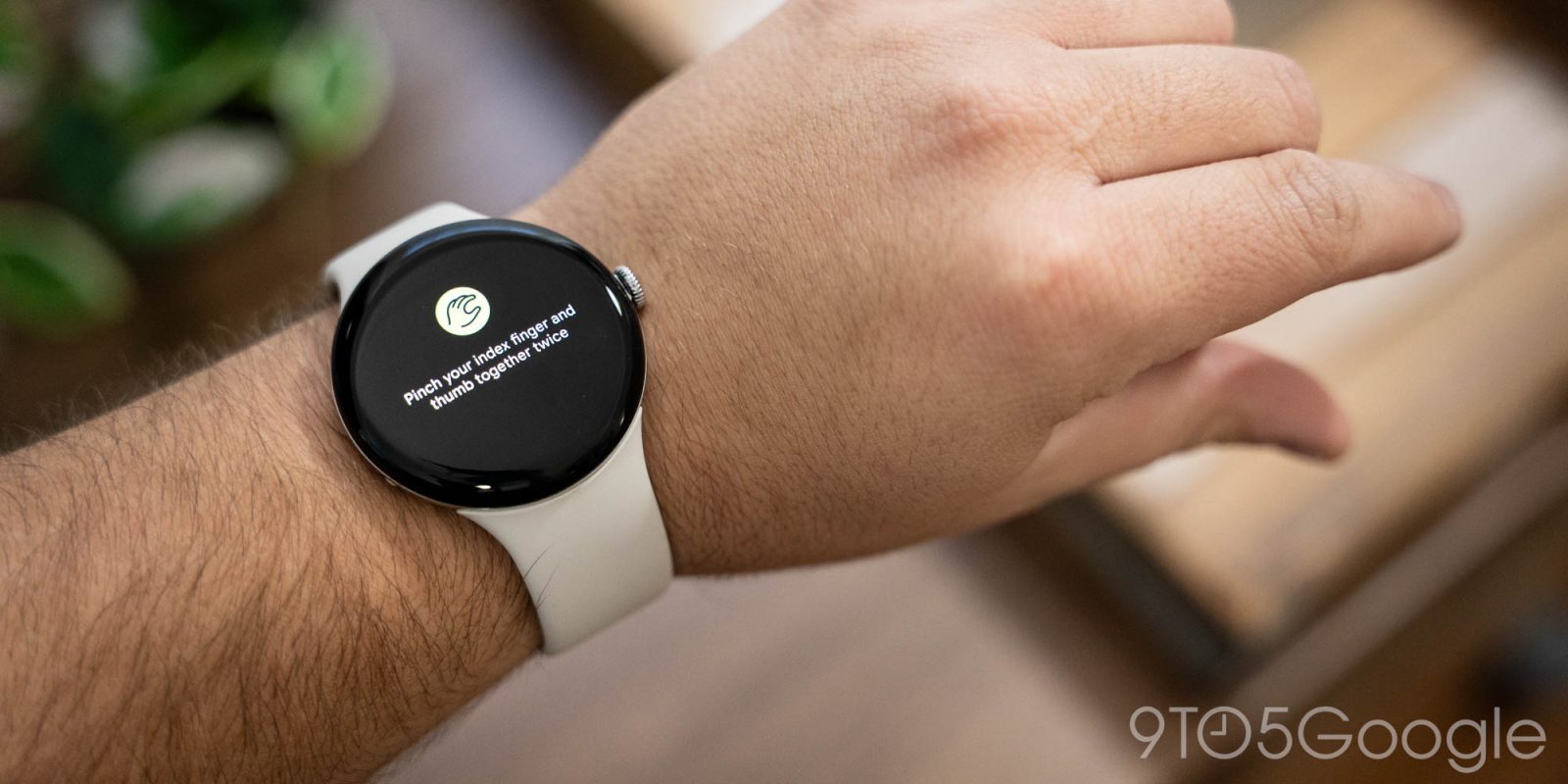
Google rolled out a major Pixel Watch update this week that, for Pixel Watch 4 owners, delivers support for new one-handed gestures. They’re super useful already, but do they measure up to the gestures Google introduced a decade ago?
This issue of 9to5Google Weekender is a part of 9to5Google’s rebooted newsletter that highlights the biggest Google stories with added commentary and other tidbits. Sign up here to get it delivered to your inbox early!
Rolling out in the December 2025 update for Pixel Watch 4, new “double pinch” and “wrist turn” gestures are available. These gestures, as Google explains, offer controls and interactions such as “scroll through notifications, dismiss notifications, snooze your alarm effortlessly, manage a timer or stopwatch, pause your music, select a smart reply to respond, answer and end a phone call,” and more.
It works rather well. Getting a long message notification no longer requires me to drop what I’m doing to read the whole thing, as a quick double-pinch gesture scrolls down. Wrist turn is a bit less useful so far, but I’m looking forward to seeing what it can do with more time.
But as a long-time Wear OS user, I can’t help but look back and wonder why Google isn’t doing a bit more.
Google offered gestures on Wear OS literally a decade ago, back when the platform was still called Android Wear.
Today’s “wrist turn” is a recycled version of “wrist flicks” from those days. Except, back then, they could do a little more. The original version of this feature allowed users to use the gesture basically all of the time. A flick “out” would scroll down, while a flick “in” scrolled back up. This had obvious utility in notifications, but it was also useful for opening your notification feed and scrolling through the whole thing without touching the screen, as the gesture worked even when on the watch face.
The other gesture was to “shake” the entire watch, which would send you back to the watch face regardless of what you were actively doing. This was the most clunky one of the bunch, but it was still handy at times.
Google removed these in Wear OS 3, though Samsung brought its own version (heavily based on gestures from the Apple Watch) a couple of years ago. The removal was probably because, while useful, these gestures didn’t always work reliably, and they only made the battery life problems of early Android-based smartwatches worse. As you can see in the video above, the “up” and “down” wrist flicks didn’t always work as intended, with the other direction sometimes activating instead.
After a few days with the new gestures on Pixel Watch, I can’t help but think there’s a good middle ground between today’s implementation and what was offered years ago. The biggest upgrade in my book would be bringing back to the wrist flick to open the notification feed from the watch face. Sometimes I need to see more than the latest notification, and having a one-handed gesture to do that remains one of the biggest things I miss from the Android Wear days. And if the gesture only works in one direction – scrolling down – it would probably be a lot more reliable. I think that would work well as Google has also clearly made this new version less sensitive, requiring a more intentional motion that’s harder to trigger by mistake.
What do you think? Did Google do this better 10 years ago, or do you prefer the new iteration?
This Week’s Top Stories
The next chapter of Android XR is in view
Google this week showed off the next chapter of Android XR, revealing more details about next year’s “Project Aura” glasses from XREAL, while also teasing future proper smart glasses.
- Hands-on: Google Glass is now real with ‘monocular’ Android XR glasses coming in 2026
- Galaxy XR adding ‘PC Connect’ for Windows apps and games, Google ‘Likeness’ avatars
Samsung releases One UI 8.5 beta
Samsung launched its first beta for its next major Galaxy update, One UI 8.5. The update is available so far only on Galaxy S25 devices and brings some relatively minor changes, including a few Liquid Glass-like redesigns.
- Samsung’s One UI 8.5 update arrives in beta with these new features
- Here’s everything new in Samsung’s One UI 8.5 update [Gallery]
- Liquid Glass-like redesigns coming to your Samsung Galaxy phone next year [Gallery]
Google speeding up Gemini for Home rollout
The rollout of Gemini for Home on smart speakers and displays is speeding up. After heading to “millions” so far, Google says that users in the US can now opt-in and expect an invite to arrive within 24 hours.
More Top Stories
- Fortnite returns to the Google Play Store
- Pebble made a smart ring that prevents you from forgetting your next great idea
- Google rolling out Notification Organizer to Pixel
- Google starts repair program for Pixel 9 Pro displays, extends Fold warranty
- Google rolling out Pixel Camera 10.2
- Google and Apple partner on better Android-iPhone switching
- Samsung and Apple split best-selling phones in Q3 2025, iPhone leads premium market
- Google Pixel 10 discounts gave shoppers the best pre-Black Friday phone deals this year
- Leaked Pixel 10a specs suggest Google isn’t changing much from the 9a
- Adobe Premiere’s YouTube Shorts editor rolls out, but only on iPhone
From the rest of 9to5
9to5Mac: AirPods Pro 3 after three months: Exactly what I want from an upgrade
9to5Toys: Sleek, smart, and simple: Hands-on with the Ecobee Smart Thermostat Premium
Electrek: Tesla ranks dead last in used car reliability study, but there’s a catch
Follow Ben: Twitter/X, Threads, Bluesky, and Instagram


FTC: We use income earning auto affiliate links. More.




Comments