
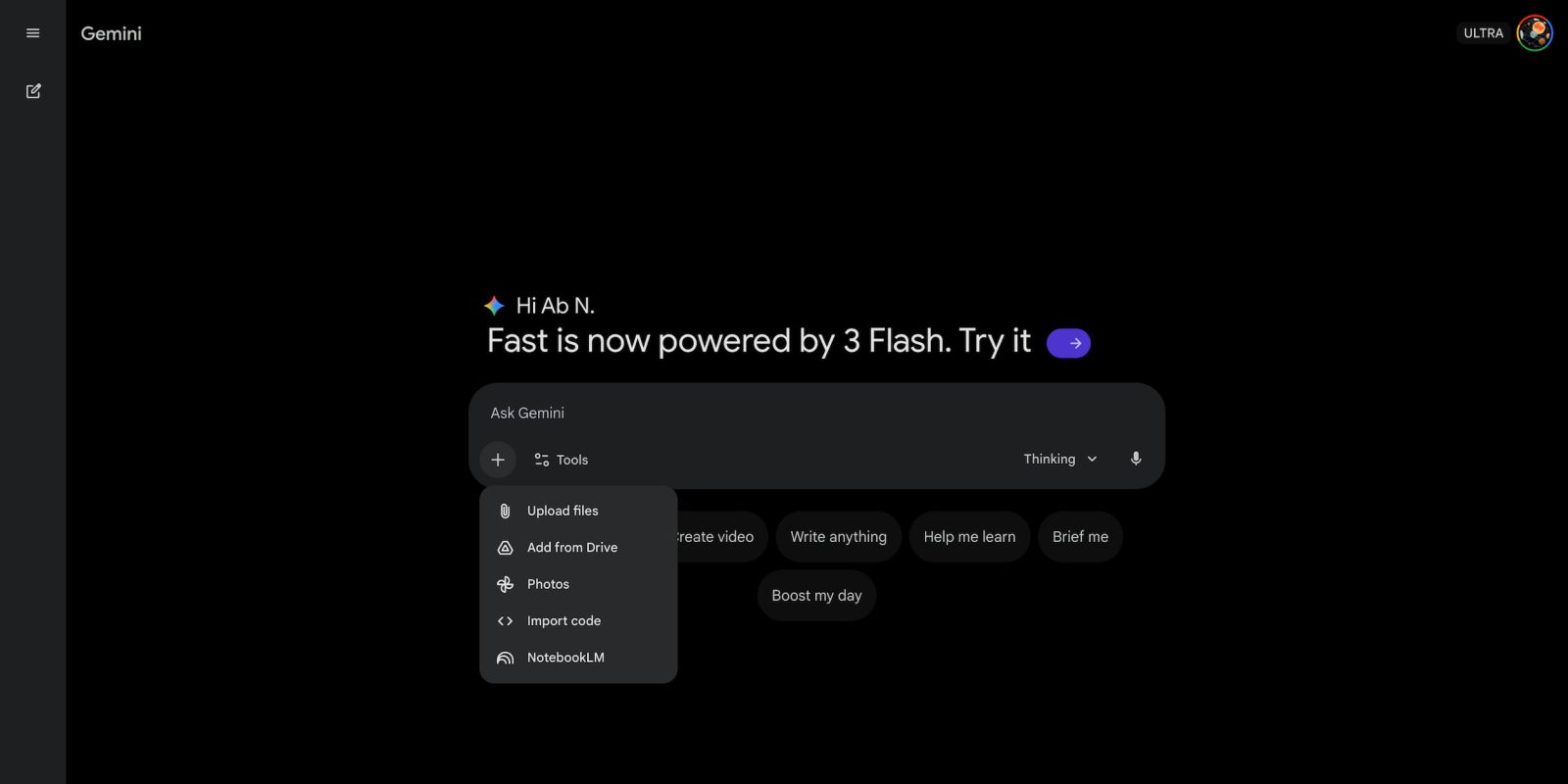
Besides Gemini 3 Flash today, the Gemini app on the web is rolling out a new NotebookLM integration.
From the ‘plus’ menu on gemini.google.com, you should see a new “NotebookLM” item that joins: Upload files, Add from Drive, Photos (introduced in recent weeks), and Import code.
This brings up an “Add notebook” picker that lists your recent notebooks with the number of sources and created date included. You can select multiple notebooks, which are then added to the prompt box.
This is seeing wide availability today, while you might now get a “NotebookLM” shortcut in the “Settings & help” menu.

Meanwhile, Google has updated the Gemini app’s usage limits with today’s launch. “General access” is available for Gemini 3 Flash without thinking across all tiers.
The “Thinking & Pro” models for free users are subject to “Basic access” where “daily limits may change frequently.” Those without a subscription will get five Deep Research reports with Thinking.
Google AI Pro members get up to 100 prompts per day, while it’s 500 with AI Ultra.
Finally, Gemini 3 Flash works with the “Your past chats with Gemini” setting in Personal context that previously required a Pro model. It’s still “Coming soon to Live,” and it remains to be seen whether we will need to wait for a Gemini 3 model to power the feature.


FTC: We use income earning auto affiliate links. More.


Comments