

Samsung recently took to its website to share a huge set of new updates to its Good Lock suite of features coming in One UI 8.5, but inadvertently, confirmed one of the biggest Galaxy S26 Ultra features in the process.
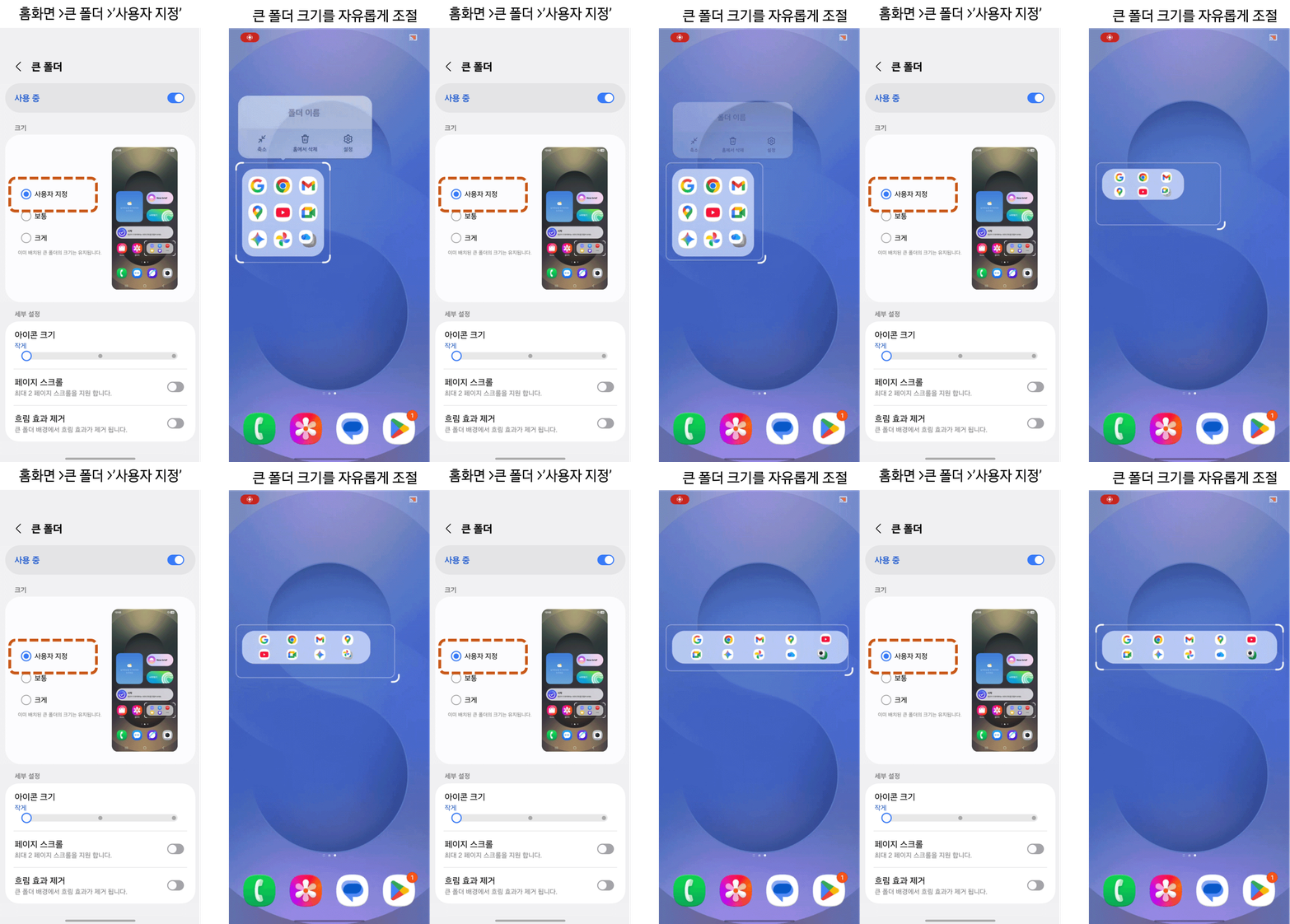
As is the case with any new One UI update, Samsung is preparing some new updates to its Good Lock features to go with it. For One UI 8.5, as Samsung details, this includes updates to LockStar, QuickStar, HomeUp – as we detailed recently –, Theme Park, and GameBooster+. Some of the standout features include:
- Customizable unlock animation via LockStar
- Edit landscape and panel size of Quick Settings via QuickStar
- Customizable image backgrounds for Quick Settings panels via Quick Star
- Large folders via HomeUp
- Icon label editing via HomeUp
- Physical gamepad to touchscreen mapping via GameBooster+


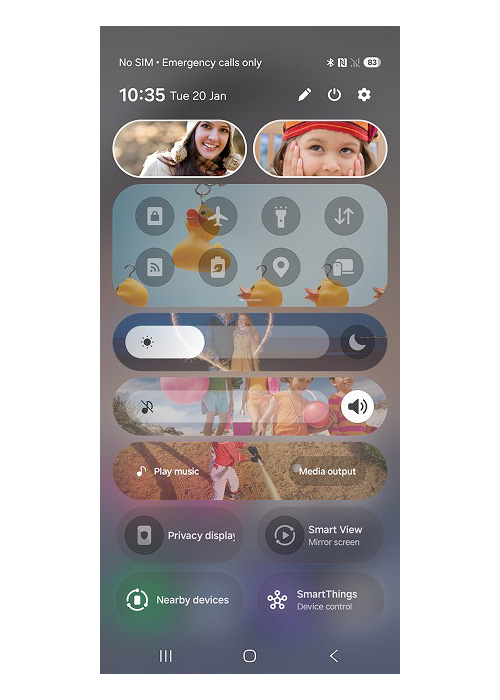
What’s especially notable, though, is that Samsung accidentally confirmed the Galaxy S26 Ultra’s “Privacy Display” feature in one of the screenshots. In an image, cropped to highlight below, we can see “Privacy Display” in the Quick Settings very clearly.
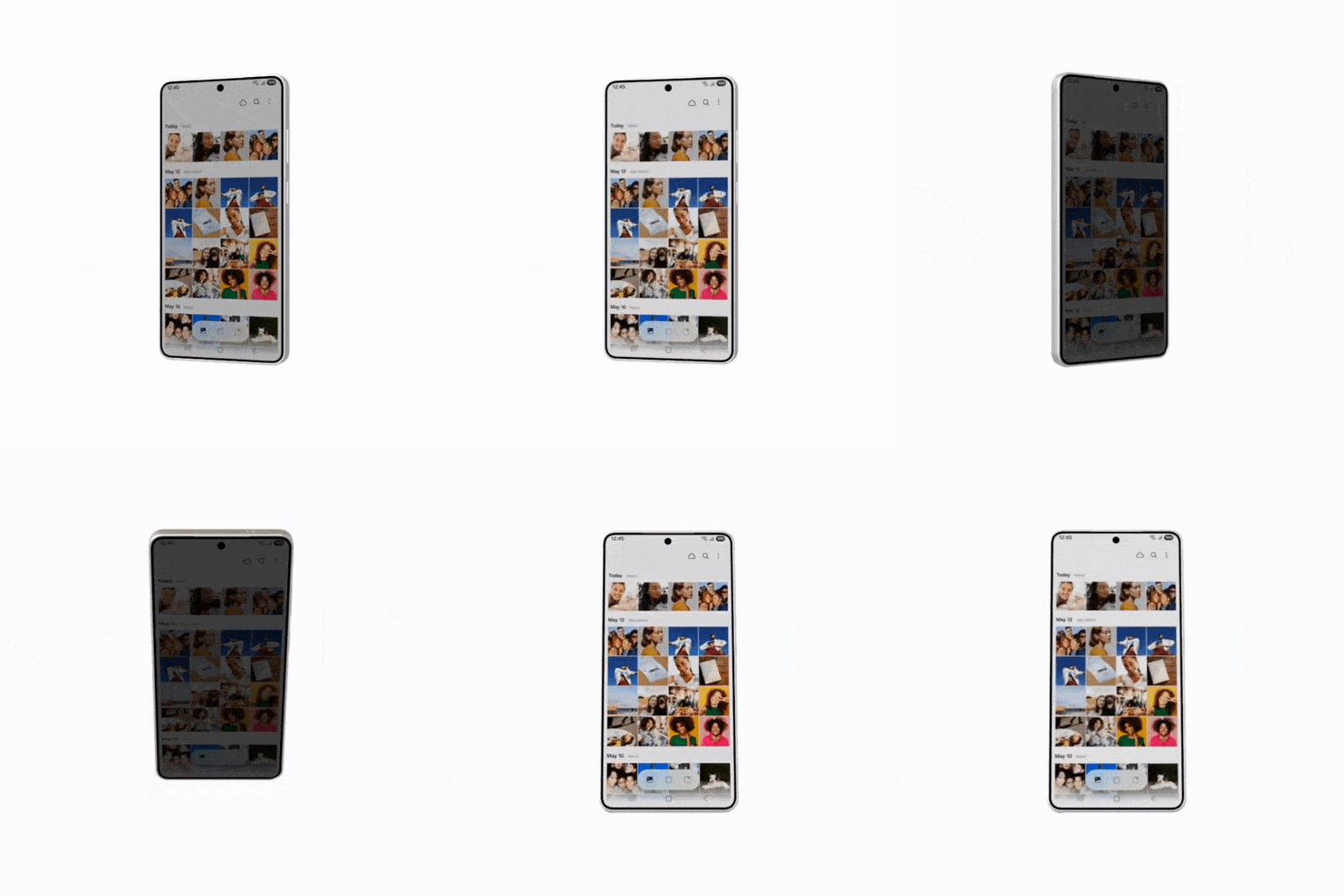
This Galaxy S26 Ultra feature is expected to use a new hardware feature to mimic a privacy screen protector, which hides the contents of the display to anyone looking from an off-angle view. Demos of the tech look pretty impressive. We’ve been hearing about this feature for months, including various software leaks, most recently including the animation spotted by SammyGuru below..
The Galaxy S26 series is expected to launch in late February, with “Privacy Display” said to be an exclusive for the Ultra model.
More on Samsung:
- Samsung’s Qi2 battery bank leaks, designed around the Galaxy S26 camera bump [Gallery]
- Galaxy S26 Ultra color lineup looks pretty boring, and didn’t even copy iPhone orange
- Samsung deleted its Bixby reboot reveal, but confirmed when it will arrive
Follow Ben: Twitter/X, Threads, Bluesky, and Instagram


FTC: We use income earning auto affiliate links. More.


Comments