
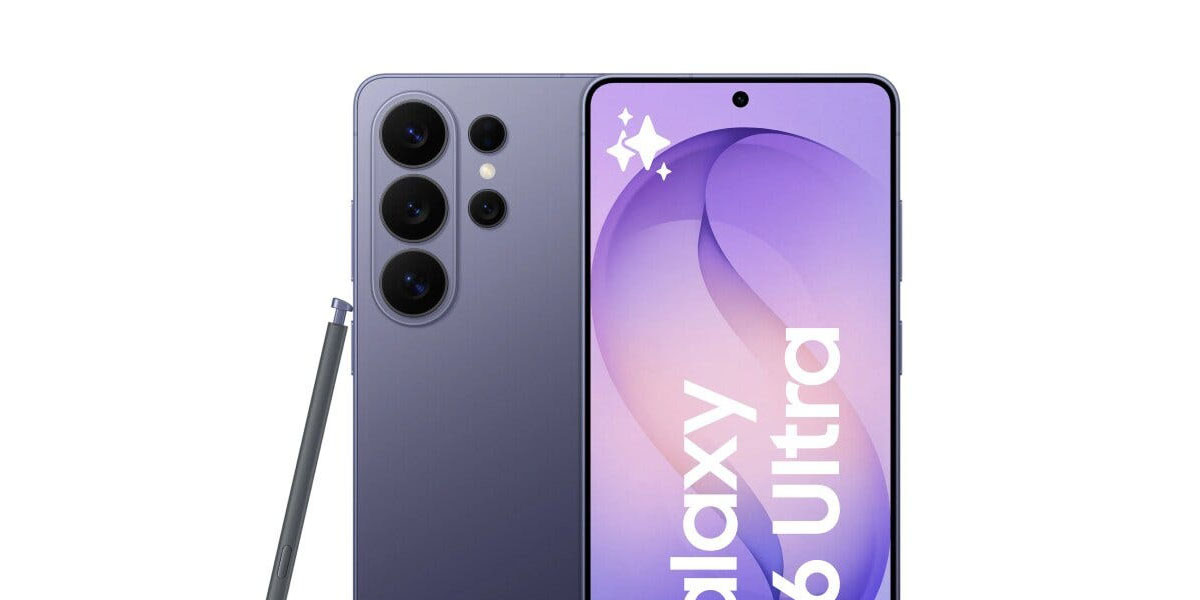
After Samsung killed all of the other upgrades that were set to make the Galaxy S26 series even a little bit exciting, the one leftover element is the Galaxy S26 Ultra’s “Privacy Display.” As teasers continue, screenshots show off how you’ll be able to use the feature, including its automatic triggers and granular options.
The “Privacy Display” on Galaxy S26 Ultra is expected to give users the ability to hide parts of the display for those viewing at an off-angle, giving you a bit of privacy in public spaces. It’s something we’ve seen from plenty of screen protectors over the years, but Samsung is baking it right into the display itself this time.
And, as it turns out, the settings for “Privacy Display” have been around for a while now, but they’ve resurfaced as the Galaxy S26 Ultra launch nears.
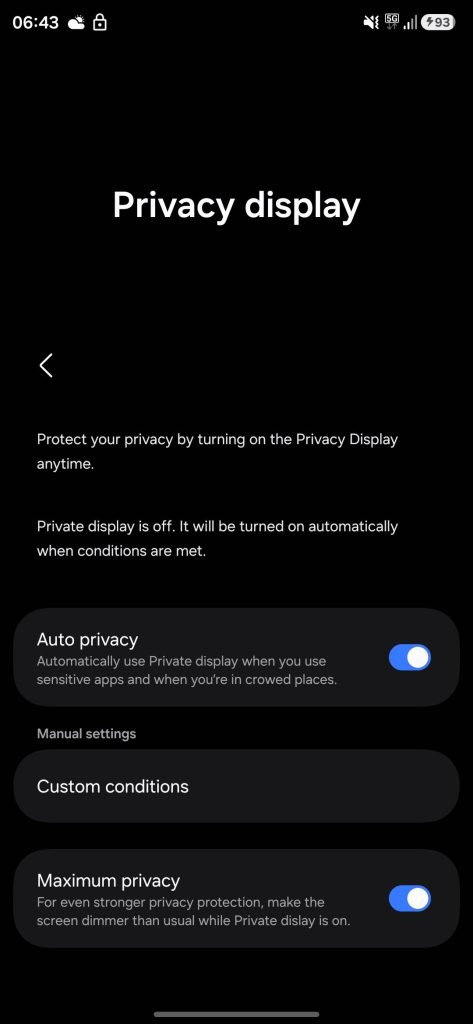
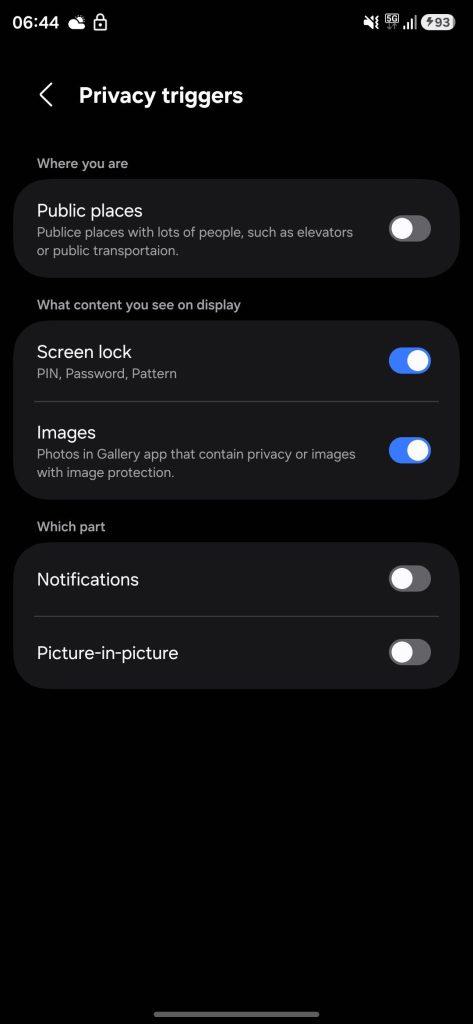
Two screenshots show an early version of the settings for “Privacy Display” in One UI, with the screenshots having initially leaked back in October. They were resurfaced (uncredited, and cropped to hide details from the original leak) by another leaker this week.
The screenshtos show that Samsung will be able to automatically trigger the feature “when you use sensitive apps,” but you’ll also have some granular options for those triggers including where you are, what content you see, and “which part” of the display. It’s unclear how the phone will be able to tell you’re in public places (it uses elevators and public transit as examples), but it’s nice that it has the potential to “just work” without you manually turning it on.
Samsung has confirmed a February 25 event where it will unveil the Galaxy S26 series. Are you looking forward to it?
More on Samsung:
- Samsung knows exactly how you’ll use Galaxy S26 Ultra’s ‘Privacy Display’ in teaser [Video]
- Full Galaxy S26 series leaks in official-looking images showing off new colors [Gallery]
- The Galaxy S26 can’t skate by on minor improvements alone [Video]
Follow Ben: Twitter/X, Threads, Bluesky, and Instagram


FTC: We use income earning auto affiliate links. More.



Comments