
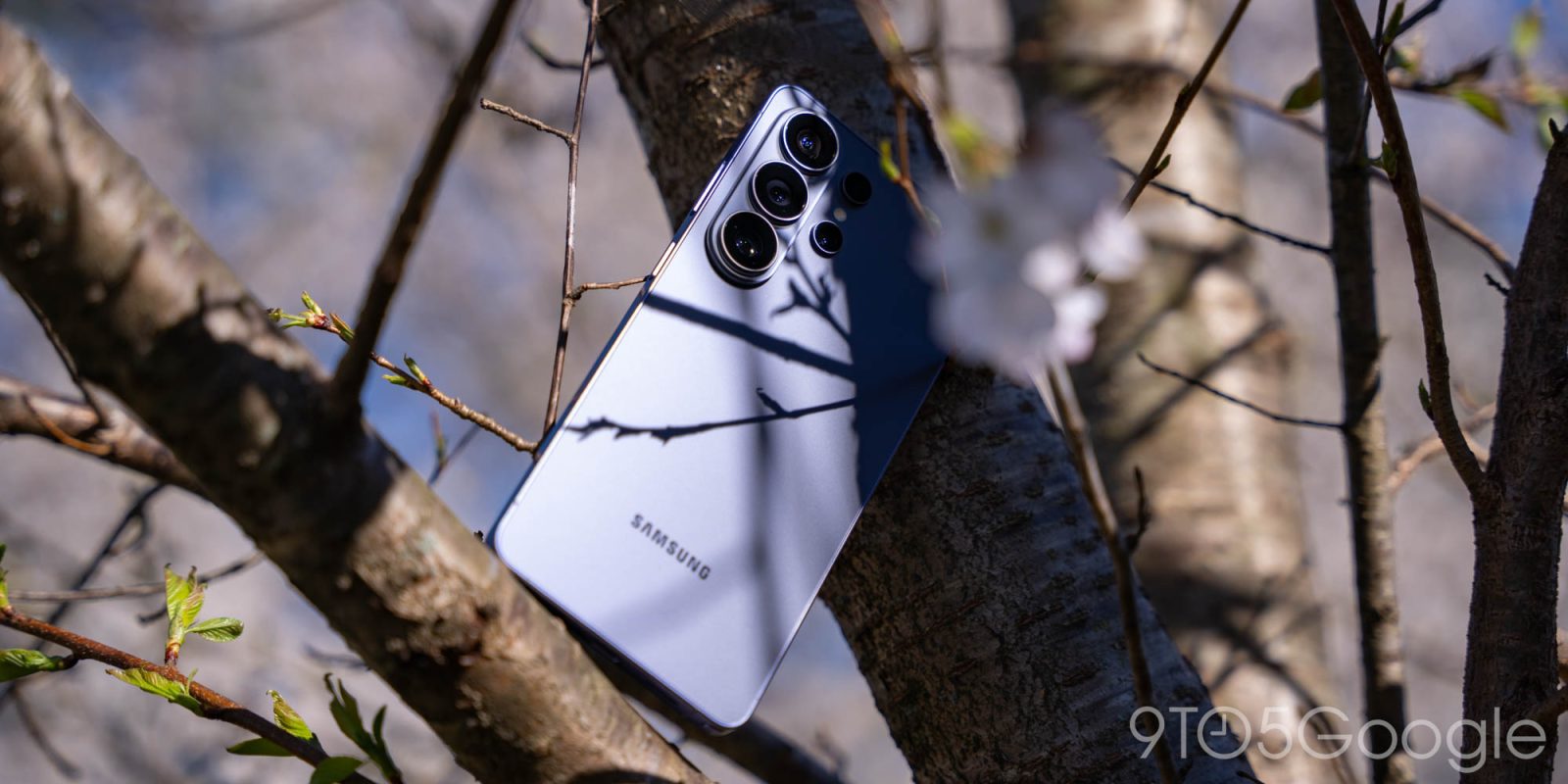
Samsung has, for the past five years, been releasing essentially the same phone over and over again: a big screen, the latest Snapdragon chip, an S Pen, a 5,000 mAh battery, and the company’s best* camera setup. It’s undoubtedly attractive, and the formula clearly works. After two weeks with the Galaxy S26 Ultra, as much as I might want something more, I also can’t help but really like this phone.
But if the definition of insanity is doing the same thing over and over again and expecting different results, it’s time for the madness to end.
Hardware
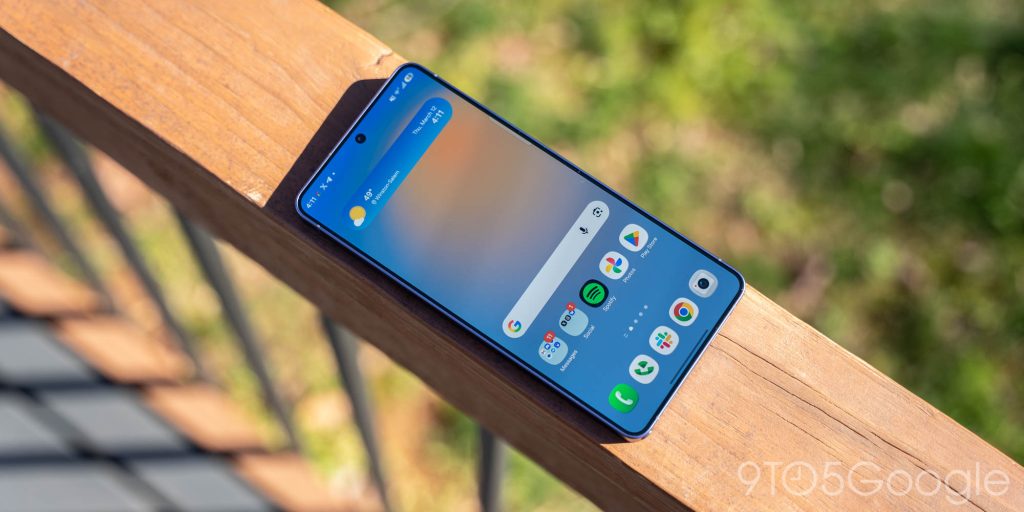
Samsung has a look, and this is peak Galaxy
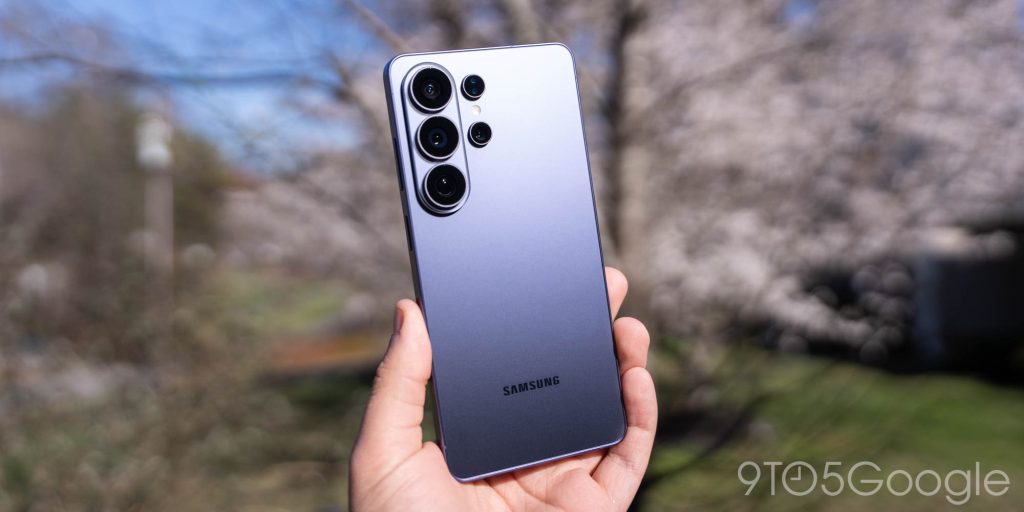
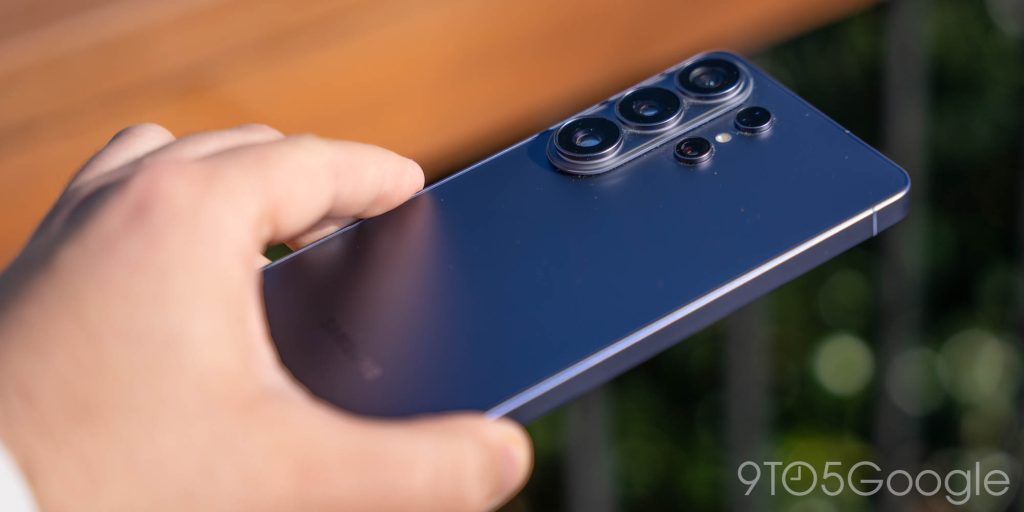
Starting off with the hardware, Samsung has developed a look and feel for Galaxy phones over the past few years, and this is about as Samsung-y as it gets. Rounded corners and flat metal side rails, a raised triple camera along the back, and an overall understated look pretty much sums up the “Galaxy” look. The only thing I really noticed this year was that, with Galaxy S26 Ultra, Samsung is merging all of its tiny differences into one device. You’ve got the raised camera module of the Galaxy Z Fold series alongside the boxier shape of former Ultra phones finding a middle ground with the rounded Galaxy S shape.
Put simply, it works.
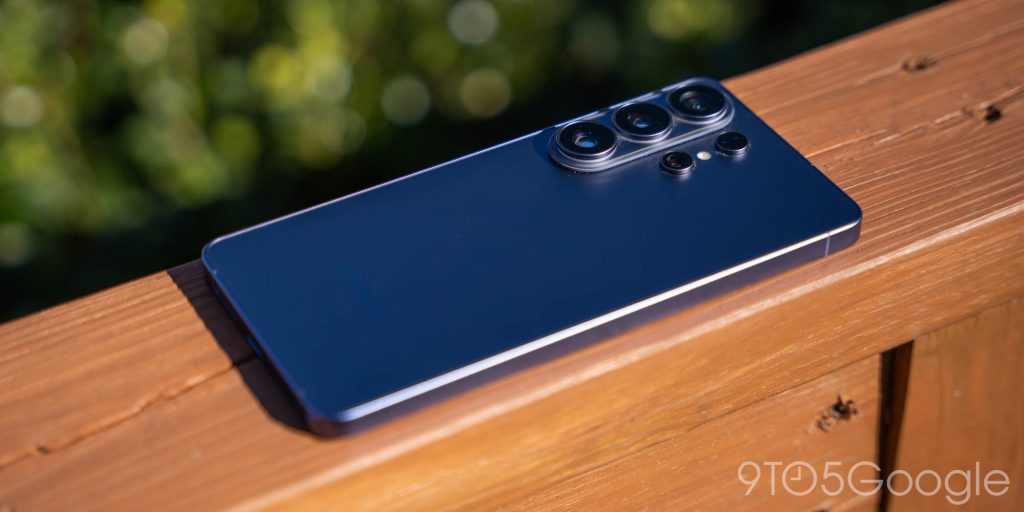
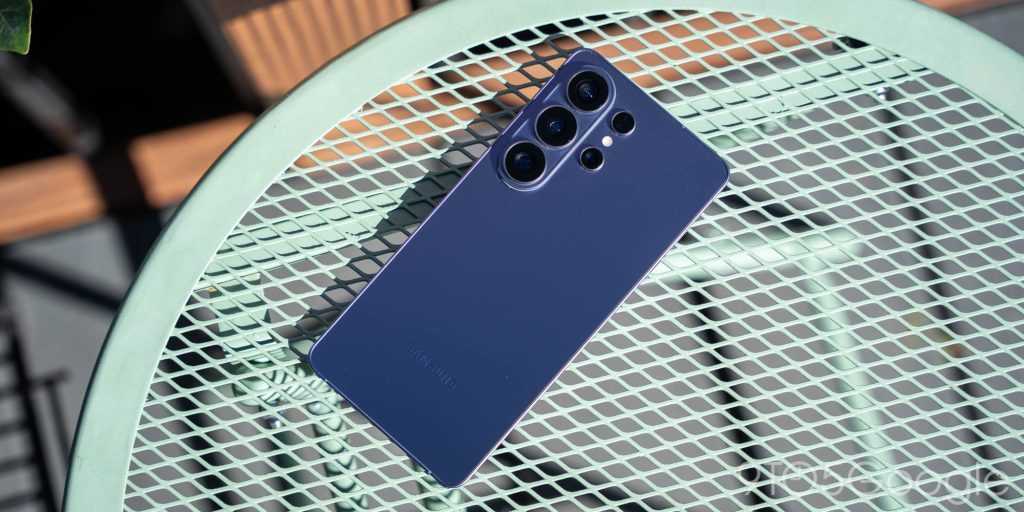
Helping matters this time around is that the Galaxy S26 Ultra is thinner than every prior Ultra phone, something you’ll notice right away, and is also a bit lighter thanks to the swap back to an aluminium frame. You won’t feel any downgrade in the materials, but the end result is a phone that’s more comfortable to hold and also not as unwieldy in size. You’re still holding a 6.9-inch display, but it doesn’t feel like it.
As far as colors go, I was able to check out Samsung’s “Cobalt Violet,” and I’ve got mixed feelings about it. This color feels as though it’s going through an identity crisis, with it looking mostly gray under various lighting conditions, with the purple undertones only occasionally showing up. I love a purple smartphone, but real-world use betrays what should be a stunning finish. Personally, I think I’d rather go for the light but definitive “Sky Blue” or the tried-and-true white, both of which look really nice in person.
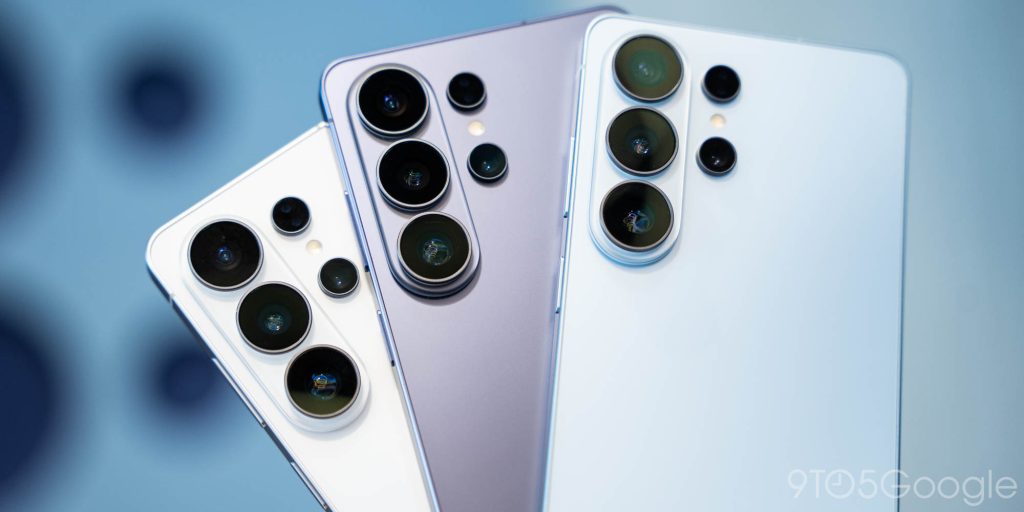
A real redesign is inevitable, but when?
To rip off the Band-Aid, the Galaxy S26 Ultra still lacks built-in magnets for Qi2 charging and magnetic accessories. Six years after the iPhone adopted it and years after the standard was open to everyone, it’s just ridiculous at this point that Samsung is stubbornly avoiding it. While I do appreciate that the Galaxy S26 Ultra is thinner, as mentioned, that’s a horrible excuse to skip a feature that has genuine utility.
Yet, it’s inevitable.
The Qi2 standard is quickly taking over the smartphone market, and it’s quite literally the future of wireless charging. The latest chargers simply do not work, or are at least a massive pain to use without magnetic alignment. So Samsung has to do this eventually and, even if that’s somehow not built into the phone, the design of the phone has to change at some point. The whole vertical camera bar thing gets in the way of even the most basic magnetic accessories (wallets, batteries, etc), to the point where Samsung’s first-party accessories have to include this weird little hump just to fit properly.
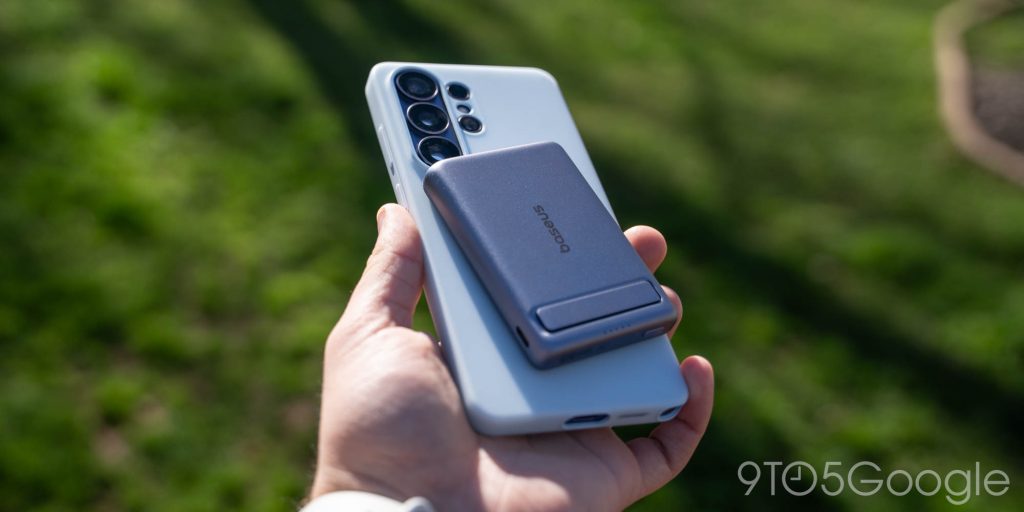
Samsung will be forced to change its design language as a result and, frankly, it’s about time. The “Galaxy” look is well-known, but everyone has to try something new eventually. Google did it, Apple did it, and now it’s Samsung’s turn. A Pixel-like (or, now, iPhone-like) camera bar seems like the obvious choice – everyone else is doing it – but the big question is simply “when” will Samsung finally give in.
Whenever that redesign does come, my only requests for the new design are that Samsung find a way to make this phone not double as a telegraph machine, and also that the camera module be made to stop being an absolute dust magnet.
Privacy Display is amazing, but not without cost
Moving on to the display, this is the most exciting, but also the most controversial part of the Galaxy S26 Ultra.
The star feature here is “Privacy Display,” a new technology that can hide the contents of your display from prying eyes around you. The pitch is great. It’s a privacy screen protector that you can simply turn on and off with a toggle. Awesome.
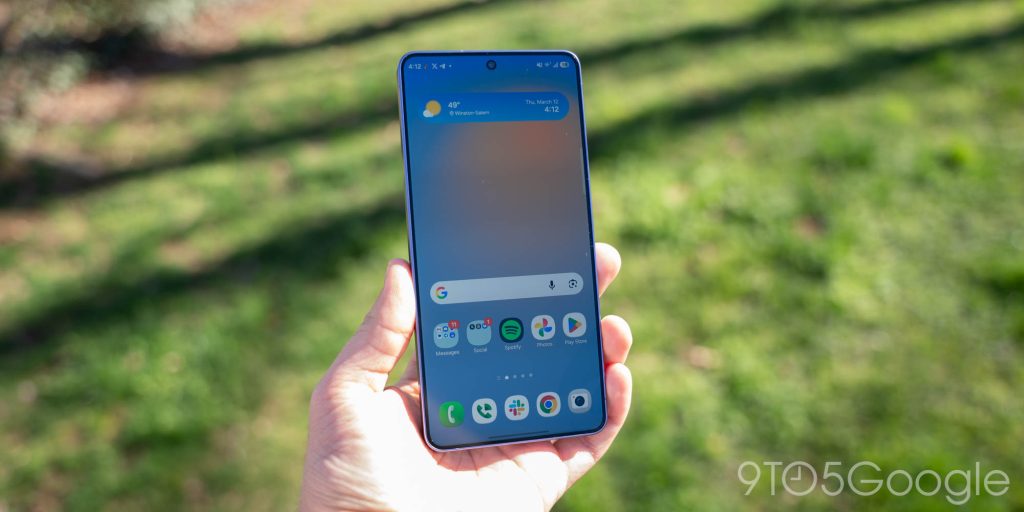
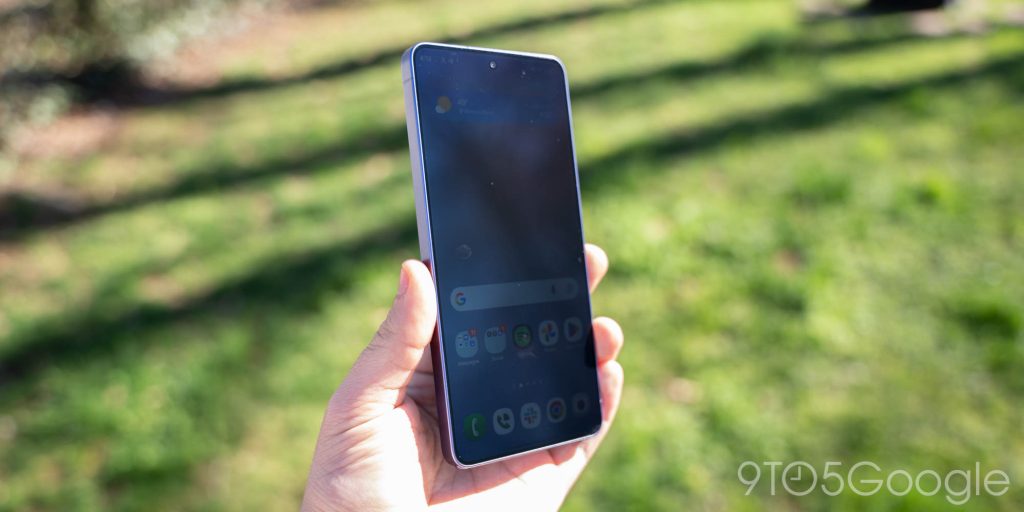
In real-world use, this is a really good feature, mostly because of how Samsung implemented it. Privacy Display works by physically adjusting how the pixels on your phone work. For every “normal” pixel, there’s another one with a “gate” that ensures the light output is focused straight ahead. When you turn on Privacy Display, the “wide” pixels simply shut off.
As a result, this mode comes with inherent compromise. You’re effectively turning off half of the display and, as such, the whole display can look less sharp and a lot dimmer. It’s still more than usable, but it’s nothing like a traditional Samsung flagship display. But that’s where the software side of things comes into play. While you can use this feature 24/7, it’s really designed to be turned on only when you need it. That can include when doing things like unlocking your phone with a PIN, or opening “sensitive” apps.


For instance, I have the Privacy Display set to turn on when I’m using messaging apps like Telegram, financial apps, or even social media apps. It’s nice to be able to open whatever I want on my phone and, without thinking about it, know that what I’m seeing is private to those peering over my shoulder when it matters. After a long weekend of travelling, I quickly learned just how invaluable this would be. The cherry on top of the implementation is that Samsung also allows the Privacy Display to be activated solely for notification pop-ups, which is wonderful. The scenarios in which this is useful are endless, but examples can include simply not wanting someone to read your incoming messages if you’re in a public setting. It’s nice to have that peace of mind.
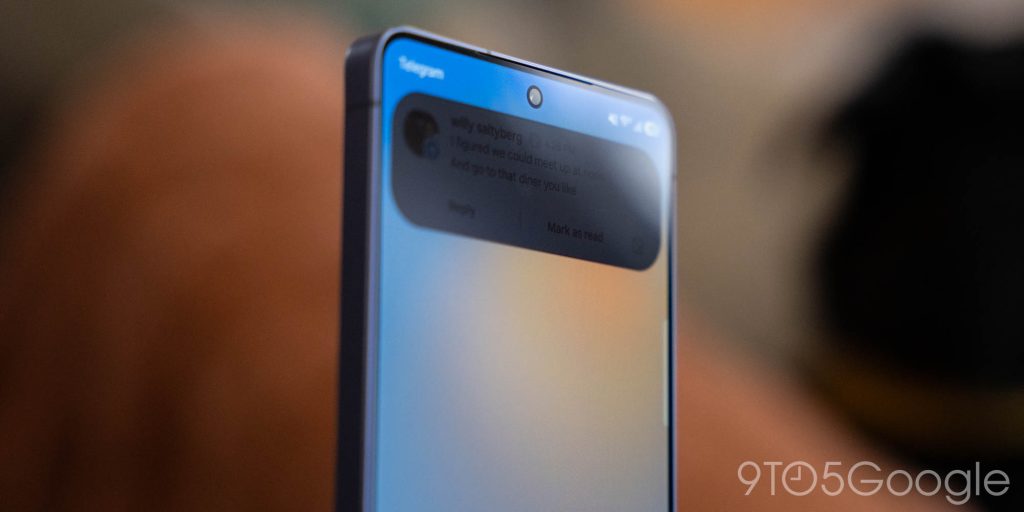
That said, Privacy Display isn’t without compromise.
For one, the activated state of the Privacy Display inherently cuts down on the screen’s quality. This is even worse in “Maximum Protection” mode, where the entire display looks as though you’re trying to see through a dense fog.
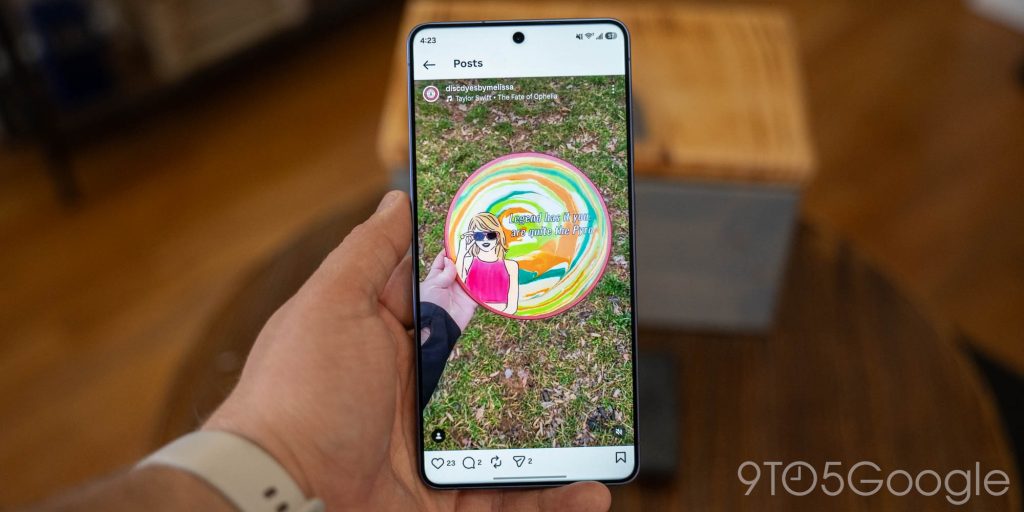
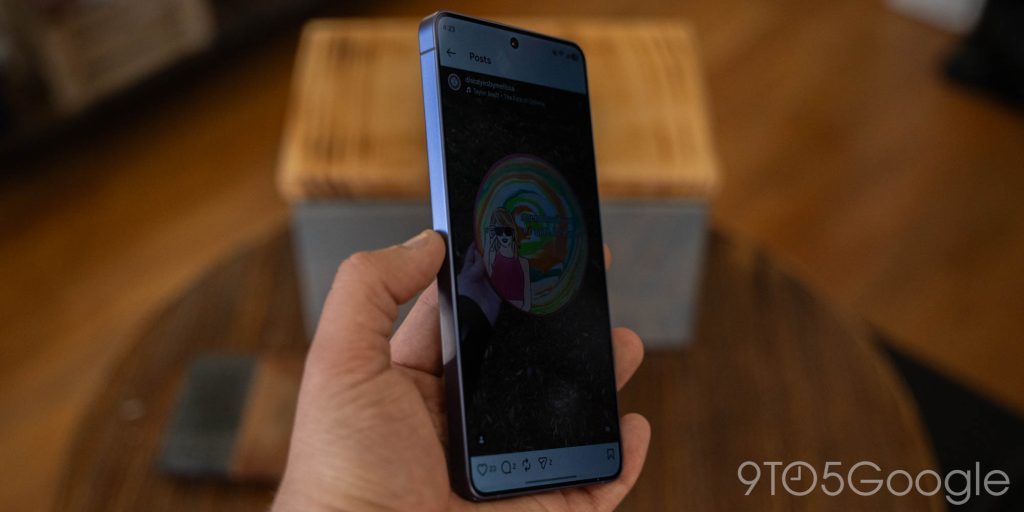
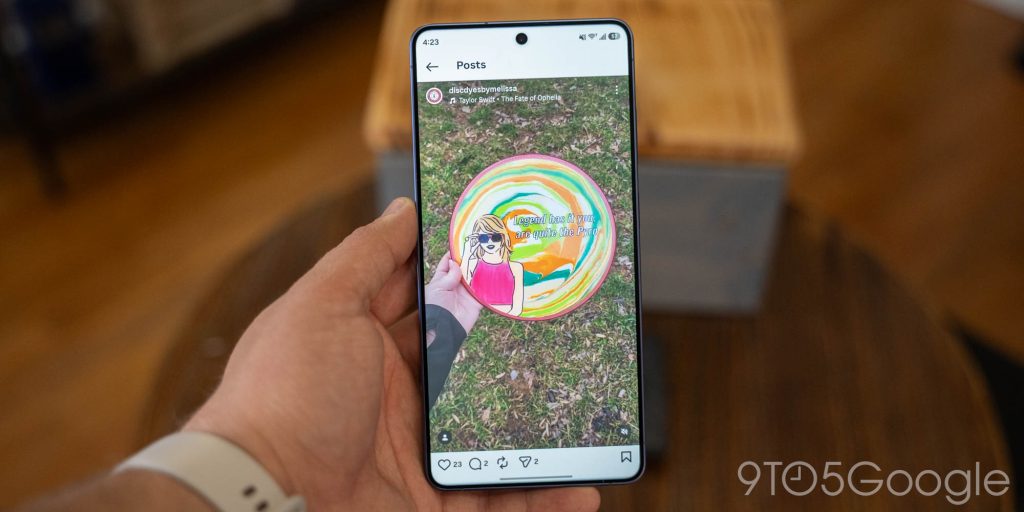
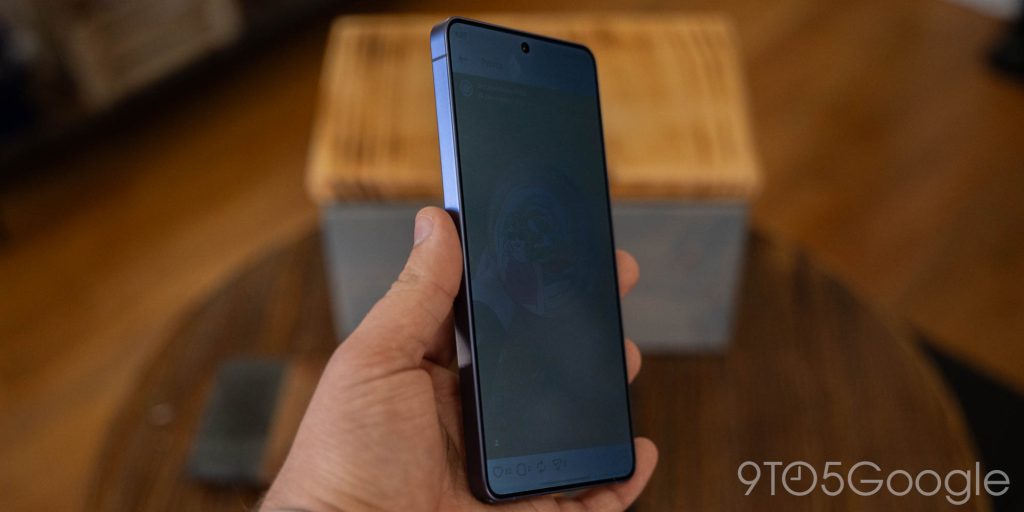
There’s also the simple truth that Privacy Display isn’t quite as good as a traditional privacy screen protector. While it works really well in bright settings, the effectiveness at off-angles gets worse as the sun goes down. In most indoor settings, on planes/trains, and at night, the default setting isn’t enough. This is where you’ll need to turn it to maximum.
Beyond that, the display is compromised just a tiny bit at all times, even if Privacy Display is fully disabled. Under a microscope, you can clearly see that the structure of the display panel is different and, as a result of that, the viewing angles take a slight hit, while the overall resolution feels a bit lower as well. It’s not drastic by any means, but a keen eye will be able to quickly spot the difference between the Galaxy S26 Ultra’s display and prior generations. If you think you fall into that camp, I’d recommend heading to a retailer or carrier to see the S26 Ultra’s display in person before you buy it.
That said, I wouldn’t give this up.
Samsung is on to something here, and I really hope it continues on future generations of Galaxy phones. With some refinement, I could see this being a standard feature of every high-end smartphone going forward. It’s immediately useful with benefits that are readily understandable. And, knowing this is just a first-generation implementation, it’s clear that the technology is going to be really good as it matures.
Software
One UI 8.5 doesn’t want you to think about Android
On the software side of things, the Galaxy S26 series debuts One UI 8.5. Based on Android 16, this latest update to Samsung’s Android skin is very much a mixed bag. To preface, it’s a completely fine user experience, but it also feels like it simply wants you to forget you’re using an Android phone.
While Google spent the past couple of years pushing Android into a new era with Material 3 Expressive, Samsung’s One UI 8 delivered a much-needed design revamp last year, but didn’t really follow Google’s lead. In One UI 8.5, Samsung is straying even further from that vision, instead adopting a few more UI elements from Apple’s Liquid Glass – because, you know, everyone just loves how that turned out. You’ll find this throughout the system, with more transparency in more places, floating bottom bars that feel more like the ones from iOS than the ones on Android, and back buttons that float around the top corner, again just like iOS. To give credit where it’s due, One UI 8.5’s design choices feel a little bit more cohesive than they have in the past, but I wish Samsung would just embrace the fact that Android is different, rather than try to copy Apple.


That said, One UI 8.5 flies through day-to-day tasks on top of its Snapdragon 8 Elite Gen 5 chipset, and it’s hard to get mad at Samsung about updates. Shipping with Android 16 out of the box, the Galaxy S26 Ultra will get seven years of security patches and OS updates, which remains excellent. As mentioned, the chip under the hood is fast, and I think it has enough overhead to handle those next seven years quite well. Both in the aforementioned daily use as well as more intensive tasks like games, the Ultra just holds up to whatever you throw at it, not that that should be a surprise.
All the AI you want
And it can’t be a phone review in 2026 without talking about AI.
Samsung continues to push its flagships as “AI phones” more and more, and there’s certainly plenty to choose from. You’ve got full access to the typical Geminii suite of AI features, including new additions like task automation, which can automate apps like Uber or Doordash behind the scenes. On top of that, Perplexity is pre-installed with a “Hey Perplexity” assistant wake word coming soon.
The Galaxy AI suite continues to grow, too, with Samsung adding features such as its own take on Pixel’s Call Screen, improving on Now Brief, and adding a new “Now Nudge” feature too – frankly, though, I never even touched “Now Nudge” as it’s locked to the awful, terrible, truly no good Samsung Keyboard. The idea is good, being a more reliable version of Pixel’s Magic Cue, but I’ll gladly give it up for a keyboard that’s actually decent. You’ll also get more AI editing through the Samsung Gallery app, and the results are not half bad!
There are a couple of new things in notifications too. Samsung is summarizing notifications, though with more success than Apple has had. One UI will also, after several days of use, identify “Priority Notifications.” The idea there is good, but the rhyme and reason are nowhere to be found. The Galaxy S26 Ultra has marked everything from generic Twitter/X notifications to random Telegram messages and everything in between as “Priority,” and I can’t figure out what it thinks is so important. Neither priority notifications nor the summaries are very consistent, though.


There’s a lot you can do but, frankly, I think my favorite thing is the balance Samsung has struck with when you don’t want to use these features. Personally, I’m really only sold on Gemini (and barely, at that), so most of Samsung’s features just fade into the background for me. Not once did one of Samsung’s features try to fight its way to the surface or try to throw itself in front of what I was doing, and I think that’s the perfect relationship you can have with AI tools right now. There if you need them, hiding away if you don’t want them.
Battery life
5,000 mAh isn’t really ‘flagship’ anymore, but faster charging matters
In putting together this review, I keep coming back to “Samsung has made the same phone for five years,” and I think there’s nowhere that’s more true than the battery. The same 5,000 mAh battery has been in use the whole time, and it’s easily the most egregious spec Samsung hasn’t changed.
In the world of flagship smartphones, 5,000 mAh isn’t “flagship” anymore, if anything it’s low-end. Samsung has dirt-cheap smartphones with bigger batteries, and even Apple’s latest iPhone has a bigger battery than the Galaxy S26 Ultra. It’s frankly unacceptable at this point for a device that has the gall to describe itself as an “Ultra” to have a battery this small.
That said, the actual usage isn’t half-bad.
I’m easily powering through most days with the Galaxy S26 Ultra without thinking about a charger. Days with 5-7 hours of screen time and heavy reliance on cellular networks left the Ultra with at least 10-20% in the tank at bedtime, with the only “day” that I nearly killed it including a 9-hour flight home from London followed with 12 hours of chaos in the Atlanta airport.


That experience did make me appreciate the faster charging, though. Samsung has upgraded the Galaxy S26 Ultra with faster 60W wired charging and, while it’s not drastically faster, this phone does consistently top off quicker than prior Galaxy devices. While stuck in the airport that night, I grabbed my 100W battery bank and quickly recovered about 60% of the Ultra’s battery before running off to my next gate. It was a nice, real-world reminder of where faster charging is actually useful. It also cements my opinion that I’d rather have reasonably fast but universal USB-PD charging over proprietary standards like those used by Oppo/OnePlus. I was able to get quick speeds from my standard charging gear used by everything else, rather than needing to lug around a specific power brick.
Camera
Good enough, barely
I feel like I’ve battled Samsung’s cameras for years, and it’s not all that different this time around.
The Galaxy S26 Ultra has effectively the same camera setup as last year’s generation. A 200MP main shooter, 10MP 3x telephoto, 50MP 5x telephoto, and 50MP ultrawide, with a 12MP selfie camera up front. The biggest differences this year include a wider f/1.4 aperture on the main sensor, as well as the improved image signal processor in Snapdragon 8 Gen 5 Elite.
The result? It’s fine.
Shots from the main sensor are noticeably brighter in low light, while the processing as a whole feels sharper and slightly better with motion compared to the prior year. It’s all completely acceptable, but Samsung is due for some real hardware improvements.
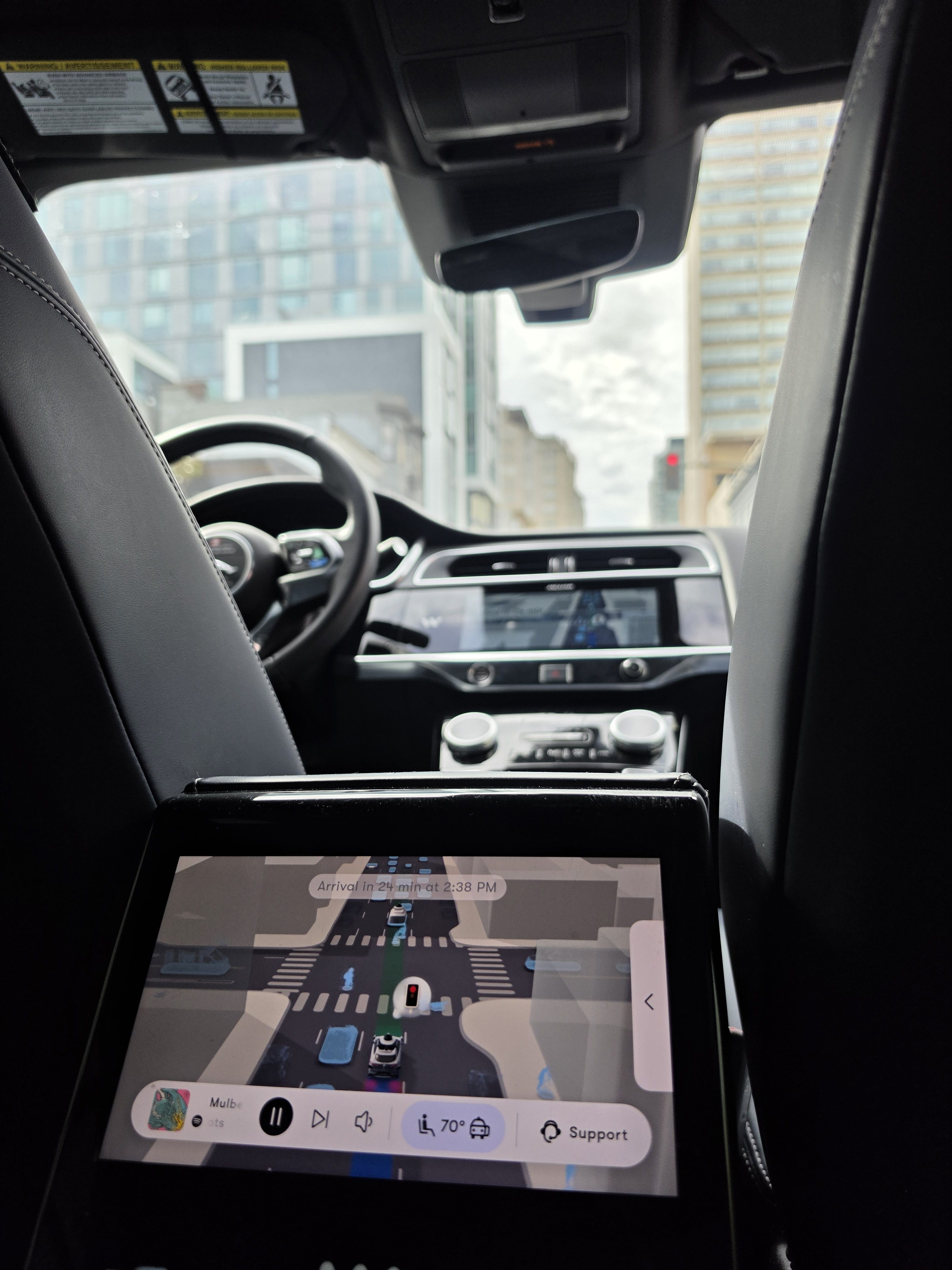

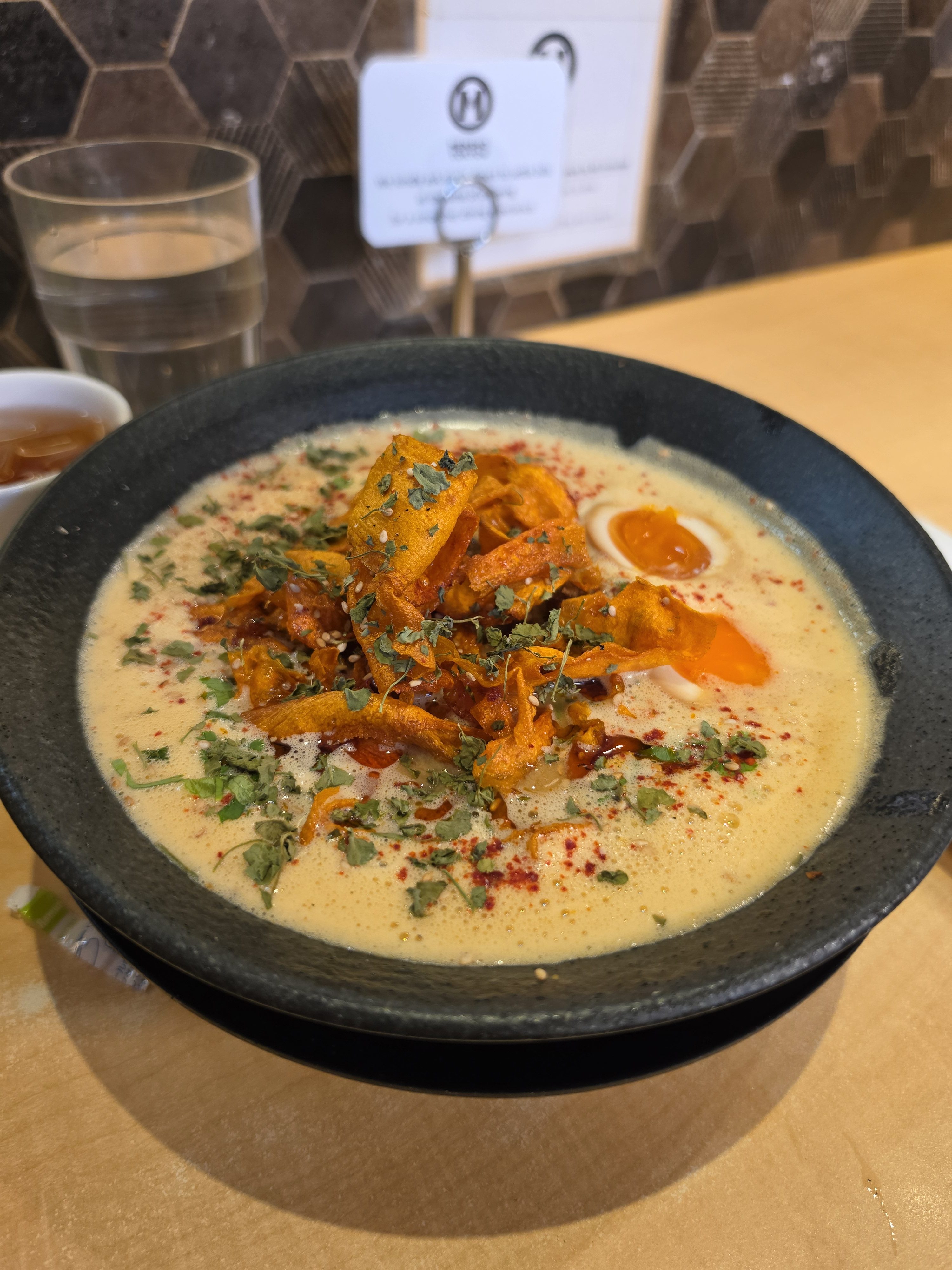



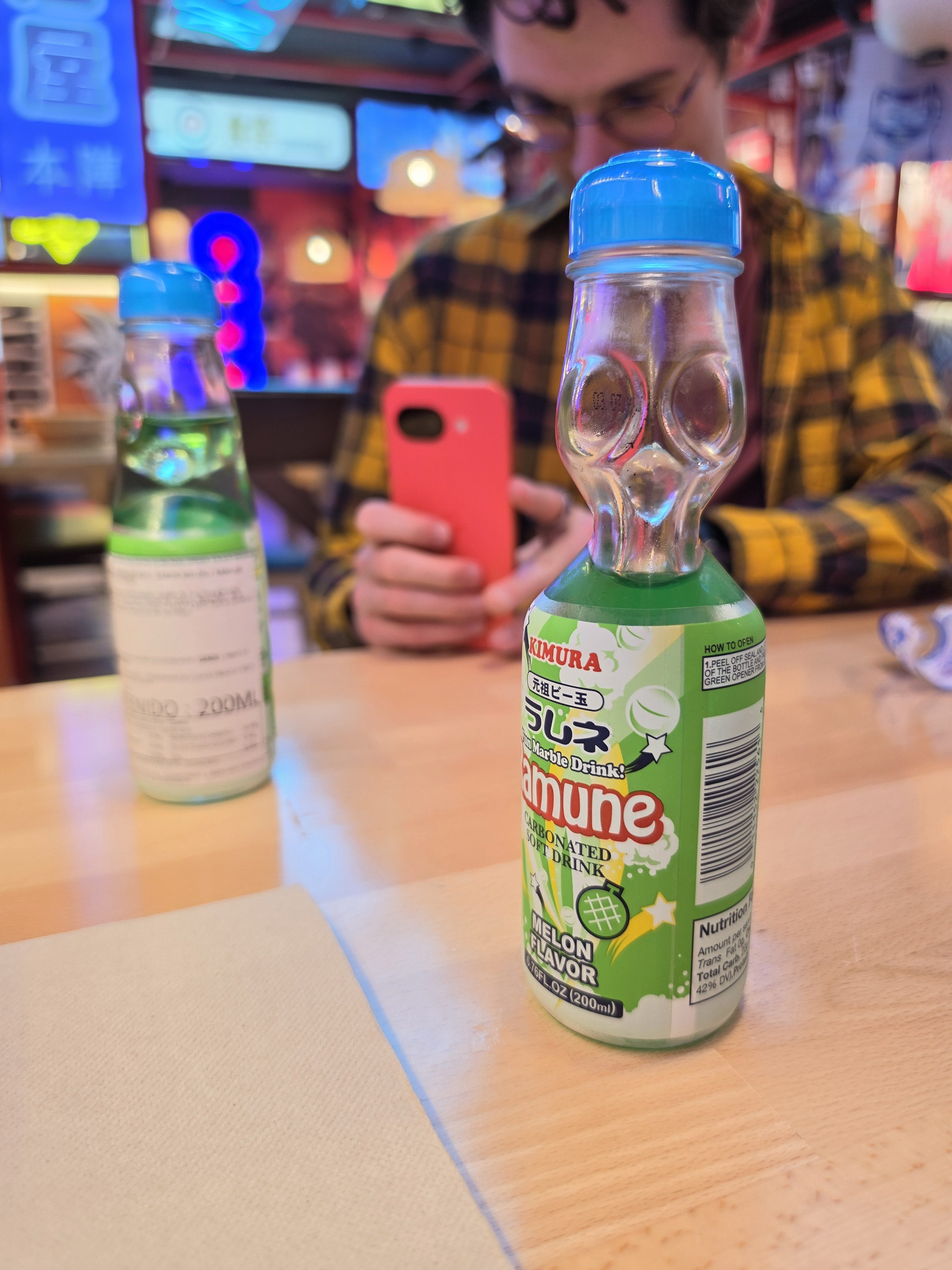


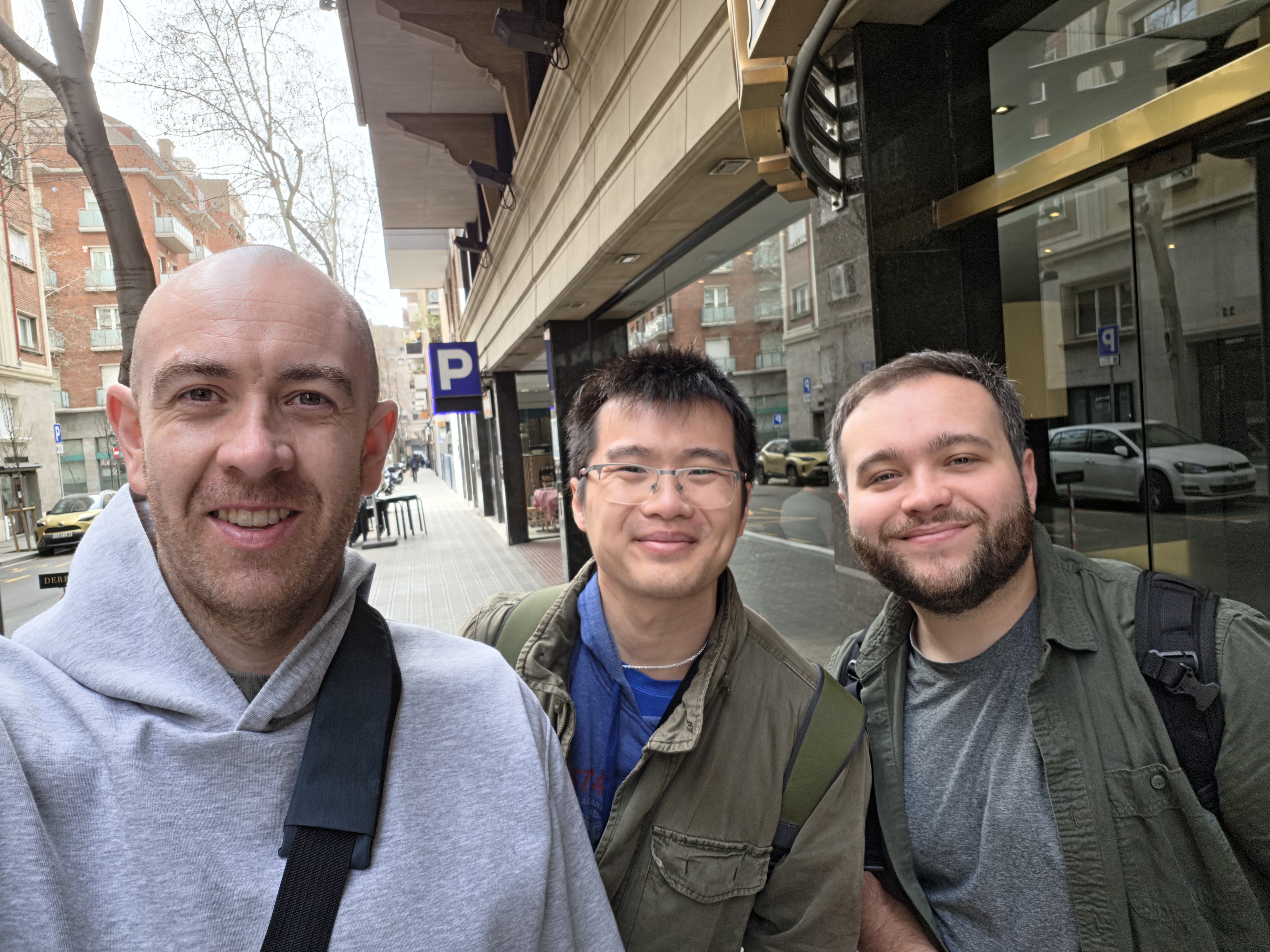
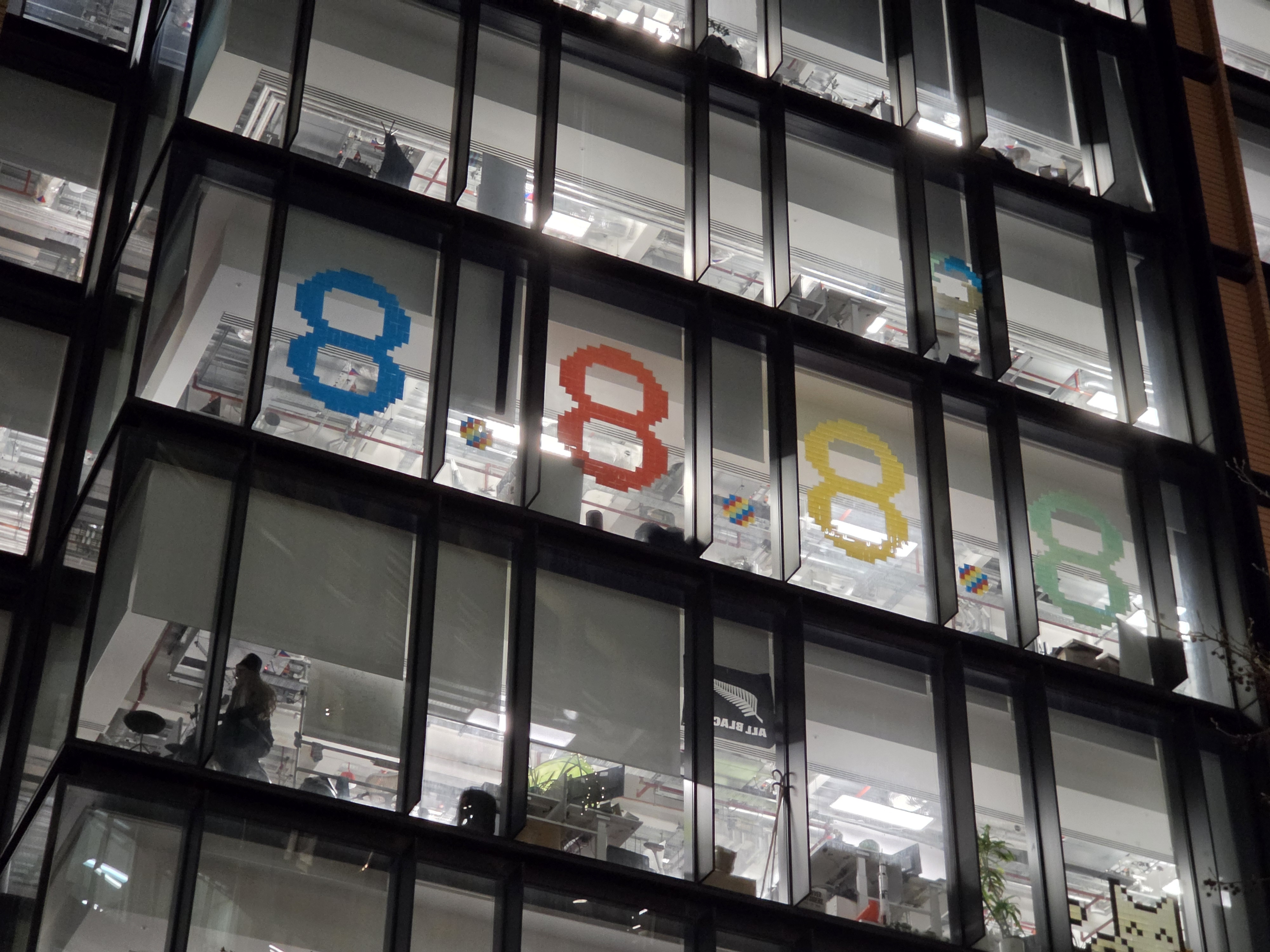

On the video side of things, this remains one of the better Android phones for recording, especially in the US. It’s still not quite at iPhone levels, but Samsung’s processing for video is solid. You can see samples in our Nothing Phone (4a) Pro hands-on video, which was shot on the Ultra.
The Little Things
I almost forgot this had an S Pen
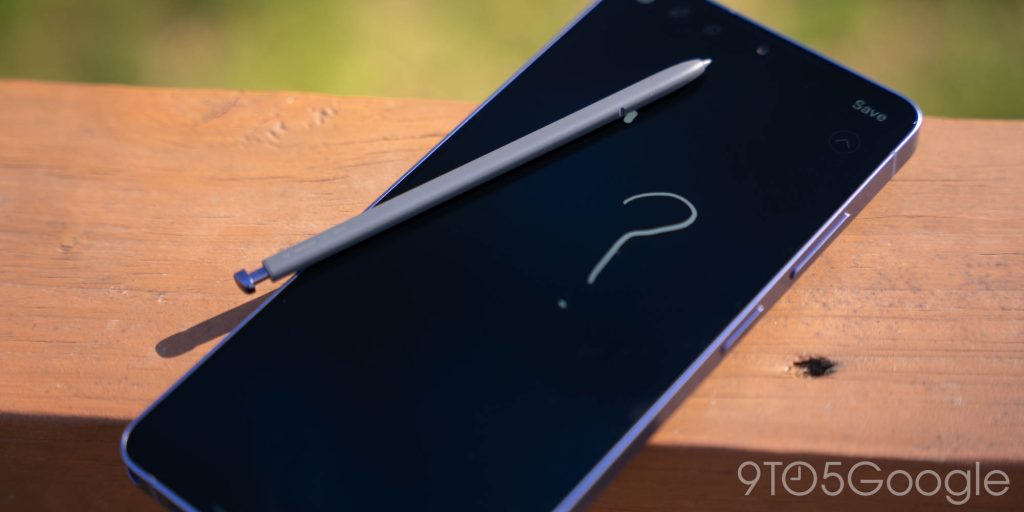
Did you forget the Galaxy S26 Ultra had an S Pen? I mostly did.
Outside of two or three times where I used it for photo annotation, the stylus never really came out of its silo for me in the past couple of weeks. I feel the S Pen is a niche tool at this point. You either love it and try to do everything with it or, more likely, take it out once every few weeks for that occasional signature or drawing.
Really, I can’t help but wonder what the future of the S Pen really is. Between the physical reality of it being tough to keep finding room inside of this device for a stylus silo and the problems that the future of wireless charging – Qi2 magnets – seems to cause for current S Pen tech, Samsung needs to figure out a new way forward. That seems to be the plan, but I feel like it’s just as likely that Samsung eventually tries to throw out its infamous stylus entirely.
The price did go up, you just didn’t notice
Something that’s gone a bit understated with the Galaxy S26 Ultra is the price. On the surface, Samsung managed to avoid the price hikes and release the Ultra at the same starting price as its predecessor.
That’s true, but there was a price hike.
Firstly, you’re going to pay a lot more for higher storage options. Where the Galaxy S25 Ultra upped its price to $1,419 and $1,659 for 512GB and 1TB options, respectively, the Galaxy S26 Ultra raises that to $1,499 and $1,799. That’s a lot of money, and a pretty big price hike for everything but the base model.
On top of that, the promotions are worse too. After pre-orders ended, Samsung’s infamously great trade-in values fell off of a cliff, Perks like doubled storage and more have also vanished this time around. You can still find deals, especially at carriers, but you’re more likely to feel the sting of the Ultra’s price this year than you have been in quite a while.
The haptics are a bit better
Vibration feedback is something that most phones do “good enough” nowadays, but there is a moderate improvement on the Galaxy S26 Ultra. The haptics feel a bit tighter and more precise, not quite as rumbly as they have been on past releases. After years of Apple and even Google pulling ahead in this department, I’m glad to see that Samsung has made improvements, minor as they may be.
You need a case, just not this one
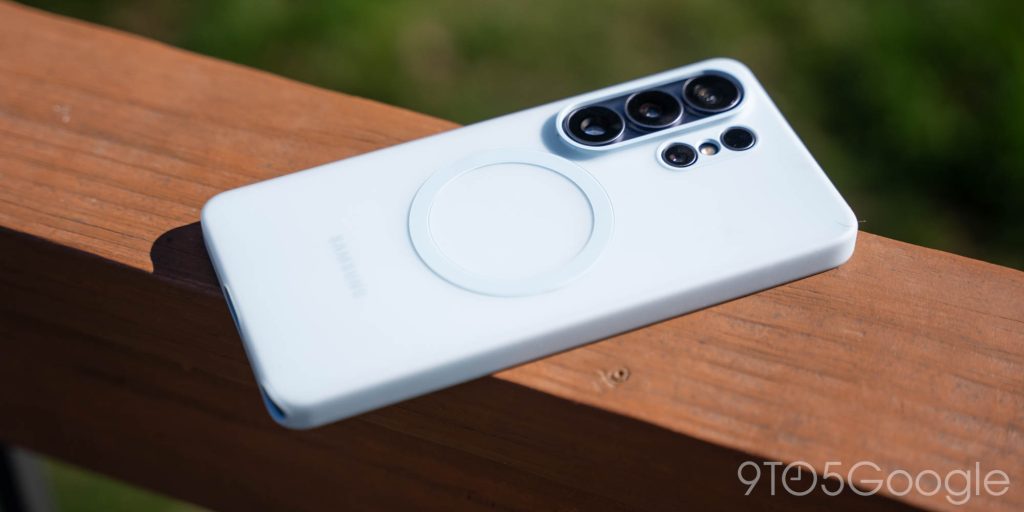
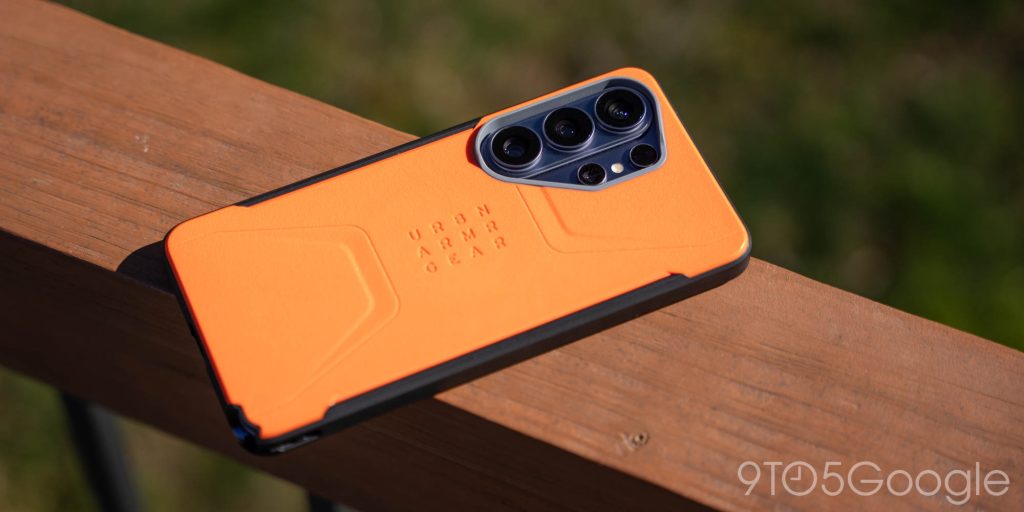
The Galaxy S26 Ultra is a device that demands a case not because of its hardware, but the lack thereof. If you want to use full-speed wireless charging, you simply need a magnetic case. Samsung provided its silicone magnetic case with my Galaxy S26 Ultra review unit and, frankly, I’m not a fan. The overly grippy finish is a pain to slip in and out of my pocket, and it’s only worse in warmer weather. I ended up primarily using a UAG Civilian case, which while a little thick, has been very comfortable to use, and the magnets are great. Plus, it’s cheaper than a lot of Samsung’s cases. Win-win in my book.
Final Thoughts
As mentioned at the outset, Samsung has essentially been making the same phone over and over again for the past 5 years. That’s really annoying, because the world of Android smartphones, especially outside of the US market, has gotten a lot better in that time.
Yet, I can’t deny it. The Galaxy S26 Ultra is a very good smartphone.
Top comment by GreenRadio
Literally nobody is asking for a thinner phone or more AI. The S-pen with no Bluetooth, screen brightness, and anti-reflective coating are all downgrades over the S24, and the 5x zoom camera is a downgrade over the S23's 10x. But there's the privacy thing I'll never use, I suppose, and the battery isn't worse, although brands like Oppo offer 50% more.
By all accounts, it simply doesn’t measure up to the competition. It doesn’t have the best camera, it doesn’t have the best software, it doesn’t have the best battery life, it doesn’t have the fastest charging. It doesn’t even have a core feature found in six-year-old iPhones! But Samsung manages to keep putting all of those elements together in a way where, while actually using it, I can’t get that mad. There’s just an indescribable charm to this device.
Is the Galaxy S26 Ultra the “best” smartphone you can buy? Probably not! But it’s a really solid device through and through, and you’ll be happy if you do buy it. I just really hope this is the last year we get another boring rehash.
Galaxy S26 Ultra starts at $1,299 in the US and is shipping now – I’ve listed a few of the best offers below as of March 13, but keep in mind those are subject to change.
- Samsung.com – Trade-in up to $720
- Amazon – $200 gift card with purchase
- Best Buy – $100 gift card, trade-in up to $900
- Verizon – $5/month with new line
- T-Mobile – Free with select trades, plans
- AT&T – Free with select trades, plans
Follow Ben: Twitter/X, Threads, Bluesky, and Instagram


FTC: We use income earning auto affiliate links. More.


Comments