
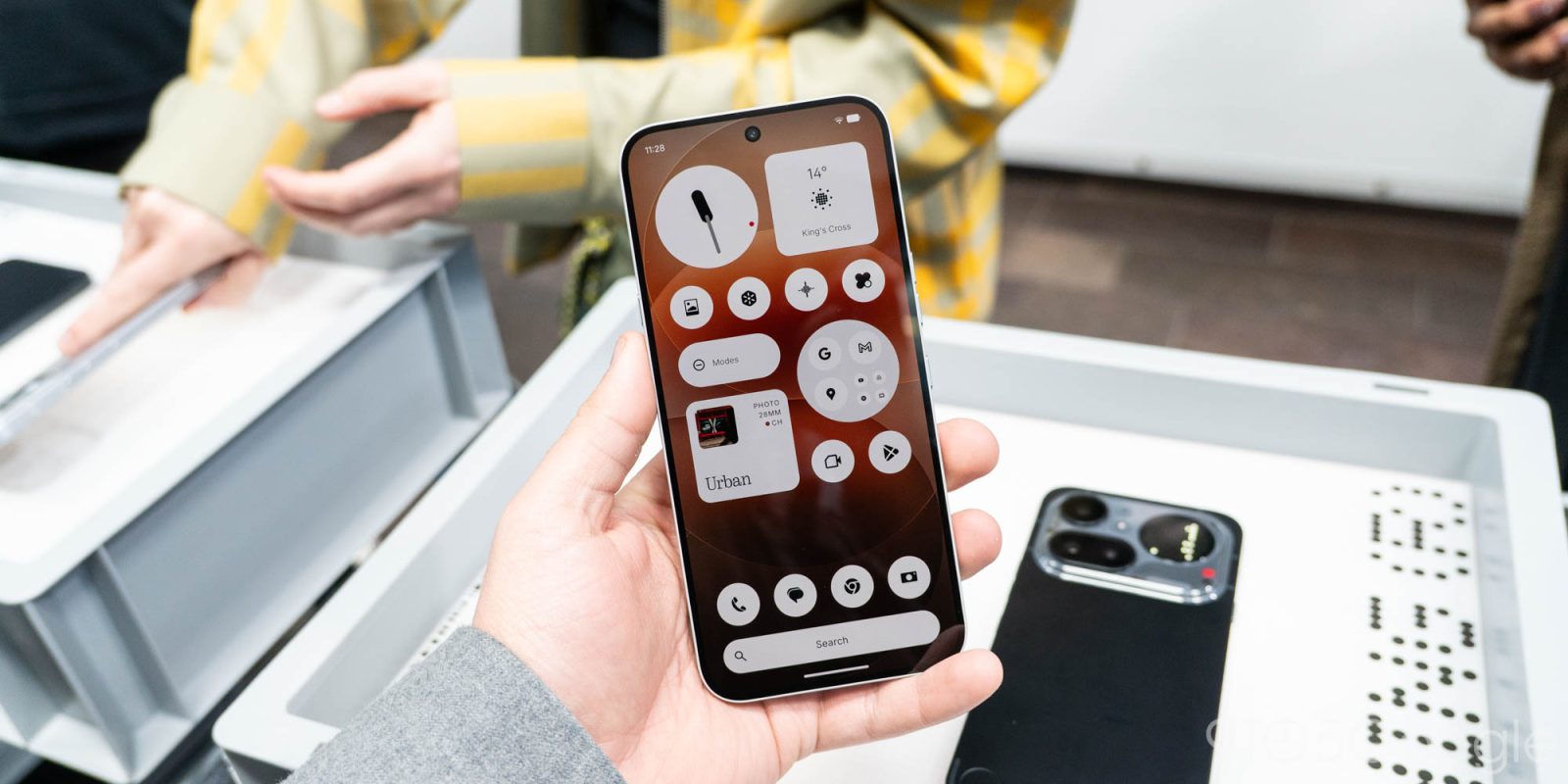
Nothing OS 4.1 on the Nothing Phone (4a) series is debuting a few key changes to the company’s Android skin including better “Essential Apps” functionality, a new “Relaxation Hub,” lock screen tweaks, and more.
With Nothing Phone (4a) now on sale and the Pro available in a few days, Nothing is detailing some of the software upgrades available in the first update on these new devices.
That starts with support for Android 16’s Live Updates on the Phone (4a)’s Glyph Bar. Apps that use Live Updates will be able to show their progress on the Glyph Bar, so you can keep an eye on incoming rides, navigation, and more without seeing the actual screen.
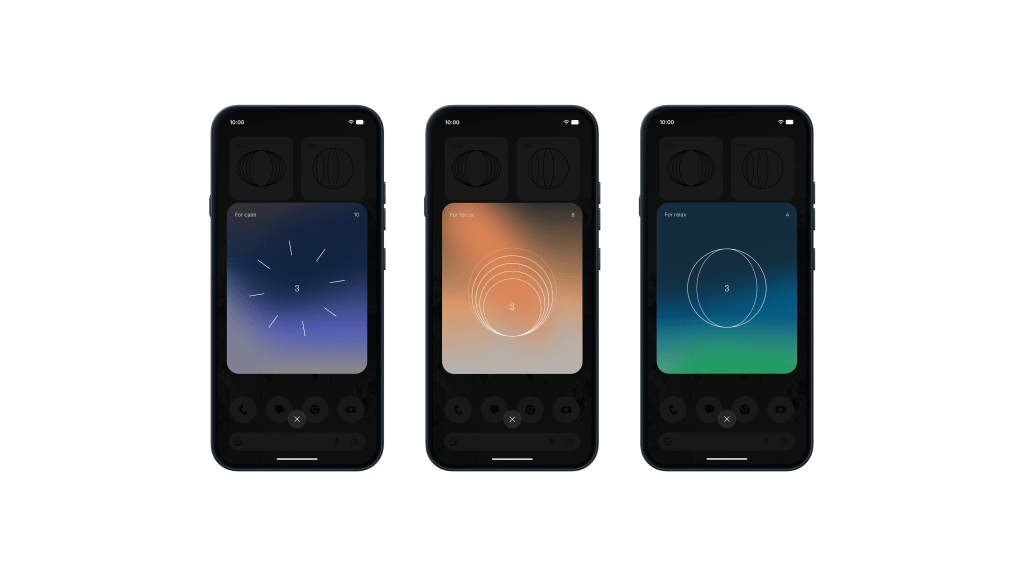
Beyond that, a new “Relaxation Hub” is also launching in Nothing OS 4.1. This new feature includes “Breathing Break” widgets with “Focus, Relax, and Calm” modes. They offer breathing exercises “designed to help you reset during the day.”
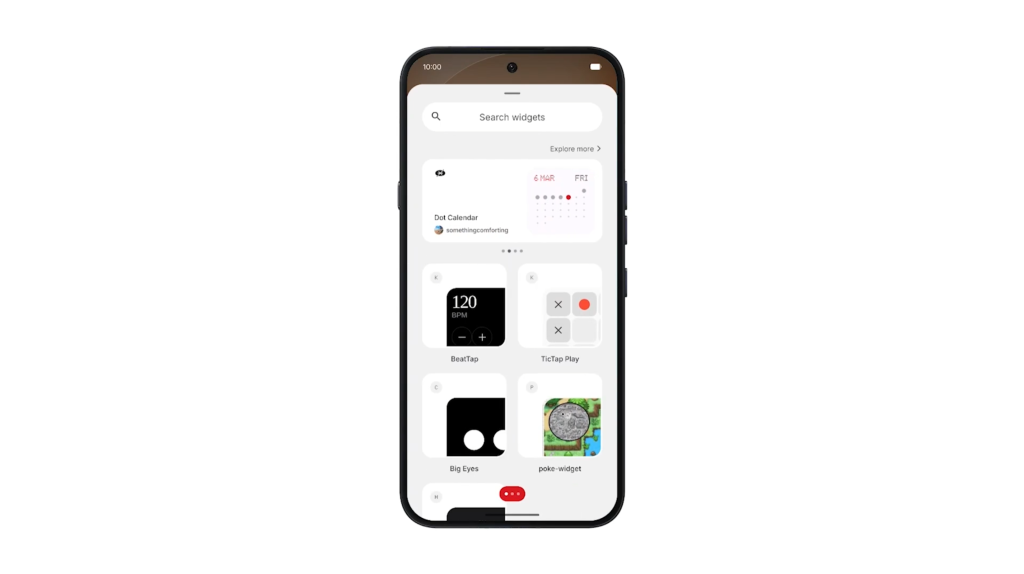
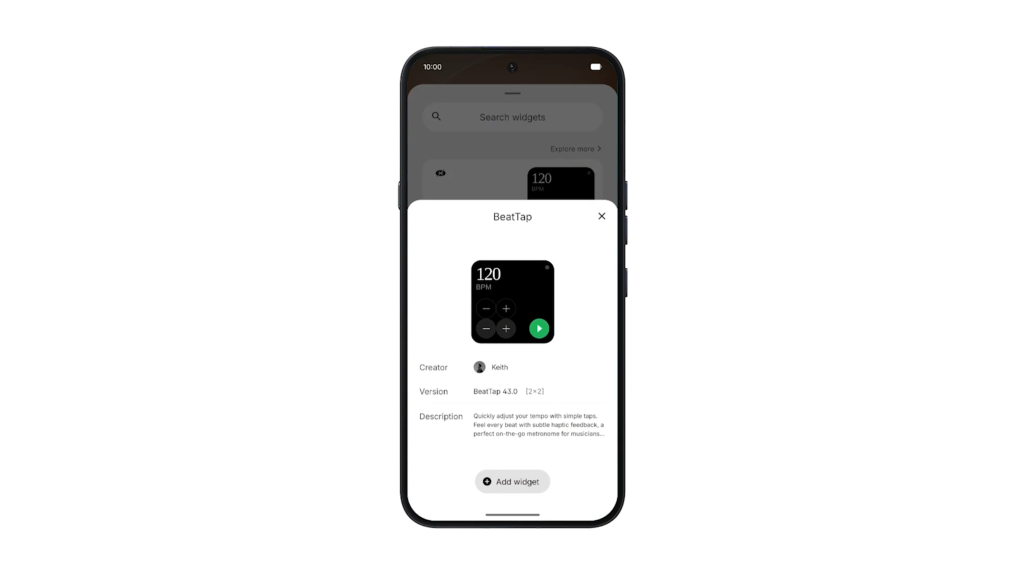
In other widget news, Nothing Phone (4a) is making it a bit easier to use and access Essential Apps – the widgets that you can vibe code. These will now get their own drawer which not only shows apps you’ve installed or are using, but also recommend ones in the Nothing Playground without you actually leaving the homescreen.
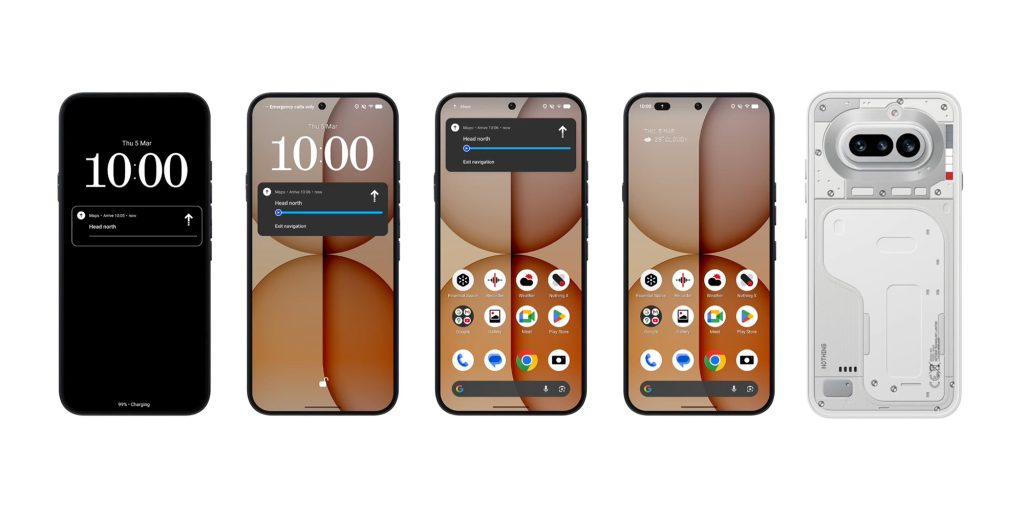
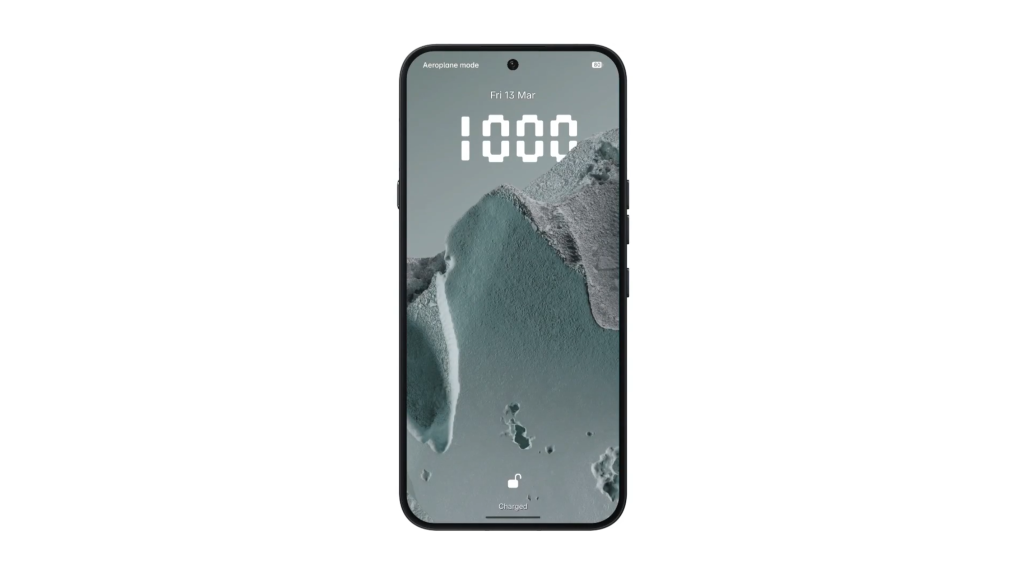
The lock screen is also being updated with the clock face that first debuted on the Phone (3a) Community Edition, as well as a new “Depth Effect” beta that mimics how the clock can hide behind wallpaper elements on iOS.
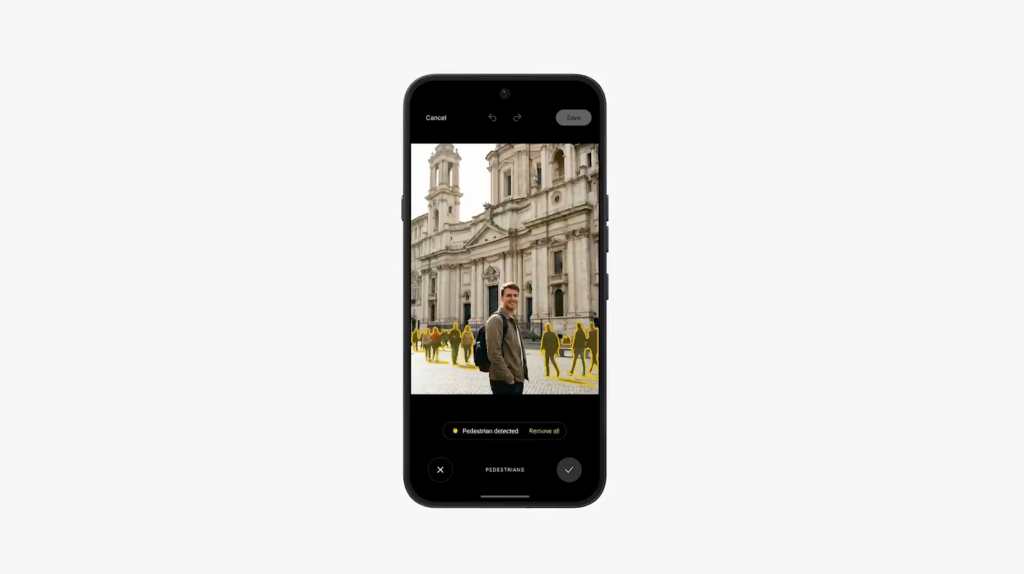
Finally, the Nothing Gallery app is adding its own built-in AI Eraser tool which works entirely on-device, no cloud processing or internet access needed.
These updates will likely make their way to last-gen Nothing Phone releases over time, but Nothing OS 4.1 (based on Android 16) is launching first on Nothing Phone (4a) and Phone (4a) Pro.
Nothing Phone (4a) Pro is available for pre-order on Amazon in the US.
More on Nothing:
- Nothing’s Essential Space gets major update with event detection, search, ‘For You’
- Nothing Phone (4a) Pro is coming to the US for the first time and, at $499, I can’t wait
- Nothing Headphone (a) adds more bass, color, 135-hour battery life for $199
Follow Ben: Twitter/X, Threads, Bluesky, and Instagram


FTC: We use income earning auto affiliate links. More.



Comments