
Anthropic’s Claude is launching a wild new tool that lets you ask AI on your phone to remotely control your computer to execute tasks.
A new feature in Claude Cowork and Claude Code will allow the AI to quite literally use your computer to perform tasks on your behalf. This includes opening files, using the browser, running tools, etc. Claude can use your keyboard and mouse to scroll, perform input, and more.
It’s like Gemini’s new screen automation, just way more open.
When you send a task command, Claude will first check to see if it can perform that task with existing connections, such as those with Slack or Google Calendar. If those connections aren’t available, it will then move on to controlling your computer.
Anthropic explains:
Claude will reach for the most precise tool first, starting with connectors to services like Slack or Google Calendar. When there isn’t a connector, Claude can directly control your browser, mouse, keyboard, and screen to complete tasks. It will scroll, click to open, and explore as needed, always asking for your explicit permission first.
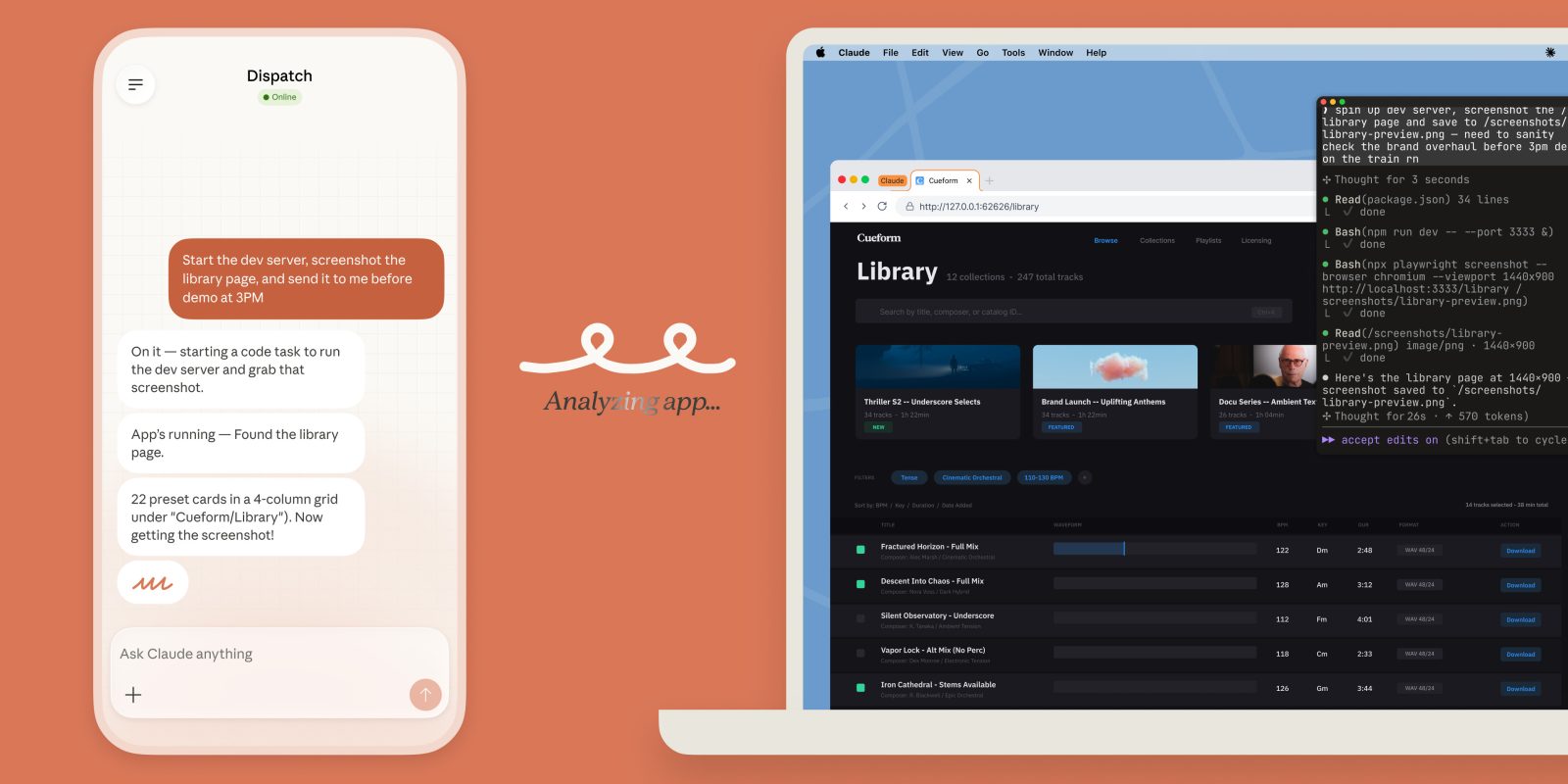
This also integrates with Dispatch, a way of sending these commands to Claude from a paired smartphone app. You’ll be able to ask Claude on your phone to run a task that, as long as your computer is active, the Claude app on your computer can do by using your computer. Anthropic explains that you “can assign Claude a task on your phone, turn your attention to something else, then open up the finished work on your computer.”
A video shows how this all works with three examples:
- Export a PDF and attach it to a calendar invite
- Start a dev server and send a screenshot of a specific page
- Batch edit photos to a specific size and add a watermark
It’s pretty wild to see in action.
As far as safeguards go, Claude will only be able to access applications you specifically granted access to, while also giving you the ability to stop the process at any time. Anthropic recommends not granting access to sensitive apps, like financial, legal, or medical apps, while also noting that Claude is trained to avoid “engaging in stock trading or investment transactions,” “inputting sensitive data,” and “gathering or scraping facial images.” As mentioned, your computer and the Claude app for desktop must be awake and active for this to work.
Claude’s new remote use of your computer is currently limited to Claude Pro and Max plans, which are priced at $20/month and $100/month, respectively. This is also limited to macOS, so you can’t use it on a Windows PC just yet.
More on AI:
- Claude is letting users bypass its standard usage limits for the next two weeks
- Gemini app combines ‘plus’ and Tools menu in cluttered web redesign
- Claude hits one million daily signups, passing ChatGPT in Google Play Store
Follow Ben: Twitter/X, Threads, Bluesky, and Instagram


FTC: We use income earning auto affiliate links. More.



Comments