
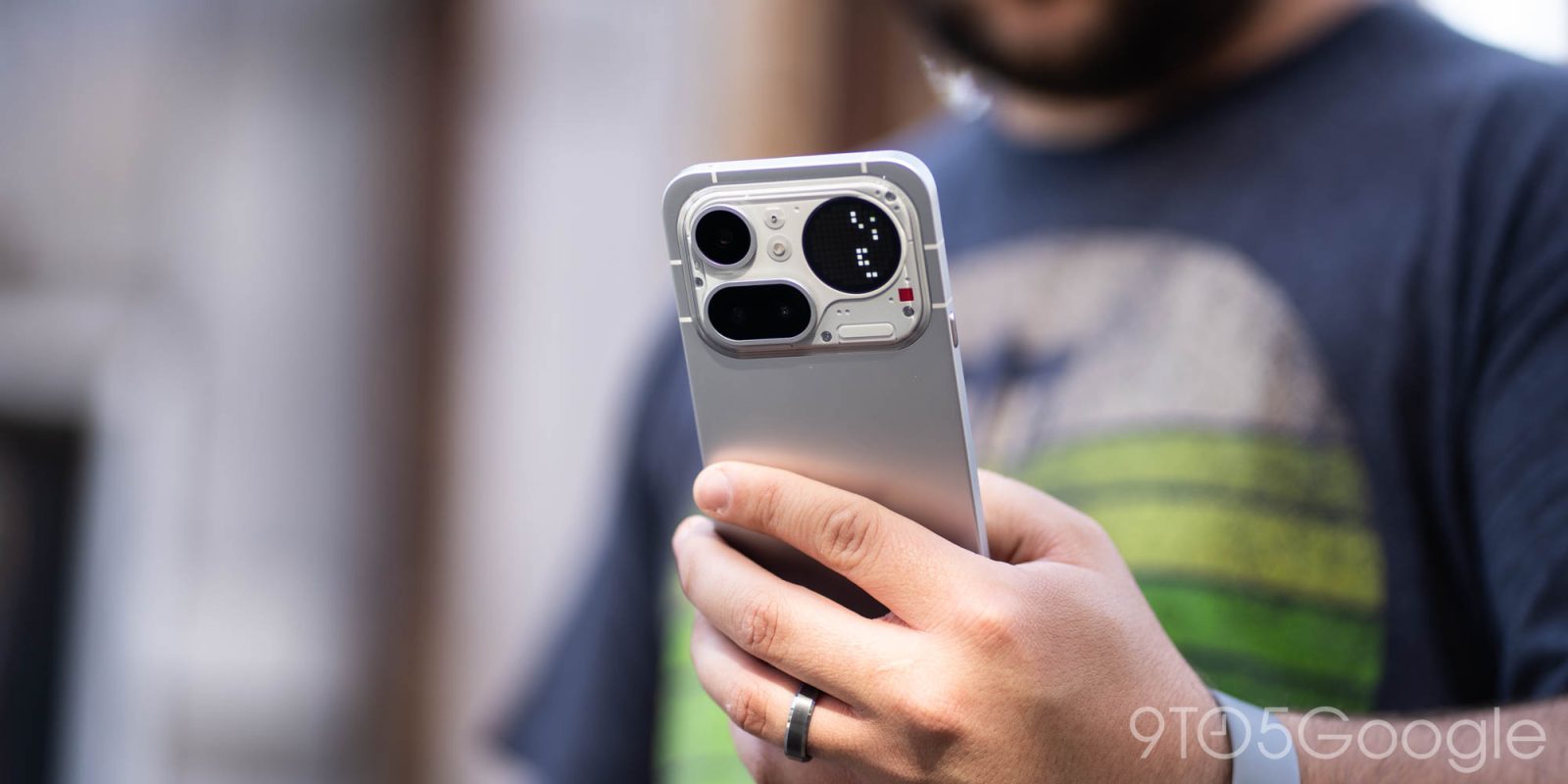
In lieu of AirDrop over Quick Share support, Nothing is today launching “Nothing Warp,” a new app + browser extension that replicates the functionality, but leverages Google Drive to do it.
Sending files between platforms is unnecessarily complicated in 2026, and some Android brands have been building out solutions to make it suck a little less. Oppo/OnePlus previously launched an app that could transfer files between their devices and iPhone or Mac, Samsung has long partnered with Microsoft for its “Link to Windows” experience, and Google found a way to integrate Android’s Quick Share with Apple’s AirDrop.
Nothing, meanwhile, is today debuting “Nothing Warp.”
This new experience essentially boils down to a smartphone app and a browser extension. Users can upload a file from one device to Warp, then making it available to the other device. This requires you to sign in to your Google account. Wildly, the service essentially just acts as a middleman for a Google Drive upload, with Nothing saying that “it uses your own private Google Drive to move files.”
I guess that gets the job done.
Nothing Warp is available for Chromium-based browsers such as Chrome and Edge, and is available to Android phones beyond just Nothing’s own devices.
The process of moving files from a phone to a computer involves using the Android share sheet.
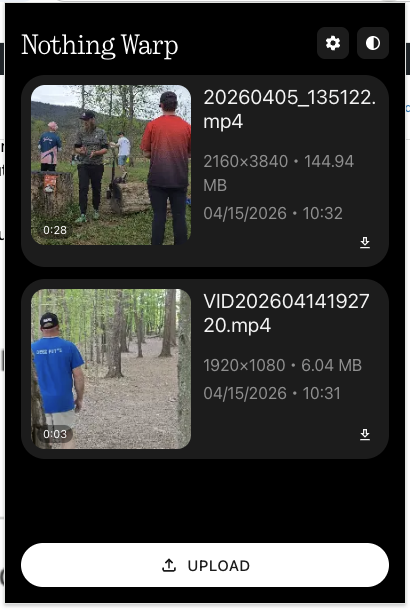
Meanwhile, the Nothing Warp extension adds a “Send with Nothing Warp” option to the right-click menu, as well as having a dedicated “Upload” button. You can also just paste content directly to the extension.
Once a file is “received,” you’ll still need to manually download it to your computer.
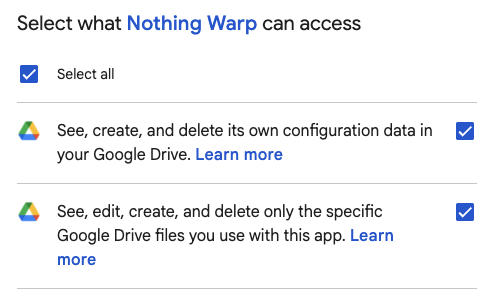
We’ve only briefly tested this out, and immediately it just feels weird to give a file transfer app access to “see, edit, create, and delete” files in my own personal Google Drive, but I guess it’s good that it’s using the permission that only applies to files created by Nothing Warp.
The biggest head-scratcher for me with this process is that, because it’s not “sending” files, it’s not fast at all. Sending a 150MB video file from my phone to my MacBook took a couple of minutes as my phone had to upload the file to Google Drive, and then my MacBook had to download it. That could quickly spiral as file sizes increase.
Again, it works, it’s just such a weird solution.
I don’t really get the point here. I guess it’s a bit more seamless than manually uploading files to Drive and downloading them on another device. It’s certainly a tiny bit faster seeing as you don’t need to navigate folders and then manually delete the files. There’s no clutter, as the files aren’t visible in your Drive, and are deleted after the transfer (though I’m not sure when they’re deleted).
Top comment by GoldGlasses
This is just a rehash of Pushbullet, and it's nothing badum tss like Airdrop or Quickshare. Pushbullet uses AWS to store the files and this one is slightly better that the files are stored within your Google account.
I used to use PB a lot to share quick snippets and small files across platforms, but with today's universal clipboard and local wifi sharing it doesn't have the same charm it used to have.
But, unlike Wi-Fi-based solutions, this all depends on your internet speeds. I’m fortunate enough to be testing this on a speedy connection, but what about mobile data? Or just slow Wi-Fi? You’re also limited by your Drive storage, which limits the size of files you can “send.” On top of that, you’re also trusting Nothing with access to your personal Google Drive.
This seems better than nothing – ba dum – but with Google offering an official Quick Share app on Windows, AirDrop support coming to more Android phones, and many other solutions already out there, this feels like a strange stopgap. The biggest point in its favor in my book is that it’s pretty widely compatible – it works on multiple browsers, “any” device, and all Android phones.
What do you think?
More on Nothing:
- Nothing’s limited-edition yellow headphones go live, $199
- Review: Nothing Phone (4a) Pro is the ‘something’ I wanted all along
- Nothing plans to release AI smart glasses next year after CEO Carl Pei changes mind
Follow Ben: Twitter/X, Threads, Bluesky, and Instagram


FTC: We use income earning auto affiliate links. More.


Comments