
One UI 8.5 is rolling out after months in beta, but some have noticed in the past few days that dark mode looks different in apps on Samsung’s latest Galaxy update.
Dark mode has been a standard feature across mobile devices for years now, but everyone has a different take on it. Google originally focused on dark tones that weren’t purely black, where Apple went all-in on black backgrounds. Samsung generally fell somewhere in the middle, with some apps being pure-black, and others with mostly gray tones.
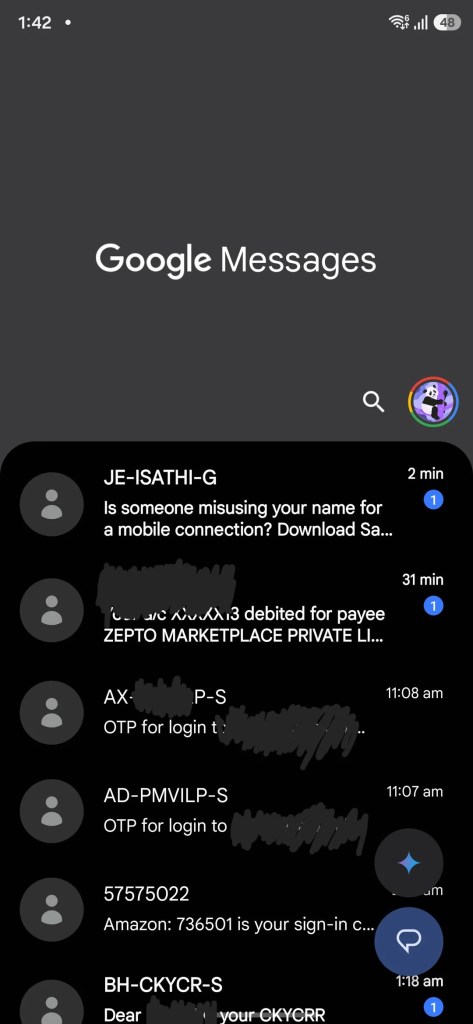
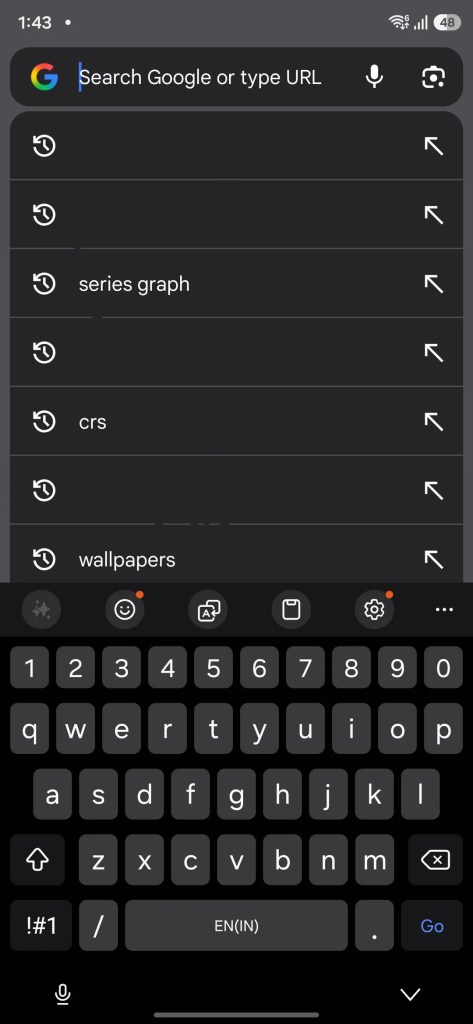
Following the One UI 8.5 update, some have noticed that these colors are changing a bit, especially in Google apps.
Dark mode is described as “inconsistent,” with more gray backgrounds in this latest update.
But this isn’t happening for everyone. Examples being shared around show a light, unpleasent gray color in dark mode in Google apps, but we’re not seeing that on our Galaxy Z Fold 7 that just updated to One UI 8.5 from 8.0.
The difference? Color palette.
What appears to have happened here is that Samsung has changed how it implements color accents from Material You, referred to as the “color palette” on One UI. There’s a new default tone that, for users who hadn’t made their own changes, applies a slightly different look. Some have found that switching that default back (through some more advanced methods) brings back a more consistent look to apps running on One UI 8.5.
If you opt to use Material You theming throughout the UI, dark mode functions as expected with darker colors both in Samsung and Google apps. If you turn it off, this lighter shade appears in some apps. Understandably, not everyone wants to use Material You colors throughout the UI, but Samsung – like Google – does offer static, simply color choices.
More on Samsung:
Follow Ben: Twitter/X, Threads, Bluesky, and Instagram


FTC: We use income earning auto affiliate links. More.


Comments