
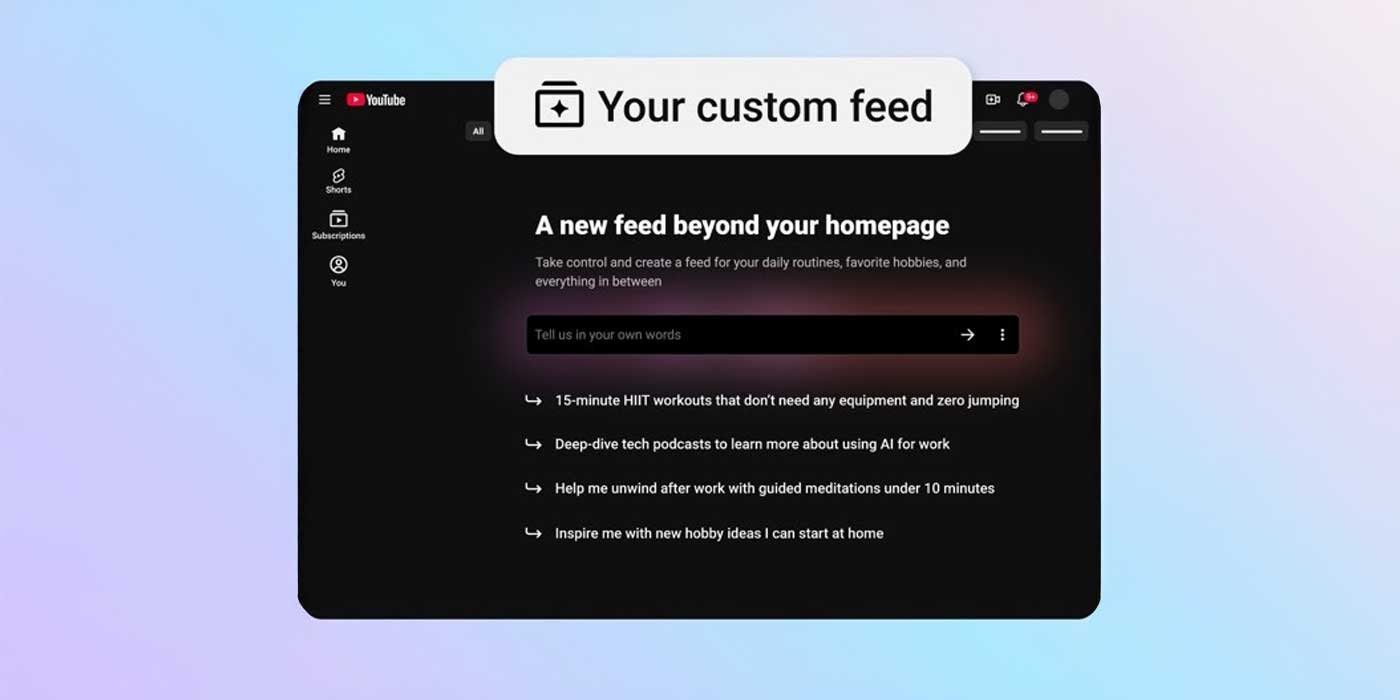
YouTube isn’t exactly replacing the traditional search bar, but it is supplementing it with a way to watch a “custom feed” of videos based on your nuanced prompts.
YouTube says it wants to bring a “new way to shape your discovery experience.” In essence, offering more videos that fit your interests in a more fluid way than a simple video search could. A new custom feed button will be available next to the search bar. When opened, YouTube will present you with a prompt box or several suggested queries.
Whatever is entered into that prompt box will result in a feed of videos that fit the narrative. YouTube notes that the custom feed will refresh constantly, so there’s always something new to watch.
The option to save the custom feed as a chip will be available, and those saved feeds will show up at the top of the home page. Those feeds can be edited, too. So if certain videos are appearing that don’t fit what you’re looking for, you can compensate with more context.
How it works:
- Start your feed: Tap the “Your custom feed” chip at the top of your Home page
- Tell us what you’re curious about: Enter a prompt describing what you’re looking for, or choose from suggested prompts, and we’ll create a special feed for you
- Change up the vibe: You can edit your prompt at any time directly in the text box at the top of your custom feed to generate a brand new space
YouTube says the new feature is limited to users who are signed in with history turned on. Custom feeds are rolling out to those in the US for both the mobile app and the desktop version.
More on YouTube:
- AI-generated YouTube content to get ‘more visible’ disclosure label, whether voluntary or not
- Google is bundling YouTube Premium Lite into its best storage plan – here’s where
- YouTube overhaul broadens search with ‘Ask YouTube,’ adds Gemini Omni to recreate someone else’s Shorts


FTC: We use income earning auto affiliate links. More.




Comments