
As my house becomes increasingly strewn with the detritus of parenting, I’ve made the inverse effort to eliminate excess, physical and digital, from my life. As much as it is about control, it’s also about mental health; I already use my phone too much, so adding yet another thing to the backpack, to the pocket, feels anything but additive.
But I’m also aware of the single-use gadget’s pull, increasingly powerful precisely because people are relying too much on their phones. Digicams to augment overly-processed smartphone photos. Writing tablets that feel like paper without the waste. Smart rings and health trackers to reduce notification overload.
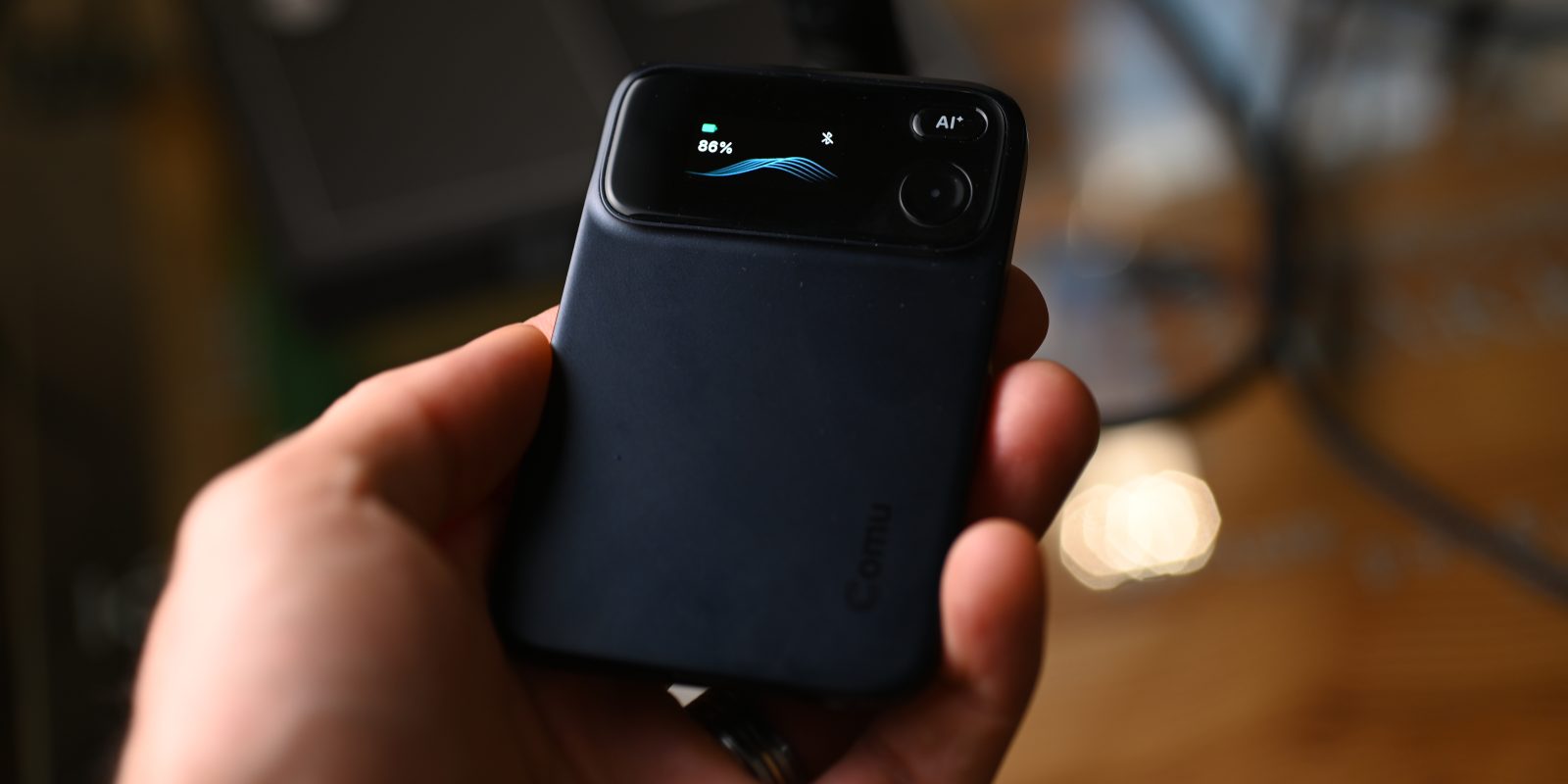
And so it is with a product like the Comu Action Pro, a standalone note-taking gadget that attempts to turn a simple idea into something indispensable.
Pixel owners are likely well aware of the superlative built-in Recorder app that’s been around for years, adding features like real-time transcription and translation as it’s matured. The current app is about all you could want from a piece of software that leverages a phone’s built-in microphones.
It was with this framing that I undertook the review of a novel gadget category: the AI voice recorder. I’m not entirely unfamiliar with it: I’ve used early versions of Plaud’s NotePin and Note devices in the past, but never for long enough to feel acquainted with them. In response, I wanted to spend enough time with the Comu Action Pro to understand where and how it fits into my life, and why one may feel justified in spending the $180 it currently costs instead of just using the phone they already have in their pocket.
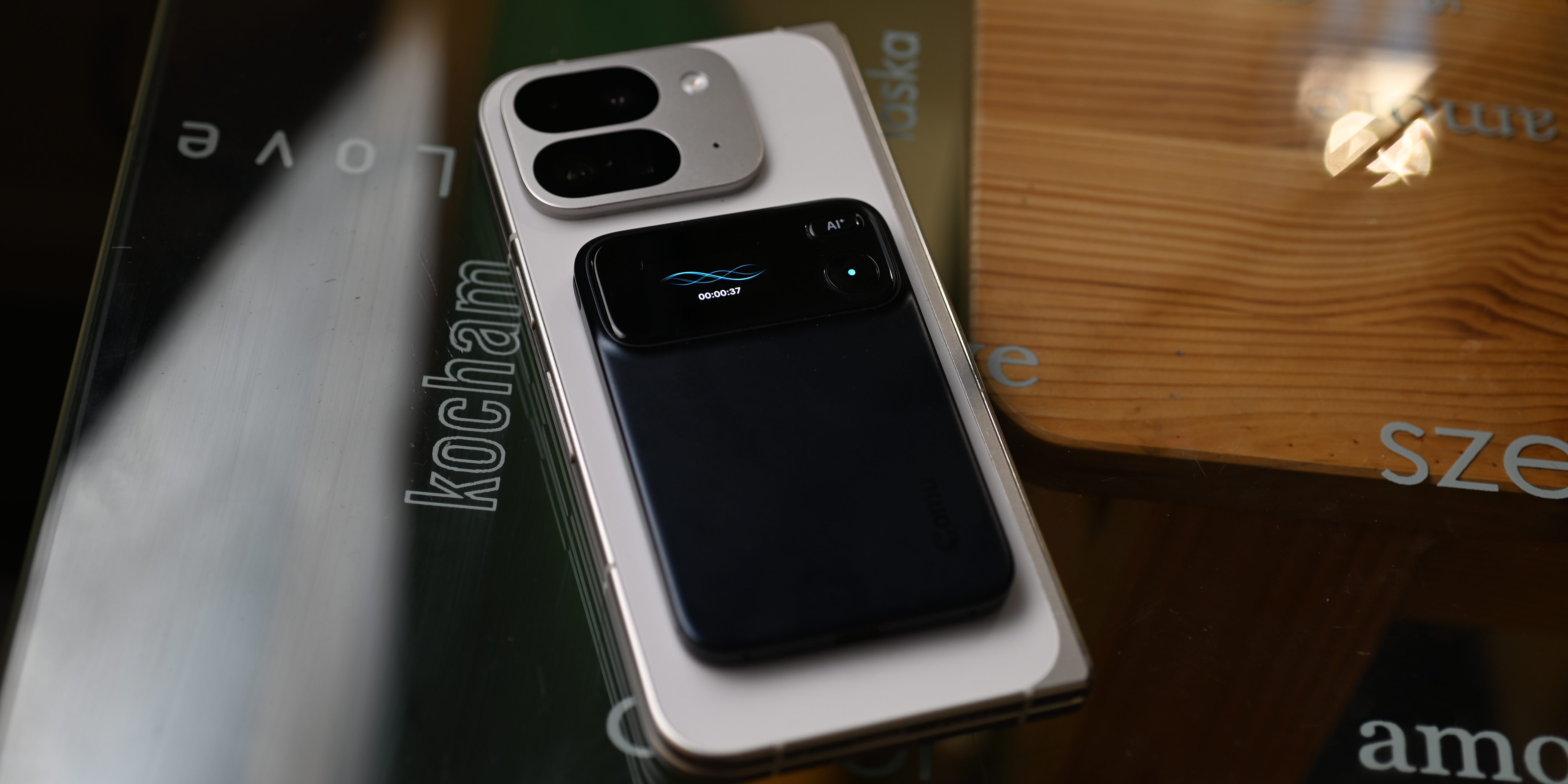
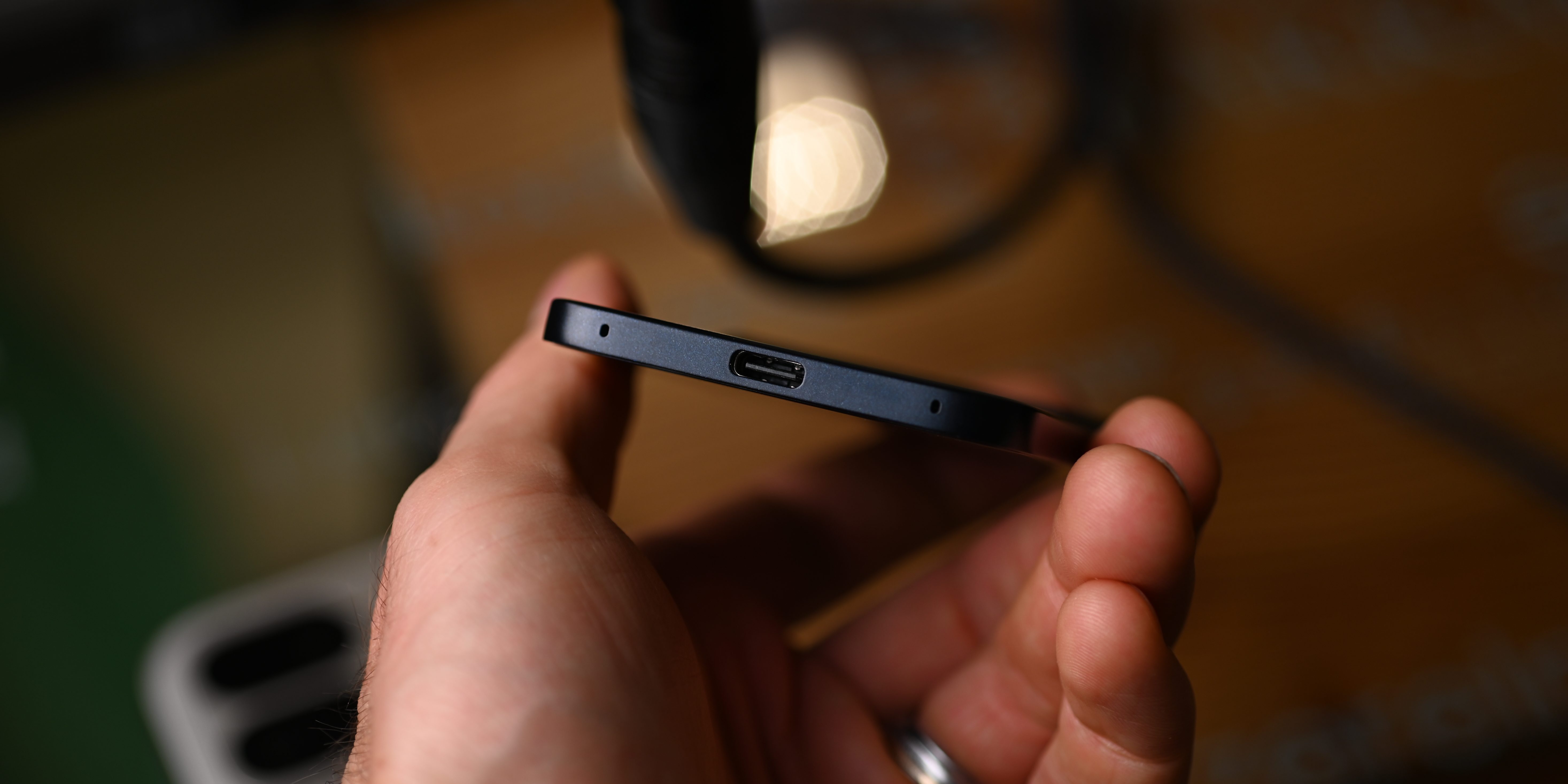
First, the basics: at a thickness of 7mm, it’s a svelte mixture of aluminum and plastic that’s designed to stick magnetically to the back of a compatible phone, like an iPhone or Pixel. (The box comes with a couple of circular magnetic stickers for devices without built-in MagSafe support.) That said, it’s nowhere close to the 3mm dimensions of the Plaud Note and Note Pro. But that additional girth comes with a few benefits: it fits a USB-C port, so you’re not forced to charge it with a proprietary magnetic cable that will almost certainly be missing when you need it most. And it carries a larger battery that pushes recording time to 70 hours, double that of the Plaud Note Pro.
The primary question I ask myself, and am asked by others, when I use the Comu Action Pro is, “Why?” Why do you need a separate piece of hardware when your phone will suffice, particularly in a world of inexpensive or free AI transcription services that can do most of the job? In short, it’s the passivity of it all; you can just leave the Action Pro running in the background whenever you’re going about your day to collect snippets of conversations, or covertly place it on a boardroom table to record a meeting.
The Action Pro has six far-field microphones that pick up voices from distances that phones are just not tuned for. That omnidirectional nature means the actual recordings sound thin and tinny, but the product is not the audio — it’s the data from the audio. Placing the Action Pro on the table in front of me next to my phone and recording the deliberately subdued tones of a conversation I was having showed the form factor’s inherent compromise; it picked up voices from the tables next to me, leading to audio that was basically unusable to listen to. Conversely, my Pixel 11 Pro did a great job isolating our two voices in the recording itself.
I was surprised, then, to discover the Action Pro transcribed our conversation with minimal errors. The company works with a number of AI vendors, including OpenAI and Google, and while it’s usually accurate, it made more errors than the competition.
It’s the “Action” in Comu’s Action Pro the company really wants to emphasize, and it’s what I believe has the largest potential — and the longest way to go to reach it. If you’ve ever used a cloud-based meeting recorder like Granola you’ll know that its primary job is to synthesize what it records into something compelling and useful, a summary that can lead to identifiable action items. From there you can ask it questions about the content or have it draft a follow-up email.
Comu’s Action Pro tries to go one step further by integrating with foundation models like Claude Opus 5 or GPT-5.6 Terra to turn those summaries into more than just emails; you can ask it to create a summary document or even a presentation, choosing from a number of predefined templates. All of this is done through the app, which is poorly designed, making for an awkward experience.
I’ll give you a small example: I had the Comu Action Pro record all 20 minutes of a YouTube video that was playing at a pretty comfortable volume from my Mac Mini’s thin but capable internal speaker. It was a video I watched doing research for this review, attempting to grasp the scope of the AI note taking market, since I’d really only ever heard of and used Plaud’s products.
As a baseline, I also used my Pixel 11 Pro’s Recorder app alongside a Plaud Note. All three were sitting four or so inches from the speaker and there was little ambient noise in the room. After the recording was finished, I compared the transcripts of each recorder for accuracy, and then delved into the post-production aspects of each product. For full transparency, here are links to both Comu’s and Plaud’s outputs from that recording:
- Summaries are good on both, but Plaud’s are neater and better organized.
- Plaud’s transcript is slightly more accurate.
- Ironically, the Action Pro kept referring to Plaud as “Plot” throughout, though that can be traced to the word’s pronunciation by the host.
- Plaud’s output included a mind map and a summary image, whereas Comu’s was text-only.
- Comu’s custom documents and presentations are basic, hard to read, and rarely useful as standalone assets.
- The Comu app is buggy and, in places, poorly translated into English.
- The Comu web app is basically unusable in its current state.
The issue I keep returning to is that the Action Pro really only solves a real-world problem. While you can attach it to the back of the phone to record both sides of a conversation (with consent, of course), there’s no mechanism to record or sync web-based meetings. Plaud, being the more mature product, boasts a much better app, a usable web interface, and a desktop app that records and transcribes video calls, usage of which is included even in the free Starter plan.
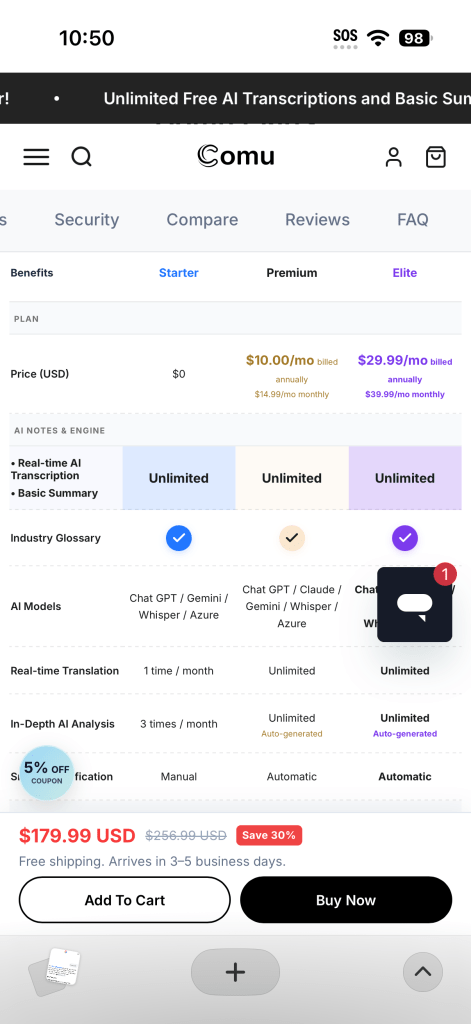
Comu’s best features are also gated behind a subscription. Unlike Plaud, which provides access to most features for free but limits transcription minutes to 300 on the free Starter tier, Comulytic goes the other way, offering unlimited transcriptions indefinitely and putting its AI workflows, including translation and document generation, behind a $10/month paywall. Access to Anthropic’s Claude model is also limited to paid subscriptions.
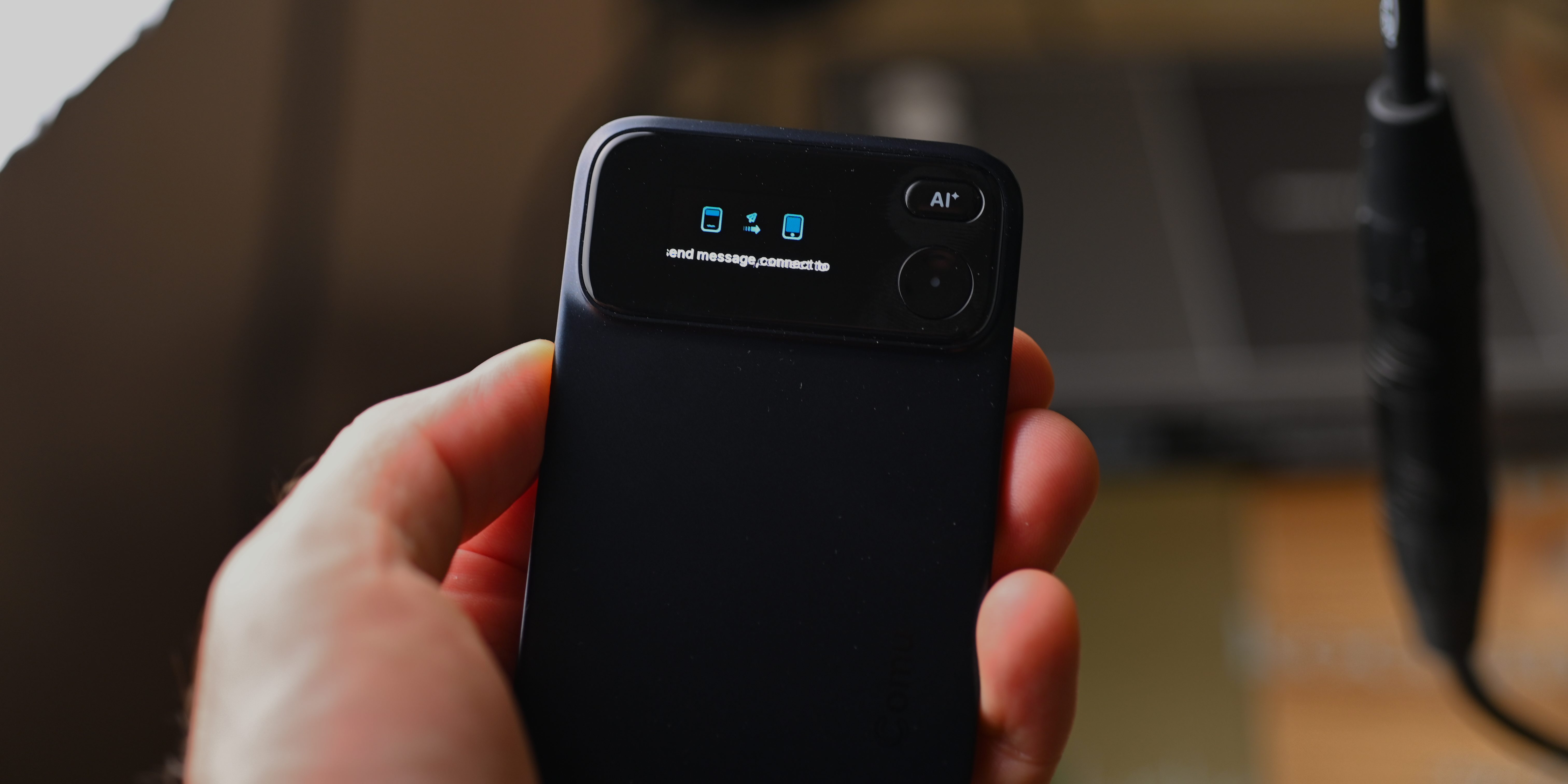
Those are the actions meant to be solved by the dedicated AI button that sits above the record button which, when pressed, acts like a voice-powered agent for your work needs. Anything recorded when the button is pressed goes into a general ChatGPT-like stream, where the data source is the transcribed meeting notes. Unfortunately, that’s where the “Action” part of the Action Pro breaks down: the Comu agent is brittle, and doesn’t interface with other parts of the phone.
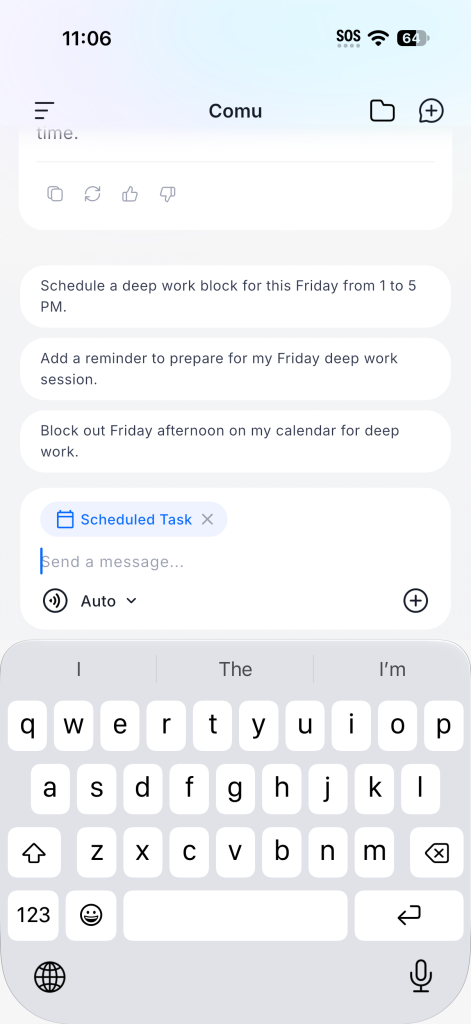
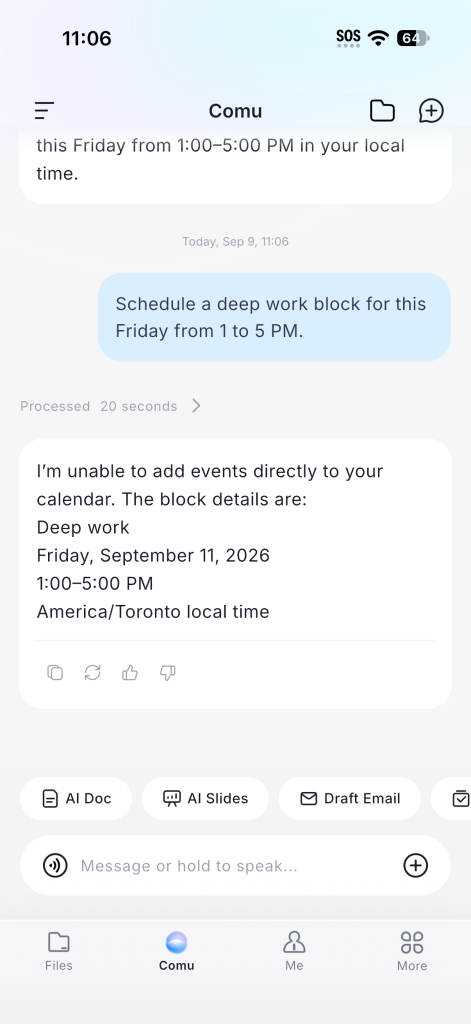
For instance, there’s a “Schedule Tasks” prompt that Comu invites you to use, and tapping it pre-fills a number of templates, including “Schedule a deep work block for this week.” I completed the prompt and wrote “Schedule a deep work block for this Friday from 1 to 5 PM,” but at the moment the model isn’t able to connect to my external calendar.
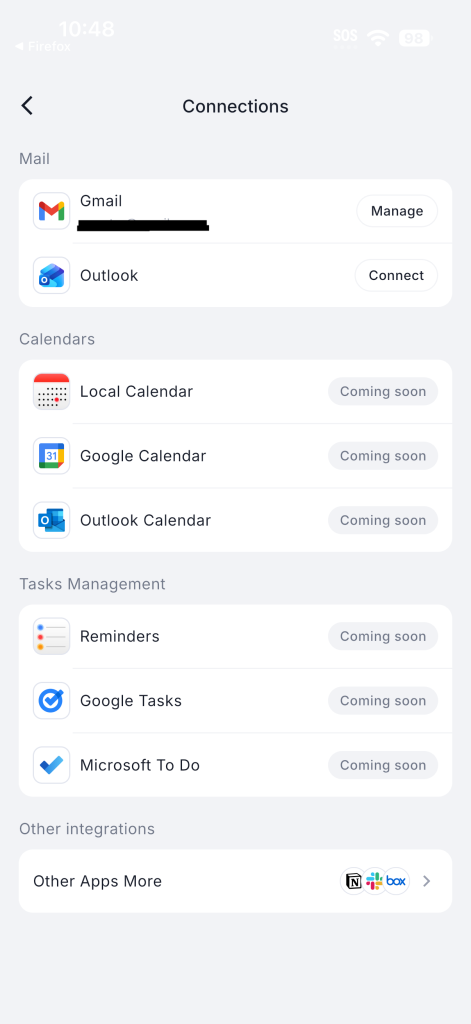
In fact, as of writing, every calendar- and task-based connection is listed as “Coming soon.” Once these connections are added, Comu’s offering may be more competitive, but given the proliferation of similar services like Gemini Spark, Meta Muse, Town, Poke, and many others, I’m doubtful that most users will be willing to shell out the monthly fee that Comu is asking for.
At its core, the Action Pro is a competent meeting transcriber with some impressive hardware and lackluster software that, at least right now, doesn’t justify its asking price. If you’re looking for something from the company that’s thinner, lighter, and cheaper, and still has some AI capabilities, Comu’s own Note Pro is a decent alternative at under $120. If you need something a bit more full-featured, including better web and desktop support, I’d go with something from Plaud.
Comu Action Pro
Pros
- Great audio transcription quality
- Good build quality
Cons
- App is a mess
- AI features are half-baked or missing entirely
- AI features require a minimum $10/month subscription


FTC: We use income earning auto affiliate links. More.

Comments