
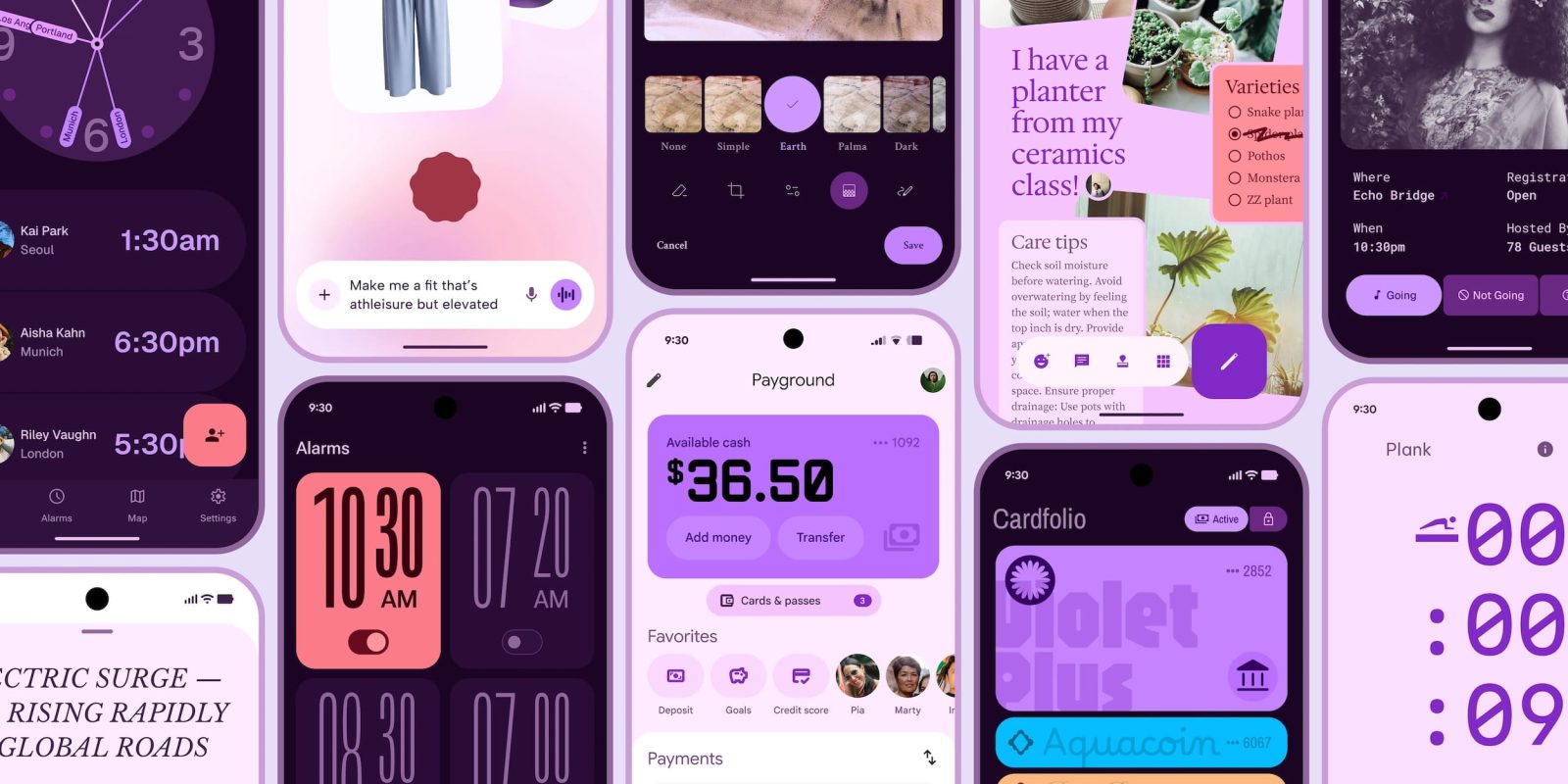
Ahead of this month’s announcement, Google accidentally published a blog post detailing the thinking and research behind Material 3 Expressive.
The full blog post was saved by the Wayback Machine (with the images that don’t appear in the archive version appearing below). Here are the key takeaways:
Material 3 Expressive is Google’s so-called “bold new direction for design” that is the “most-researched update to Google’s design system, ever.” Google wants apps to “move beyond ‘clean’ and ‘boring’ designs to create interfaces that connect with people on an emotional level.” Besides the full name, it’s also referred to as “M3 Expressive” or just “expressive design.”
Material 3 Expressive was born out of research—not in the 41 shades of blue kind of way, which delegated design decisions to data, but in a collaborative inquiry spanning research, design, and engineering.
In 2022, the Material Design team started asking: “Why were all these apps looking so similar? So boring? Wasn’t there room to dial up the feeling?”
Over the past three years, we’ve explored the implications of this conversation, iterating through dozens of rounds of design and research to find the next evolution of Material Design. Through 46 separate research studies with hundreds of designs, and more than 18,000 participants from around the world, we’ve dialed-in a system that’s both beautiful and highly usable. Material 3 Expressive principles are rooted in solid research and built on longstanding usability best practices, so designers can confidently use these new components and principles, knowing they’re building something that will be easy to use and that people can connect with.
Those research studies included:
- Eye tracking: Analyzing where users focused their attention
- Surveys and focus groups: Gauging emotional responses to different designs
- Experiments: Gathering sentiment and preferences
- Usability: Seeing how quickly participants could understand and use an interface
Google says the “fundamental parts of expressive design are the use of color, shape, size, motion, and containment.” Additionally: “Material 3 Expressive is characterized by bold use of shape and color—creating delightful user experiences.”
These design aspects are also fundamental to what makes a product more usable by drawing attention to what matters in the interface: Making key actions stand out, and grouping like elements together.

A “floating toolbar” is one of the components born out of Material 3 Expressive. In concept designs, we see a pill-shaped bottom bar that doesn’t span the entire width of your screen. As such, we see a sliver of the background, with edge-to-edge designs becoming more important. It’s similar to what’s available in Google Chat today.


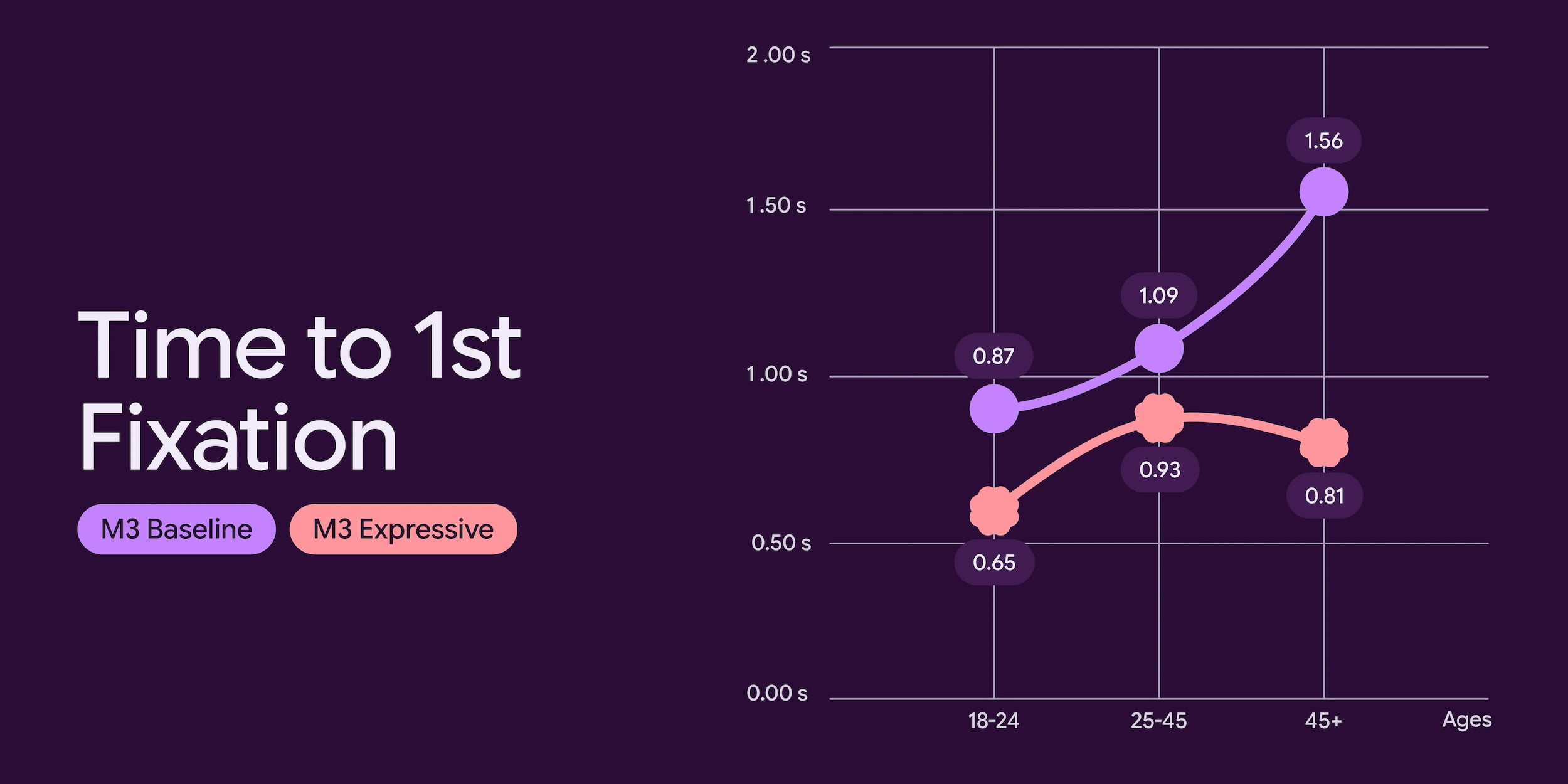
Google research found that its “expressive designs are easier to use,” and helped users “quickly spot the key action on each screen and navigate more quickly.”
… participants were able to spot key UI elements up to 4x faster, showing that these designs work to steer a user’s attention to the most important part of the screen. We’ve seen many apps achieve these levels of improvements, and this extends beyond just eye fixation times. We’ve seen time to tap on key actions decrease by seconds across different designs we’ve tested as well.
Again, it’s important to emphasize these are just concept designs that aren’t reflective of actual products. (For something more final, a Google Clock redesign leaked over the weekend.) That being said, the “before” example below is clearly Gmail’s current UI.
When we look at particular designs, such as the screens for a case study of an email app below, we can see the benefit of expressive principles directly. For example, the Send button in the new design is larger, placed just above the keyboard, and uses a secondary color to draw attention to it. We can compare this to the non-expressive design, which places the small Send button in the top-of-screen toolbar with other controls like attaching a file. When participants were asked to “Send the email” in the app, their eyes saw the button 4x faster in the expressive design.


Other concept designs show a clock app, voice input, photo editor, payments, and wallet:


Top comment by Zargh
Success/Failure of adoption will really come down to how easy it is to implement/how seamless it is to update from M3. Jetpack Compose is in a much better place these days so I'm cautiously optimistic.
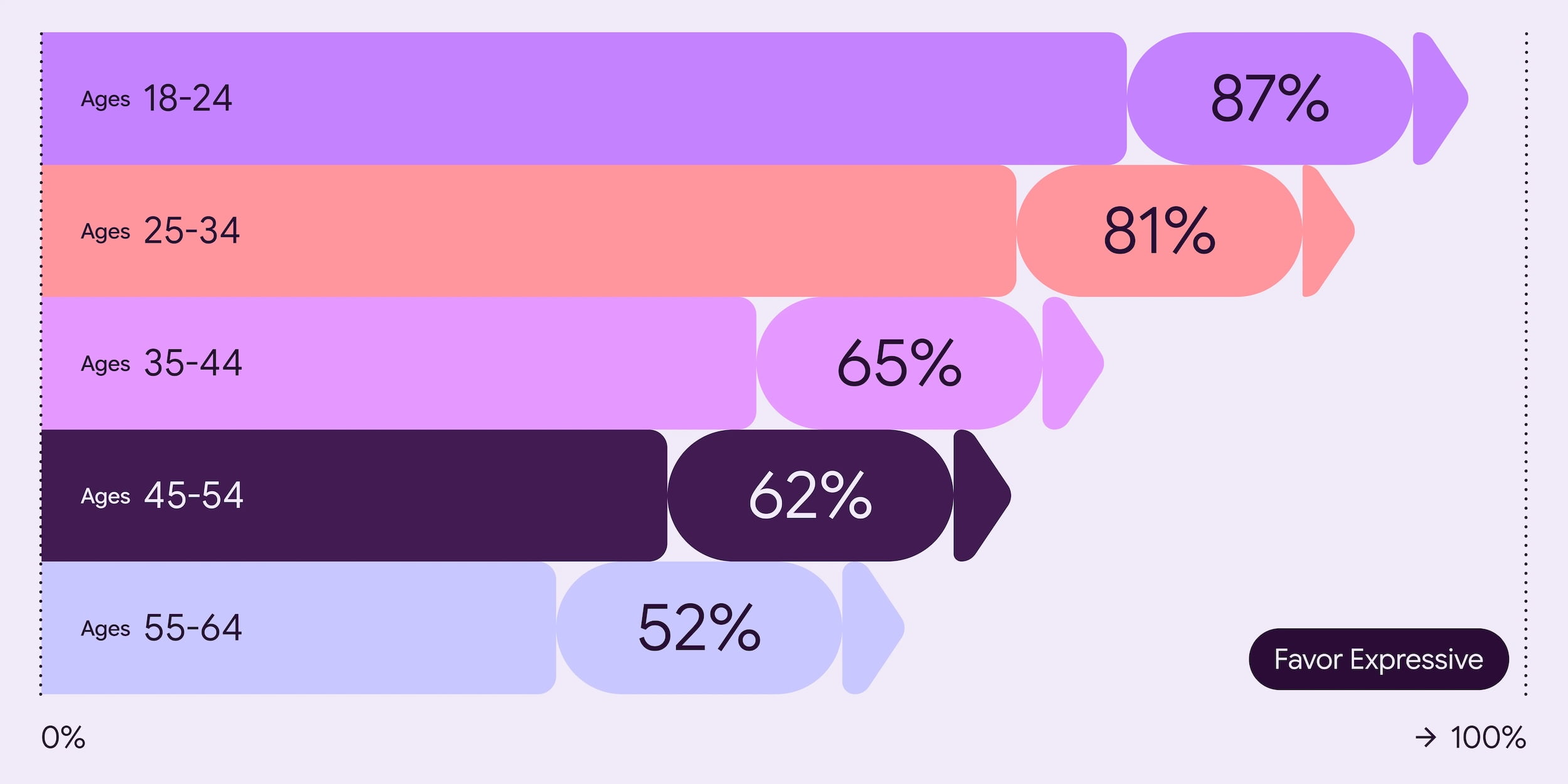
Meanwhile, research and user testing uncovered that a “well-applied expressive design is strongly preferred by people of all ages over non-expressive design that followed the iOS Human Interface Guidelines.”
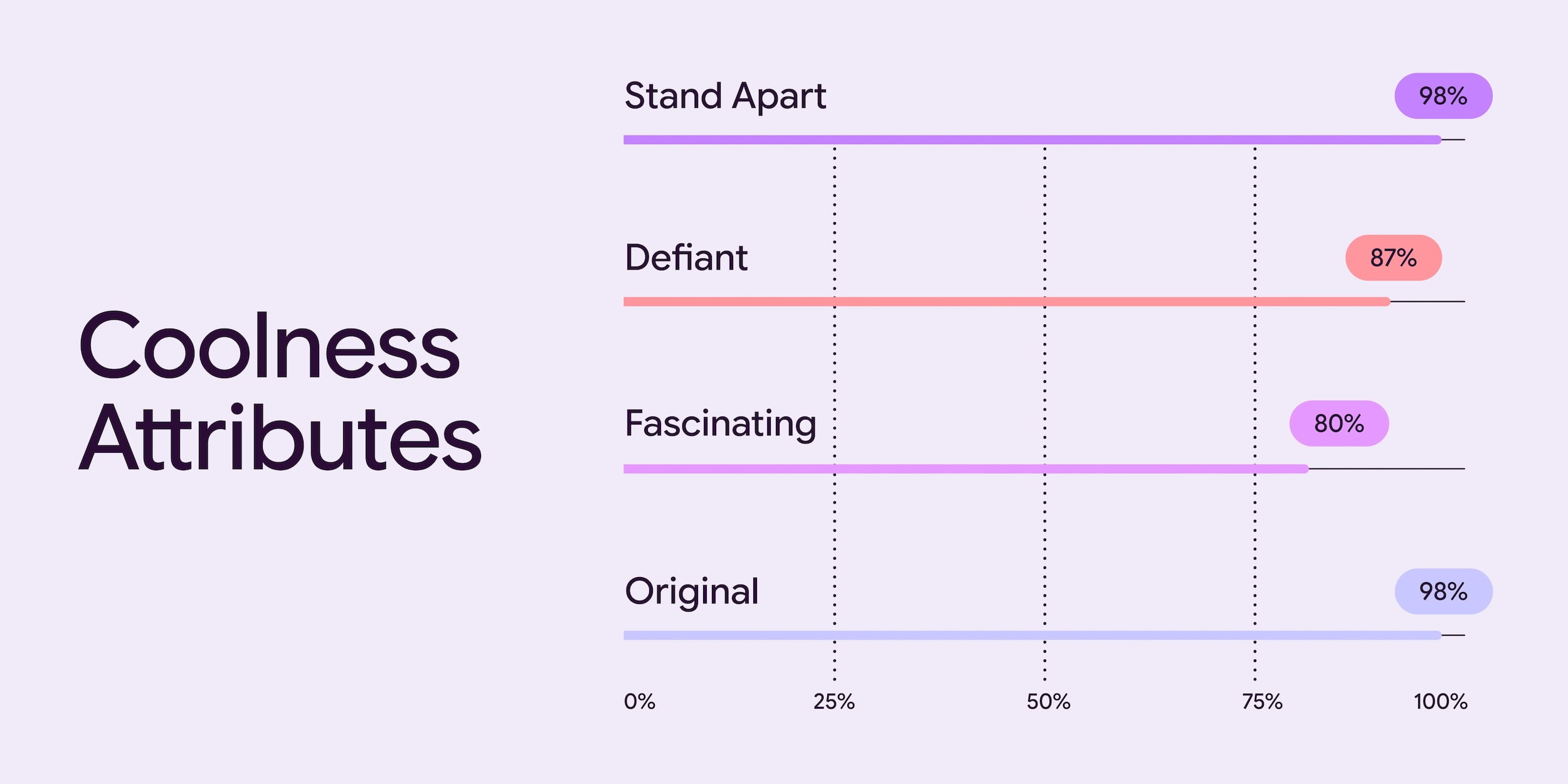
Google found that “expressive designs are cool,” specifically brand coolness: “Our research showed that using M3 Expressive design boosted how “cool” people thought a product was.”
- …we found a 32% increase in subculture perception, which indicates that expressive design makes a brand feel more relevant and “in-the-know.”
- …34% boost in modernity, making a brand feel fresh and forward-thinking
- …30% jump in rebelliousness, suggesting that expressive design positions a brand as a bold and innovative leader, willing to break from convention.

Thanks Simon


FTC: We use income earning auto affiliate links. More.




Comments