

Google is rolling out a number of updates to Chrome Autofill, including Google Wallet integration and a slightly better design on Android.
A quality-of-life improvement sees Chrome for Android switch to a two-line card for passwords, addresses, payment methods, and other autofill suggestions that appear above the keyboard. This lets you “instantly understand the content and choose the correct option faster and easier.”
Similarly, Google touts “significant improvements to recognizing and filling addresses globally.” This includes:
- ‘between streets’ descriptions in Mexico
- upcoming support for phonetic names in Japan

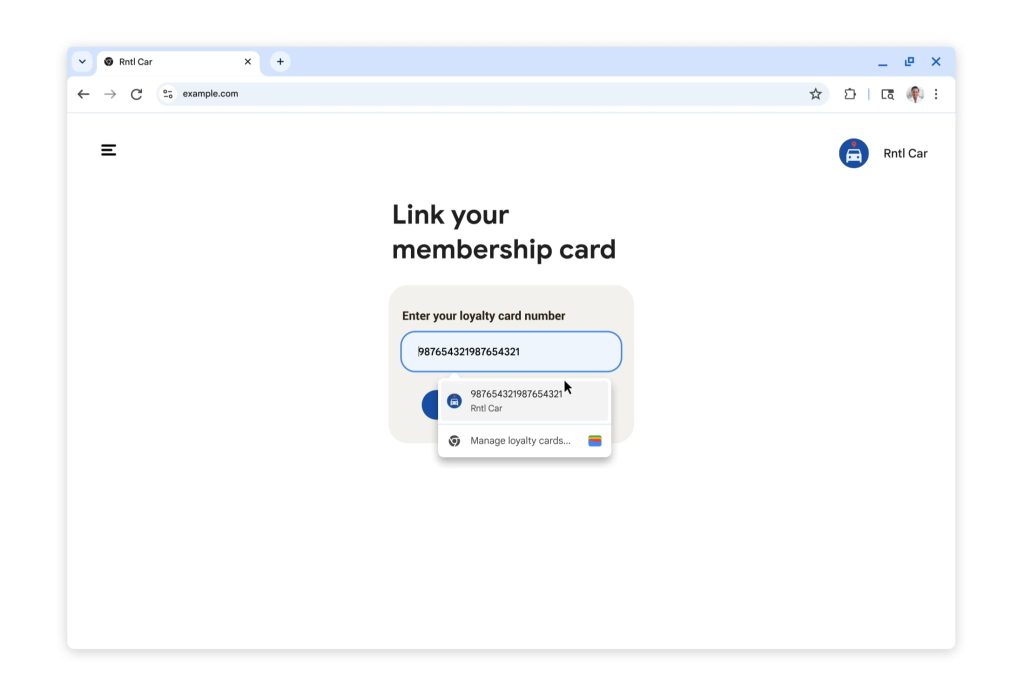
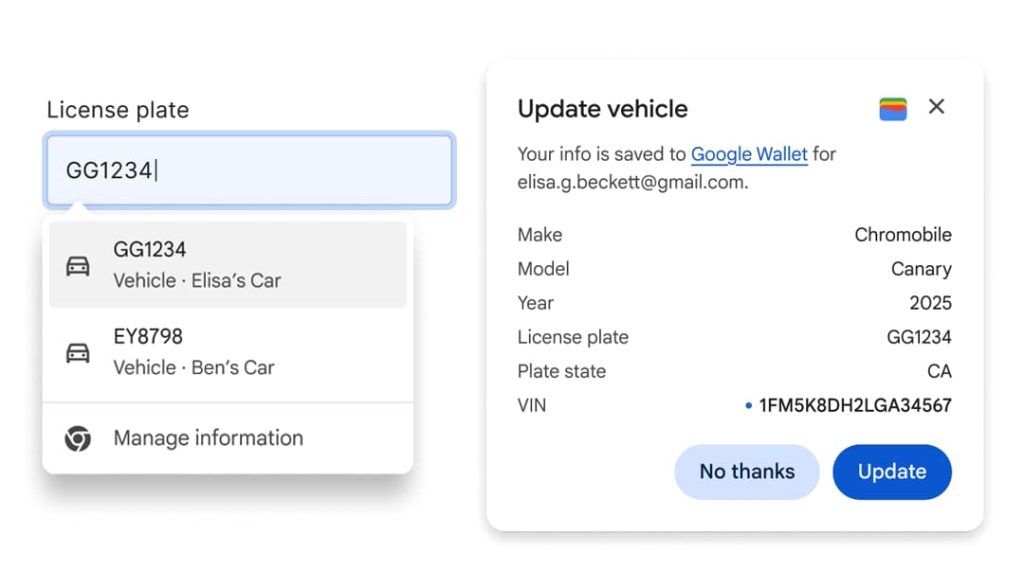
Chrome now integrates with Google Wallet so that Autofill can access stored loyalty card numbers, travel details, and vehicle information.
Of note is how Chrome can pull flight confirmation numbers, dates, and other information from the booking saved in Google Wallet when on relevant forms, like if “you’re renting a car at the airport and need to provide your incoming flight details.”

Available on desktop Chrome and the Android app, other use cases include:
- … you can use autofill for existing loyalty card information, making sure you earn your rewards without having to dig out your physical card
- …if you’re booking flights for a holiday reunion or renting a car for a road trip, Chrome now can fill in your trip and vehicle details
- …for tasks like insurance quotes or car rentals, Chrome on desktop now supports saving and filing vehicle details to and from Wallet
Lastly, Chrome Autofill can now use Home and Work addresses saved to your Google Account when shopping or ordering other services. This is rolling out to desktop, Android, and iOS today.


FTC: We use income earning auto affiliate links. More.




Comments