
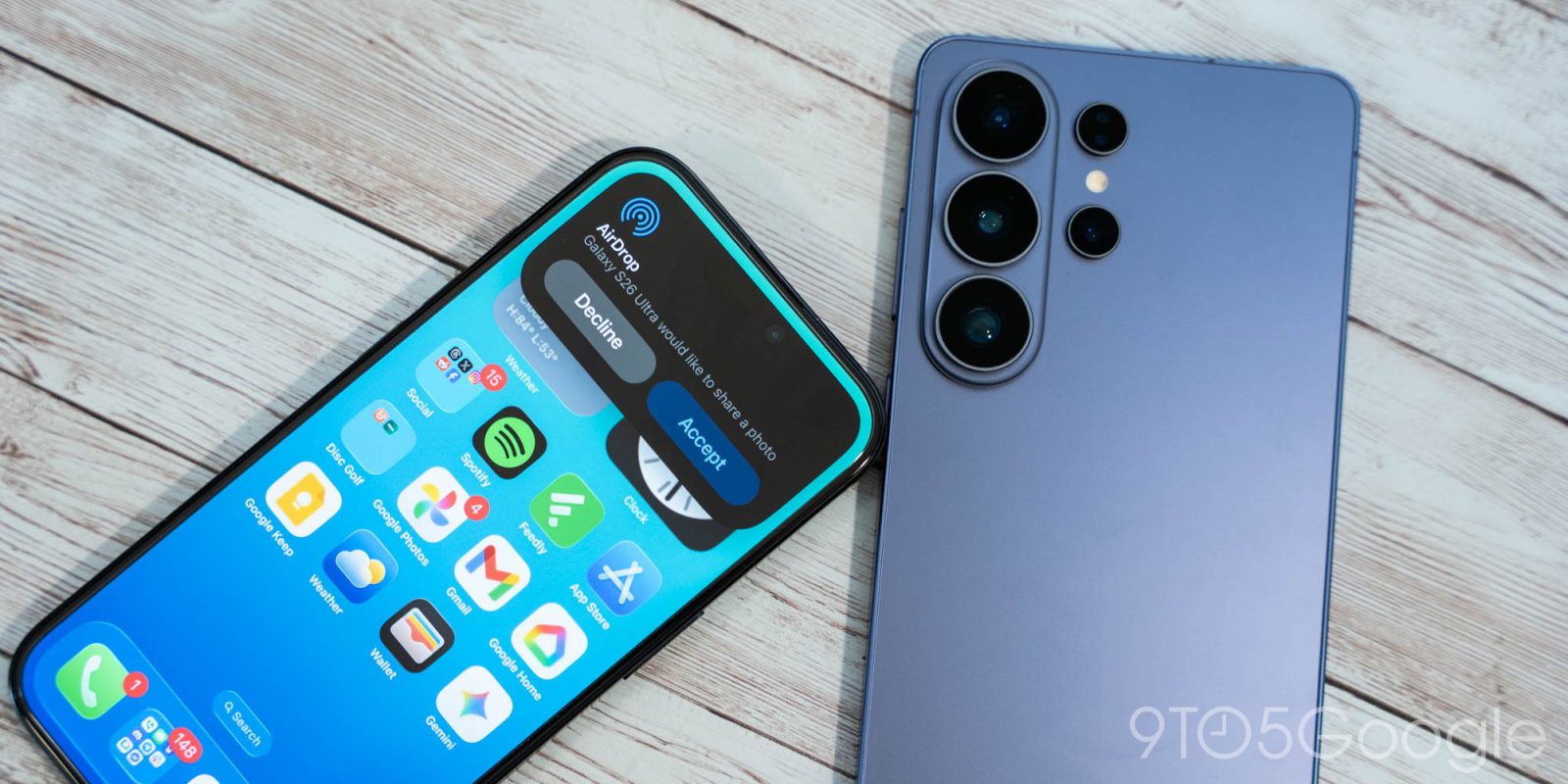
Samsung has figured out a way to add AirDrop to the Galaxy series, and it isn’t some finicky workaround – it’s the real deal. This quick guide will show you how it works.
AirDrop isn’t some new concept, but it’s always been a point of contention between Android and iOS users. Much like RCS and iMessage, the disconnect has overshadowed the ease of use provided by some of these better tools. Since Google began rolling out support for its own Pixel phones, Android has started expanding the feature to Samsung’s devices starting with the Galaxy S26 lineup.
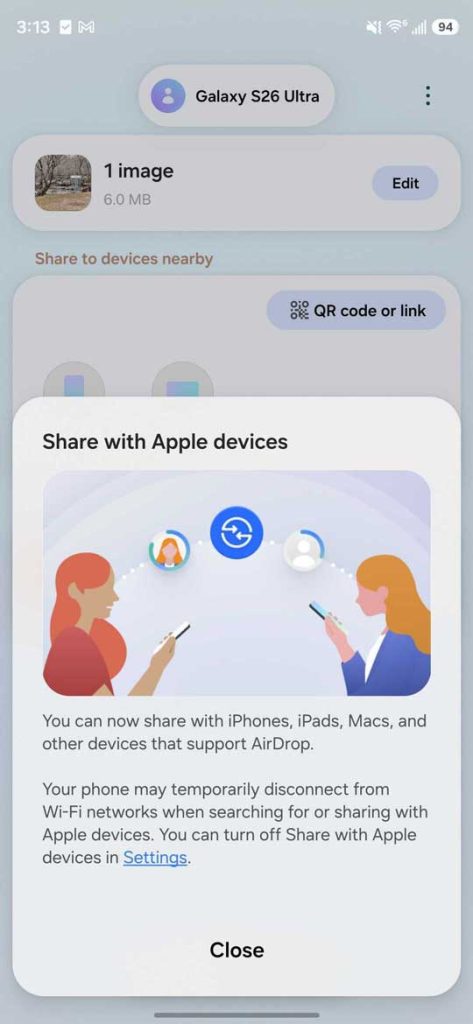
AirDrop for Galaxy works in the same way it does for iPhone, minus one small caveat. In almost every regard, it functions reliably and even faster than other OEM options from Windows and the like. It doesn’t require an extra app or any workarounds. It just operates through the Quick Share menu.
And because Android’s newfound AirDrop support doesn’t bring any weird roadblocks, it works for MacBooks, too.
Samsung enables the function by default in the new update, but it can be turned off in settings. That means getting started is as easy as possible.
How to use AirDrop on Galaxy
- On your Galaxy phone, find a file you want to send.
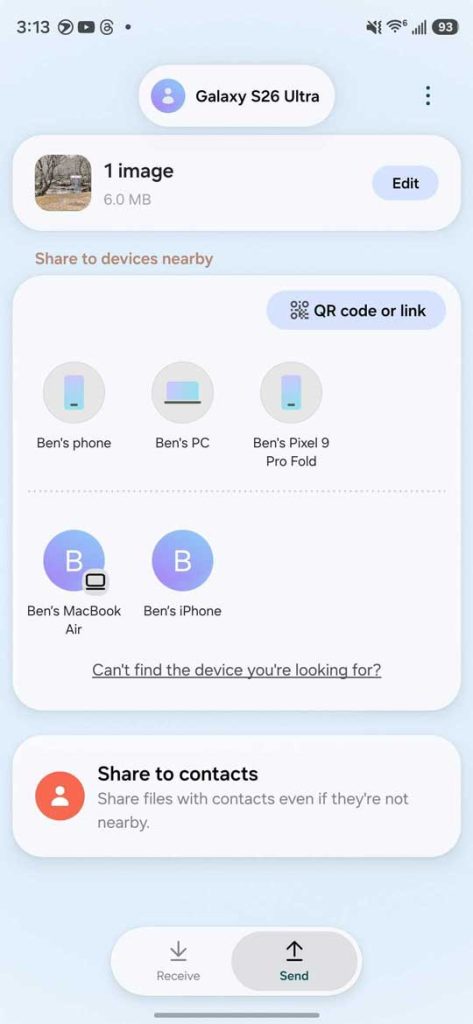
- Share it and select Quick Share.
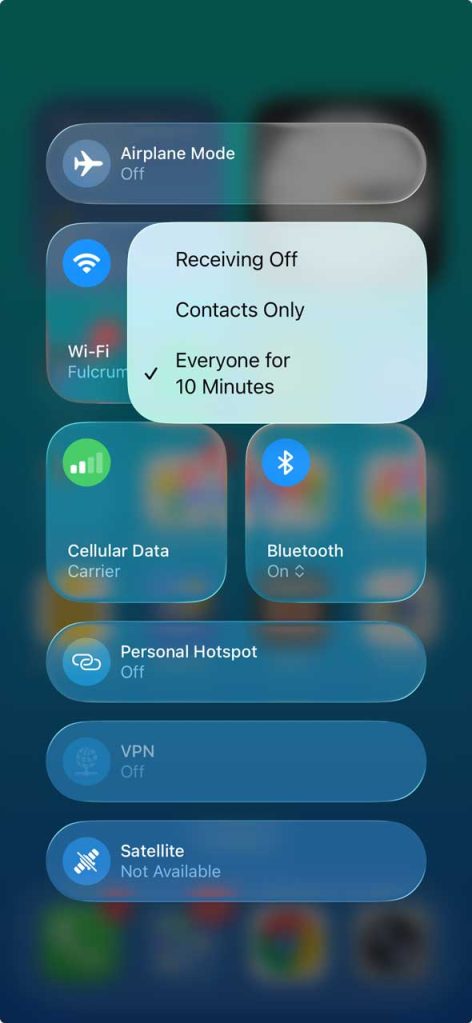
- Make sure visibility for both devices is set to Everyone for 10 minutes.
- Find and tap the recipient iPhone or MacBook.
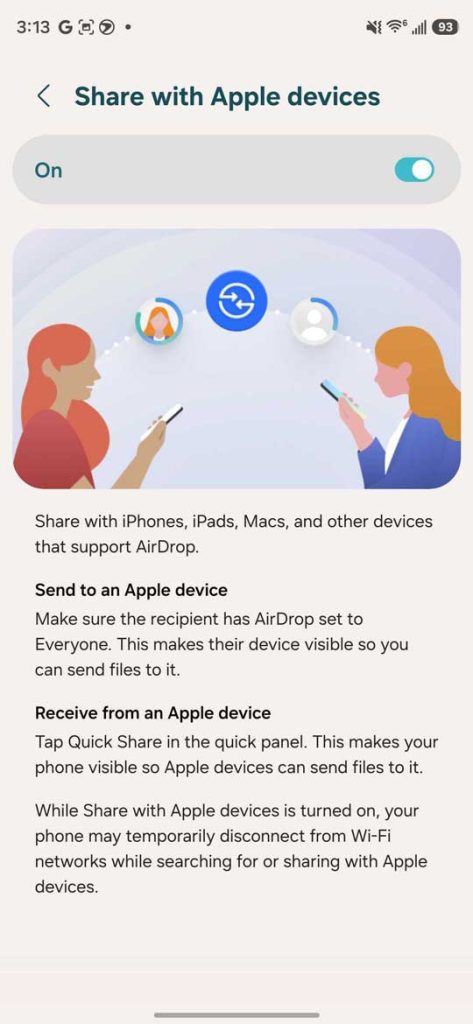
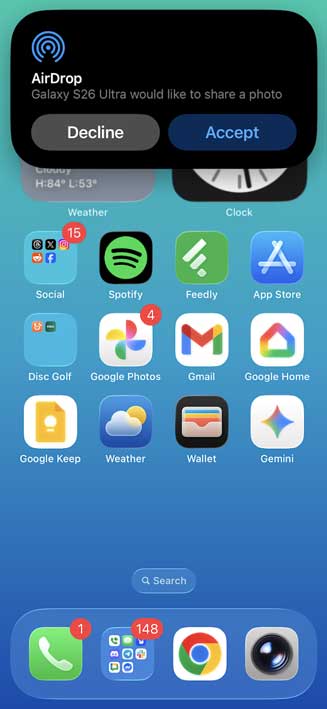
On the iPhone side of things, things are essentially just as easy. Once the phone is set to recieve from everyone, they’ll see a notification with the option to accept your shared file. Hitting Accept finishes the process.
For the time being, this feature is limited to the Galaxy S26. Samsung hasn’t mentioned which devices will get the function in the future, but it’s certainly going to be a big selling point for Samsung’s new phone, especially if your Android device is the odd one out in a crowd of iPhones.
If you don’t see support for AirDrop, be sure to check your software updates to ensure you’re on the latest build.


FTC: We use income earning auto affiliate links. More.





Comments