
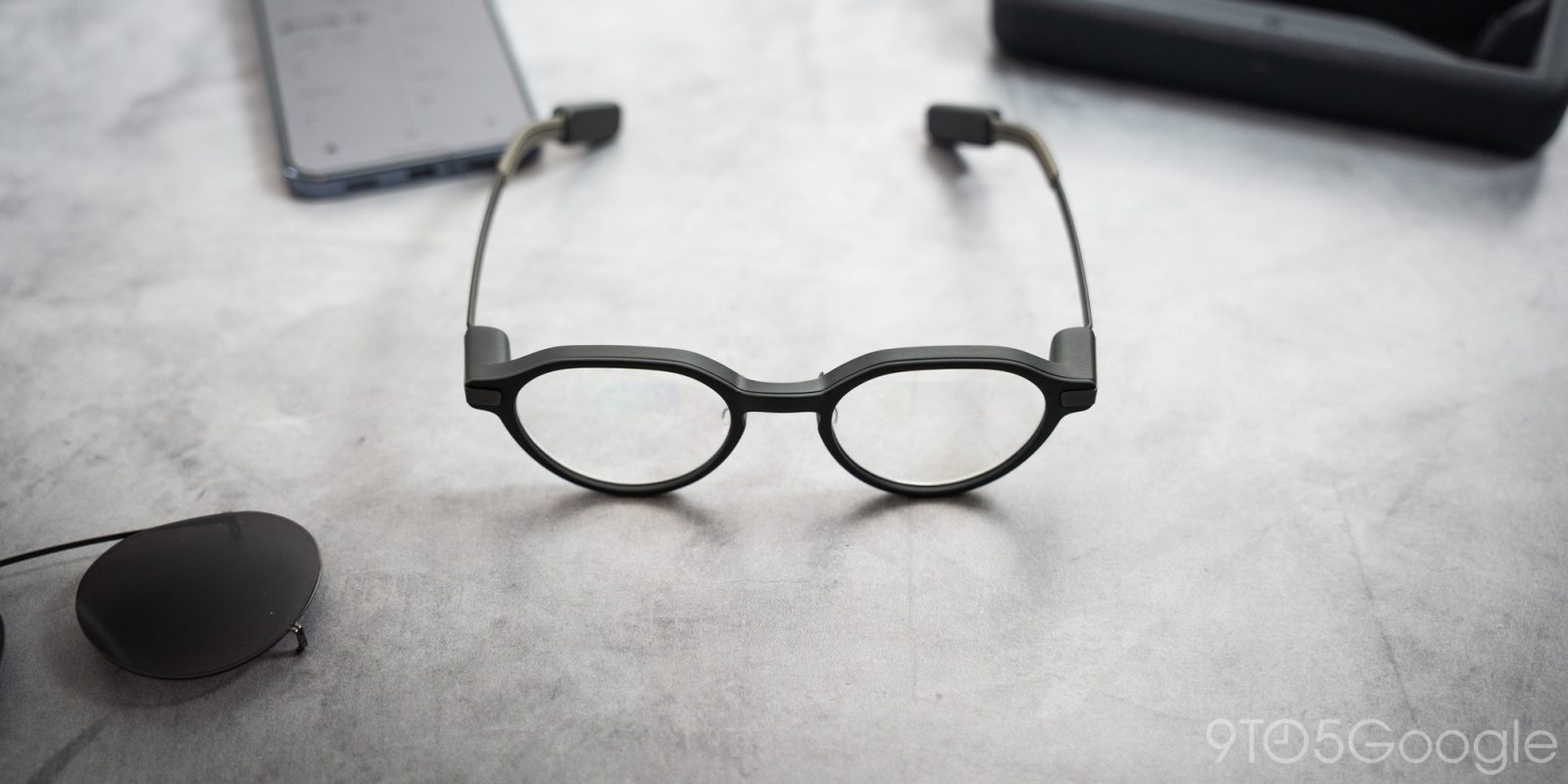
There exists a group of users who don’t need smart glasses to record video or play media for them – they just want a simple device that blends seamlessly into their everyday with important notifications and assistance at their fingertips, and Even Realities almost got it right with the G2 smart glasses.
I wear glasses every day. As it turns out, that makes me even more cynical of each iteration of smart glasses that enter the scene. The thing I stick on my face daily needs to function, first and foremost, as a great pair of glasses. Second, it needs to be able to justify the attention it’ll inevitably need for things like charging, pairing, and the learning curve associated with slapping tiny projector displays in front of your eyeballs.
As smart glasses go, Even Realities’ second attempt is a “basic” version of what people may perceive smart glasses to look like. The inner display is monochrome, powered by green laser projectors in each arm, and the text on the display would thrill fans of The Matrix films.
Nothing more than retro text appears in the glasses’ displays, and that might turn some people off. However, I really think that’s what draws me to Even Realities’ concept more than some others. The simplicity is a feature, though it still demands polish in more than hardware.
Table of contents
Build
A very obvious wolf in sheep’s clothing
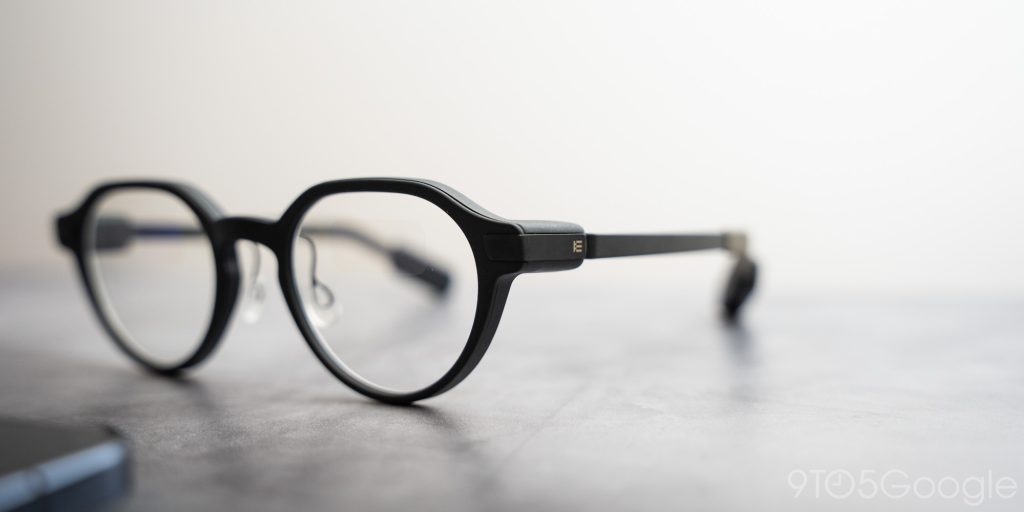
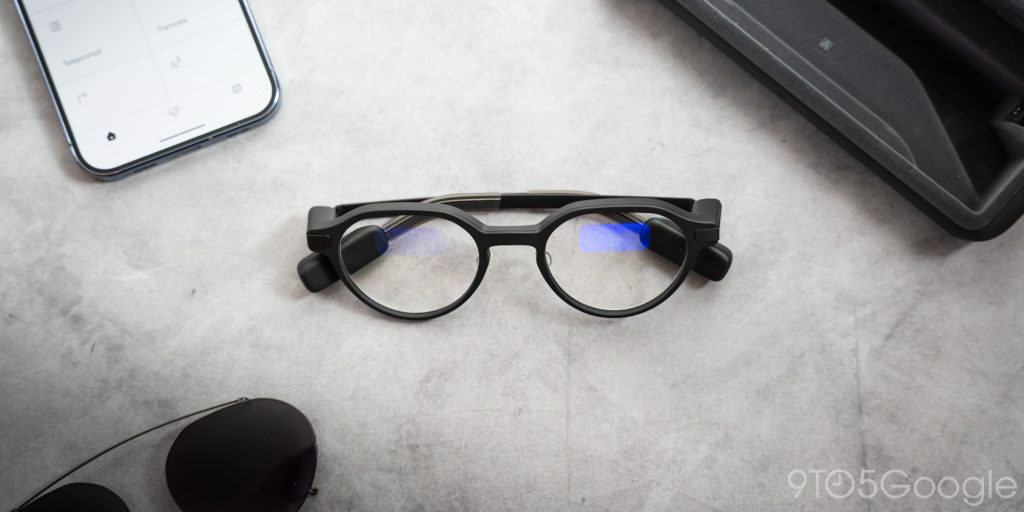
The Even G2 smart glasses take on the look of everyday glasses, and I believe they do it a lot better than others on the market. The new model makes significant improvements in profile reduction. For one, the arms are much thinner than the previous model, and the frames have an ever-so-slimmer profile.
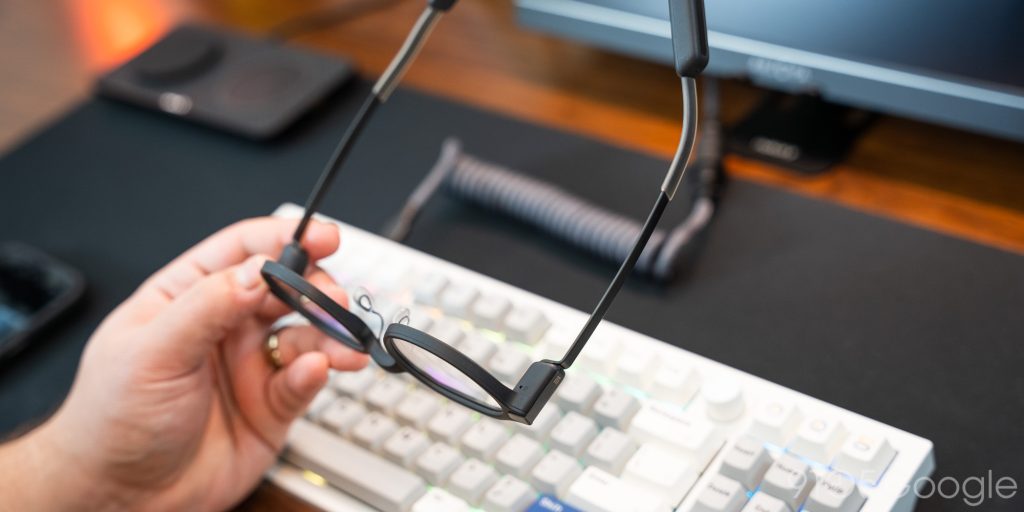
The company uses titanium temples and magnesium frames, which offer weight and durability advantages that plastic simply can’t match. They feel wonderfully high-end in the hand, and the screwless hinge design is quite a creative way to hide what is a technically complicated projector system.
My wife, however, still says I look like Stuart Little’s brother when I wear them. That may be, in part, due to my dumb glasses’ thin frames. In comparison, these look massive on my face.
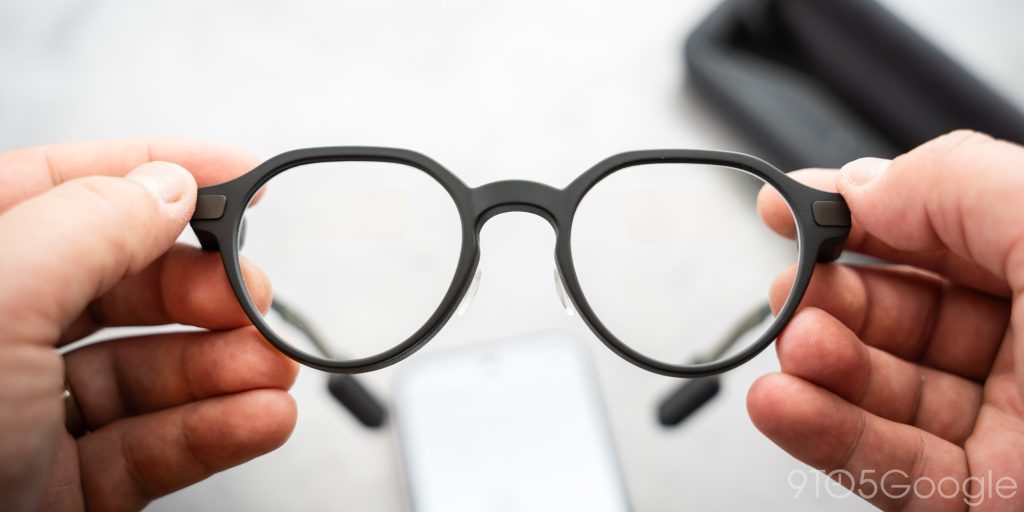
That isn’t the only thing that might tip someone off that you’re wearing smart glasses. The ends of the arms terminate in a battery pack and a touch sensor, which sticks out. Normal glasses don’t do that. Normal glasses also don’t have noticeable patches in each lens that shine with just the right light.

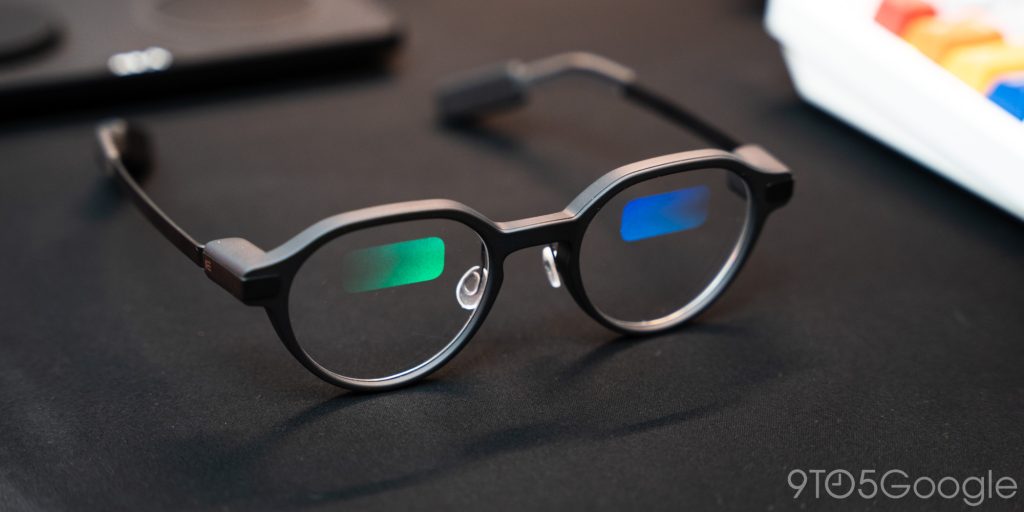
In each lens is a small waveguide. Those hinge projectors shine a very small image through a series of lenses to project an image that the user would perceive as giant. In the same way that VR headsets use geometry to trick the human eye into perceiving depth, even G2’s projectors can project small to large text that feels 10 feet away.
Those waveguides, however, need to be a different material from the lens itself, especially if it’s a prescription. The light-catching patch takes up about 40% of each lens towards the top. As sneaky as I thought I was being, nearly everyone I talked to asked about my smart glasses.
Comfort is a priority, for obvious reasons
Even though the Even G2 glasses may look “bulky,” they’re nothing compared to the dated Ray-Ban styles Meta dragged back into existence. I say that out of bias, because they just don’t look good on me. A pair of round and thin glasses does nicely for my face. With that, I’ve grown used to what that looks like through my own eyes.
That being said, it took quite a while for my eyes to adjust to the shrunken peripheral range I suddenly had.
As for weight and feel while they sit on my face, Even has done a really good job fitting what they have into a pair of glasses that feel only slightly heavier than generic frames. If there was a tremendous amount of extra pressure to the point these were uncomfortable to wear, I would feel it immediately. That sentiment was backed up by the lack of pressure marks on my nose where the pads sit.
Even Realities does offer extra nose pads and little covers for the arm portion that touches the ear. As nice as that is, it might be a band-aid for an issue I’m sure I’m not the only one experiencing. I noticed early on that the top of my ears were making contact with the Even G2’s arms – something uncommon to well-fitting glasses.
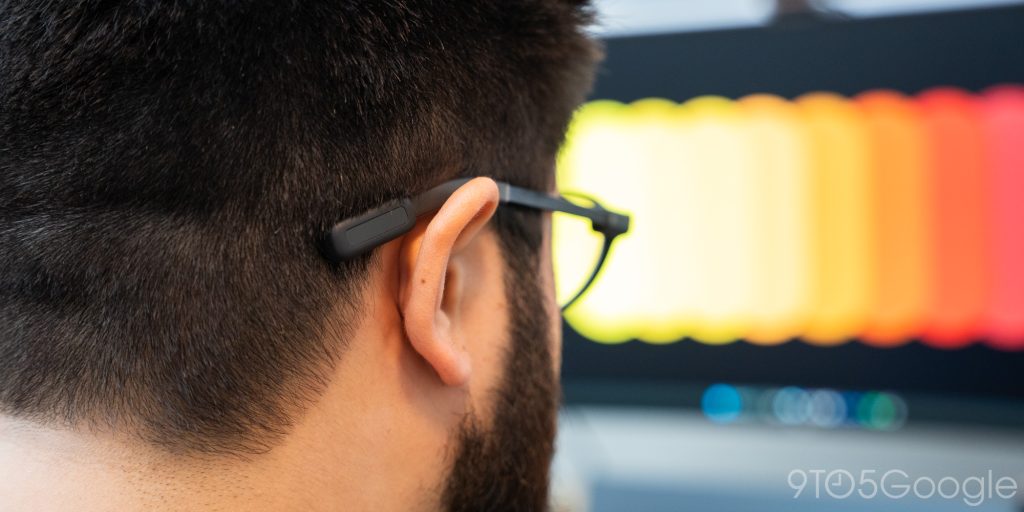
After a full day of wearing them, I started to notice soreness in my ears that I generally don’t get. That could just be me, but the presence of optional arm sleeves tells me it isn’t a unique issue. From what I can tell, part of the issue is that the added battery weight pulls the arms down onto the top of the ear. With the bow that allows the ends of the arms to “grab” the wearer’s head, some users – like me – might find that, instead of hugging the contour of my head, the arms push the tops of my ears outward.
That may also be contributing to the “George Little” effect.
The burden of corrective lenses
My vision isn’t awful, and I can get by without my glasses for some time. Legally, though, I can’t drive without them.
So that leaves me with the burden of wearing corrective lenses. Even Realities does offer prescription lenses, and in chatting with CEO Will Wang, I’ve been told the company has made some massive moves to acquire and develop manufacturing to build its own lenses, rather than outsourcing production. The expressed sentiment is that the Even Realities G2 and future products will carry top-notch lens quality.
The issues I had with the Even G1 were punctuated by a lens that didn’t live up to what I wear every day. Admittedly, my glasses have blue light-blocking and anti-reflective coatings that add significantly to the cost.
While there is no blue light rejection on the Even G2s, the company does manufacture the lenses to be anti-reflective. Still, I have the same issue of seeing ghosted reflections from behind me in everyday wear.
For instance, in my office, I sit with my back to a window on the left wall. From my chair, I can clearly see through that window via the reflection in my peripheral. This doesn’t only happen in my office, either. I get weird reflections when I wear these outside or in bright places.
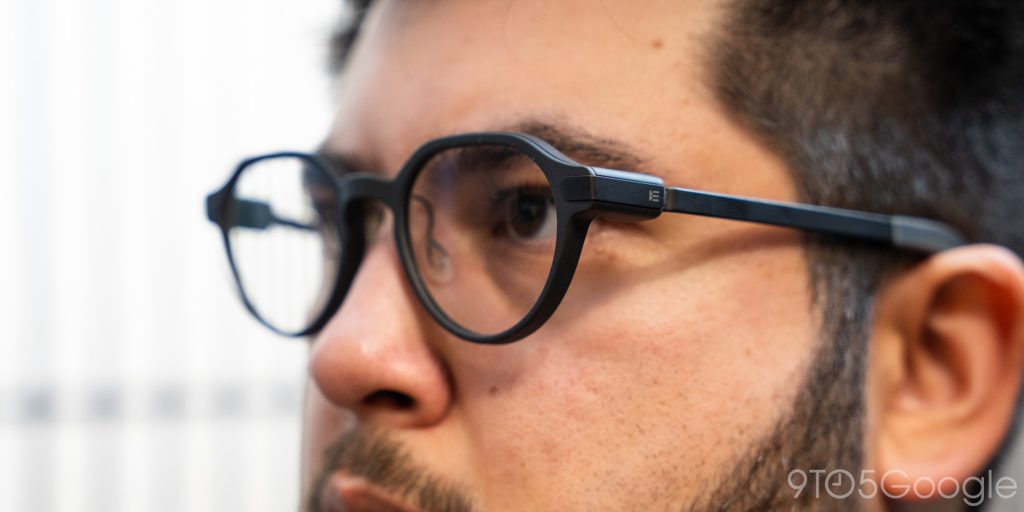
That isn’t to say it’s a massive flaw, but it’s something to be aware of for those used to glasses without those lens quirks.
Outside of that, I’d say the lenses offer a good experience. As with any new glasses, there may be a “fishbowl” effect during the break-in period. But that goes away after some time, and the glasses feel like another extension in that sense.
Performance
The app and what you see
The meat of the Even Realities G2 glasses is what the user sees. It’s the experience of wearing a pair of glasses that shows you notifications, offers an AI assistant, and records transcripts of your conversations with what are effectively cheat-sheets of information offered in real-time.
True to the theme Even Realities is going for, the app is quite basic. It offers settings and access to some of the best features these glasses have. From the main page, you get access to plenty of information. Brightness settings, battery levels, and even a copy of what your glasses display appear on your phone.
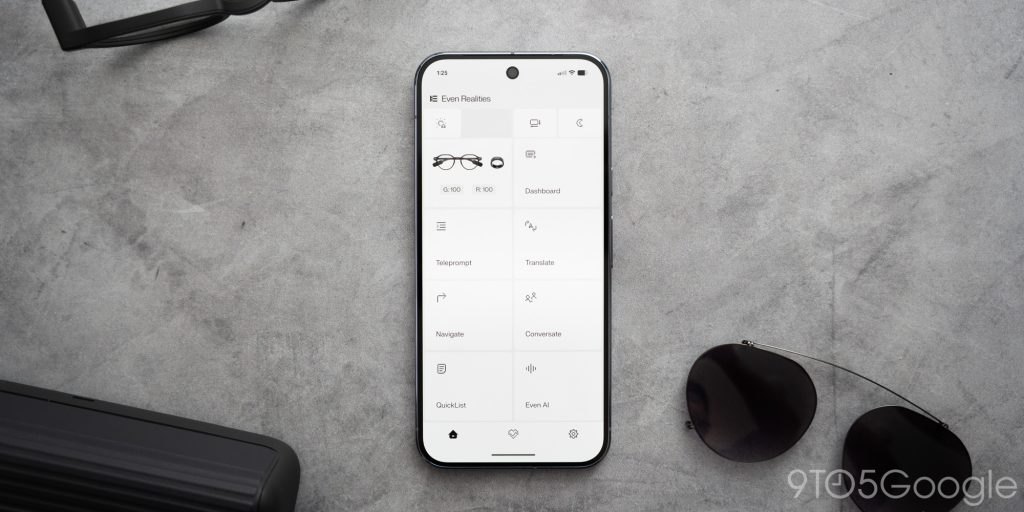
Just like with the Even G1, the Even G2 has custom display options that let you set the perceived distance of the screen. The projected display can be moved up or down, too. This allows different users to set the display at a comfortable spot where it’s caught by the waveguides, and not only partially visible.
Overall, I have a good experience with the app. It’s easy to use and isn’t filled with bloated UI elements that make using it a nightmare. It does its job with little fuss, which really comes in handy when you have the display taking up your vision while you’re trying to get the dashboard settings just right.
On the glasses side, the dashboard is what you might call the home screen. It’s comprised of a time block with small weather and date elements. On the right is one of several widgets. Frustratingly, these can’t be changed out. If you’re not into stocks, tough luck. You’ll have to pass the stocks widget every time you need to get to your Quicklist and Calendar.
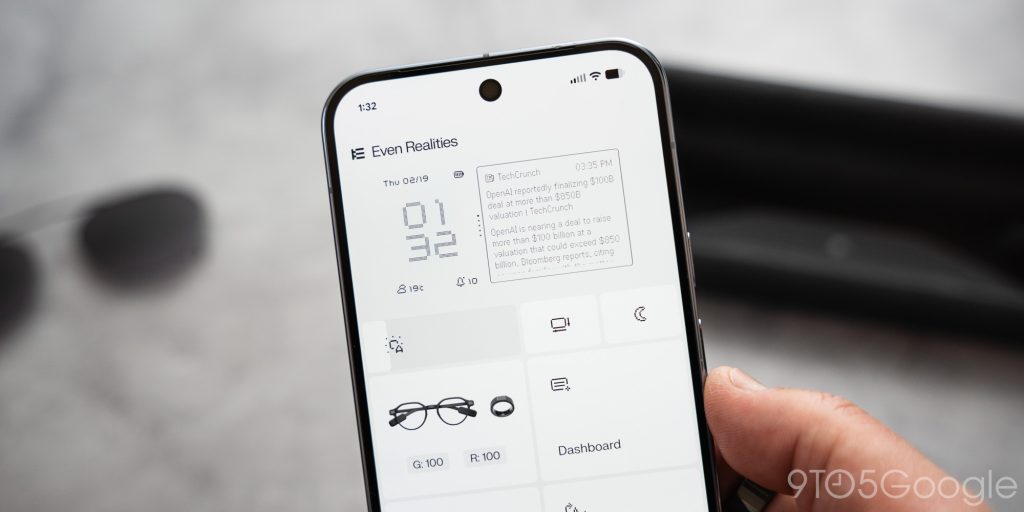
I hope the company gives users the option to customize the UI a little more. It feels a little rigid, as is. Still, the company claims to have put an emphasis on bringing in more developers to polish the software side a little more. On top of that, the OS is open-source, which makes it a good platform for others to bring ideas to these smart glasses.
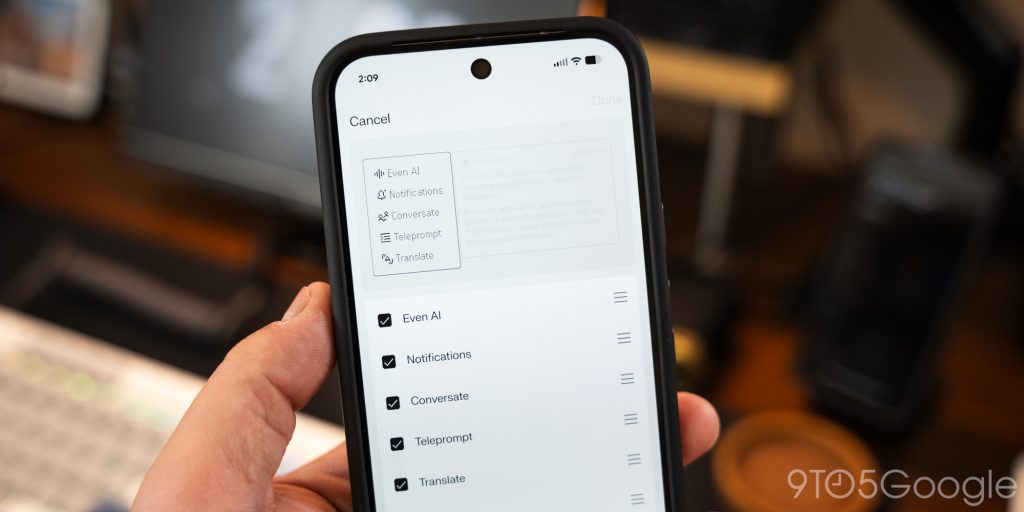
Using the touch controls or the optional control ring, you can long-press to open up the side menu. From there, the dashboard gives way to all of the glasses’ features. Where I initially complained that this menu was locked, the company’s recent update added the ability to remove and move options around.
Now, getting the Even AI assistant is much easier without having to press, scroll, and tap when you get to the bottom of the menu. Removing some of the presented tools is also a much-needed option. For instance, I can activate Silent Mode by long-tapping both touch sensors. Having that option in the menu only clogs up visual real estate. The same goes for the “Dashboard” option, which is essentially a glorified back button.
The G2’s app provides a much better experience over the previous model, and connections seem to have improved. It isn’t quite as seamless as I would like, sometimes. Getting the glasses out of the case and putting them on your face doesn’t trigger an automatic connection. Opening the app from your phone is needed. Is that a major deal? No, but most wearables don’t present the same friction.
A technically impressive display
As I mentioned at the outset, there is going to be a divide between users who like what the Even Realities G2 have to offer and those who don’t, and it all comes down to the display. It’s been said before, but the display used in Even Realities glasses really emphasizes how much these feel like the Pebble of smart glasses.
It’s not quite as archaic as an 8-bit display, but the resolution is certainly down there – 640 x 350, to be exact. That leaves you with a “screen” that shines text with obvious ridges and clearly identifiable pixels. For those, like myself, who love that look as long as it proves functionally sound, the Even G2s win in every regard.
I don’t need to see full-res images in my display, nor do I want to watch movies or YouTube Shorts. I just need data, and I can get that rather easily through text.
In harsh light, it’s recommended to use the optional pair of sunglass covers. Without them, forget about using the Even Realities G2 glasses outdoors. The shades do block a solid amount of light and make the display much easier to see during the day. Frustratingly, the accessory adds $99 to a device that’s already pushing the limits of cost for most users.
Even Realities has done a fantastic job with the projection unit itself. It looks sharp at every distance setting, and it’s just large enough to see everything without straining your eyes. It’s hard to capture on camera, but the company’s marketing images do a good job of representing the experience.
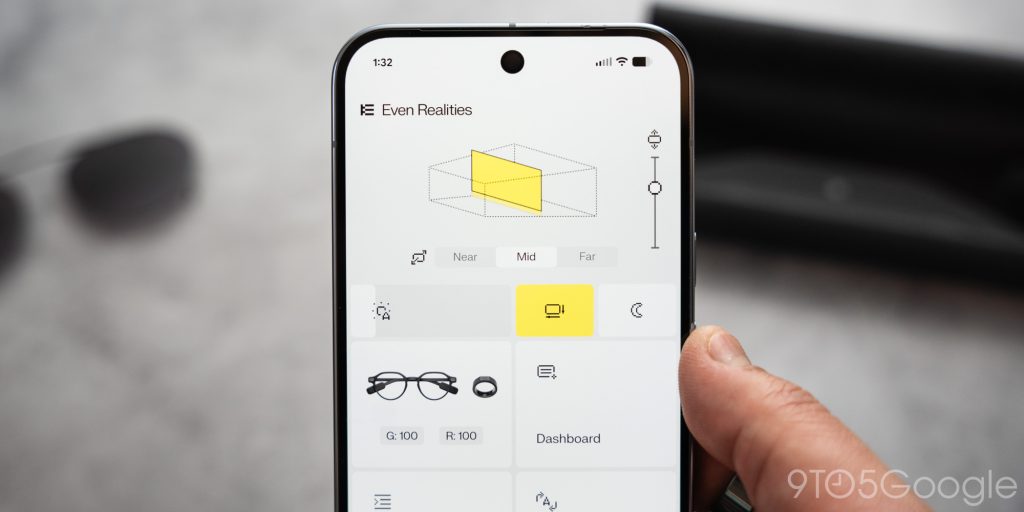
In this model, the new display units have the ability to mess with distance a little more. The company calls it a “spatial” display. In essence, it tricks your eyes into thinking certain layers of the dashboard are popping out with a sort of 3D effect. It’s a cool feature that doesn’t really stand alone as a defining aspect of the device, but it certainly adds depth to the experience.
That element appears when Even AI is listening, or when a notification pops up. It’s just enough to make the experience feel a little fuller.
I still find myself triggering the display to scroll through the dashboard just because it’s such a unique experience. Again, though, it isn’t going to impress everyone. For me, the simplicity is an attraction.
A HUD in action
Where the Even G1 glasses fell short was in interaction. Using the touch pads on the surface of each battery pack was a testing experience. The sensors weren’t very consistent, and input was limited to taps and not swipes.
These new sensors address those issues. They’re consistent now, and they sense both backward and forward swipes. The entire OS is navigable through intuitive swipes and taps. A double-tap wakes the display, and you can scroll up or down through dashboard widgets easily. A long-tap opens the side menu where some of the glasses’ features live. It’s dead simple, and it works rather well.
The display in itself feels like a true “heads-up display.” Not to be confused with the glasses’ feature by the same name. That’s another way to activate the glasses, though I found myself turning them off because of how often I accidentally activated them during normal, everyday activities.
I think the entire OS experience is good, if a little rocky at times. That really rears its head in notifications. When notifications come in, they appear at the top of the screen. The floating window displays whatever information your phone sends through the Even Realities companion app. I’ve had some issues somewhere between my phone (Pixel 10 Pro XL) and the app dictating information as it comes through.
For instance, Telegram messages just refuse to work properly. When I get an incoming message, it will often be accompanied by a backlog of other messages I’ve already read. Slack is another culprit, and somewhere along the line, the received notification is just comprised of the channel it was sent in, not the message or person it came from.
That isn’t to say most notifications don’t appear properly, because they do. It can be a toss-up, but the experience is overall positive. The issue could be solved if Even Realities were able to partner with popular apps to create a unified user experience baseline. From there, things would look a little more refined.
In other ways, I think the glasses operating system is a delight. The new version presents dashboard widgets in a way that lets you easily access the needed information. The time and date stay static on the left, while the widgets can be changed with a quick swipe. When you get to one you want more info from, like the calendar, just tap the sensor on the glasses to expand it. Events will show more information at a glance.
There is a disconnect, though. It’s a third-party device that doesn’t have an immense backing. That being said, the seamless switch from glasses to phone isn’t there. Opening a calendar event will not open it on the phone, nor will tapping a notification. In fact, notifications can feel clunky because they don’t get dismissed across devices. Dismissing an alert on the glasses leaves it on the phone. Whether you find that useful or not might vary, but it leads to a lot of clutter if I get back to my phone to find the same wall of alerts I swore I dismissed.
I think there are a few little areas like that which need polishing. In concept, notifications appearing at the top of the screen look great, but why does tapping the sensor not expand the notification? Why does it need to dismiss it? That could be why there’s no active dismissal sync between phone and glasses, or the function could be because notifications aren’t shortened when they appear on screen, so expanding them isn’t necessary. It feels like a band-aid for a poor design choice either way.
I haven’t let that dictate the overall feeling of Even OS. I think it has great bones, but it needs to be fleshed out further. Fortunately, it isn’t a hardware issue as far as I can tell. The overall speed at which everything is processed and appears feels light and snappy. It’s wild to think about the tech shrunken down and hidden inside the frame.
The caveat here lies with how early Even Realities is. Android XR is almost a full reality, and recent reports show off a UI that looks a little more complex, but not overbearing. With competitors like Google and Samsung, the G2 glasses might not find a home with users who want flashier features. Still, Android XR could prove to be an even better middle-ground in terms of balancing simplicity with function.
What those products achieve remains to be seen, and this product type is anything but predictable.
Features that just fit this form-factor
I’m not sure if you could call Even Realities tools “apps,” but in an OS devoid of individual programs, calling them applications feels normal. In reality, these features function as standalone tools accessible through the side menu I talked about.
When the menu is opened, there are a good few options to choose from.
- Even AI
- Conversate
- Teleprompt
- Translate
- Navigate
The company’s AI assistant is powered by its hybrid LLM called Even Search, or Perplexity, depending on your preference. Triggered by the hot phrase “Hey, Even” or through the side menu, Even AI appears in a floating box towards the bottom of the screen with a cute little listening animation.
The AI operates just as well as any other model, since it’s a hybrid powered in part by Gemini and other LLMs like ChatGPT and Perplexity. You can use the microphone from your phone or from the glasses, just like with any other feature. With the G1s, I would have recommended using the phone mic for reliable speech recognition. With the Even G2s, though, the mics have significantly improved, and I can get away with my own speech being received correctly.
I can use speech recognition in a reasonably crowded space, but it might struggle to hear well. The sweet spot is a quiet room, of course, but I found that using it in a room with moderate ambient volume works fine.
As for performance, the AI chatbot does a surprising job for quick questions and conversations. It’s sort of a no-brainer method for getting quick answers with little distraction from what you’re doing. Everything is there in front of you, and you never need to pick up your wrist or look at your phone.
The G2 glasses aren’t going to read responses aloud because they lack a speaker – that’s completely fine by me. But in displaying the answer, you get a concise and private response to your input. As a nice touch, you can change the response speed so it’s easier to read. That’s a big help when the answers you get are small novels.
In reality, though, the true bread and butter of the Even Realities G2 smart glasses comes down to Conversate. Conversate boils down to a transcribing tool. Just like apps or devices like the Plaud Note, the mics pick up conversations within earshot and record them. Unlike those products, though, everything happens live right in the center of your vision.
Every word that’s said appears on screen as it’s processed, and the way that information is processed is incredibly cool. As the conversation progresses, speakers and subjects will appear above the live transcription as it flows by underneath. Above that is a constantly updated conversation summary with information that Even AI deems necessary.
What’s even cooler is that the conversate tool will surface background information that you, the wearer, may not fully grasp. For instance, if the conversation turns to one about old phones and Joe Maring makes a comment that’s so clearly incorrect, a fact-check card will pop up. Whether you want to open that mid-conversation is up to you, and whether it’s entirely correct can be questioned, as should be the case with AI.
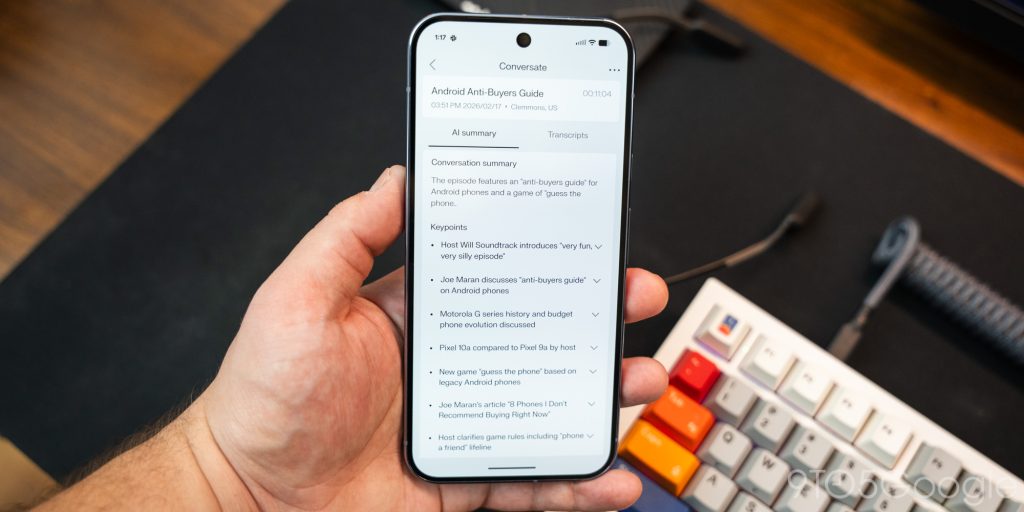
The point is that it gives you information at a glance, as the conversation happens. Even just for conversation recall, being able to scroll through previous points of a meeting or keynote can be invaluable in certain situations. It does need some improvement in regard to speech recognition, but the utility in the moment has come to be a really useful feature. I found that switching over to using my phone as the mic yields better results. Not ideal, but an easy workaround.
I’ve come to really depend on transcription programs to disseminate information in a digestible way after a long meeting, and these do a good job of making that possible with the added utility of a live heads-up display containing captions and background knowledge you didn’t have prior.
Teleprompt operated much in the same way, though it’s an inverse experience. Teleprompt displays your written text in front of you and progresses through as you read aloud. It’s great for keeping meeting information on hand or recording content. Just don’t think anyone is going to be fooled. Because, again, the waveguides are pretty obvious from certain angles, and at just the right one, the glint of a green laser can be seen by those in front of you.
Translate is another good tool that can easily replace your phone in certain situations. The app has libraries of a few languages, though the company is planning to expand that. It seems the translations can sometimes be hit or miss, but they’ll easily get you through a conversation when you wouldn’t understand someone otherwise.
Navigate might be one of the only features that’s almost entirely a miss for me. I don’t live in an area where biking or walking is justifiable. If I did, I’m sure I’d find more value out of the feature. At its core, it gives directions like any map app. The issue here is that interaction with the app is almost always required, and destinations need to be entered and saved before going somewhere. The app just adds friction, where being able to ask Even AI to take you somewhere would be preferable.
The last one I need to quickly mention is QuickList. It’s just notes, but man, does it fit this form-factor well. Using the AI assistant, you can ask for a reminder with as many details as you want. That note will then be added to QuickList, which appears as a widget on the dashboard.
Being able to quickly create to-do items has been such a productivity booster. It’s easy to take a quick peek at my list and check things off, as opposed to using a messy dedicated app. Lately, those programs have felt grating and overly complicated. The QuickList feature, however, is such a nice little function to have around.
Even Realities’ R1 control ring
The G2 smart glasses can be their own thing, or you can add the company’s control ring for an extra cost. It’s not necessary, but it changes the entire experience. I wish that weren’t the case.
See, the glasses work really well alone, and the concept of touch sensors behind the ears sounds great, until you find yourself needing to navigate through transcriptions, notifications, and more. Those repetitive taps can be tiring, and to mention, you get even more strange looks in public.
The R1 ring solves that problem by adding a point of contact in a natural spot. Using your thumb with the ring on an index finger, you can swipe or tap along the sensor on the ring. It’s discreet, and it feels more natural than holding your hand up to the back of your head for what could be more than a couple of taps.
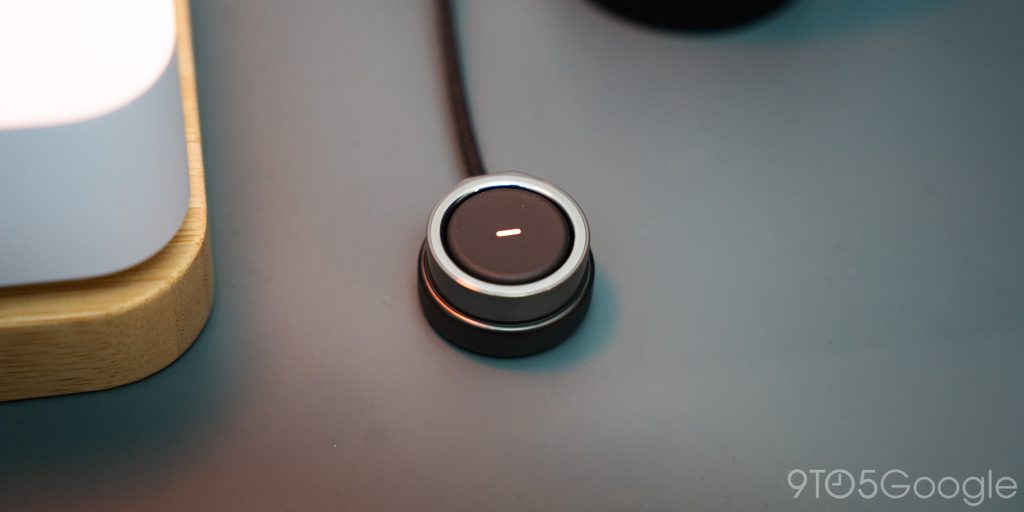
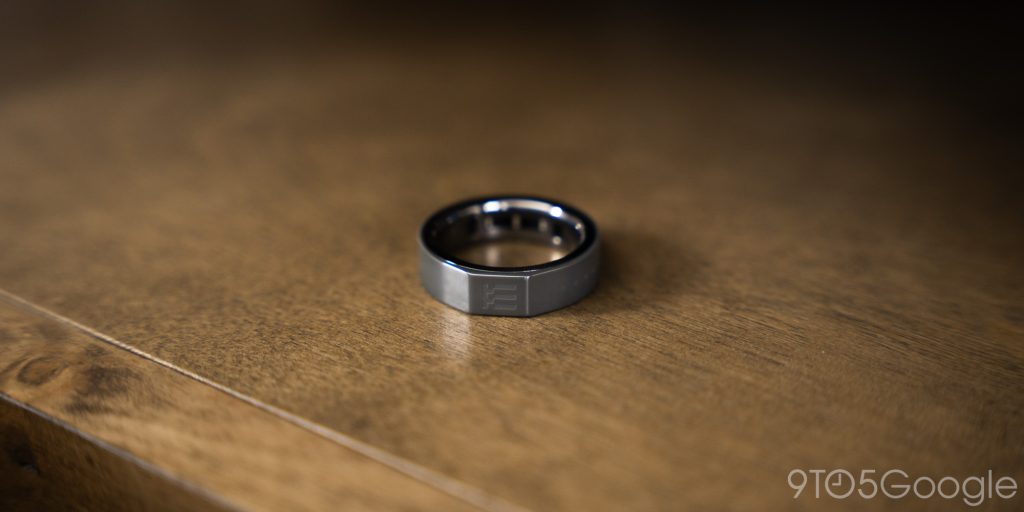
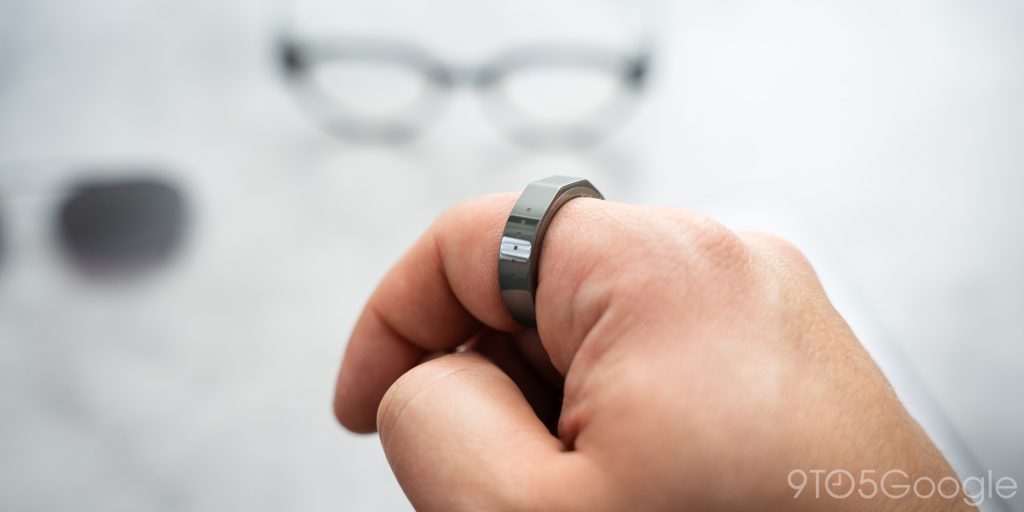
The sensor works well, though I found myself spinning the ring further towards my thumb to get better contact with the sensor strip. Once it’s in the right spot, using the glasses suddenly becomes a natural extension. Navigation is faster, and the ease of use skyrockets. The R1 ring allows the glasses to be used as intended, which is why I think it should be bundled instead of a separate piece of hardware.
It’s an added $250. I understand why they went this route, considering the market for niche smart glasses is still small. Even so, the glasses get much more out of having a control ring. Although if you’re attracted to the idea of using the glasses as a spare piece of aiding tech, leaving the R1 out of the question would mean less fiddling and bringing the screen up for no reason at all. It’s a little counterintuitive, funny enough
If discretion is a must with the Even Realities G2 glasses, the R1 is going to be your best friend. If not, the glasses will do just fine without them. Just maybe do some practice reps touching the back of your head.
Battery life isn’t exactly a worry
The ideal wearable wouldn’t need to be charged every single night, or even every other day. Think of what we have now in terms of smartwatches and smart rings. The Oura Ring lasts for 5 or 6 days, while the Galaxy Watch Ultra can get around 4 days on a charge. A product that doesn’t ever run out of juice isn’t feasible; the closer you can get to minimal charging, the better.
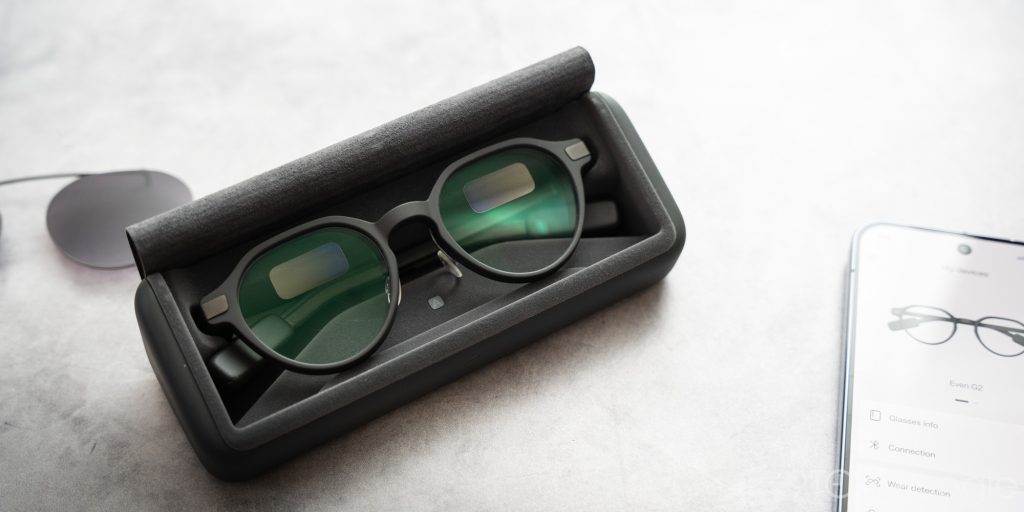
The Even Realities G2 glasses get close to three days on a single charge with a total of 192mAh stuffed into the end of the arms. For my use, toying with the display off and on all throughout the day, I expected less than a day. I was surprised to find myself with upwards of two days, even using the screen to the extent I did. I’m not joking, with the R1 ring, I was going through the day, opening the dashboard to check news and notifications I wasn’t even getting.
That initial infatuation with the cool tech faded a bit after a week or so, but it still doesn’t stop me from using the G2’s display for the sake of it. That might go against my argument that I want something minimal, but I couldn’t help but use the glasses as a sort of fidget toy.
The case carries an additional seven charges from the 2,000mAh unit, according to the company. That positions it as a great wearable for travel that doesn’t need a dedicated charger. You could go a week or more without charging the case. In my experience, I was getting around 5 or 6 charges. It was hard to really break it down into hard-charging sessions, since I was setting the glasses in the case every night.
The route that allows users to charge sparingly is there. Even if it’s just a top-up, you can get a decent 50% charge in a few minutes. If charging makes sense for any wearable, it’d be glasses. Of the three major categories right now – watches, rings, and glasses – glasses make the best argument for charging at night. What do you really need to see?
Watches, less so; although I don’t think I ever wore watches at night before smartwatches started sensing sleep data.
Final thoughts
I’ve had so many mixed feelings going into this review. When the question “Do you like the Even Realities G2 glasses?” pops into my head, I immediately think I do. And that’s for a lot of reasons. They don’t make me feel like a total goof while wearing them, and they’re comfortable enough that I could justify wearing them for long periods.
I do think Even Realities needs to improve its lens manufacturing. The faint reflections I see when I’m just sitting in my office can be bothersome. To play devil’s advocate, you get used to them. It is an alien piece of tech you wear on your face, after all.
Other pain points I’ve felt were born of user friction, like being limited to rear touch sensors without the R1 ring, or rigid widgets that can’t be removed.
But the allure of a simplistic yet engaging floating display in your everyday eyewear beats that.
Even Realities seems committed to improving its designs and developing a lineup that allows it to hard-focus on building expertise; something that can’t be said for larger OEMs that develop wearables you might think came out of an Easy Bake Oven – looking at you, Samsung.
The Even Realities G2 glasses retail for $599, and that’s for those of us who don’t need prescription lenses. That can add up to $159. On top of that, the R1 ring – which I highly recommend for the best experience – adds an additional $249. With that, you’re easily looking at just over $1,000. Then again, good prescription glasses without little laser projectors can cost nearly that much.


FTC: We use income earning auto affiliate links. More.





Comments