
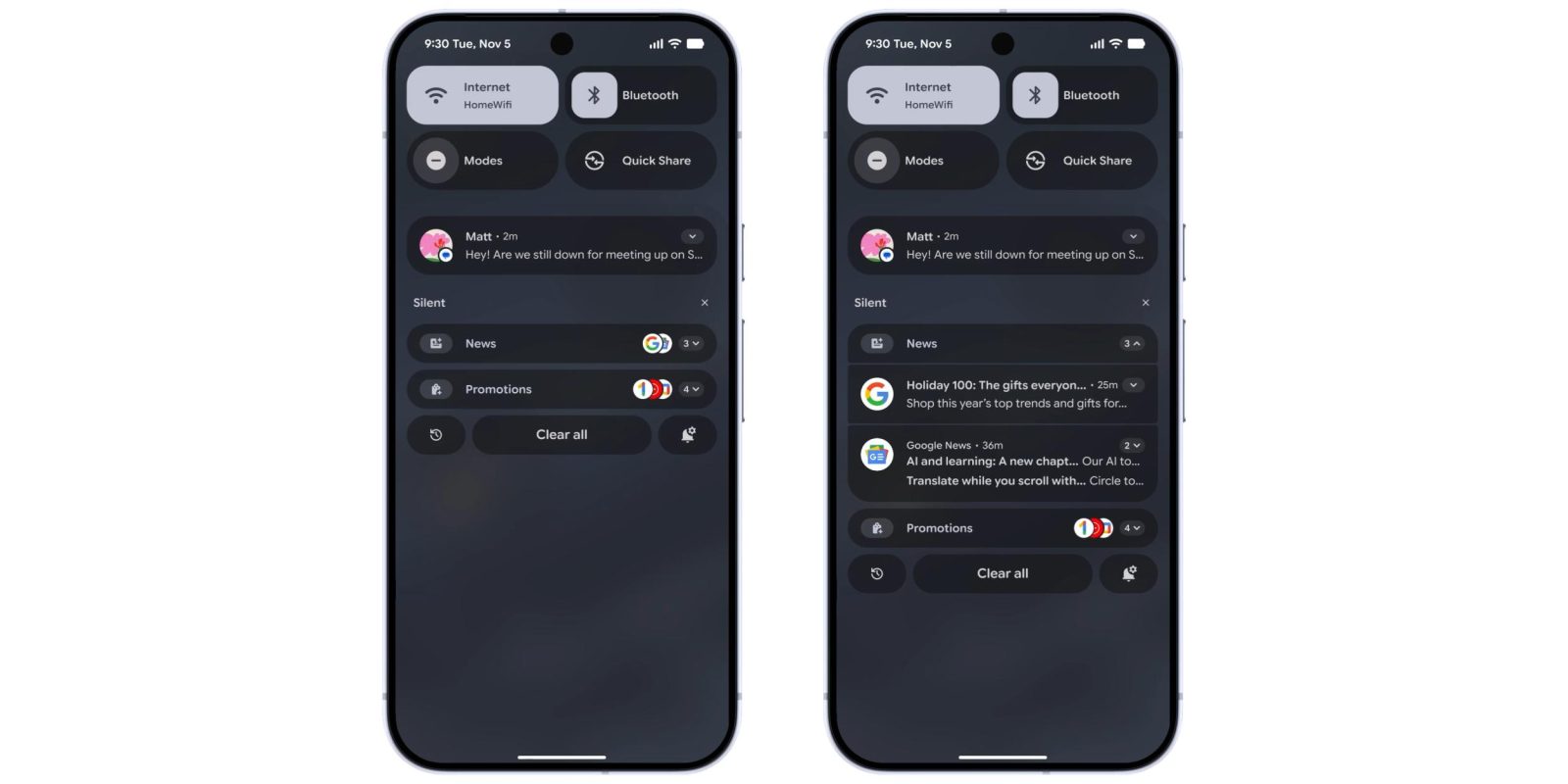
Following AI Summaries last month, Google is rolling out the Notification Organizer to Pixel with Android 16 QPR2.
Once available on your Android 16 QPR2 device, go to the Settings app > Notifications > Notification organizer (near the top). Compared to AI Summaries, this feature is enabled by default.
Your primary system language must be set to English. It’s available in the following countries:
- Australia
- Canada
- Germany
- Japan
- United Kingdom
- United States
The Notification Organizer will sort your alerts into the following categories: Promotions, News, Social, and Suggested. The first two are already on, but you must enable the remaining ones. There’s also an option to “Always expand bundles.”


This Organizer appears under the “Silent” section of the notification shade. Each category icon is badged with an AI sparkle, while app icons are stacked at the right. Tap to expand the bundle and see/interact with the full notifications.
If this isn’t rolled out for your device yet, restart your Pixel. We’re seeing Notification Organizer on the Pixel 9 (not 9a) and Pixel 10 series.


FTC: We use income earning auto affiliate links. More.



Comments