
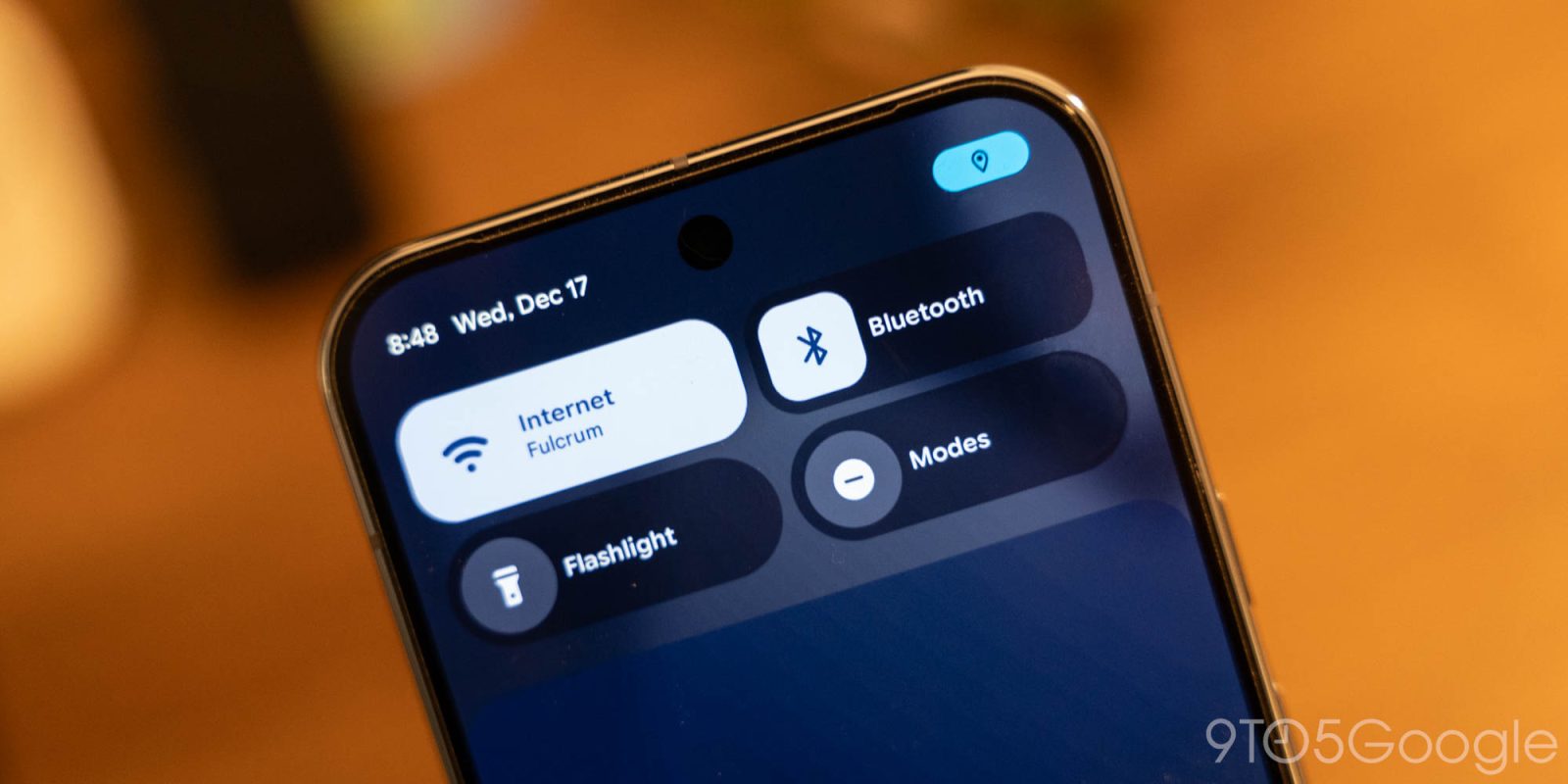
Google is adding a new notifying dot in Android 16 QPR3 which tells you when an app is accessing your location.
Back in 2021’s Android 12 release, Google added a new green dot to prominently notify the user that an app was using the camera or microphone on your device. The dot shows next to your battery icon and, in the notification shade, can be tapped to show which apps have accessed those permissions.
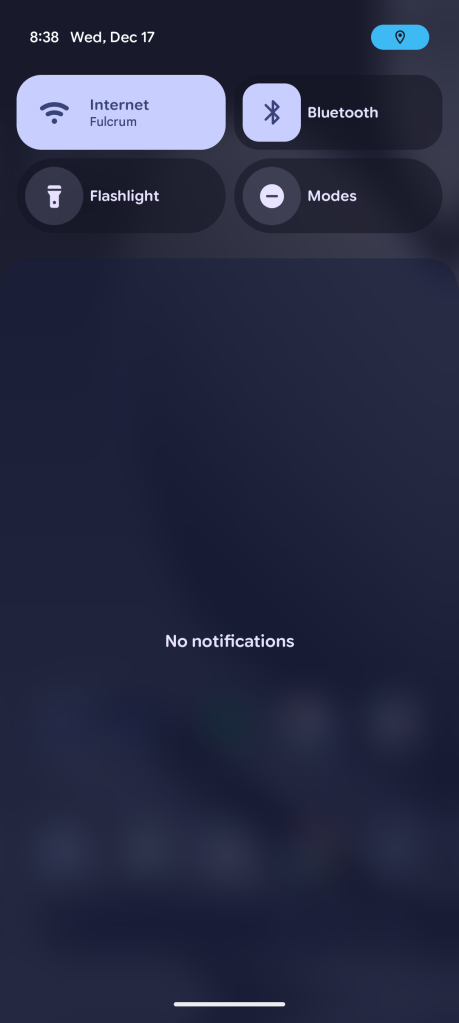
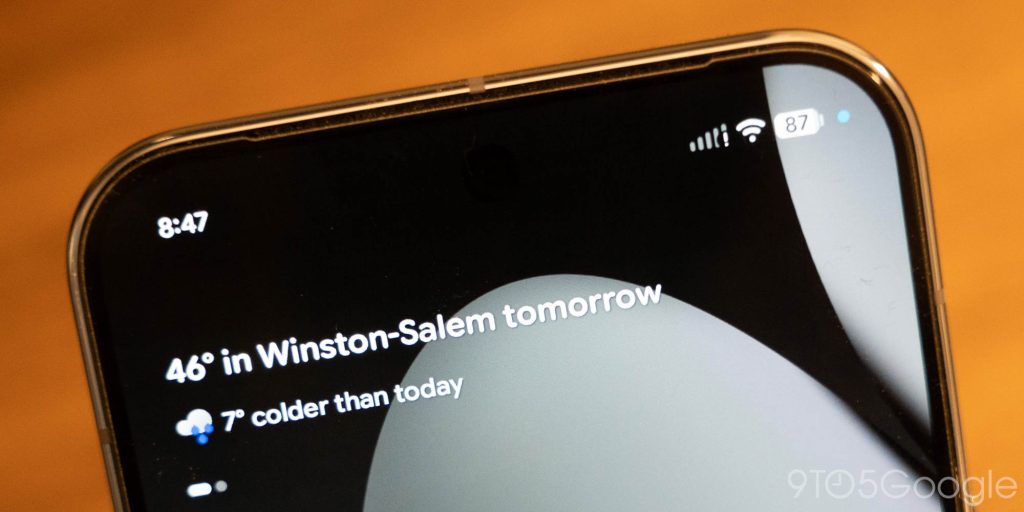
In Android 16 QPR3 Beta 1, Google is expanding on this with a new blue dot to reveal when apps are using your location.
Live on Google Pixel devices in this latest beta, the location dot shows when apps are using location services in the foreground or in the background.
It won’t show at the same time as the green camera/microphone dot, though, instead being combined with the green dot when multiple permissions are in use. The expanded menu showing apps that have used permissions is now titled “Microphone, Camera & Location” and shows the three categories. As with camera and microphone, you can close the app from the pop-up menu.


Android 16 QPR3 is currently in beta and will be released on Google Pixel devices early next year. Presumably, this new location dot will expand to other Android devices in time as well, as the green microphone/camera dot is used throughout all Android devices running Android 12 or newer.
More on Android 16:
- Here’s everything new in Android 16 QPR3 Beta 1 [Gallery]
- Google Pixel adds Samsung’s navigation button layout in latest Android 16 beta
- Android 16 QPR3 lets you remove At a Glance from your Pixel’s homescreen
Follow Ben: Twitter/X, Threads, Bluesky, and Instagram


FTC: We use income earning auto affiliate links. More.


Comments