
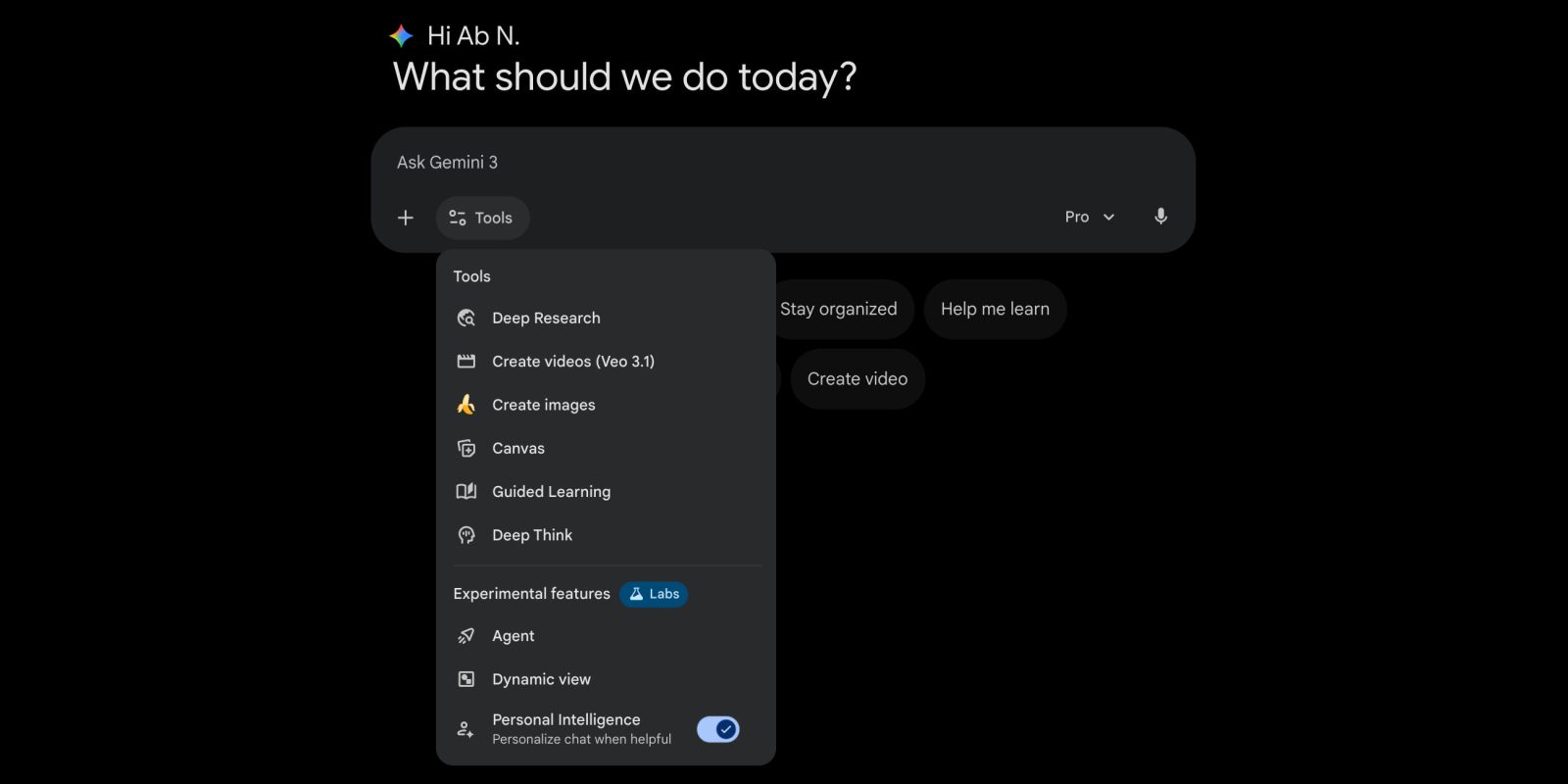
As the Gemini app picks up more features, Google is improving organization of the Tools menu on the web with Experimental Labs.
Previously, the Tools menu on gemini.google.com was just one long list that displayed up to eight items depending on your Google AI subscription.
Today’s update separates the prompt box dropdown into two sections, starting with Tools: Deep Research, Create videos (AI Plus), Create images, Canvas, Guided Learning, and Deep Think (AI Ultra).
The Experimental features section is badged with the “Labs” beaker: Agent (AI Ultra), Dynamic view or Visual layout (all users), and Personal Intelligence (all paid). It’s a good way to signal stable capabilities and what’s still actively being developed.


The “Personalize chat when helpful” toggle lets you set whether Gemini taps into your Connected apps. It saves you from having to regenerate the response after the fact if you know your prompt won’t benefit from it.
This toggle just applies to your current conversation. It will automatically re-enable when you start a new chat.
We’re seeing this today on the Gemini web app and not the mobile clients.
More on Gemini:
- Gemini Live rolling out floating pill redesign on Android
- Gemini 3 Flash’s new ‘Agentic Vision’ improves image responses
- Should you downgrade to Google AI Plus?


FTC: We use income earning auto affiliate links. More.


Comments