
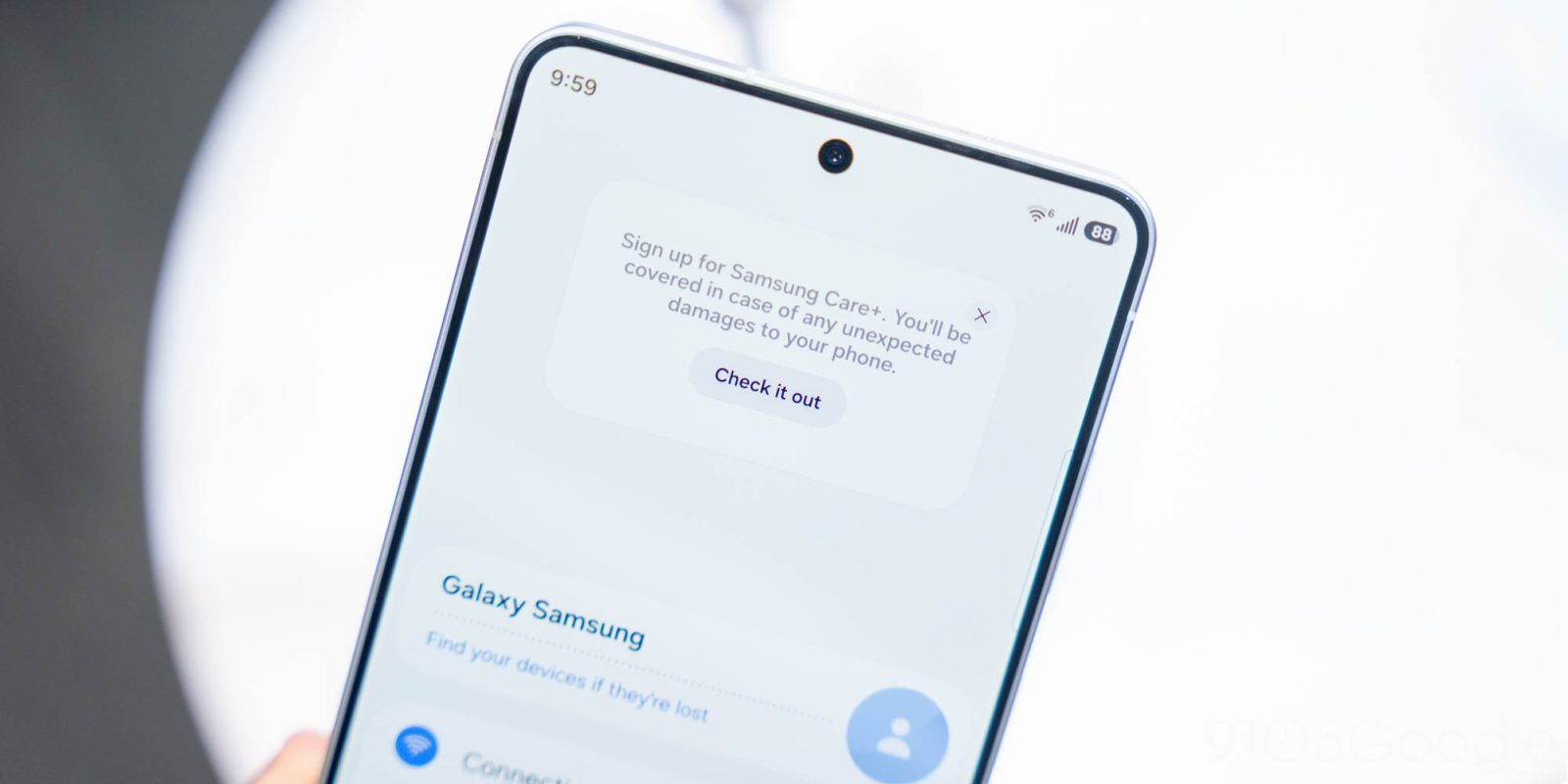
Samsung’s One UI 8.5 update is adding a big new ad for Samsung Care+ to the settings menu starting on Galaxy S26, and… it feels a bit familiar.
Cutting right to the chase, there’s a big new banner in the Settings menu on the Samsung’s new Galaxy S26 devices that alerts the user of the company’s Samsung Care+ insurance/protection plan. By all accounts, it’s basically an advertisement.
The actual functionality here isn’t particularly new. Samsung previously added a “Protect your Galaxy” button in the Settings of Galaxy phones running One UI 8, and is now making that a lot bigger in One UI 8.5. In our Galaxy S26 demo earlier this week, we noticed the banner showing prominently in the top section of the Settings menu, saying:
Sign up for Samsung Care+. You’ll be covered in case of any unexpected damages to your phone.
Again, it’s the same notice that already appeared, just in a more prominent location. There’s an “X” to close the pop-up, and both that and tapping on the “Check it out” button will dismiss the notice and, as far as we can tell, it doesn’t readily come back.
But, really, this feels all too familiar.
Apple has a very similar notice that appears on iPhones and iPads for months after purchase regarding AppleCare. Samsung’s banner is a bit more noticeable now, so we’re hoping that it can at least be minimized after this banner appears one time and the user closes it.
The Galaxy S26 series is available for pre-order now, with Samsung’s usual pre-order perks in full swing. You’ll find boosted trade-in values and more available now through March 11, when these phones are available on store shelves.
More on Samsung:
- Samsung launches Galaxy S26 series, and higher prices are basically all that’s new
- Galaxy Buds 4 go back to the old case with redesign, head gestures, upgraded sound from $179
- Galaxy S26 series hands-on: More of the same, but not in a good way [Video]
Follow Ben: Twitter/X, Threads, Bluesky, and Instagram


FTC: We use income earning auto affiliate links. More.



Comments