
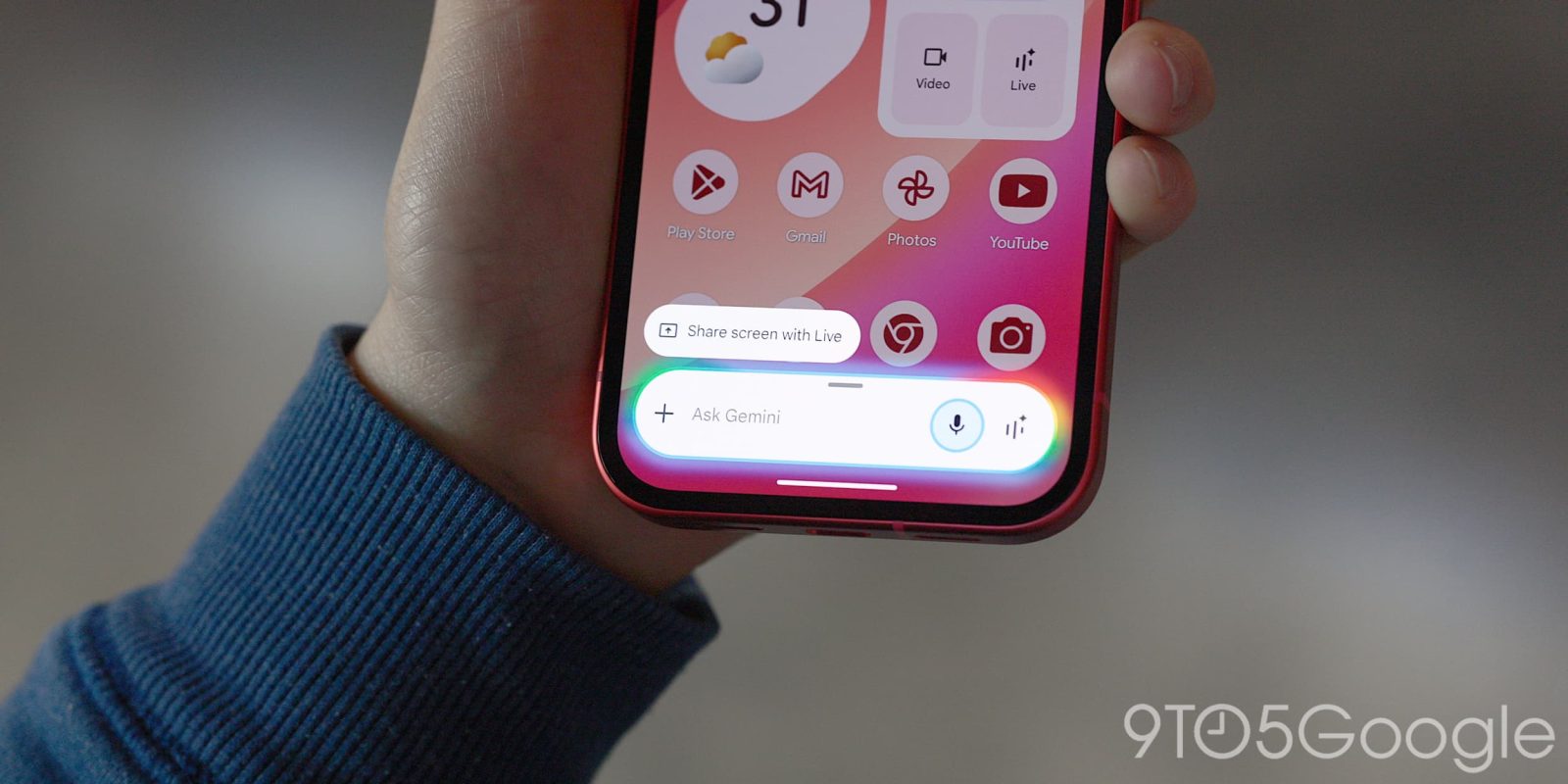
The latest Gemini overlay redesign gives you access to more of the prompt box and Tools menu anywhere on Android.
Update 3/12: Google is now widely rolling out this new Gemini overlay. We’re seeing it with stable version 17.8 of the Google app. If you don’t have it yet, be sure to Force stop from App info.
Original 2/26: This redesign adds the Gemini Tools menu to the pill-shaped overlay. It appears to the right of the ‘plus’ icon for attachments, which is unchanged today. The “Ask Gemini” hint has been centered to make room.
Old vs. new


Tapping lets you create images, videos, and music, as well as use Canvas, Deep Research, and Guided Learning. Google AI subscribers will see the Personal Intelligence toggle. This design is nearly identical to what you find inside the Gemini app, but you now get descriptions for each tool.
- Create image: Visualize and edit
- Create video: Bring ideas to life
- Create music: Make music with Gemini
- Canvas: Vibe code apps or create docs
- Deep research: Get detailed reports
- Guided learning: Study and learn new things
When typing, you’ll notice that the overlay morphs from the pill into a two-line, rounded rectangle. All that’s missing is the model switcher.


We’re seeing this redesign with the latest Google app beta (version 17.7). It’s not live on all Google Accounts, and still in the process of rolling out.
Google is also testing a new floating pill for Gemini Live that we saw earlier this month.
More on Gemini app:
- Gemini app rolling out ‘Past Chats’ personalization to free users
- Nano Banana 2 brings Pro quality at Flash speeds, rolling out to Gemini app
- Google releases ‘Gemini Enterprise’ mobile app, adds @Google Chat for Workspace


FTC: We use income earning auto affiliate links. More.


Comments