
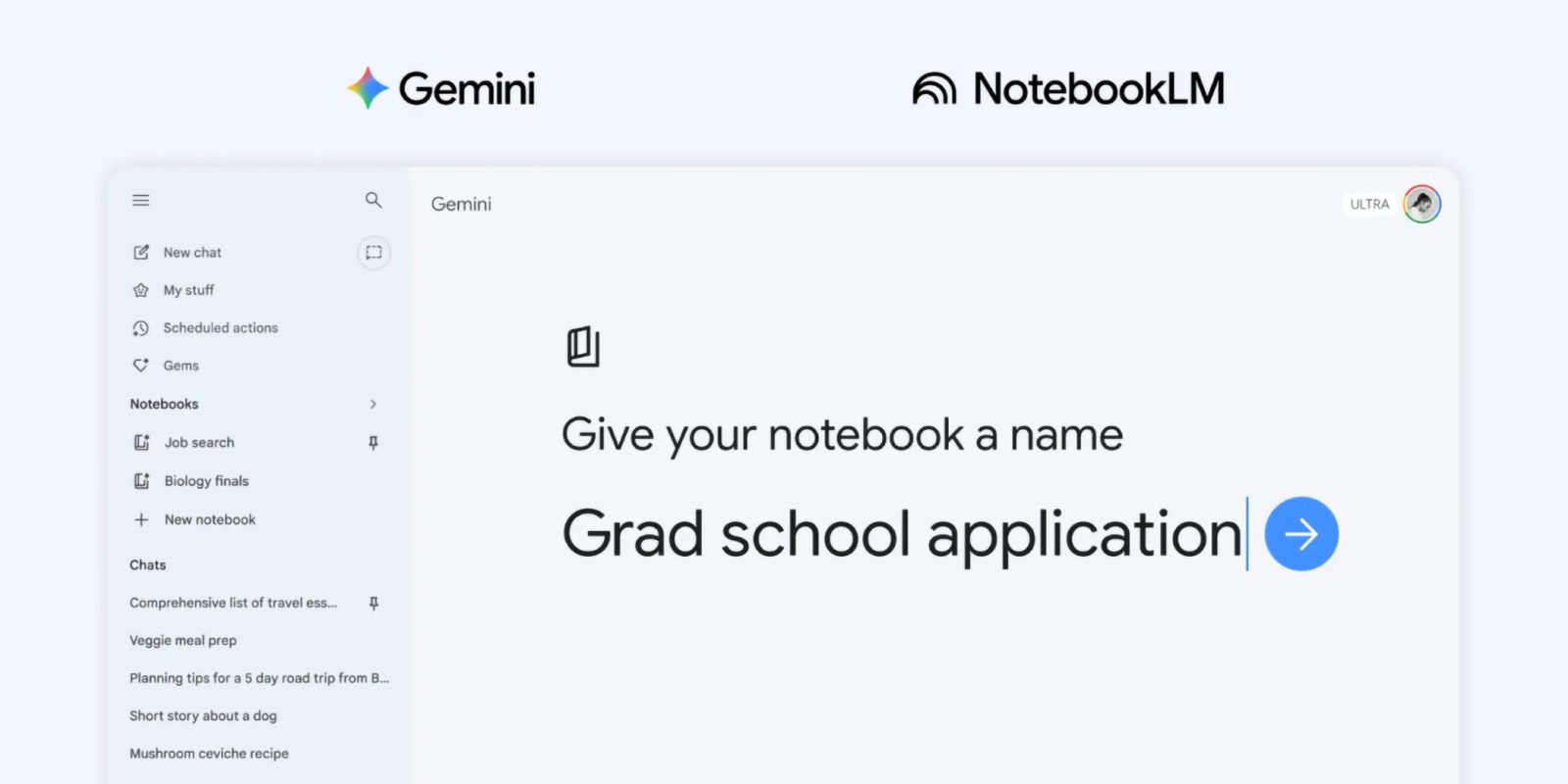
The Gemini app is getting deeper NotebookLM integration after the initial source support introduced last year. Google is introducing the concept of “notebooks.”
These notebooks are “personal knowledge bases shared across Google products, starting in Gemini.” You can think of them as projects. There’s a new “Notebooks” section in the Gemini side panel between My stuff and Gems.
They give you a dedicated space to organize your chats and files, and because they sync with NotebookLM, you can unlock even more efficient workflows directly from Gemini.
All chats now feature an “Add to notebook” option in the overflow menu. Selecting a notebook lets you ask questions with Gemini and all the existing prompt box tools. Sources are noted just above with the ability to delete and add more (Files, Drive, Websites, or Copied text).
Once your handpicked sources are organized into a notebook, Gemini uses them alongside its powerful tools and web search to provide uniquely helpful responses.

There’s a shortcut to open NotebookLM in the top-right corner, while the overflow menu lets you enable/disable “Use notebook memory” and add Instructions to “Tell Gemini how to respond and what tone to use.”
Conversations you’ve had with Gemini using that notebook appear under the prompt box. Meanwhile, those “Chats from Gemini” will appear as a source in NotebookLM. Notebooks you create in the Gemini app will appear in NotebookLM.
For example, if you’re a student, try adding class notes to a notebook and using NotebookLM to create a Cinematic Video Overview. The next day, open the Gemini app and ask it to draft an essay outline on that exact material.
Notebooks are rolling out first to Google AI Plus, Pro, and Ultra subscribers on the web. They will be available on “mobile, more countries across Europe, and to free users” over the coming weeks.
This is a first step, and we’re working to bring even more helpful features to notebooks in Gemini in the future.
More on Gemini app:
- Gemini overlay and Gemini Live start rolling out big Android redesign [Gallery]
- Google updates Gemini to improve mental health responses
- Gemini app rolls out new glow on Android and moves Temporary chat


FTC: We use income earning auto affiliate links. More.



Comments