
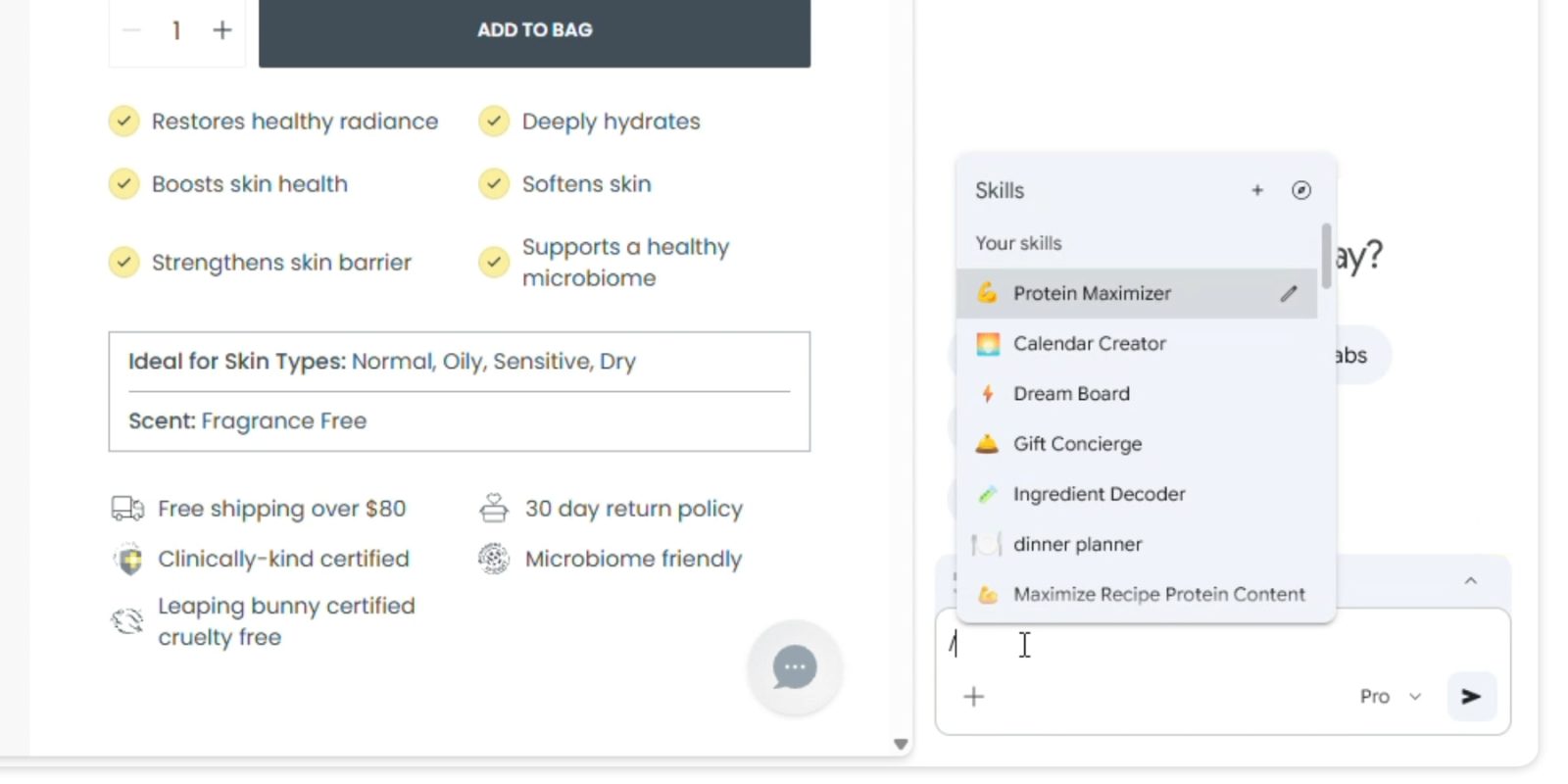
Gemini in Chrome on desktops is getting a new Skills feature that lets you quickly run frequently used prompts. Besides saving time, this capability helps educate users about what Gemini can do when given a webpage.
Skills are one-click workflows that you invoke by typing a forward slash (/) in the prompt box. This macro will run on the current page you’re viewing and any other selected tabs (use the ‘+’ button).
Google says to save Gemini prompts “that you’ll want to use again,” thus saving you from going through chat history to copy and then paste in a new conversation. Gemini will also encourage you to save Skills at the end of chats. You pick the name and can assign an identifying emoji.

Google also offers a library of Skills at chrome://skills/browse “for common tasks and workflows” across Learning, Research, Shopping, Writing, and other categories. Save and edit ones you find useful. Example use cases include:
- Health & Wellness: quickly calculating protein macros for any recipe
- Shopping: generating side-by-side spec comparisons across multiple tabs
- Productivity: scanning lengthy documents for important information
Want to break down the ingredients of a product you’re viewing online? Or select the perfect gift from multiple options by cross-referencing your budget with the recipient’s interests?

Besides looking for information, another use case is transforming it into infographics and visualizations to better digest.
On the safety front, Skills prompts will ask for confirmation before adding events to your calendar, sending emails, and other sensitive actions.
Skills are rolling out to Gemini in Chrome (desktop) starting today.
Your saved Skills are available on any signed-in Chrome desktop device and can be managed by typing forward slash ( / ) in Gemini in Chrome and then clicking the compass icon.


FTC: We use income earning auto affiliate links. More.



Comments