
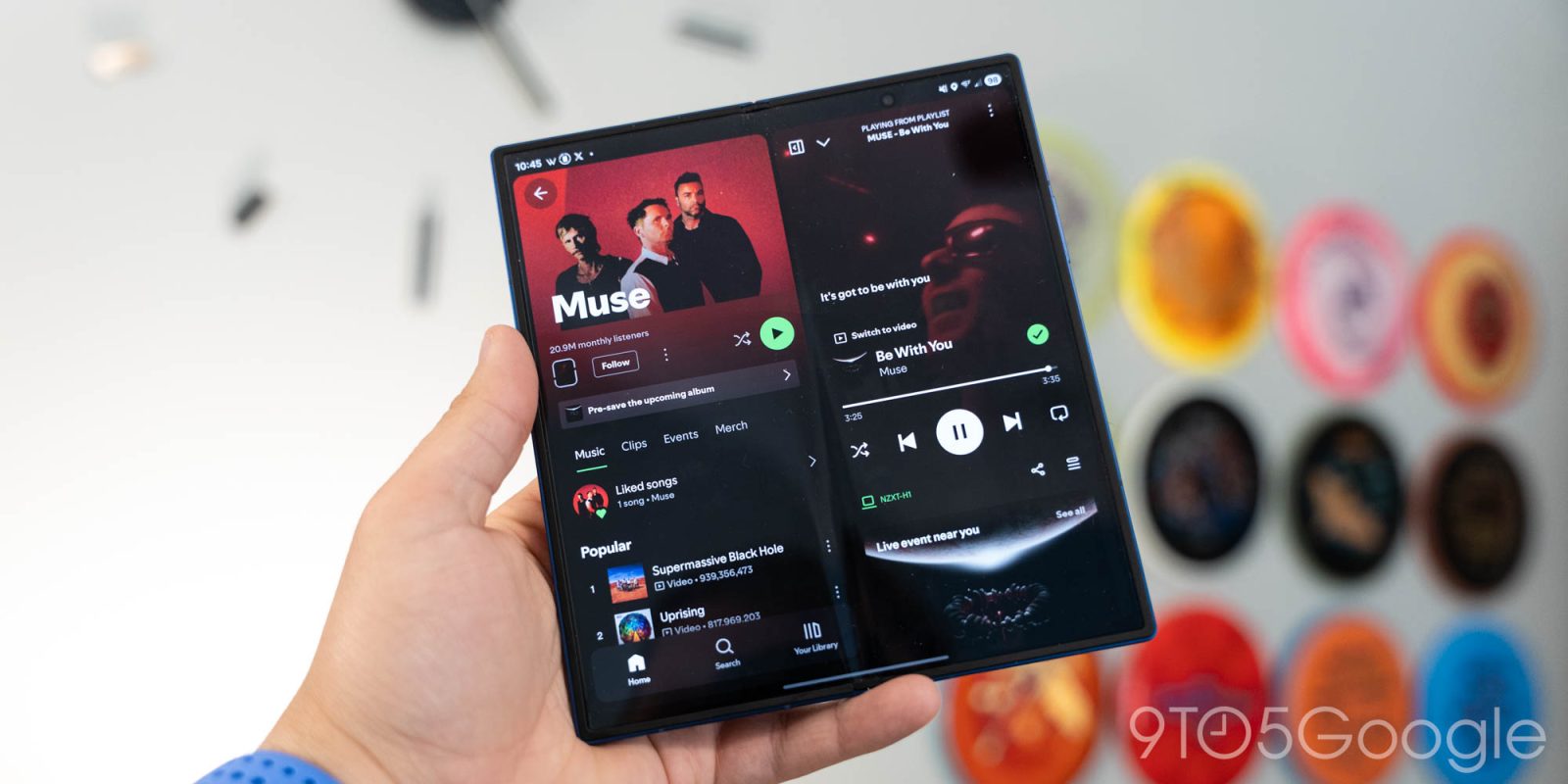
Spotify has today announced a redesigned app for tablet users which, thankfully, also works on Android foldables – just not all of them.
Announced today on Spotify’s blog, For The Record, the redesigned tablet app is now widely available to all Spotify users. The redesign started showing up a few months ago for some users, but as of today, it’s official.
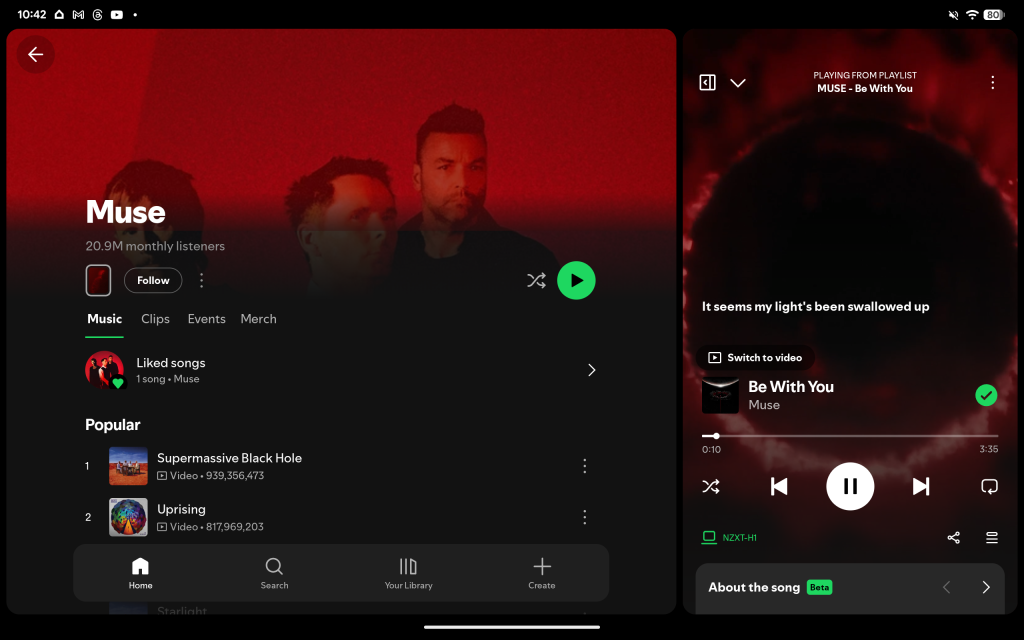
Spotify explains that this redesign is built specifically for tablets, rather than “simply scaling up mobile components.” You’ll probably find that everything is pretty familiar, but the big focus of the new design is a dedicated panel off to the right-hand side for “Now Playing” while other elements stick to the left – though a button does allow “Now Playing” to still go fullscreen.
The bottom bar has also now been split into two.
Here’s what it looks like on a Google Pixel Tablet:
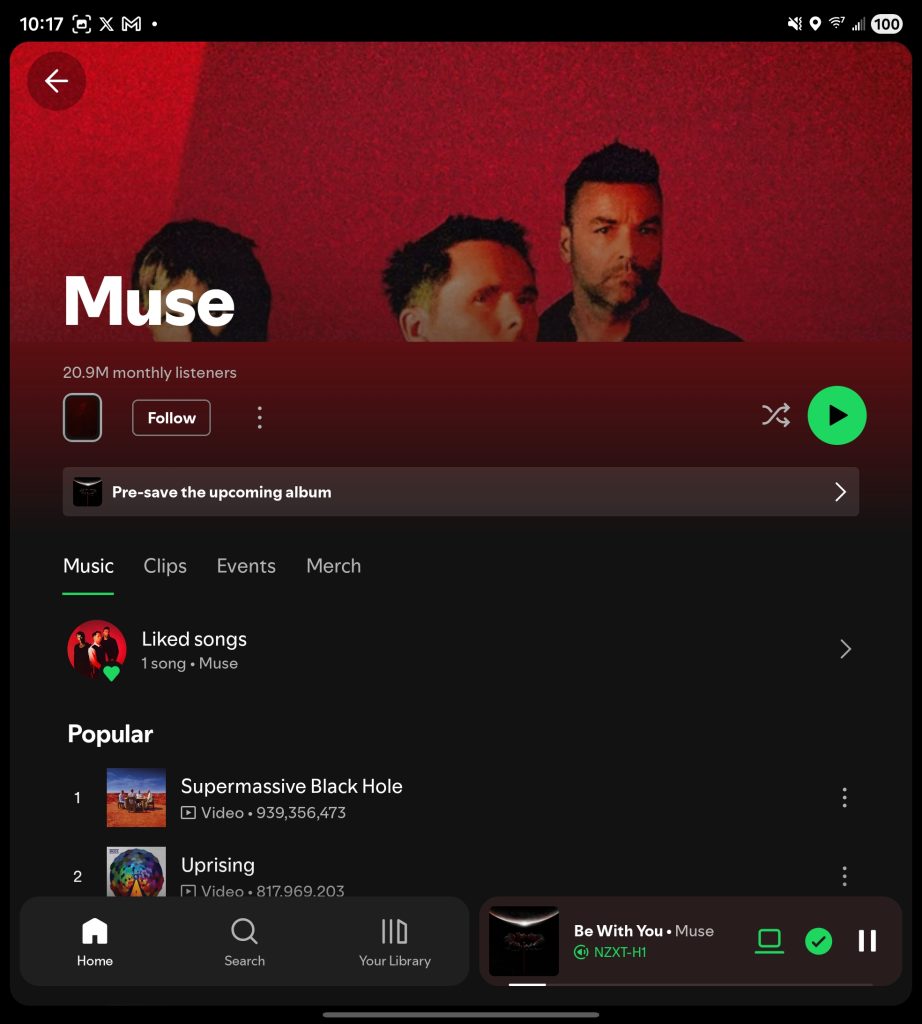
Not mentioned in Spotify’s post is that this new UI is available not just on Android tablets, but also on foldables.
We’re seeing the new design on Galaxy Z Fold 7, Honor Magic V6, and Pixel 9 Pro Fold, though not on Oppo Find N6. While it’s possible Spotify is specifically allowing certain foldables to use this, the more likely explanation is that this boils down to a simple optimization issue, aspect ratio, or even screen density.
Here’s what the Spotify redesign looks like on Galaxy Z Fold 7:


This new Spotify UI appears to be widely available on Android tablets and foldables. What do you think of it?
A redesigned Wear OS app also went live back in March.
More on Spotify:
- Spotify’s AI-powered playlists can now help you find podcasts too
- Spotify makes it easier to find the samples behind your favorite songs
- Spotify now rolling out redesigned Wear OS app with new gestures, more [Video]
Follow Ben: Twitter/X, Threads, Bluesky, and Instagram


FTC: We use income earning auto affiliate links. More.


Comments