
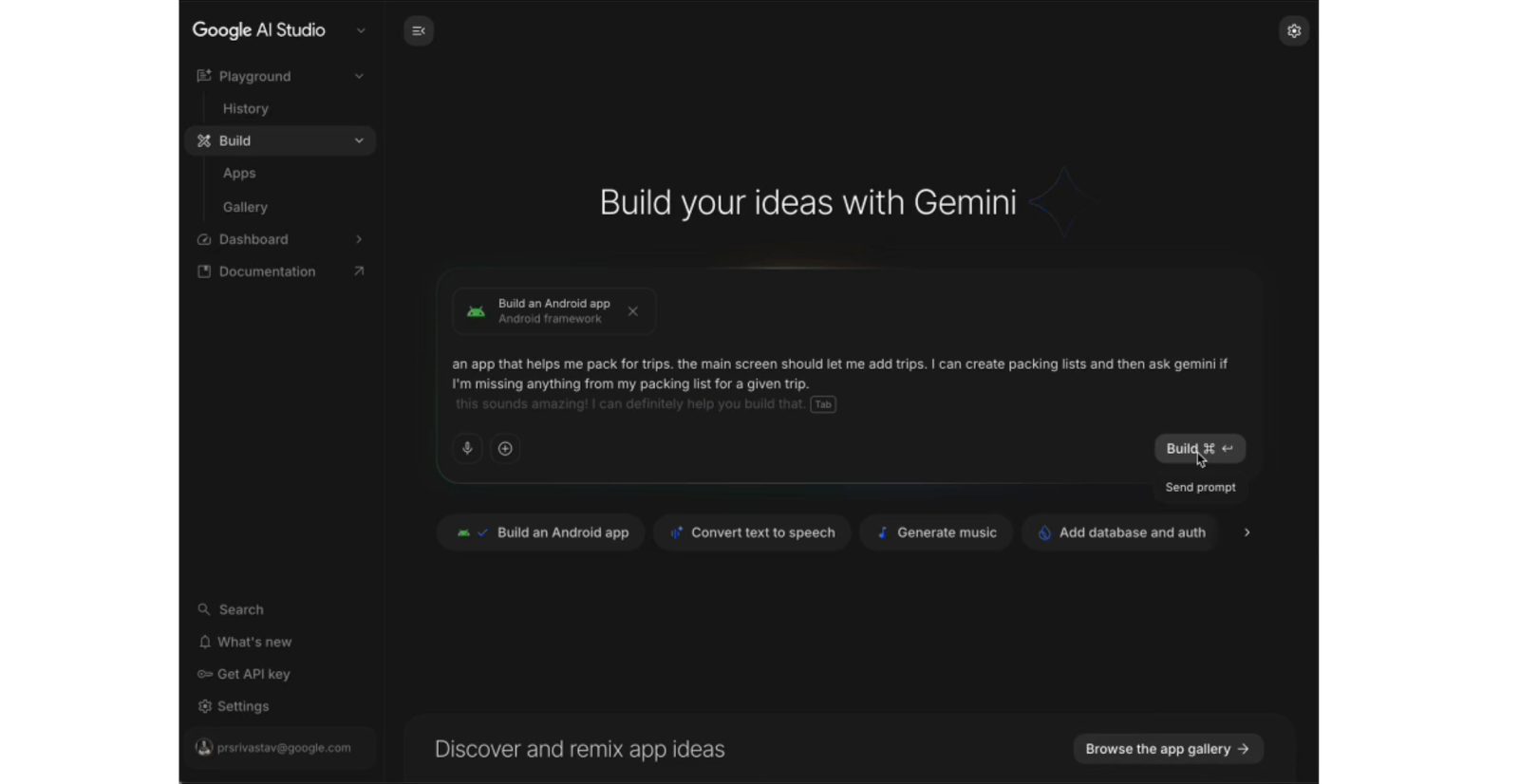
Following The Android Show, Google made several developer announcements at I/O 2026, led by AI Studio’s new capability to build native Android apps.
The web-based AI Studio now lets you build native Android apps. Google notes that applications are “built with development best practices like Jetpack Compose, Kotlin, and APIs,” as well as recommended developer patterns.
You can go from prompt to prototype, iterate with an embedded Android Emulator in your browser, and then install the app on your Android phone over USB using the integrated Android Debug Bridge (ADB). If you have a Google Play developer account, you can also publish your app directly from AI Studio for internal testing.

To prepare for a wider release, Google recommends using Android Studio for “advanced debugging, testing, and UI polish.” You can add the project to Android Studio by downloading a ZIP file or exporting to GitHub.
Google will be adding more features in the future, including:
- Managing Google Play Test Tracks: Coming soon, we will be adding the ability to invite testers to try your app directly from AI Studio.
- Firebase integrations: Out-of-the-box support for Firestore, Firebase Auth, Firebase App Check and other tooling critical for Android developers is coming soon.
Meanwhile, Android Studio’s Migration Assistant can be used to “port apps from platforms like iOS, React Native, or web frameworks to native Android.” It reflects how developers have already been using LLMs for this purpose.
Google’s agent will take an existing project and “intelligently map features, convert assets like storyboards and SVGs, and implement Android best practices using Jetpack Compose and our recommended Jetpack libraries.”
This will effectively transform what used to be weeks of manual porting into a streamlined agentic workflow that only takes hours. We shared a preview of this upcoming feature in the developer keynote.
After five years, Google has made Compose the standard for UI development. This Compose-first approach is reflected in all future guidance and libraries.
Building on five years of evolution, the latest releases deliver a mature toolkit, from the highly customizable Styles API to refined shared element transitions and enhanced input support. These updates allow you to build beautiful, adaptive apps with less code and better performance.
On that front, “Android 17 marks a shift toward a single, Compose-based development model for all widgets.” Google is unifying the developer experience across mobile, Wear OS (Tiles have been renamed to “Wear Widgets”), and cars through Jetpack Glance.
The breakthrough this year is the integration of RemoteCompose. On mobile and cars, it powers high-fidelity animations, while on Wear OS, it allows Wear Widgets (formerly Tiles) to render complex UI logic natively on remote surfaces. This ensures peak performance on low-power hardware while allowing a cohesive user journey—like checking a flight status on your car dashboard and seeing gate change updates on your wrist.


FTC: We use income earning auto affiliate links. More.


Comments