
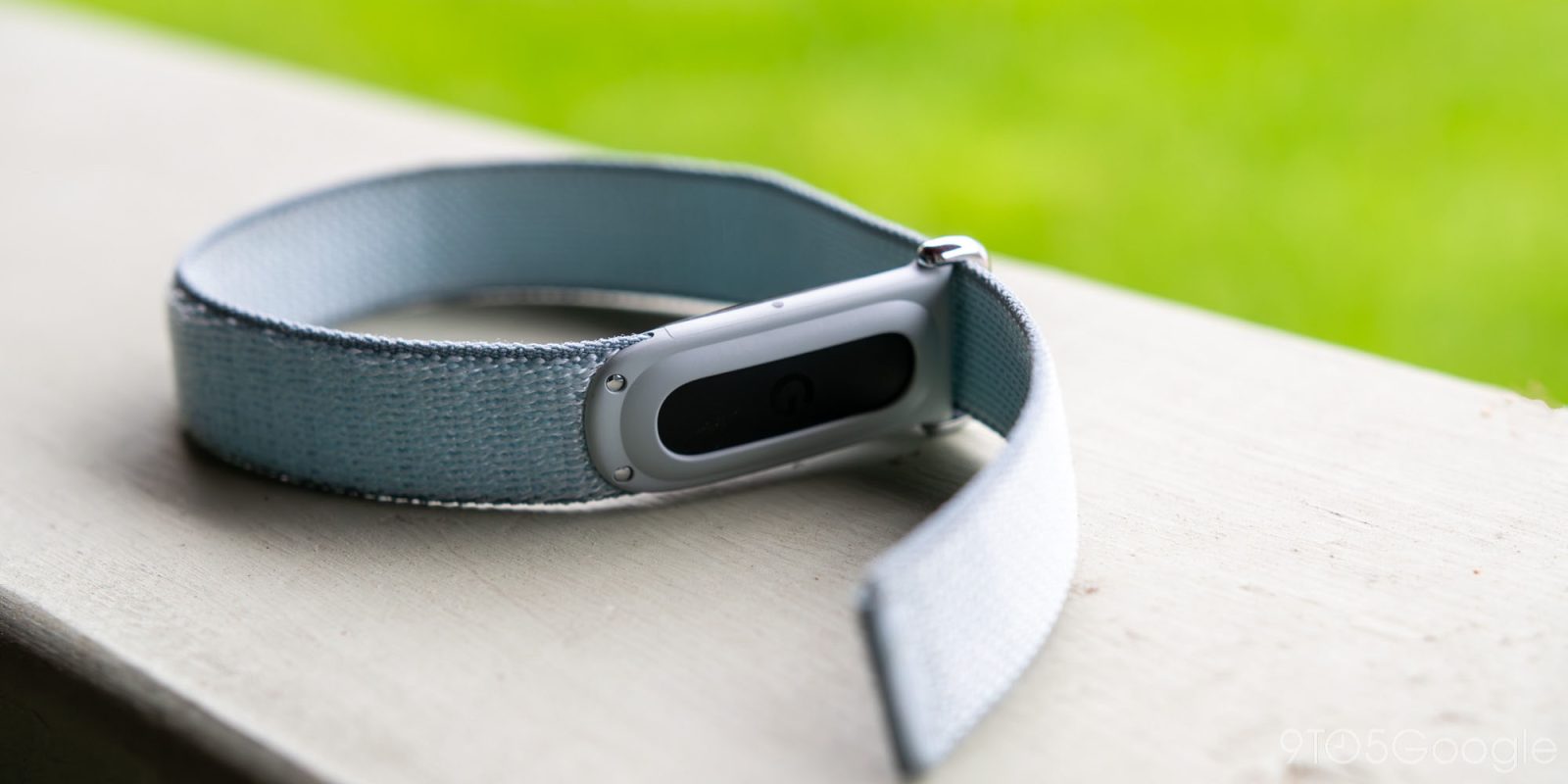
Google’s reputation would have you thinking it’s incapable of launching a quality first-gen product, but the Fitbit Air proves otherwise. Effectively billed as a Whoop competitor for the masses, the Air is a display-less fitness band that is capable of providing you with baseline health data for just $100. If you’re one of the many, many people feeling overwhelmed by the amount of screens in your life, disconnecting with a band as simple as the Air might be just what the doctor ordered.
But, of course, this being a 2026 product means there’s undoubtedly some kind of AI hook. The Fitbit Air doubles as the launchpad for Google’s new Health Coach, a $10 per month feature that comes as part of its new Fitbit Premium replacement. Health Coach wants to be the personalized trainer you didn’t know you wanted, examining your overall fitness levels to give you better ways to eat, sleep, rest, and workout. It’s a cool concept built into an otherwise well-redesigned Google Health app, but unlike the band itself, it’s one that can’t escape its AI tether.
Hardware, bands, and battery life
Despite its relatively simple design, there are plenty of ways to screw up a display-less fitness tracker. Making the wearable puck too heavy or uncomfortable to wear for long, nearly uninterrupted sessions, making the act of swapping bands convoluted or difficult, eliminating too many features in order to keep both the price and its weight light — especially on a first attempt, there’s no shortage of ways you can imagine any company getting something on the hardware front wrong.
So I’m thrilled to say Google mostly got the Fitbit Air right.
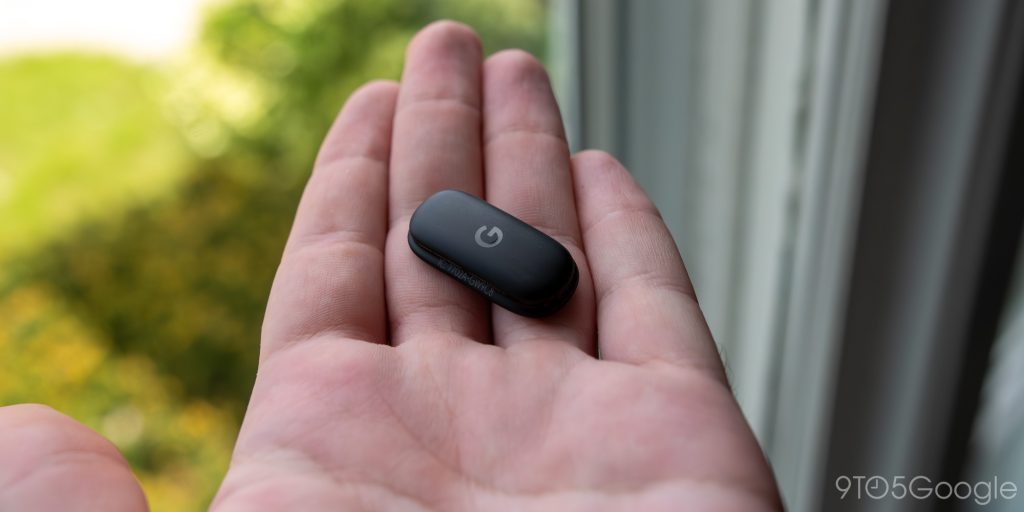
Just looking at the basic pebble — the actual guts of the tracker — I’m not sure what I’d do to improve on its design. It’s small and lightweight, features rounded edges without a sharp corner in sight, and pops in and out of its various bands with just a single push. Compared to my experience with Whoop’s annoying (and fragile) metal arm mechanism a few years ago, being able to pop this in and out of whichever one of Google’s bands I’m looking to wear is night and day. Plus, I don’t need to worry about these bands getting damaged in my travel bag.
Really, my only complaint about the Air’s tracker module is its lack of a physical barrier to prevent inserting the band in the wrong orientation. The only thing that tells the user that the tracker is improperly installed in a band is the missing battery indicator light, which only shines through a cutout on one specific side of the tracker mount. That’s fine, but I think I would’ve preferred an actual physical barrier of some kind. My mind keeps jumping to the little tab on 3DS cards designed to prevent insertion into a standard DS, but I’m open to ideas.
That battery light is the only status indicator you’ll find on the Fitbit Air, and its sole responsibility is delivering a very basic battery readout when you double-tap on the device. In my experience, that double-tap gesture proved to be a little unreliable, occasionally failing to detect taps on first attempt. Thanks to the fantastic battery life on display here, though, this was really only a problem while switching bands over the first few days. Eventually, you’ll learn to feel out just how long the band lasts on a single charge (not to mention the general direction the puck shoul be inserted), and you’ll likely be in the app often enough to see its pinned percentage in the corner.
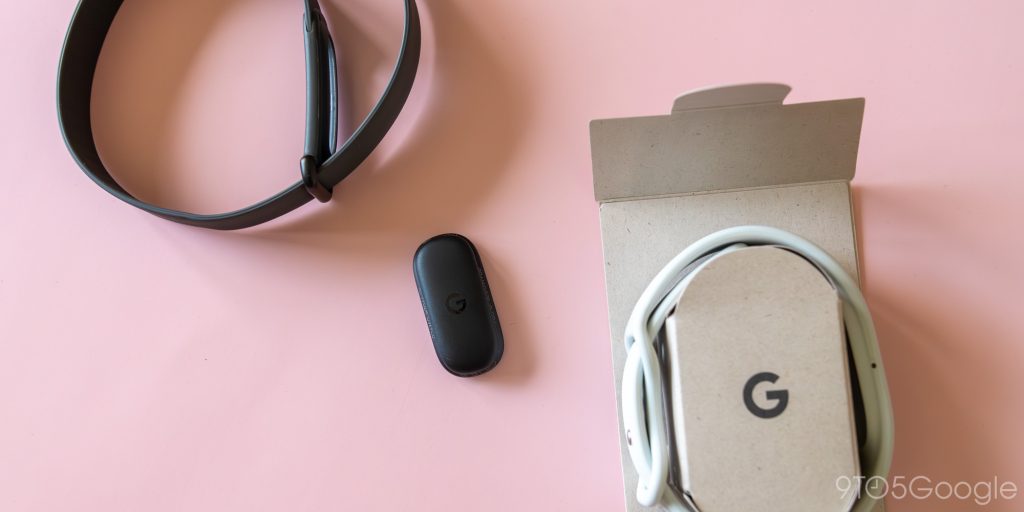
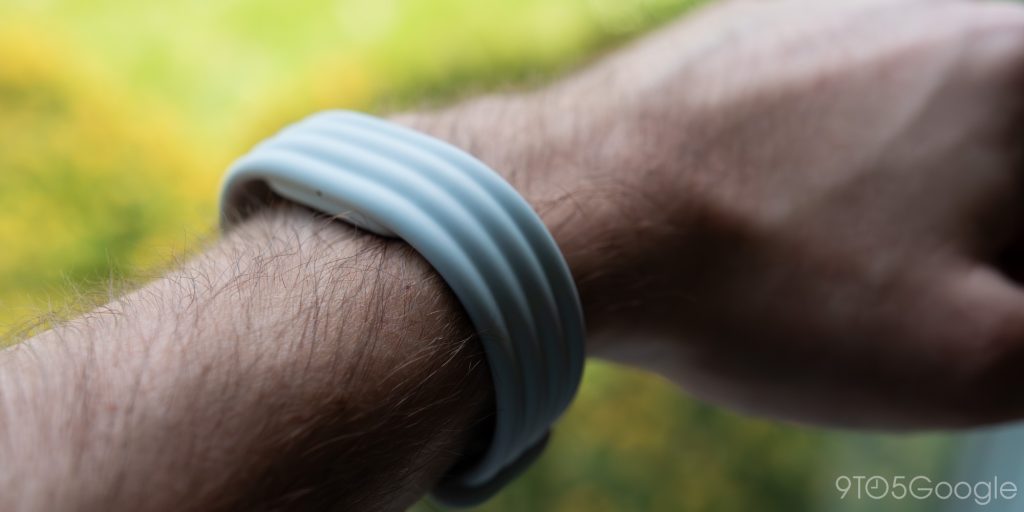
By default, the Fitbit Air comes with a generic polyester band in one of four colors (or, if you’re into a slightly sportier vibe, the Steph Curry-inspired “Rye” shade). In addition to this “Performance” band, Google sent me its “Active” and “Elevated” bands to try out, each designed to fit into a different element of your life. Unfortunately for Google — and fortunately for your wallet — I think most people can stick with that default Performance band. Here are some quick thoughts on all three:
- Performance: By far the best of the three bands. Extremely lightweight, relatively comfortable, especially when sleeping. It’s also simple to clean and quick to dry, meaning it’s still totally acceptable for all workouts. I don’t know how the velcro will hold up, and I will say, it occasionally felt a little like wearing a hospital band on my wrist in this Fog colorway, but it’s easily the winner among the bunch.
- Active: In theory, my favorite band of the bunch. In practice, this is a complete miss. This is a basic silicone band, bypassing the fluoroelastomer used in sport-focused smartwatches (including the Pixel Watch) for something significantly less breathable or comfortable. Combined with the lack of punch holes, I found this band uncomfortably warm at all times, especially when sweating.
- Elevated: I assume this band is designed for weddings and other occasions that call for a classier selection of gadgets. In my opinion, skip this one and leave your tracker at home for the evening, and wear either a standard watch or, if you must, a traditional smartwatch like Google’s. I don’t think it looks any dressier than either of the other two bands, despite the significant decrease in comfort. The hook mechanism is finicky and frustrating; I never found a tightness I was happy with, despite a dozen or more tries. If the Performance band appeared like a hospital band in my peripheral vision, the look and feel of this one gave “unbelievably annoying concert wristband.” Skip.
As you can probably guess, my experience with the Air was dominated by the Performance band, save for any runs (Active), as well as an afternoon of forcing myself to wear the Elevated band while running errands.
I might be pretty cold on the Active and Elevated bands, but truly, the Fitbit Air — when specifically paired with the Performance band — is the first wearable I’ve worn to bed that didn’t frustrate me throughout the night. I’m not a sleep tracking person, but the Air is the closest I’ve come to becoming a convert. Plus, since it’s not a watch, swapping wrists to give one or the other a break doesn’t require any adjustments in settings.
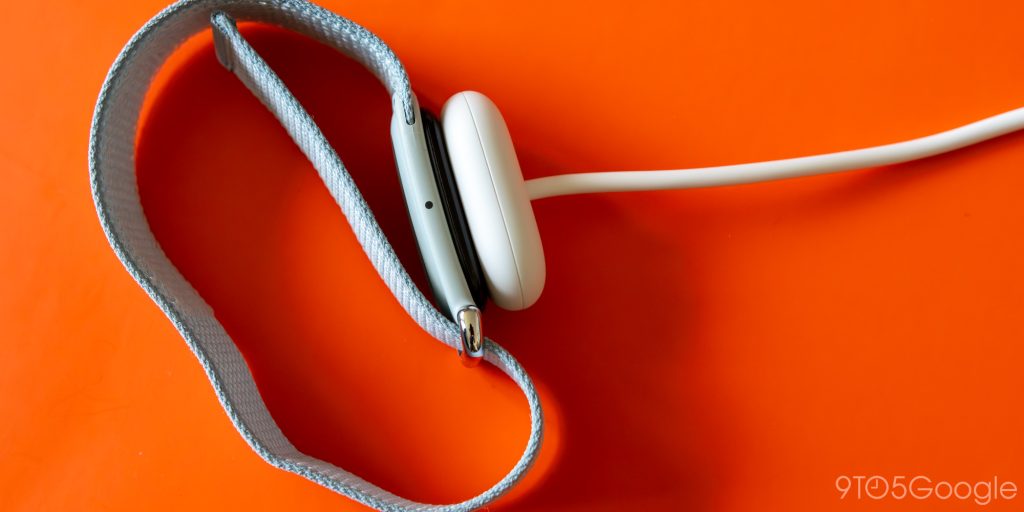
Also helping out with my shift towards sleep tracking is the Fitbit Air’s exceptional battery life. Google promises “up to” a week of battery life on a single charge, but I actually think these estimates might be overly conservative. After a full week of wearing my tracker, I’d fallen to 16% remaining before bed — enough to likely get me through the night, if I’m being honest. Still, I threw it on the charge while taking a shower; less than half an hour later, I was back up to nearly 80% charged.
That battery life should minimize any potential annoyances over its proprietary charger, specifically when it comes to charging. But hey, if you are headed on a two-week vacation somewhere, at the very least, it’ll plug into any USB-C brick you have with you.
Once it’s charged up and wrapped around your wrist in the band of your choice, the only thing really left to examine is the device’s array of various sensors. I’ll admit to not being completely won over by the display-less tracker fad — as with Whoop’s band, a basic LED-based digital clock built into the device here would go a long way, even if it means changing the core design to allow for it. But if all you’re interested in is a fitness-first experience, for $100, this device gets you basically everything you’ll need.
Sensors and fitness tracking
The sensors here include an optical heart rate monitor, an accelerometer and gyroscope, red and infrared sensors for SpO2 monitoring, a temperature sensor for measuring your skin’s temperature, and a vibration motor that mostly exists to function as a silent alarm. Compared to the $160 Fitbit Charge 6, the only tracking sensors you lose out on are those built for ECG and EDA scans. The Charge 6 also supports built-in GPS, NFC, and an ambient light sensor for the display that is, of course, not found on the Air.
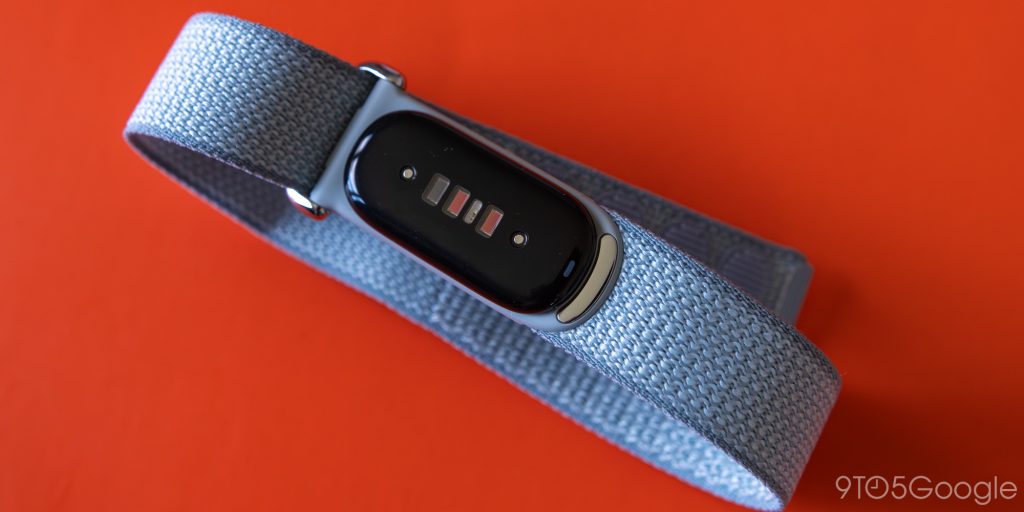
I do wish Google had found a way to make either GPS or NFC work here — ideally both, in a perfect world. But without a display, music playback, or any of the other quality-of-life improvements that fully-fledged wearables provide, I sort of get the budget-focused approach here. The only way I’d ever walk around with just this band on my wrist is if you added a cell connection, a display, and all sorts of other bells and whistles. At that point, it’s just another Pixel Watch.
This display-less category might be “new” for Fitbit under Google, but the overall tracking experience feels as great as ever. Comparing my auto-tracked, GPS-less runs to the data gathered by a cellular Apple Watch, I’m genuinely surprised by just how accurate some of its base stats were. Time and distance were frequently within what I’d consider the margin for error, with the Fitbit even usually detecting when my run had ended and when my cooldown walk began. It’s difficult for me to tell if its burned calorie count is more or less accurate than competing platforms — this is a very hard stat to get right — but its average heart rate detection was typically spot on, and even with a couple of occasional slip-ups on my average pace, I’m surprised just how good it was overall, especially without interacting with my phone. Compared to the Apple Watch strapped to my other arm, auto-workout detection specifically was night and day.
As with any fitness tracker, it’s significantly better at detecting metrics from cardio-based workouts than strength-based ones, but it’s perfectly capable of detecting your time, heart rate, and overall effort, with the Google Health app taking that data and ensuring it contributes to your total cardio load for the week. I guess what I’m trying to say is, it didn’t detect strength workouts any worse than any competing tracker on the market, and that undoubtedly makes for a win.
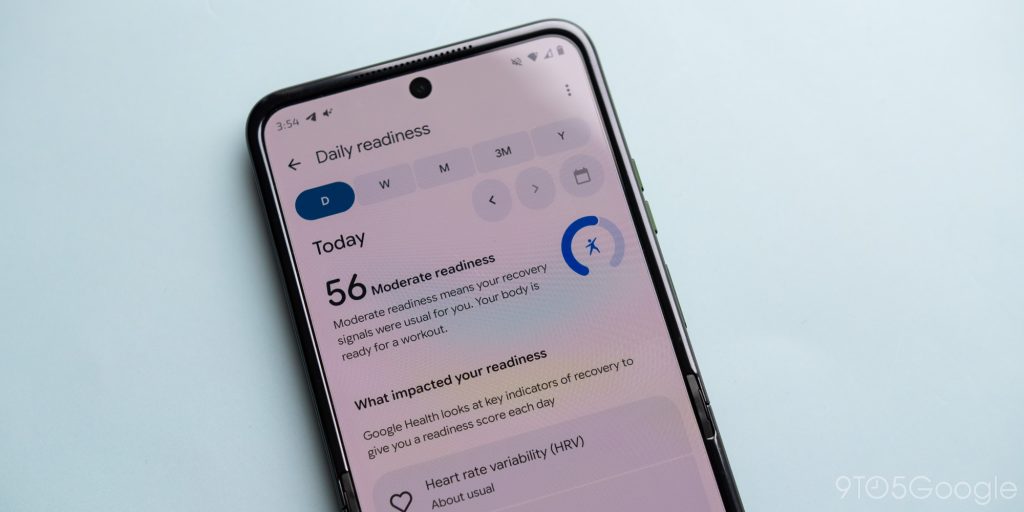
If there’s one metric the Air tracks that I think is bunk, it’s “readiness.” This isn’t new to either Fitbit or the app itself, but the readiness meter — which combines your heart rate variability with sleep scores — never felt quite accurate to me. I had days with “high” readiness ratings that left me feeling sluggish, and I had days with “low” readiness ratings that delivered some of my best workouts in recent memory. I wish Google would take some of the user’s own responses into account before delivering this score. A simple morning check-in could make this tool go a long way.
Nitpicks aside, for Google’s first display-less tracker, I think it knocked it out of the park here. The Fitbit Air has everything you need for a modern fitness band and nothing you don’t, though that won’t stop me from imagining this as the iPod Shuffle for the streaming era I know it could be. You hear that, Google? Throw in offline music playback in the next Air, and I might just make the swap to YouTube Music.
Google Health and Health Coach
Alongside the launch of the Fitbit Air, Google is rolling out a complete overhaul of its partner app, now relabeled Google Health. If you’re not a Premium subscriber, you’re still primarily going to interact with the tracker through various customizable tiles that may or may not frustrate you, depending on where you land amongst new adopters. If you are a Premium subscriber, most of the menus within the app will be focused predominantly on Health Coach. More on that in a moment.
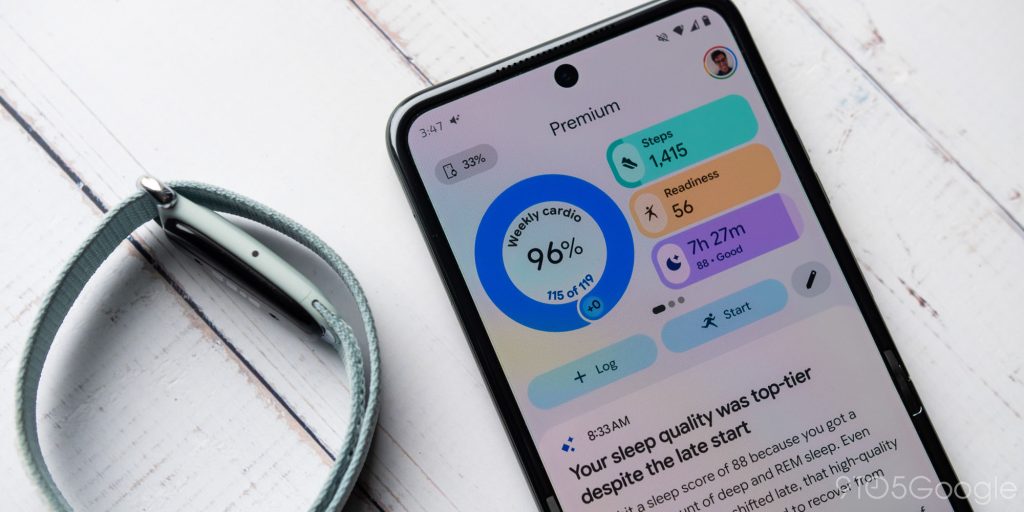
I found the app itself to be perfectly fine, though I won’t pretend to hold the previous Fitbit design in any high regard. Like most modern Google apps, it’s bold and colorful, though I won’t try to pretend it’s not a complete information overload. While the (again, Premium) home screen is dedicated primarily to a handful of widget pages and your Health Coach, the Fitness tab is designed to operate as a dedicated hub for your workout logs, library, key metrics, and more. Some of these metrics carry over into the Health tab (and some don’t), while your sleep logs get their very own dedicated section. It’s… a lot, to put it bluntly, but it doesn’t seem like a problem time and experience can’t fix.
Still, it’s worth noting that long-time Fitbit fans seem frustrated over this relaunch, and if you find yourself in that category, it could take some serious readjustments before you feel more comfortable with the app.
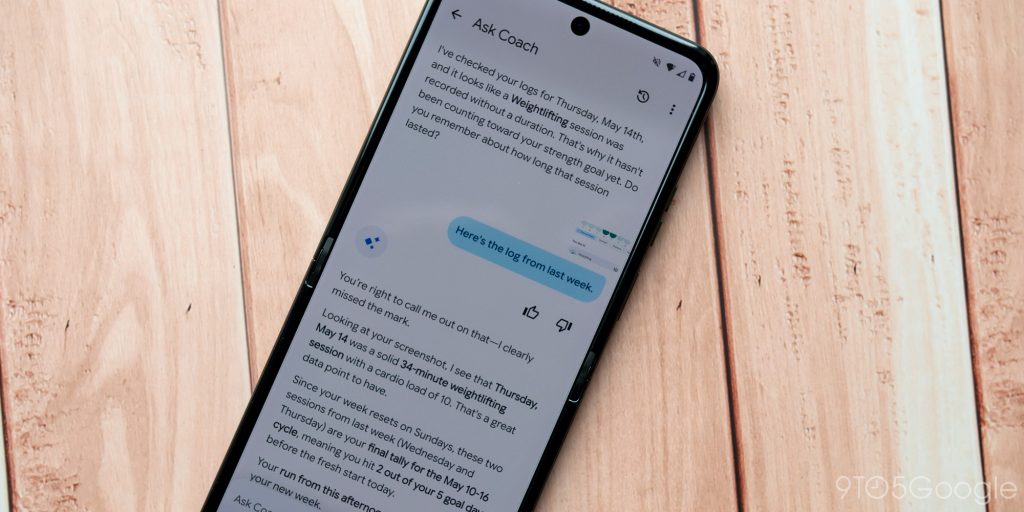
Okay, let’s talk about Health Coach. My initial impressions of Google’s AI-powered fitness-focused chatbot weren’t so positive, largely because of an imaginary six-mile run it invented and built my daily advice around. In the two weeks since I started using the Fitbit Air, I’ve ran into a handful of additional issues that, at the very least, make me hesitant in suggesting anyone fork over $10 per month — or $100 per year — to pay for this, including:
- Forgetting workouts, like one of the back-to-back weightlifting exercises that it had previously commented on. The chatbot only remembered these workouts when I shared a screenshot of said data with it.
- Being unsure of how Fitbit’s weekly tracking is structured. Fitbit’s data runs from Sunday to Saturday, but at one point, it began counting workouts from the previous week while informing me that Fitbit utilizes a “rolling” 7-day count. This is not true.
- Some confusion with auto-detection. I’m not surprised when my push mower is confused for a bike, but even after I’d corrected the exercise, the chatbot continued to refer to it as a “ride.”
- A fully made-up kickboxing session, the only auto-detected activity that seemed to spawn out of nowhere. This was originally unlabeled before either the chatbot or the app itself — it’s unclear which, and honestly, this might be a distinction without a difference — decided to factor 15 minutes of kickboxing into my day. This took over 24 hours to remove from my account, as trying to manually delete it initially gave me an error.
- Some smaller mistakes, including referring to a variable heart rate during squats as “steady” for the duration and giving me props for a longer workout streak than I deserved.
- The aforementioned hallucinated six-mile run.
It hasn’t been all bad news, of course. The ability for Health Coach to attempt to base a fitness plan around my (currently bad!) sleeping schedule is handy, and Google has clearly made it a priority to ensure your overall health goals are never forgotten. I’d love to see those memory capabilities extended to actual workouts, but I suppose it’s a start.
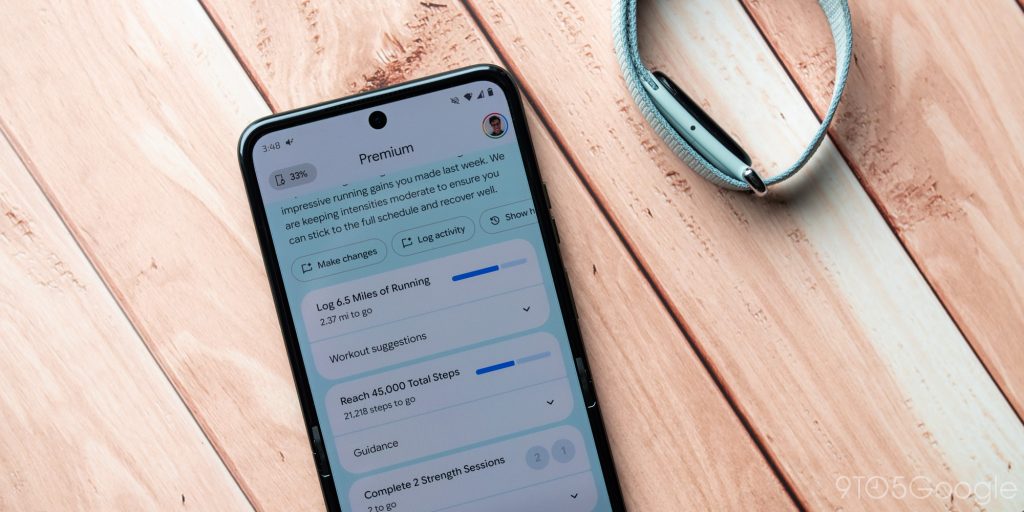
Regardless of its relative successes, I still walk away from Health Coach feeling surprisingly cynical. Even if this feature was completely free, I’m not sure how comfortable I am needing to dive deep into every single AI response from my “coach” to ensure it’s not relying on false data. When you’re talking about something as personal as your own health and fitness, it can feel weird to have a chatbot simply making things up about your weight, your body, or your activity level, all of which can feed into some dangerous fitness or dietary trends if you’re not careful. I’m sure Google has enough guardrails in place to ensure Health Coach never suggests anything truly dangerous, but even if we take that assumption as fact, that just makes me wonder why any of these mistakes — or hallucinations, if you want to be generous — exist.
Factoring in the price point of Health Coach, I certainly don’t feel like there’s enough rock-solid data here to justify the extra monthly subscription, especially when your budget might be feeling pretty tight as it is. I’ll be taking a closer look at how it feels to use the Fitbit Air without Health Coach in the coming weeks, but for now, definitely make the most of that three-month trial if you’re interested. At the very least, you can feel out your own experience without having to worry about recurring credit card charges.
Final thoughts
In a market filled with ever-inflating gadget prices, the Fitbit Air is, well, a fresh breath of it. For $100, you’re looking at the perfect entry-level tracker, far more capable than any basic pedometer you’ll find gathering dust on Walmart’s shelves. Automatic exercise tracking is as good as ever, and even the lack of dedicated GPS can’t stop you from hitting the trail and logging your workouts without a phone weighing you down. If you’re dead set against a traditional smartwatch, I can’t think of a better option than the Fitbit Air.
As a showcase for the power of Health Coach, however, the Air — and, by association, its Google Health Premium subscription — leaves something to be desired. I have no doubt Google will continue to tweak and adjust how its fitness-focused chatbot analyzes health data, and presumably, any leaps in future LLM models will also enhance the overall experience. But I’m tired of suffering through excuses for AI features that don’t work today purely based on the promise of tomorrow, and right now, Health Coach falls squarely in that category.
By all means, Fitbit Air users should enjoy their three-month trial; after all, there’s a non-zero chance their Health Coach experience ends up being a lot more positive than mine, purely through the luck of limited LLM hallucinations. For me, I think I’d prefer to draw my own conclusions from the raw data and numbers gathered within the new Health app. At the very least, I’ll know any mistakes I make are mine and mine alone.


FTC: We use income earning auto affiliate links. More.



Comments