
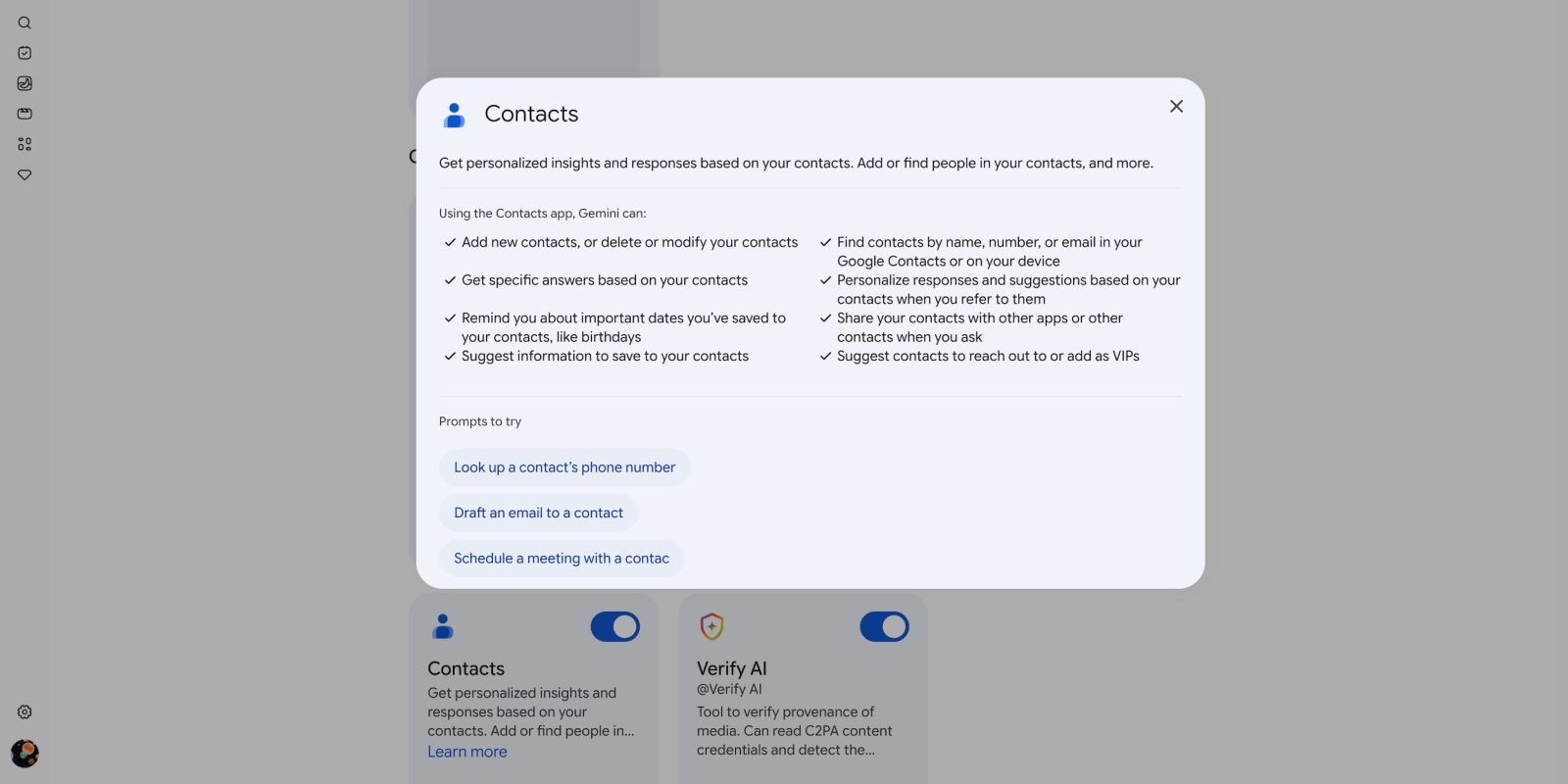
The Gemini app’s latest first-party integration is with Google Contacts to provide “personalized insights and responses based on your contacts.”
Available from Personal Intelligence > Connected Apps, it lets Gemini “find, add, edit, or delete” people you have in Google Contacts and “contact info from your signed-in devices.” It can specifically:
- Add new contacts, or delete or modify your contacts
- Find contacts by name, number, or email in your Google Contacts or on your device
- Get specific answers based on your contacts
- Personalize responses and suggestions based on your contacts when you refer to them
- Remind you about important dates you’ve saved to your contacts, like birthdays
- Share your contacts with other apps or other contacts when you ask
- Suggest information to save to your contacts
- Suggest contacts to reach out to or add as VIPs
Example prompts include:
Ask for contact details
- What’s Dana A’s email address?
- Show me Ira’s phone number.
- @Contacts who’s phone number is 800‑555‑0150?
- Check my contacts for Akira’s birthday.
Add a contact
- Add Luka C to my contacts with the phone number 800‑555‑0150.
- Save Mahan’s new address as 1800 Amphibious Blvd., Mountain View, CA 94045.
Update a contact
- Update Alex M’s email address to alexm@altostrat.com.
- Update Izumi H’s phone number to 800‑555‑0123.
Delete a contact
- Delete Charlie Z from my contacts.
- Remove Taylor’s contact information.
As of today, Contacts is still rolling out, and we’re only seeing Contacts available on one of our AI Ultra accounts that has Gemini Spark.
Google Contacts joins the other first-party services in Connected Apps:
- Google Workspace: Gmail, Calendar, Docs, Drive, Keep, Tasks, and Chat (for enterprise customers only)
- Search services: Search, Maps, Shopping, News, and Google Flights and Hotels
- Google Photos
- YouTube
- YouTube Music


FTC: We use income earning auto affiliate links. More.
You’re reading 9to5Google — experts who break news about Google and its surrounding ecosystem, day after day. Be sure to check out our homepage for all the latest news, and follow 9to5Google on Twitter, Facebook, and LinkedIn to stay in the loop. Don’t know where to start? Check out our exclusive stories, reviews, how-tos, and subscribe to our YouTube channel


Comments