
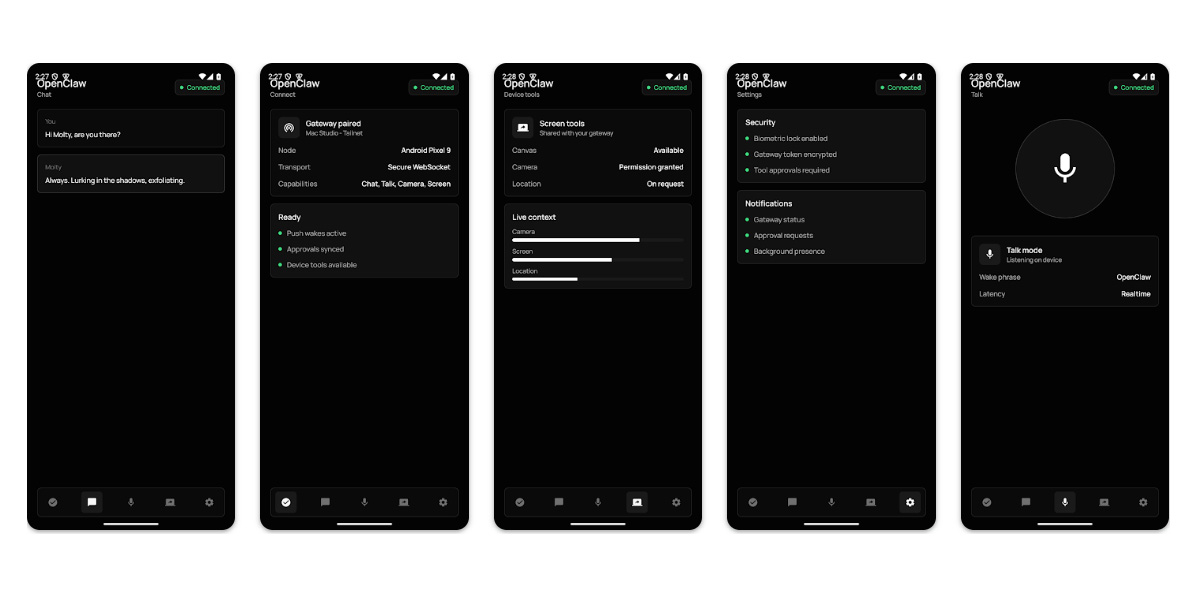
AI agents are the latest “next big thing” for AI, but OpenClaw has been working at the idea for a while now. Today, OpenClaw is bringing a gateway app to Android (and iOS) to help bring agents on the go. It also looks… like that.
Announced on Twitter/X, OpenClaw for Android and iOS is designed to let you access agents on the go, paired to the private gateway you may have already set up on other platforms. You can chat with the assistant, including real-time talk, approve actions from your phone, and more.
OpenClaw explains what the app can do in the Play Store listing:
Pair this Android app with your OpenClaw Gateway to use your phone as a secure node for chat, voice, approvals, and device-aware automation.
What you can do:
- Pair with your private OpenClaw Gateway by QR code or setup code
- Chat with your assistant from Android
- Use realtime Talk mode and push-to-talk
- Review Gateway action approvals from your phone
- Enable device capabilities such as camera, screen, location, and notifications when you choose
- Receive push wakes and node status updates for connected workflows
For OpenClaw users, it’s sure to be a very useful tool.
But it’s hard to ignore that it, well, looks like that.
The app’s preview screenshots are more than a bit rough around the edges, with an extremely bare-bones design that literally pushes its way into the status bar, putting the OpenClaw header behind the clock and notification icons. Installing the actual app on a Galaxy Z Fold 7 looks better, but I don’t have a gateway to pair it to.
To be fair, OpenClaw has never put form over function. After all, it’s a command-line interface for the most part on Windows and macOS. Still, one can’t help but notice that the iOS app looks a bit more polished, and it sounds like even the functionality is a bit half-baked on the Android side too. Initial reviews are mostly negative, with the app getting a mere 2.2 star rating and many reports from users of the app being buggy, “unusable,” unable to pair, and “the worst app I’ve ever used in my entire life.”
Oof.
More on AI:
- Gemini Spark rolls out to Google AI Ultra in the US: How it works
- ChatGPT reportedly prepares major redesign focused on agents as ‘chat is dead’
- Gemini’s new Google Play Store integration lets you chat to find Android apps, games
Follow Ben: Twitter/X, Threads, Bluesky, and Instagram


FTC: We use income earning auto affiliate links. More.



Comments