
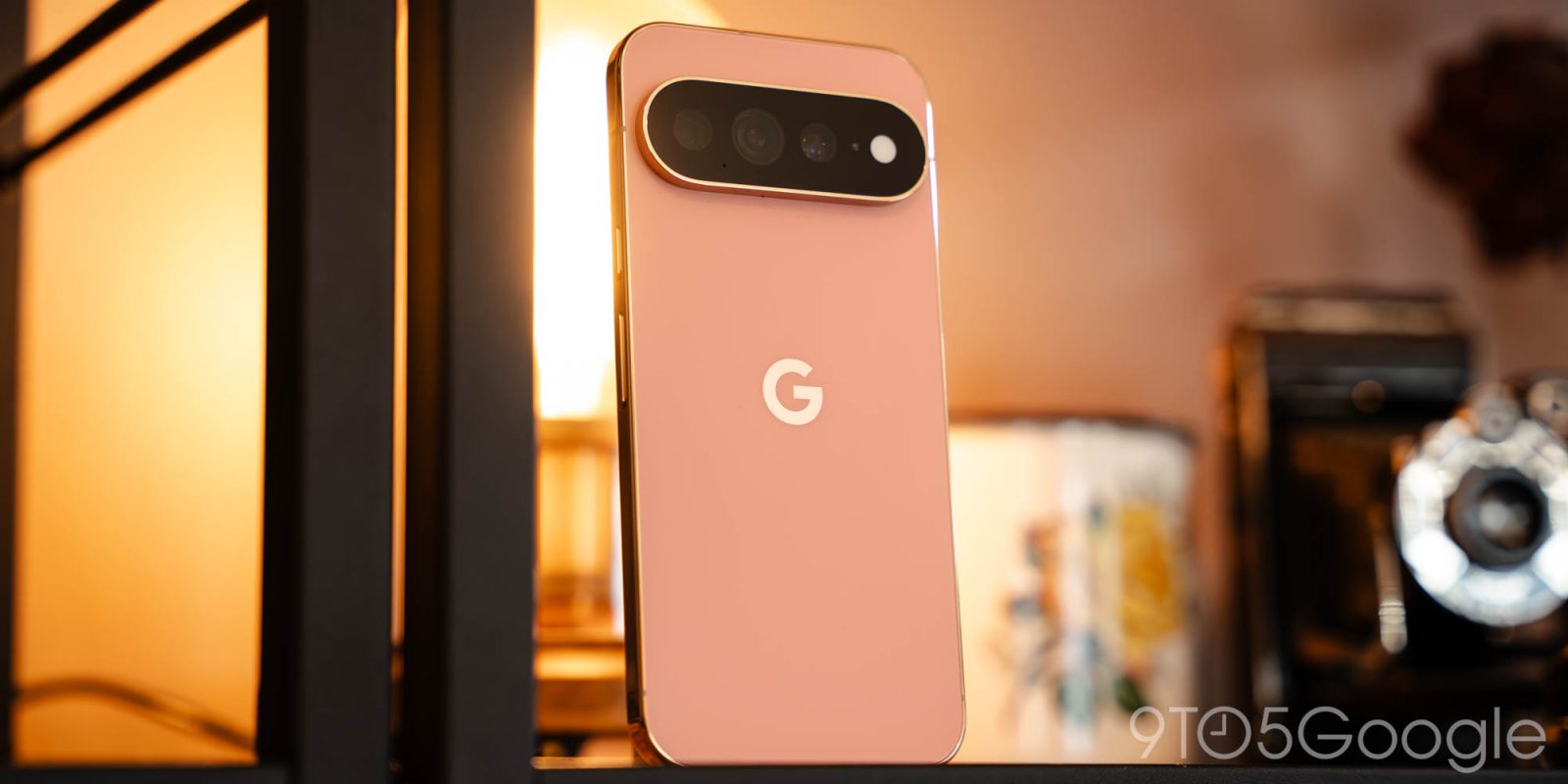
At this point, phones have been boring for long enough that even calling them boring feels a little passé. The days of smartphones feeling like the cutting edge of technology are long gone, replaced with iterative updates and a big focus on software-as-a-service. Disconnecting from your smartphone might not seem too difficult on its face, but from rideshare apps to mobile payments, today’s solutions tend to leave a lot more gaps in your life than you might otherwise expect.
I say all of this because, in some ways, Google appears to be the one smartphone maker seriously thinking about this divide. Sure, the Pixel 11 Pro XL — and its various siblings — all fall into the exact “boring” archetype I’m describing. We’re on the third generation of this design, after all, which itself is an evolved take on the camera bar style initially launched with the Pixel 6 in 2021. Nearly everything new here feels like a software trick that, it’s easy to assume, could be backported to at least some previous Pixels, and the handful of hardware changes you’ll find aren’t all positive.
And yet, Google appears to be attempting to bridge the gap between our always-connected world and the one we left behind. HiLight wants you to turn your phone over, relying on a modernized notification LED in lieu of an always-on display. Magic Capture wants you to take your eyes off the viewfinder so you can get the shot without missing the actual moment. Even the pitch of Gemini Intelligence is designed to anticipate tasks before you actually reach for your phone to begin with.
Whether Google actually pulled this off with the Pixel 11 Pro XL is another story, but there’s certainly something to be said for trying.
Hardware and design
We begin, however, with a design that, no doubt, anyone reading this review is all too familiar with. Once again, Google is recycling its Pixel 9 design from 2024, with just a handful of refinements that feel more like change for the sake of change than real stylistic decisions. It’s a few grams lighter than its direct predecessor, but still not as light as the magnet-less Pixel 9 Pro XL — or, for that matter, its closest competitor in the Galaxy S26 Ultra. Its chassis is nearly identical to both of Google’s last two swings, though a revised camera bar means you’ll want a new case anyway. Whatever comes next for Pixel, I’m hoping for something a little slimmer and lighter; as it stands, Google’s XL model very much still feels like a brick. A very pretty, very elegant brick, but a brick nonetheless.
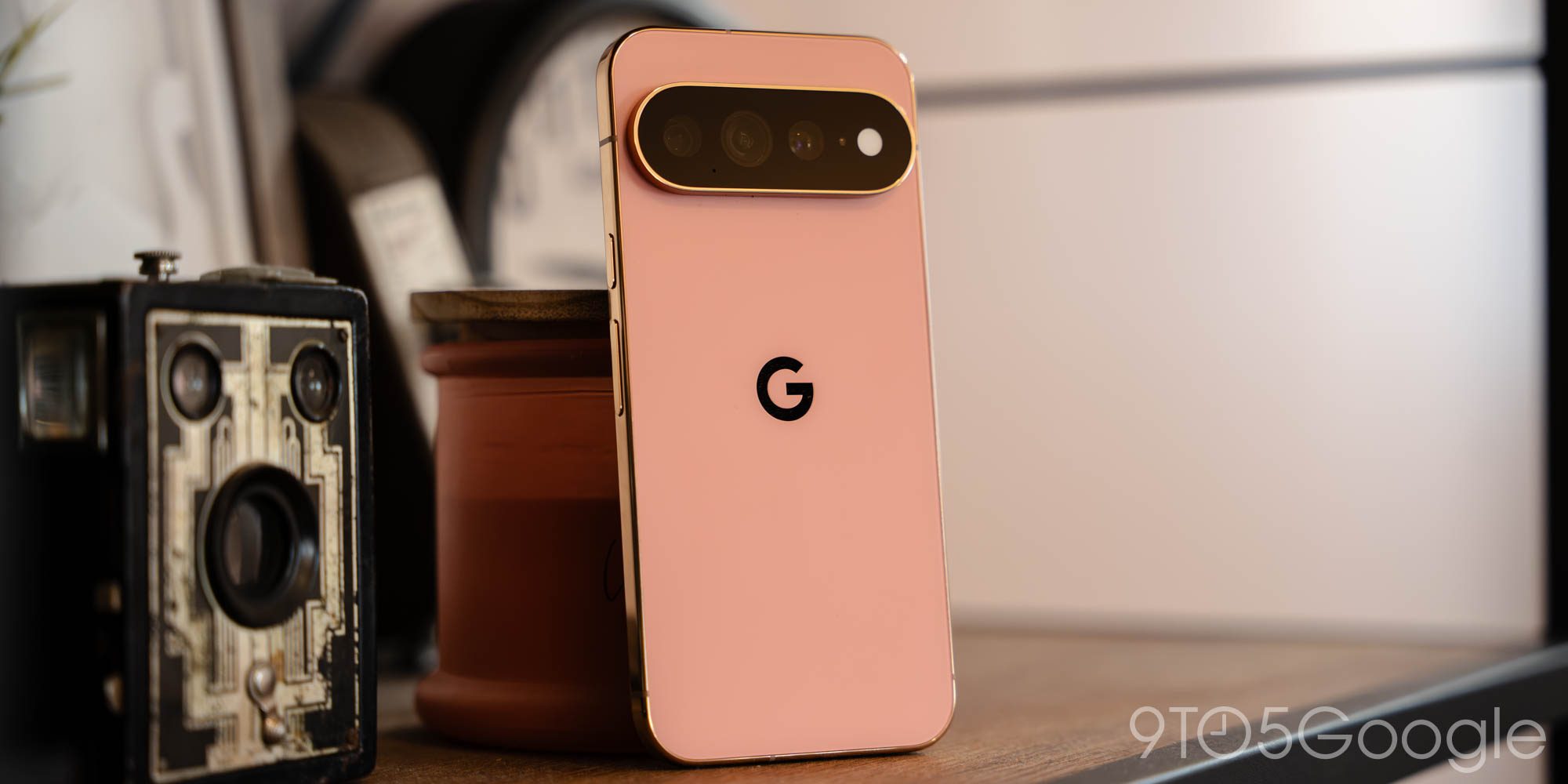
I’m a little mixed on my review unit’s Canyon color. As is often the case with Pixels in particular, this shade is less saturated in person than it appears in Google’s online renders, giving the impression of Coral more than anything truly fresh. Yet again, the metal frame on both Pro models remains perfectly polished, designed for attracting smudges, sweat, fingerprints, and scratches. Google is one of the few companies that has yet to fully embrace matte finishes across a flagship portfolio, even as the existence of an all-matte Obsidian model appears to suggest it’s aware of the perks.
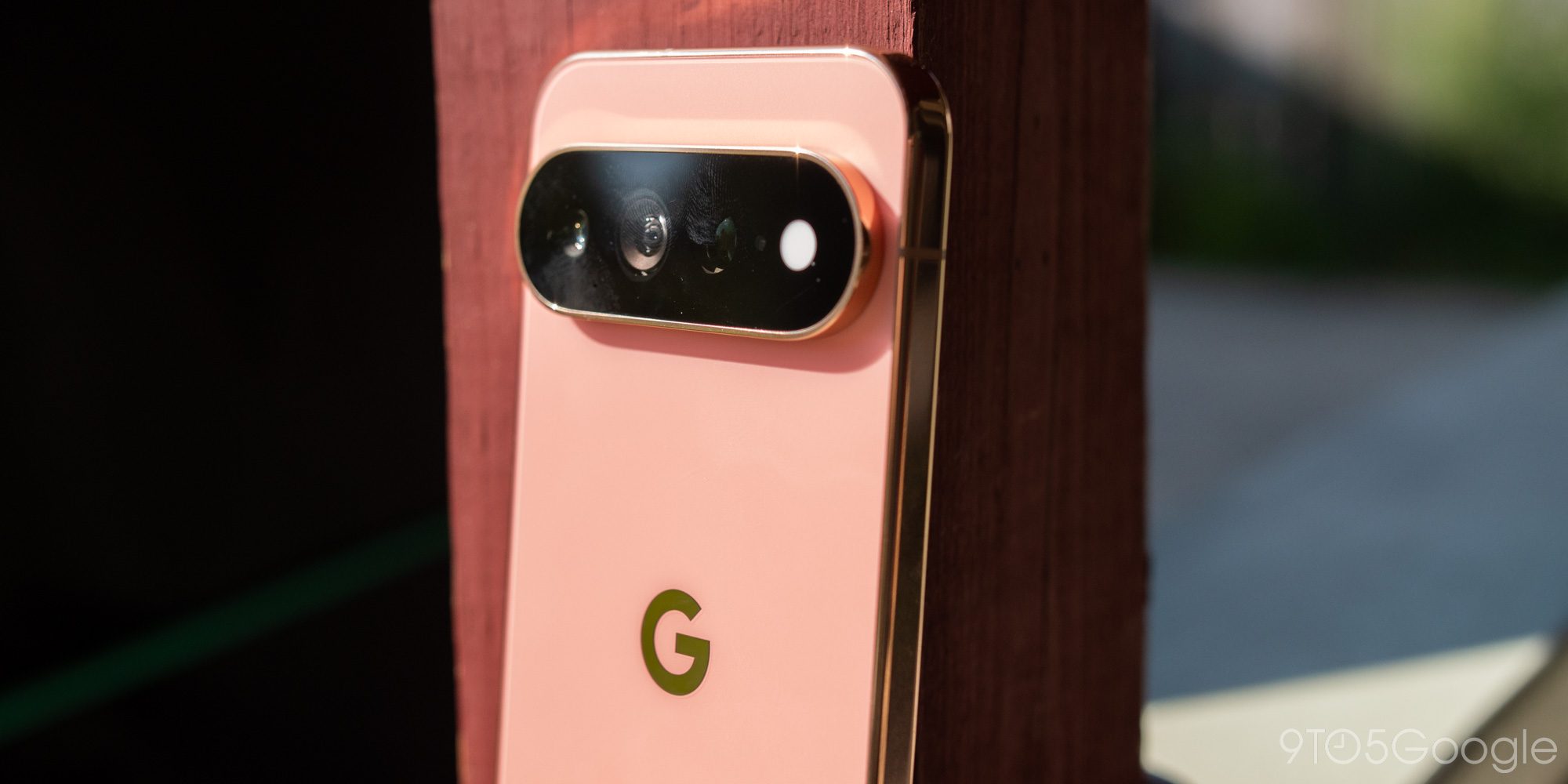
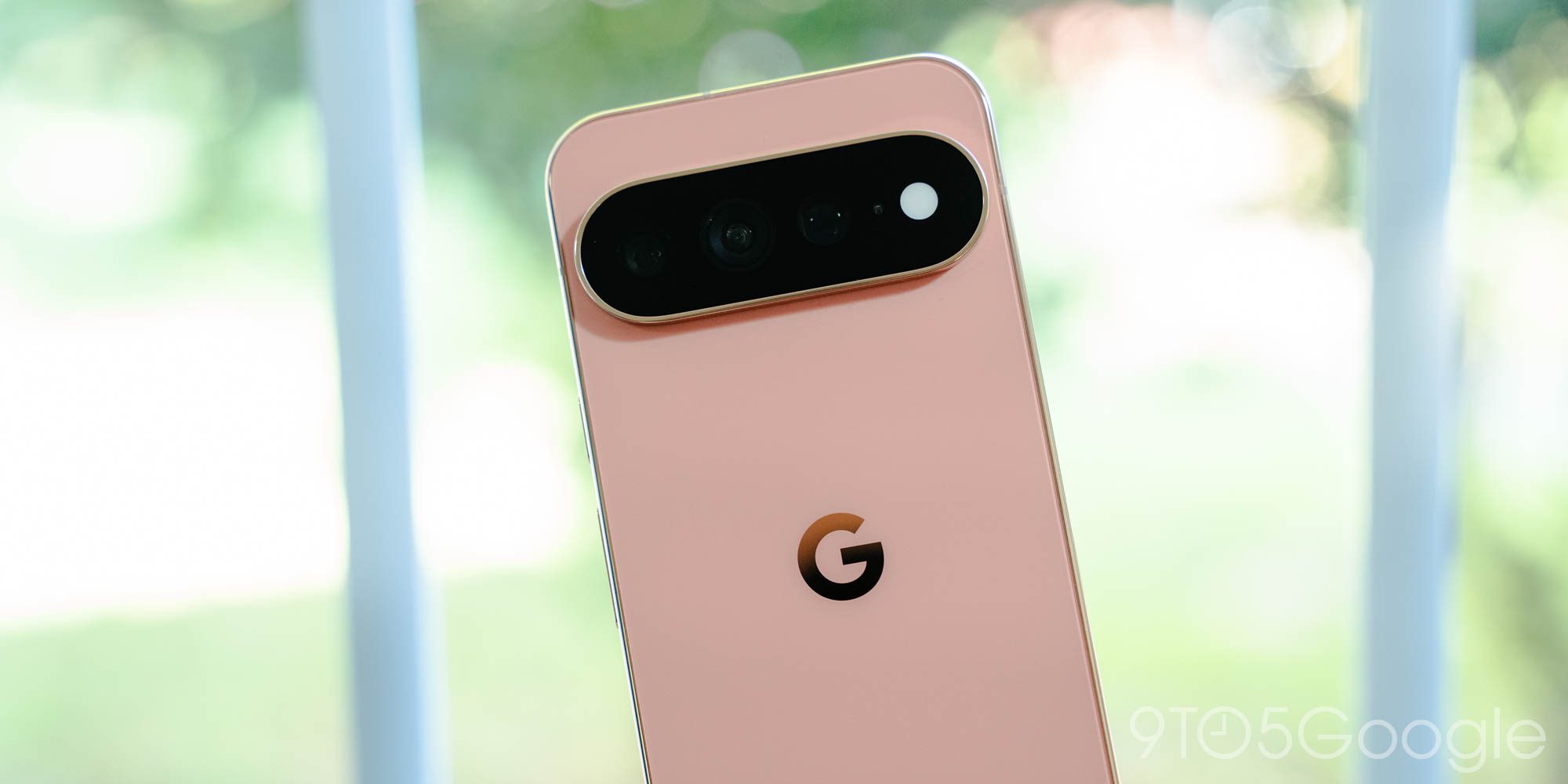
Really, aside from an updated slate of colors, it’s the camera bar that gives the game away. Google’s decision to bring back its first uncovered camera bar since the Pixel 6 series can be read as a big swing, considering that model faced some big lens flare issues at the time. I can’t say I’ve seen any more lens flares than usual, thankfully, and all-black look is, admittedly, pretty striking. There’s a reason Google initially chased this look back in 2021, after all, and I think it really works here in a refined, full-circle kind of way.
HiLight
What doesn’t work, though, is the Pixel 11 Pro XL’s new camera flash. Google has seen fit to try to revive notification lights, only modernized for the AI era. The result is HiLight, a terrible name for a terrible product that will make you nostalgic for the freshly-removed temperature sensor you never actually used.
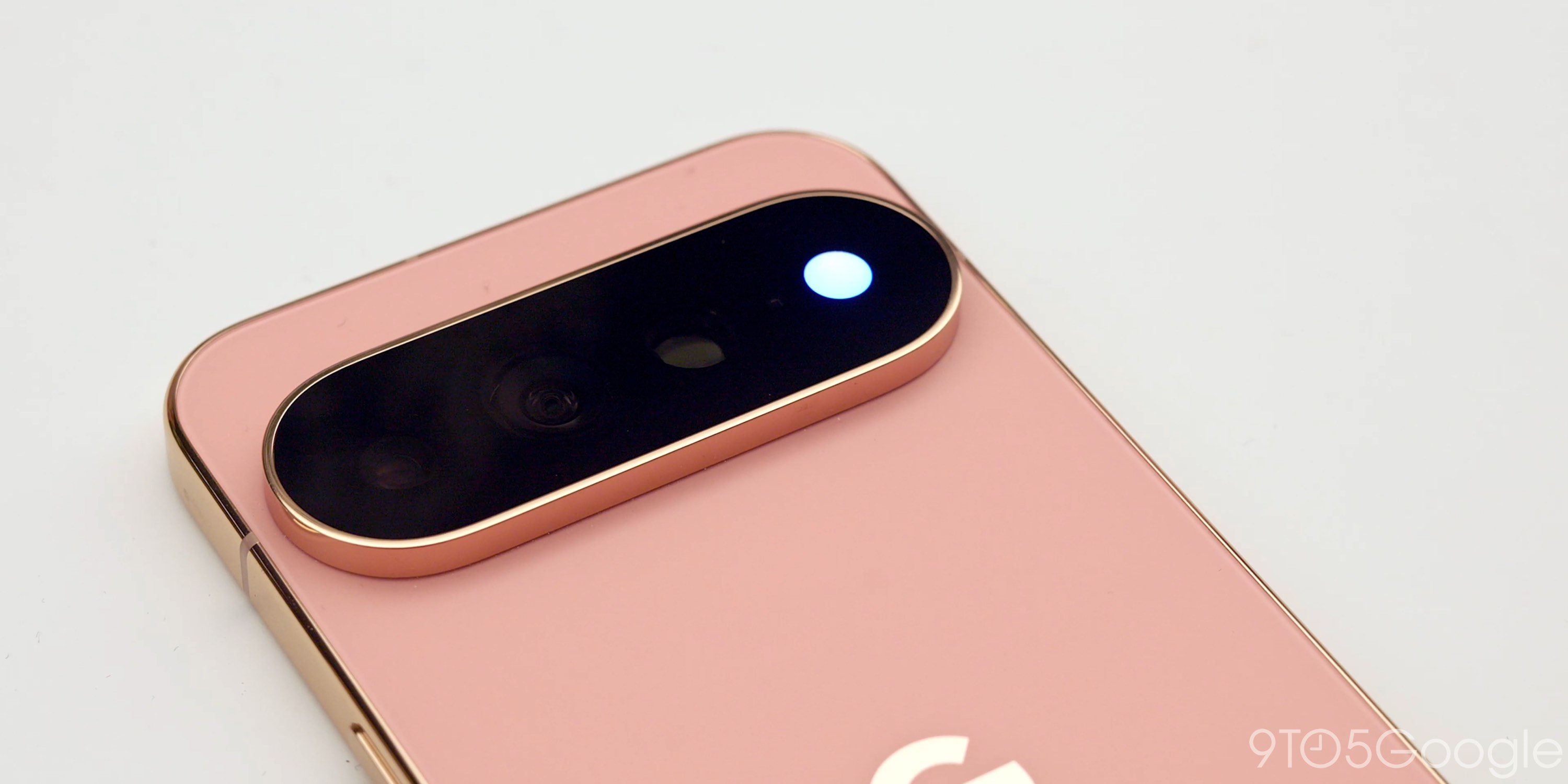
HiLight, at least in its current state, is a waste. It’s a waste of time, space, money, resources, R&D, labor, and LEDs. Only Google, deep in its Gemini mindset, could overcomplicate a notification light — a concept that feels as old as computers themselves — and reduce it to something that can alert you to phone calls from specific contacts. You might be saying, but Will, it also syncs up with Gemini. Not only does that add nothing to the overall experience of actually using Gemini, but by forcing you to turn your phone over, using HiLight means you’ll need to abandon any on-screen context. Zero out of ten, Google. Get an API out the door ASAP, or ditch it on the Pixel 12.
But wait — it gets worse. Google’s new notification light is diffused via a white cover that helps those color LEDs blend and blur together whenever Gemini is active. That’s all well and good, but it comes at the cost of a more usable flashlight. I’ve long thought Google’s LED flashes, particularly in recent years, are pretty mediocre as quick utility flashlights; I don’t mind their warmth, but in comparison to some of its rivals, the throw of the beam was frequently too far to pinpoint specific objects. Worse: prior to Google finally adding a slider to adjust the flashlight brightness, you’d be locked into half of the maximum setting without turning to a third-party app.
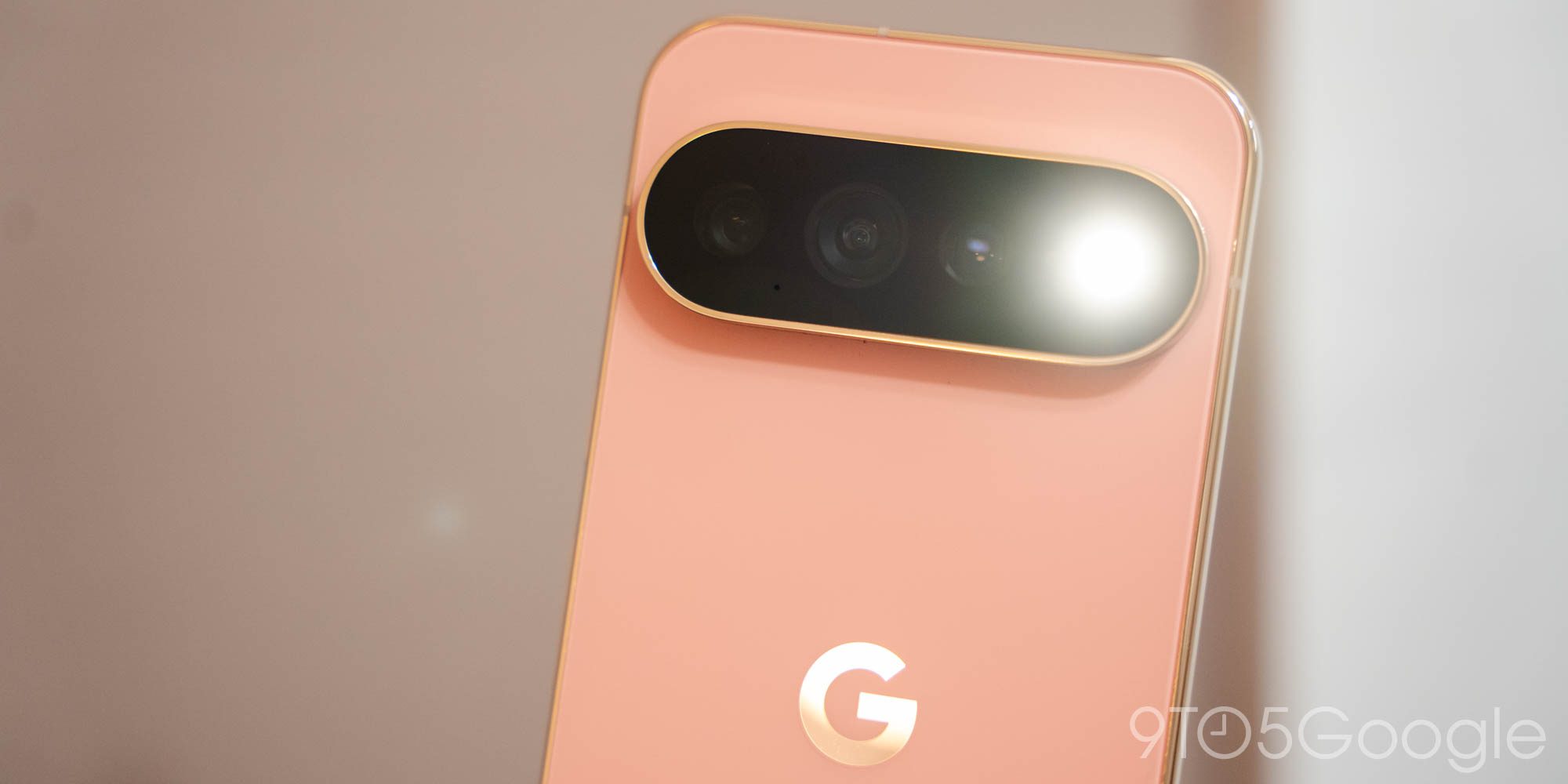
So, of course, less than a year after this slider even debuted in a Canary build, Google has seen fit to permanently cut its brightness levels thanks, I assume, to this diffusion layer. It’s possible something else is at play here, such as a smaller LED to make space for the surrounding color lights. Either way, the end result is the same: a frustrating downgrade for anyone who chucked their old flashlight in a drawer back in the 2010s to be preserved for particularly bad storms and power outages. In my view, Pixel 11 Pro buyers should probably throw one more accessory in their shopping cart: a USB-C keychain light.
Am I harping too much on something that, for most users, will simply be a forgotten piece of the phone within a couple of weeks? Perhaps. But I’m also willing to bet that, in 2026, the vast majority of people will use their camera’s flash in lieu of a flashlight far, far more than they do for actual photo-taking. And I have no doubt that some of those people are going to be pretty frustrated by what they find following their upgrade.
Display, specs, and performance
Here’s the good news: the Pixel 11 Pro XL’s display is so good, you’ll probably never want to turn it over to use HiLight anyway. Google’s come a long way since the terrible panel I did my best to ignore nearly a decade ago on the Pixel 2 XL. It’s now rocking a maximum peak brightness of 3,600 nits, along with a more realistic rating of 2,400 nits in high-brightness mode. I’ve carried this thing through no shortage of sunshine-filled late summer walks, and unsurprisingly, had absolutely no issues making out what was on my display at any given time. The bar for flagship screens in direct sunlight was cleared ages ago; everything since has simply been icing on the cake. But what delicious icing it is.
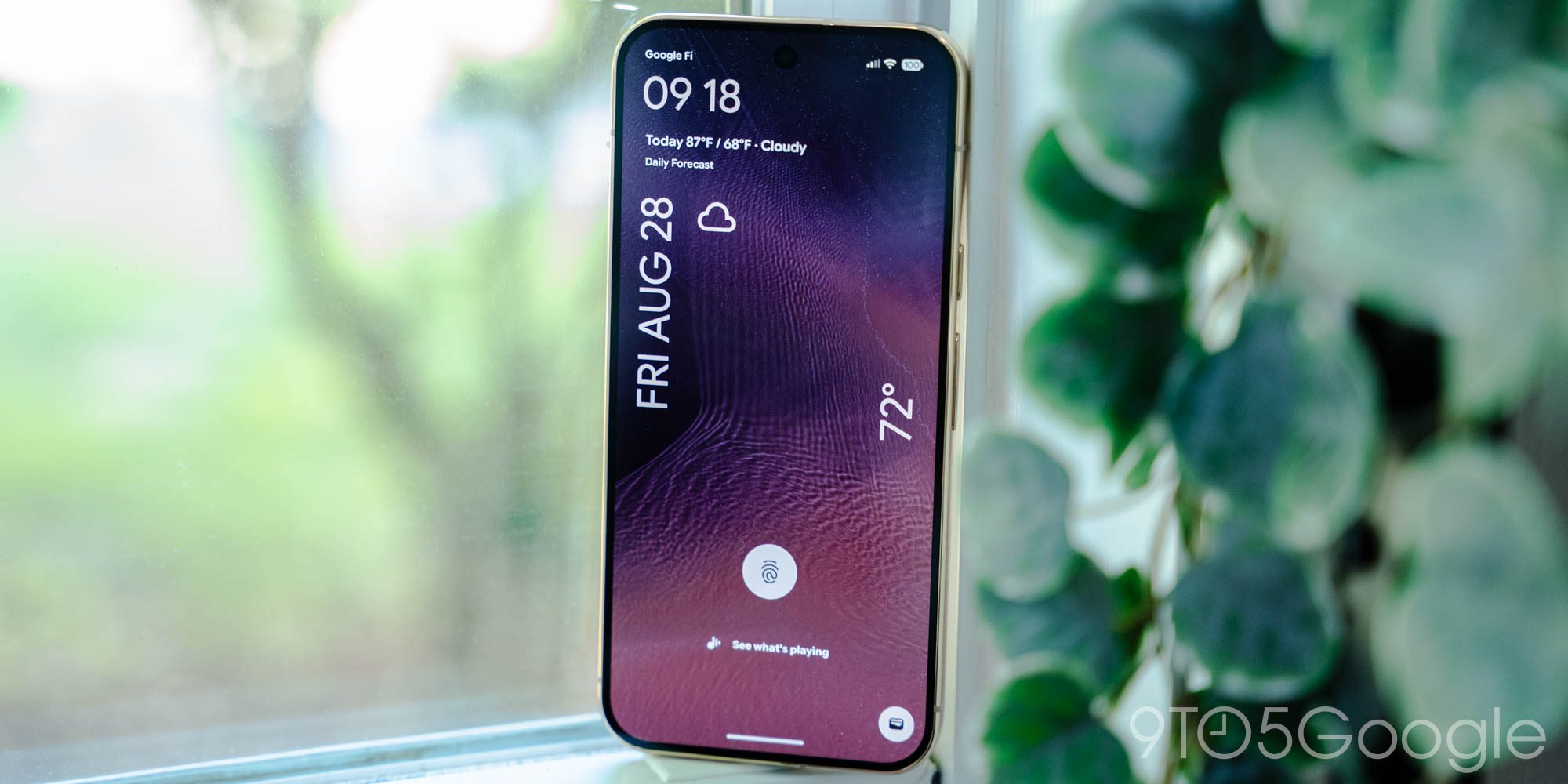
A word of caution, though. Google’s talking a big game about a new display coating that apparently brings “2x scratch resistance” to the device. I’m not trying to call that claim into question, but after a year’s worth of hearing iPhone 17 users talk about the strength of Apple’s Ceramic Shield 2, I might’ve gotten a little cocky. It took less than a week for my unit to pick up a fairly deep scratch in the top-right corner of the display, something I think was caused by it sharing a pocket with a mini USB-C flashlight while doing some home renovations. Would I have had this flashlight in my pocket were HiLight not dimming the camera flash beyond my personal use case? Who’s to say, but at least I brought it full circle.
As usual, Google’s getting some flak for the Pixel 11 Pro’s spec sheet this year, though this time, it’s not just about Tensor. Sure, Tensor G6 — like truly all of its predecessors — leaves something to be desired on sheer raw horsepower if nothing else. I think Google’s basically fixed all of the efficiency hiccups that plagued previous generations; like with the Pixel 10, I didn’t feel this device get more than a little warm during initial setup, and only extended use in direct sunlight has made the chassis feel noticeably warm in my hand since. But I won’t try to pretend there isn’t a group of potential buyers who will once again be let down by this year’s GPU performance.
While I’m sure Google gets plenty of advantage out of controlling as much of its hardware stack as possible — especially as it tries more and more to compete directly against the iPhone — the Tensor experiment continues to feel like it’s failing to achieve true greatness. For whatever advantages Tensor held in the early days on AI performance over Snapdragon, Qualcomm has certainly caught up, all while outperforming Tensor in practically every other metric. And it comes as local AI models seem to have even less to do on mobile than they did just a couple of generations ago. I’m hoping Google eventually gets the message on this; as 9to5’s Damien Wilde said in a recent episode of The Sideload, it’s time for Tensor to have its own Ryzen moment.
Adding fuel to the “who cares about local AI” fire is Google’s decision to drop the base 256GB Pixel 11 Pro models to 12GB of RAM. The company issued 512GB variants to reviewers, which still sport a full 16GB of memory, so it’s tough for me to say how the performance on these downgraded versions match up. However, I’m coming from nearly a full year on the base Pixel 10, so I feel mostly comfortable in saying it shouldn’t make too much of a difference in everyday use for the time being. In seven years though? Your guess is as good as mine.
Software and battery
As I said up top, the Pixel 11 series feels like the start of a big swing from Google to find ways to get people to live in the moment a little more without actually ditching their phone (or, you know, swapping to a minimalist device like Light Phone). Obviously, if this is Google’s strategy moving forward, it’s very early days, and I don’t just say that to kick sand at HiLight again. It really just feels like this is the beginning of a new chapter the company is chasing, and combined with new enhancements to Digital Wellbeing coming… eventually, it’s an agenda I’m all about.
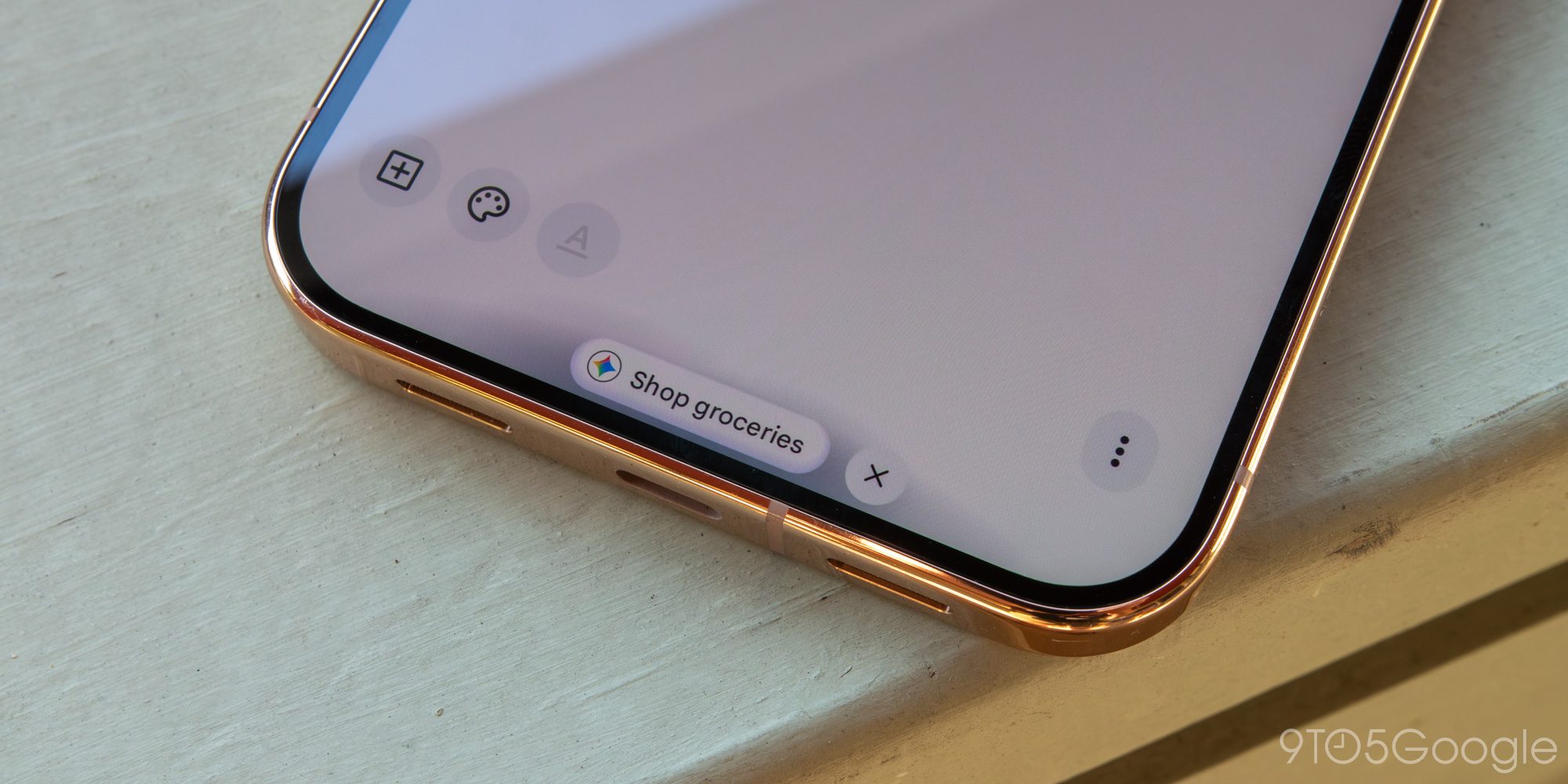
That said, I’m hard-pressed to find anything in this space I’d call a complete success. I’ve seen Proactive Assistance — Google’s update to last year’s middling Magic Cue — activate just once on my Pixel 11 Pro XL, over a list of potential birthday dessert recipes stored in Keep. Gemini prompted me to “Shop groceries,” but tapping that action simply created a prompt to order the desserts as if they were, you know, actual ingredients and not “Banoffee Pudding.” Were I more of a Google Messages user, I’m sure I’d have more to say about this tool, but unfortunately, my reliance on third-party chat apps is one of the more European things about me. Some of the non-messaging tools, like location-based suggestions within At a Glance, also have yet to show up on my device.
I continue to be more or less underwhelmed by Gemini in general. It’s perfectly fine for really run-of-the-mill searches or prompts — you know, spaces in which it can mostly paraphrase Wikipedia — but venture off a relatively narrow path and I inevitably find myself getting frustrated. A search for a specific brand of craft root beer in the greater Western New York area, which I thought would be a relatively simple task, drove me in circles until I finally just texted a friend who’d been to the actual store in person. Really, Gemini’s big advantage right now is just how baked in it is to the Pixel experience, but I’d be lying if I said it doesn’t feel like all of this would be at least a little better if Gemini 3.5 Pro wasn’t months late.
Basically, today, Google’s idea of saving you time or keeping you connected to the physical world around you mostly exists in advertisements and hypothetical situations. There are spaces where this isn’t true — check out Daniel Bader’s extended thoughts on Magic Capture for a perfect example — but if, like me, you were sold by the pitch of a device you can easily ignore without having to create an entirely new minimalist experience for yourself, just know that reality hasn’t arrived quite yet.
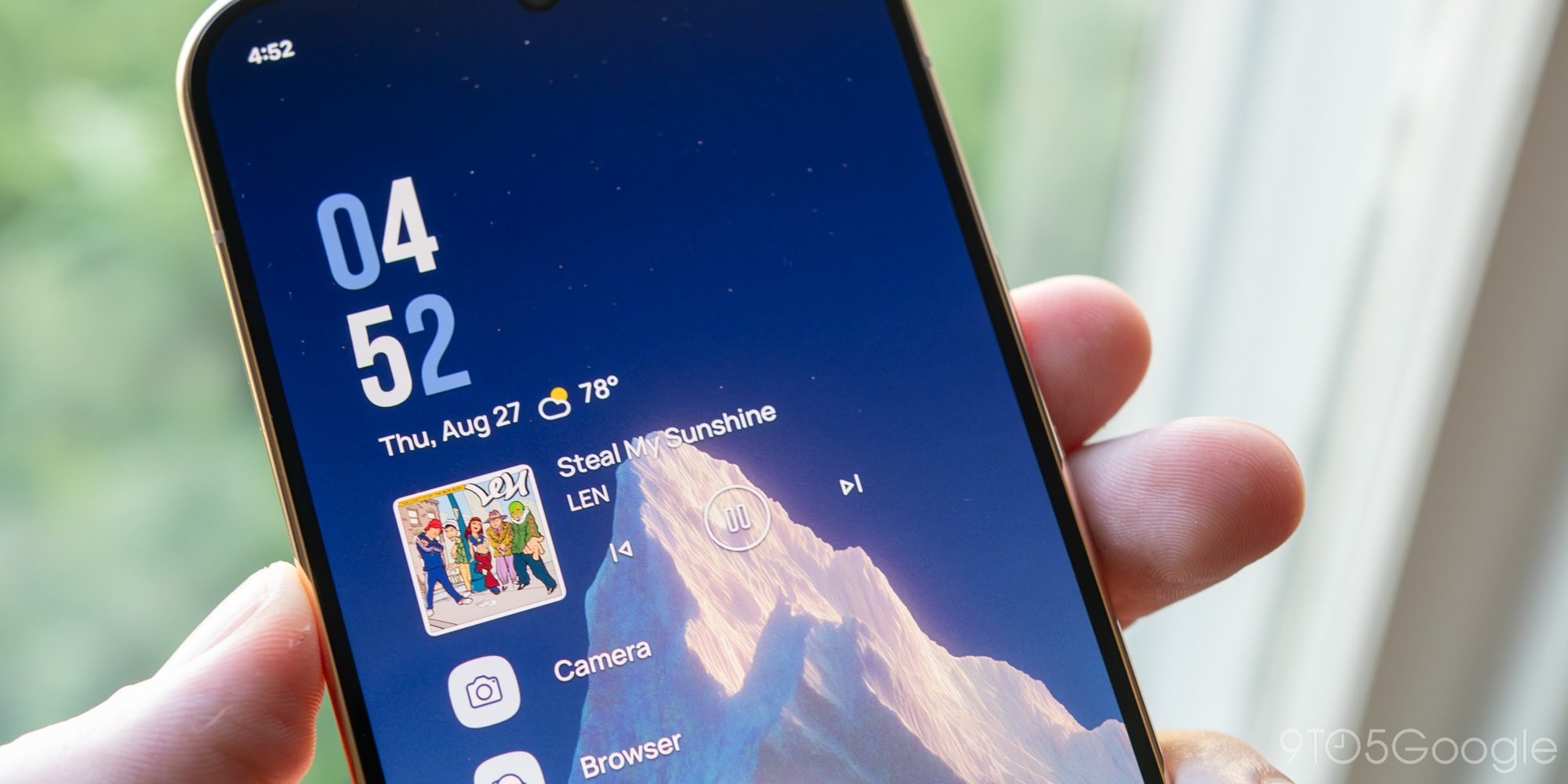
I’d also argue Google could take more steps in this direction without having to wait for future models with improved AI performance simply by giving its launcher a (in my opinion) much-needed makeover. For all of the Pixel’s promises towards being “proactive” or “predictive,” I’m genuinely surprised we haven’t seen a rethinking of the traditional grid of icons and widgets on your home screen. I look at something like Niagara, which has intelligent media widgets or in-line notifications for your most-used apps, and I wonder why Google hasn’t thought to build similar experiences into the Pixel’s launcher. The closest tool is probably Gemini’s Daily Brief, which mostly exists to try and pull contextual data from places like Gmail into a single list. It’s… fine, but it’s not quite the leap into the future I’d be hoping for — nor is it actually built into the launcher.
While the Pixel 11 Pro XL is undoubtedly behind today’s true battery champs — I wouldn’t say I had difficulty in killing this device the way I did, say, the OnePlus 15 — I never found myself stressing about whether I’d make it to the end of the day. Usually, I was heading to bed with about 40% left in the tank. Keep in mind I spend most of my day on Wi-Fi, but even on days where I was out of the house for longer stretches, I never really felt the need to make sure I was charged up. As unscientific as it may sound, if you’re an average mixed-use smartphone user like myself, you’ll likely experience very minimal battery anxiety.
Camera
If there’s one space where I think even those with relatively recent Pixel devices might be tempted to upgrade, it’s the camera. Google has packed the Pixel 11 Pro XL with a refreshed main sensor and an upgraded 5x telephoto lens that now supports 120x Super Res Zoom. While it’s still absolutely susceptible to creating images that look like AI-generated slop, Super Res Zoom is also capable of capturing a shockingly accurate image of a bird that barely appears within the same shot taken at 1x. It’s impressive, even if you probably won’t want to max it out super often.









That main 1/1.3″ sensor sounds familiar on paper, but it’s allowed Google to bring forth Instant Night Sight, a long-awaited upgrade to the Pixel’s low-light mode that, believe it or not, has been around for nearly a decade now. I can’t speak to whether Google’s quoted 4.5x speed improvement is fully accurate or not, but in practice, it’s certainly faster.
If there’s one thing I’d love to see Google work on for the Pixel 12, it’s a more accurate Night Sight. While the speed in which the Pixel 11 Pro XL can capture and enhance a low-light image into something easily viewable is no doubt impressive, it still frequently defaults to an photo that goes way too far in brightening scenes that probably should, you know, look like nighttime. In one example, a fairly dim image of my cat Linus hanging out in our living room ended up looking like the overhead kitchen light was on behind him, which… it wasn’t. The second shot, which forced me to dial back the exposure manually, is much closer to reality without being too dim.


I could probably go on for 1,000 words about Camera Looks, my favorite Pixel 11 feature and my favorite addition to the Pixel’s camera in quite some time, except I already did. Here’s the short version: Despite some relatively-minor UX decisions that left me scratching my head, this is exactly what I’ve been hoping Google would build into the Pixel’s camera app since at least the Pixel 7. The customizable defaults are great starting points, and shooting with the more personality-driven modes like Editorial or Digi is so fun.
Actually, fun might be the best word to describe Camera Looks. It’s really brought a sense of joy and experimentation to the Pixel 11’s camera system that I’ve sorely missed through the Tensor era, and I hope Google keeps adding to this experience for generations to come. But man, what a bummer this isn’t getting backported to older hardware.
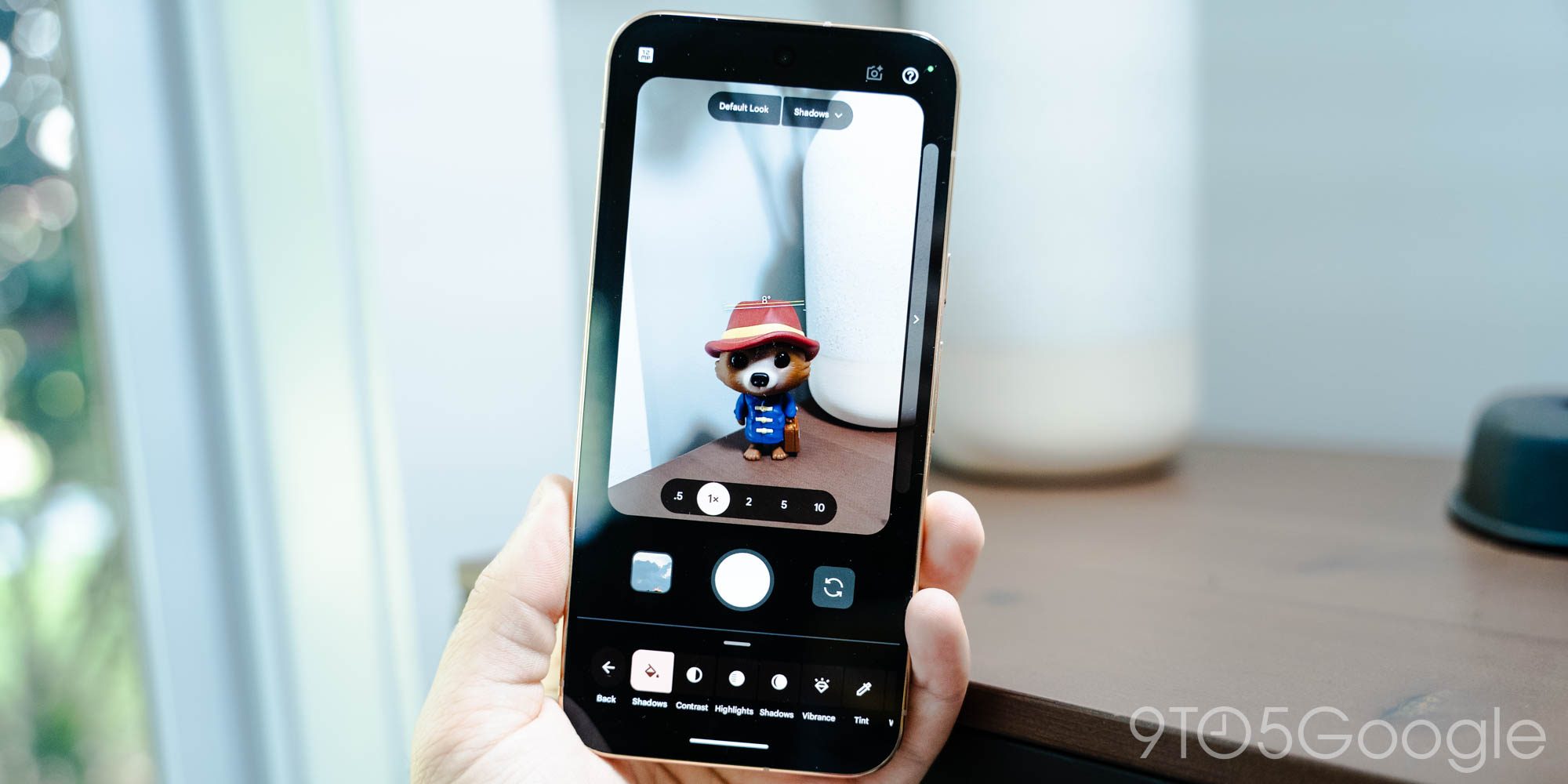
Some minor complaints aside, though, this really is the happiest I’ve been with a Pixel camera in ages. I haven’t felt the need to tweak a shot in Photos after the fact in the two weeks I’ve been using this device, and I don’t expect that to change any time soon. It’s nice to see Google giving more freedom to its photographer fans after half a decade of safe, sterile, contrast-free images.
Conclusion
Google’s Pixel 11 pitch as a more intelligent evolution of the smartphone experience you already know might’ve been a little too early for its own good, but I can see the vision forming. While I remain a skeptic of agentic AI applications ever radically shifting my interactions with Android, I’d be lying if I said it wasn’t a little refreshing — or sobering, even? — to see a tech giant like Google at least acknowledging the growing cry for a break, even if leaning into AI is likely exactly what that audience doesn’t want. It’s an interesting dilemma, and I’m excited to see how the Pixel series continues to tackle it, both through software updates and future hardware refreshes.
Top comment by Pete4live
At this point, phones have been boring for long enough that even calling them boring feels a little passé.
Then stop doing it?
Over the last few years we have seen the rise of foldables, Silicon-Carbon batteries, satellite connections and super bright oled displays.
We are on the verge of a whole new digital era involving AI, even if you like it or not.
Even if HiLight fell flat, it was still an interesting take on the hardware.
So personally I think calling phones boring is a little harsh, even if development isn't as fast as 10 years ago.
But at this point we know, so there is no reason to call it out everytime...
Today, though, the Pixel 11 Pro XL mostly exists as yet another phone. Its big aspirations towards a more peaceful future — HiLight, Proactive Assistant — mostly fall flat in practice, all while revealing all sorts of missed opportunities to really rethink the modern approach to smartphones. Then again, there’s very little here that can’t be improved in the months and years to come; slow and steady usually wins the race, after all.
Potential aside, the Pixel 11 Pro XL you can actually buy right now is quite good for all but the most demanding of users. It’s a big, bold, bright display paired with solid battery life, excellent quality-of-life improvements like stronger Pixelsnap magnets (a feature you still won’t find on most other Android phones, Samsung), and — from my perspective — a definitive claim to the camera throne, at least here in the US. As has become tradition with Google’s hardware refreshes, there’s very little to truly dislike here, especially from a core experience perspective.
While we’re expecting a much bigger swing next year with the Pixel 12 — assuming RAMageddon hasn’t derailed Google’s confirmed design cycle — if you’re ready for a new smartphone right now, I wouldn’t hold back from picking up the Pixel 11 Pro XL. It might not be a total success in pulling off its vision for the future of mobile, but that can’t prevent it from being a reliable daily driver in the present. And if this is a cap on the era of Pixel that began with the Pixel 6, it’s certainly an ending to be celebrated.
The Pixel 11 Pro XL starts at $1,299 and is available now.


FTC: We use income earning auto affiliate links. More.


Comments