
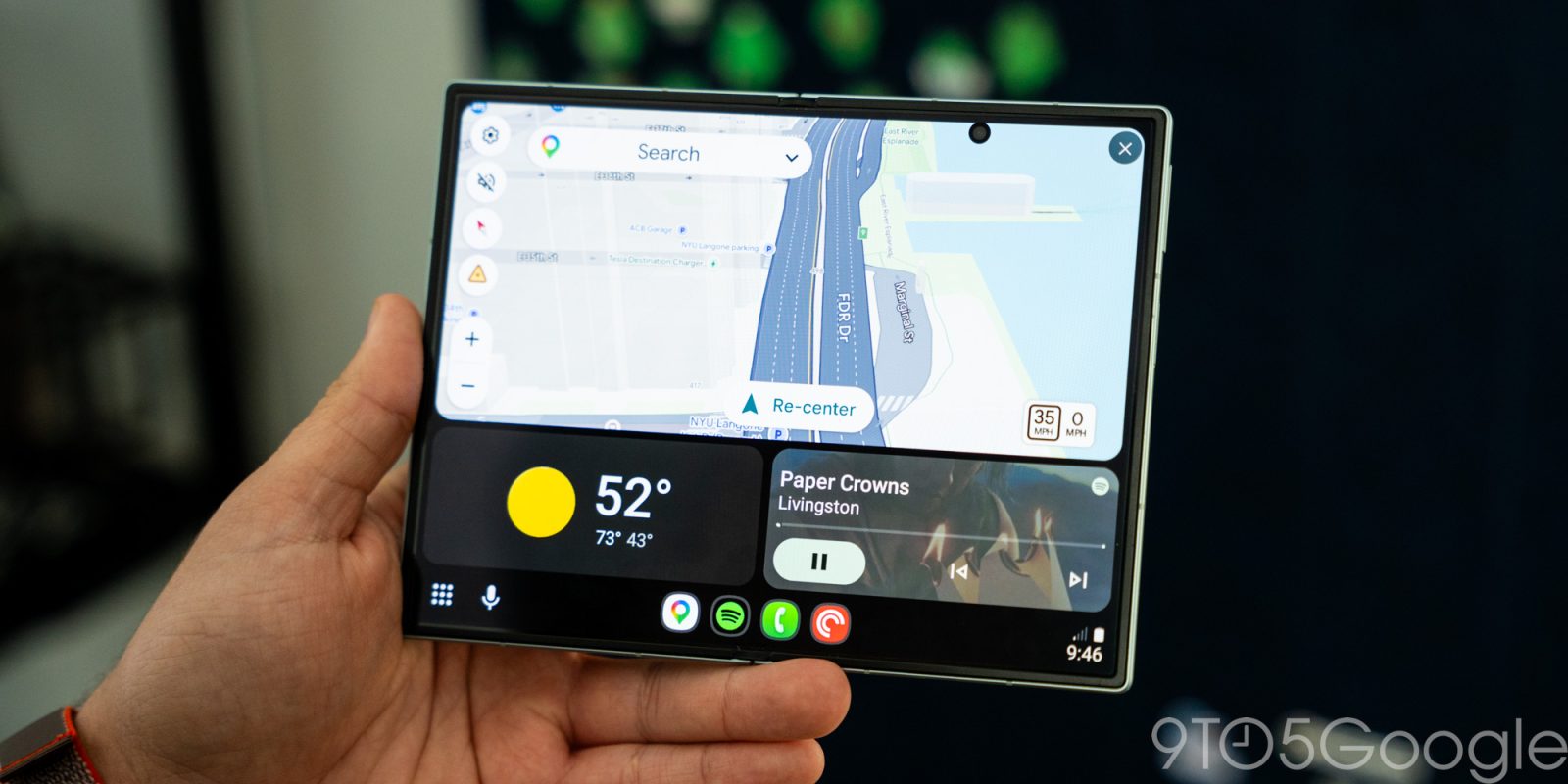
When Android Auto first debuted, it didn’t require a fancy display in your car. It just worked on your phone screen and, now, someone is bringing that functionality back after Google killed it.
Back in 2019, four years after Android Auto hit the scene, Google announced that it would be shutting down support for using Android Auto on your phone’s display. Its replacement, Google Assistant’s driving mode, was so unfinished at launch that it required Google to release “Android Auto for Phone Screens” as a stopgap. That later shut down in 2022 as Google made Android Auto “only available for car screens.”
And, in the time since, there haven’t been very many good alternatives to that functionality. You can get in-car displays for cheaper and cheaper – the average prices on Amazon are around $80 or so – but it’s also just conveinent to get it on the phone screen.
That’s what “PhoneAuto” wants to do.
This new app is in development and soon to debut on the Google Play Store and lets you run Android Auto on your phone screen, just like you used to be able to. Well, almost like you used to. The difference here is in how the app gets Android Auto going, using the “head unit server” developer functionality to run Android Auto on-device. It takes a couple of added clicks but gets the job done, but it does work. You also have to tap the “quit” button in your notifications to stop the head unit server from running after you’re done. “PhoneAuto” can partially automate this if you grant it accessibility permissions.
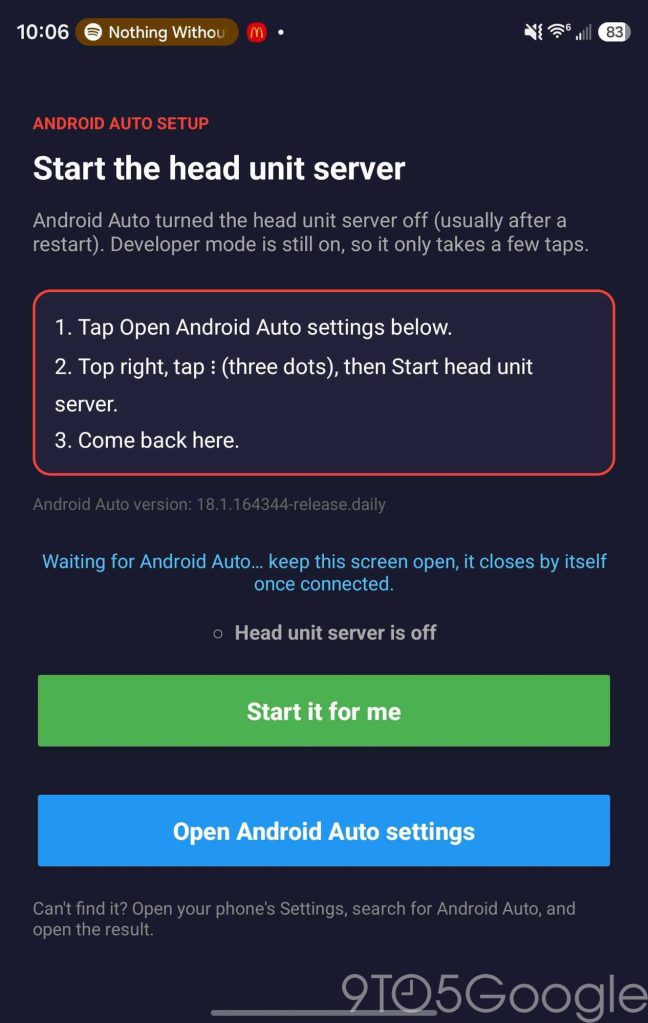
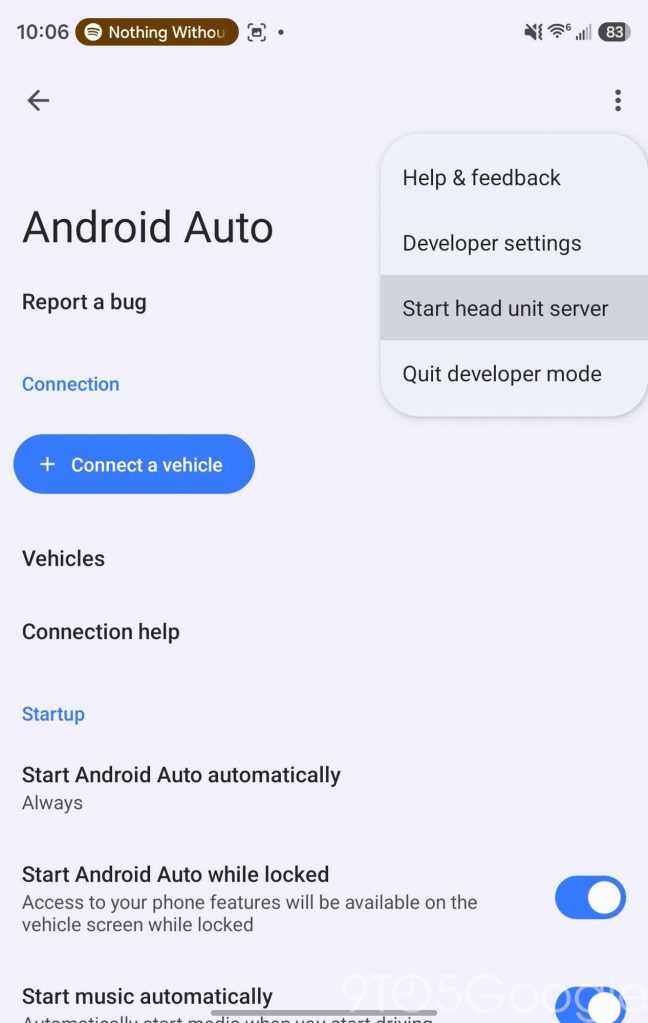

As for actual performance and functionality, it works about as well as I’d expect from a beta.
On my Galaxy Z Fold 8, the portrait mode setting doesn’t work very well, with plenty of lag in play, but the landscape setting works just fine on both the inner and outer displays. The layout adjusts to your screen, just as it does in a car, and I found that touch is responsive enough. It doesn’t run at a full frame rate as you’ll find in some newer vehicles.
But it works. It puts Android Auto on your phone’s display, something you haven’t been able to do for years.


The beta is available for sideloading via GitHub – install at your own risk, as always – with an expiration in January. Presumably it’ll be available in the Play Store before that date.
Would you use this app?
More on Android Auto:
Favorite Android Auto Accessories:
Follow Ben: Twitter/X, Threads, Bluesky, and Instagram


FTC: We use income earning auto affiliate links. More.


Comments