
While wired audio is certainly trying to make a comeback, wireless earbuds and headphones are more prevalent today than ever before, and that’s why it’s pretty good news that Google Pixel phones now support LHDCv5 in Android 17, a codec that supports better audio quality.
The wireless codec your phone uses to talk to Bluetooth devices matters, with AAC being the long-running standard. SBC is another fairly standard codec that can be used and has been supported on Google Pixel devices for a while.
But LHDC is different, being a high-quality codec that supports quality otherwise only available with a wired solution. Quite a few Android brands have already added LHDC to their devices, but it’s not a native part of Android and, as such, hasn’t been found on Google Pixel devices.
That’s now changed.
Starting with Android 17’s stable release, Google Pixel devices now support LHDCv5, a version of the codec that was announced in 2022 and is fairly widely used in high-end wireless audio today. As the company behind LHDC announced earlier this year, LHDCv5 is now a “system-level supported codec in Android 17,” meaning it will be available not just on Pixel devices, but theoretically any Android device running the latest version will get the same audio quality boost. Users spotted the codec was live in last week’s update, and we’ve been able to confirm in our own testing.
Of course, you’ll still need compatible hardware. LHDCv5 is supported on most high-end wireless earbuds today.
You can check if your Pixel is using LHDCv5 through developer options. You’ll first need to go to Settings > About phone and tap “Build number” until your phone prompts you to turn on developer options. At that point, you can to go Settings > System > Developer options > Bluetooth to check which codec is being used.
If you’re paired to earbuds with LHDCv5, you’ll see the codec as an option – likely the one picked by default – on the “Bluetooth Audio Codec” section. That’s what we’re seeing with OnePlus Buds Pro 3, where Pixel Buds Pro 2, which lack LDHCv5, still use AAC. Nothing Ear (3) also doesn’t show LHDC, as they support LDAC instead (which the Pixel 10 does not).
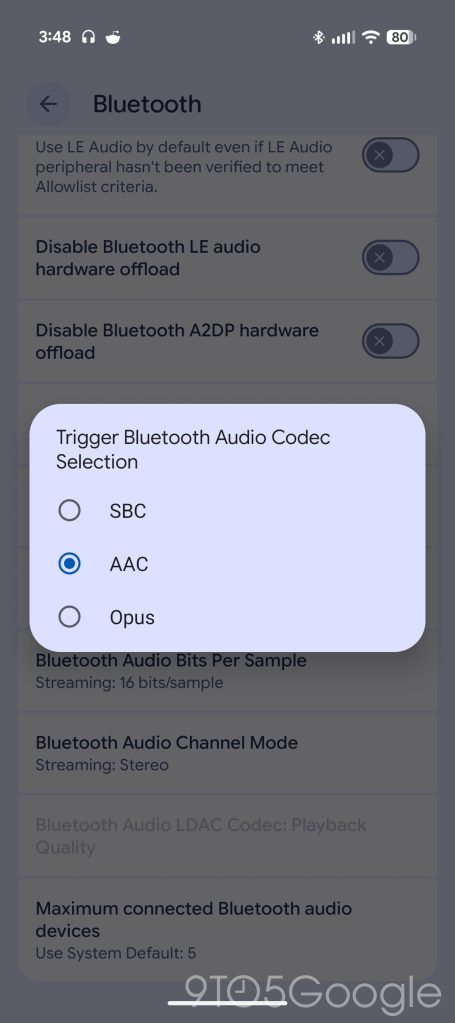
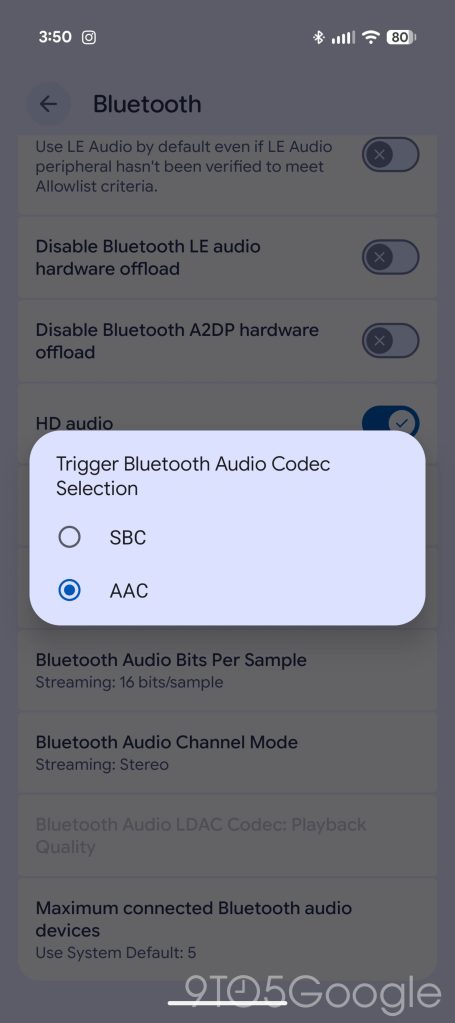
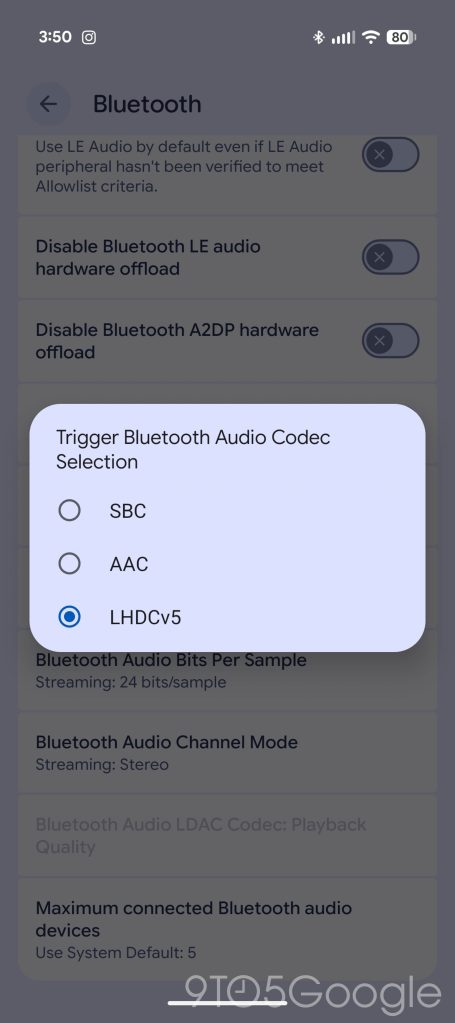
This menu only appears when Bluetooth audio devices are actively connected.
Android 17 is now rolling out to all Tensor-powered Pixel smartphones. OnePlus Buds Pro 3 are currently under $100 for Prime Day.
More on Google Pixel:
- Google preps Pixel ‘Audio Memory’ that ambiently tracks your ‘important conversations,’
- Some Pixel users report touch input issues after Android 17 update
- Google will fix Android 17 bug that deletes homescreen widgets for some Pixel owners
Follow Ben: Twitter/X, Threads, Bluesky, and Instagram


FTC: We use income earning auto affiliate links. More.



Comments