
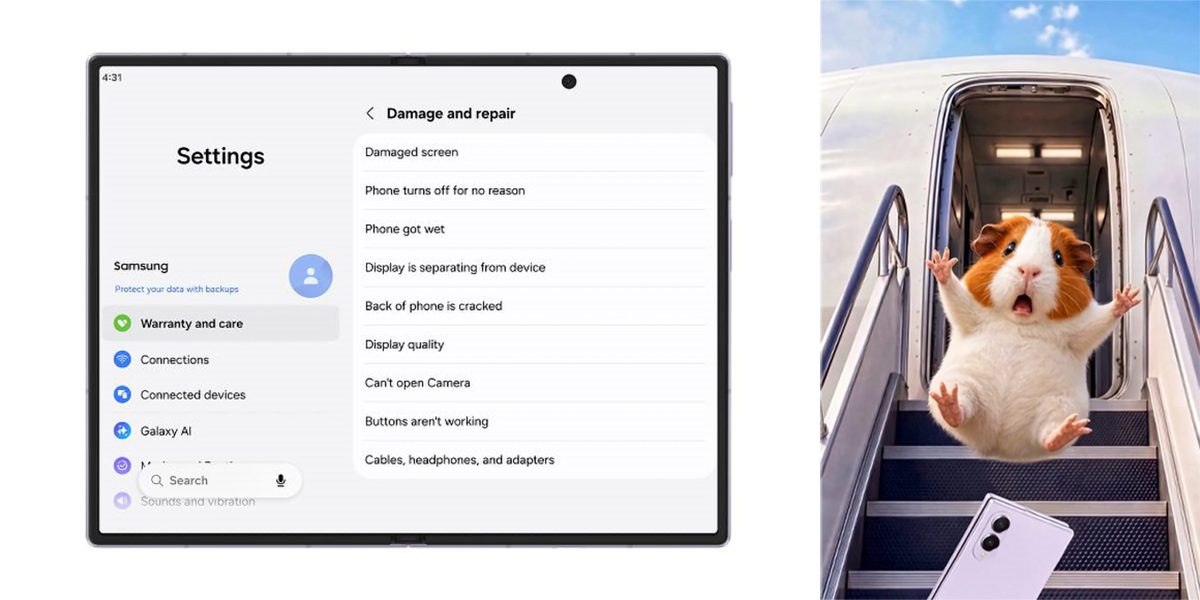
Live on the Galaxy Z Fold 8 series and presumably coming to more devices when Android 17 / One UI 9 rolls out more broadly, Samsung is showing off a new “Warranty and Care” menu that makes it a whole lot easier to deal with repairs and warranty claims on your Galaxy device.
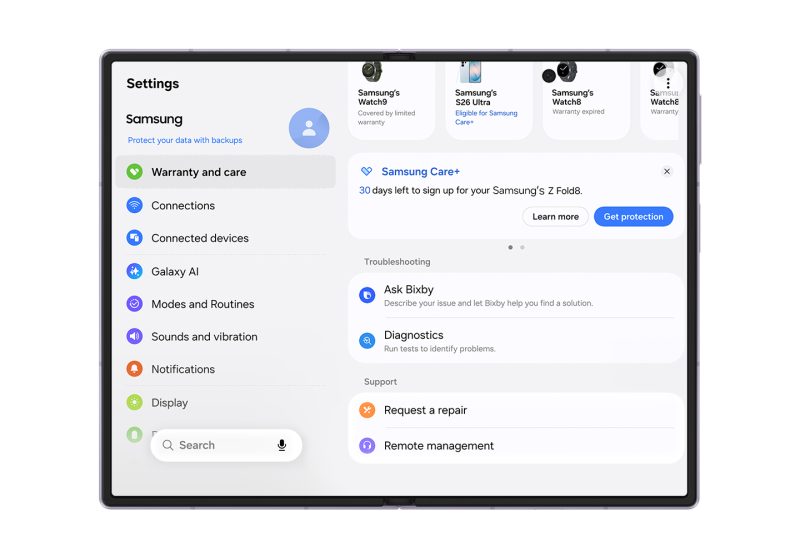
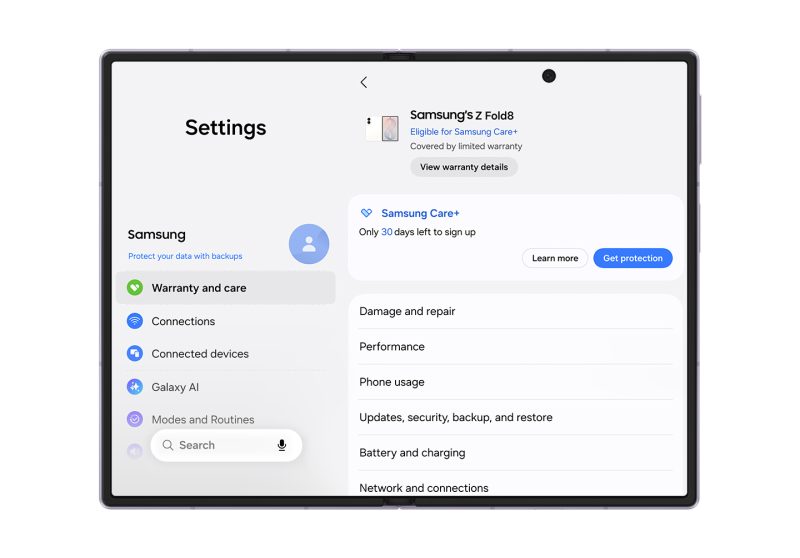
A new hub in the Settings menu of One UI 9 houses the warranty periods, expiration dates, and Samsung Care+ eligibility of all of your Galaxy devices, including whatever one you’re actively using. Samsung explains:
Available in Settings, Warranty and care displays information about the device in use at the top of the screen — including remaining warranty period and eligibility for Samsung Care+ enrollment. Below, users can find the same details for other Galaxy devices linked to their Samsung account, making it easy to check warranty and coverage status across their Galaxy ecosystem.
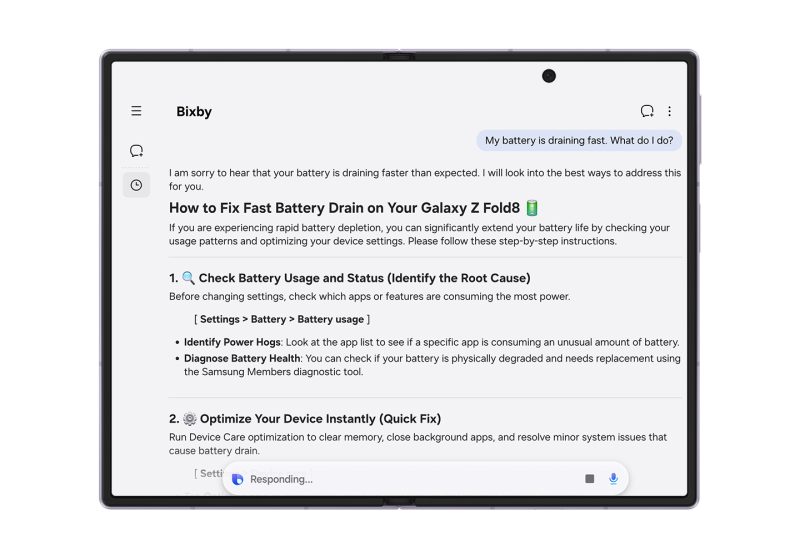
Bixby in One UI 9 also supports diagnostics and troubleshooting via natural language prompts, while submitting for a repair will also show your estimated cost for the work.
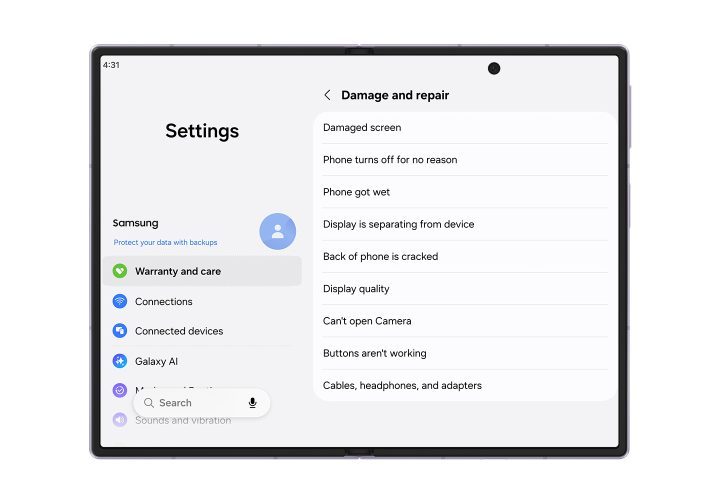
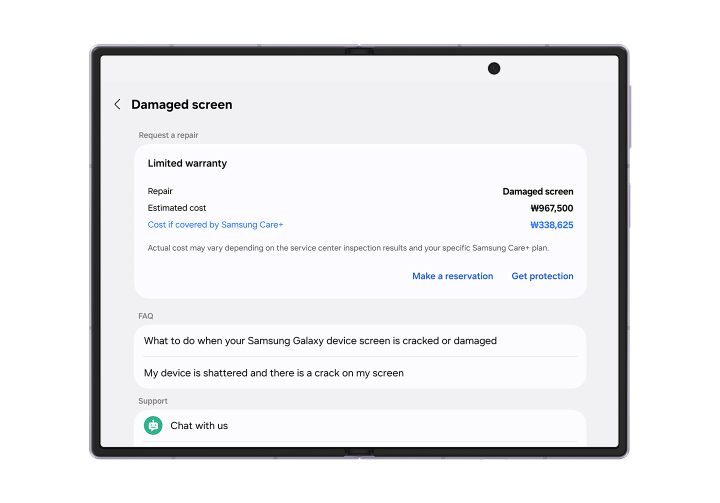
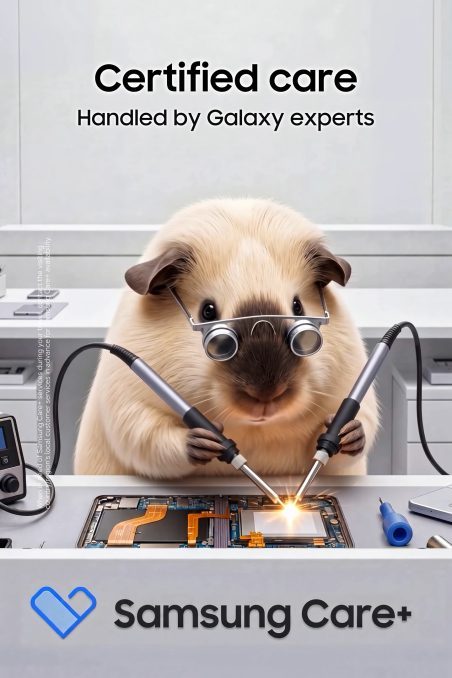
It looks very useful, and Samsung’s way of advertising it includes… AI-generated guinea pigs, for some reason?
These have been all over Samsung’s Galaxy Z Fold 8 marketing, including on stage during Unpacked and in some later ads too. I do not get it at all, but the first one at least gave me a quick chuckle before once again being frustrated that AI is completely taking over, everything.



More on Samsung:
- Samsung is reportedly building an even wider Galaxy Z Fold 9 for video viewing
- Galaxy S26 FE specs leak alongside a higher price tag
- Review: The Galaxy Z Fold 8’s new shape isn’t for you – it’s for everyone
Follow Ben: Twitter/X, Threads, Bluesky, and Instagram


FTC: We use income earning auto affiliate links. More.


Comments