
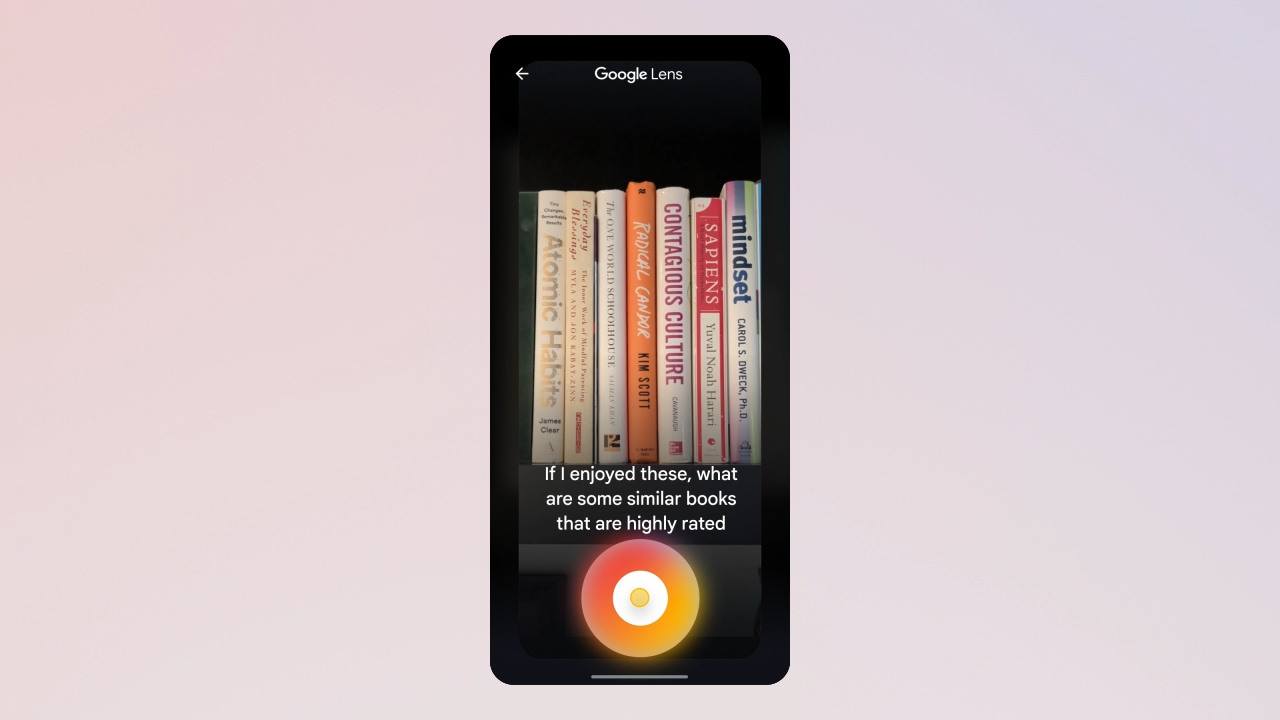
Last month, AI Mode gained Google Lens integration (as depicted above) to power multimodal search. Google is now working on “Live for AI Mode.”
About APK Insight: In this “APK Insight” post, we’ve decompiled the latest version of an application that Google uploaded to the Play Store. When we decompile these files (called APKs, in the case of Android apps), we’re able to see various lines of code within that hint at possible future features. Keep in mind that Google may or may not ever ship these features, and our interpretation of what they are may be imperfect. We’ll try to enable those that are closer to being finished, however, to show you how they’ll look in case that they do ship. With that in mind, read on.
In essence, it appears that Google Search is getting an equivalent Gemini Live-Project Astra capability. The difference, however, appears to be a focus on searching rather than providing personal assistance.
Strings in the latest Google app beta (version 16.17) explain how: “With Live, you can have a real-time voice conversation with AI Mode to find exactly what you’re looking for. Tap the mute button to mute the microphone, tap close to exit.
From the usual disclaimer, we get the official name: “Live for AI Mode is experimental and can make mistakes.”
<string name=”lens_live_error_labs_unenrolled_title”>Live requires AI Mode</string>
Notably, Google is building this Live capability into Google Lens:
- <string name=”lens_live_onboarding_title”>Start speaking to search</string>
- <string name=”lens_live_volume_error_subtitle”>To start searching and hear results, raise the volume on your device</string>
- <string name=”lens_live_wave_tap_view_description”>Tap to interrupt response playback.</string>
- <string name=”lens_live_web_corroborations_termination_message”>”It’s not possible to ask a follow up question. Your next question will start a new search.”</string>
Like Gemini Live, there’s a reminder to increase your volume and the ability to interrupt responses. There will also be a control notification while this is active:
- <string name=”lens_live_notification_channel_name”>Live</string>
- <string name=”lens_live_notification_end_session_button”>End session</string>
- <string name=”lens_live_notification_mute_button”>Turn off microphone</string>
You will also be able to share your screen in addition to the camera:
- <string name=”lens_live_controls_screencast”>Screencast</string>
- <string name=”lens_live_controls_video”>Video</string>
Of note is the ability to enable a “Transcript” to read your conversations, with Google showing “links to explore the web while you chat.”
- <string name=”lens_live_coachmark_ecosystem”>Tap links to explore the web while you chat</string>
- <string name=”lens_live_coachmark_mute”>Tap \\”unmute\\” to resume chatting</string>
- <string name=”lens_live_coachmark_responding”>Speak or tap the wave to interrupt</string>
- <string name=”lens_live_coachmark_transcript”>Tap \\”transcript\\” to read your conversations</string>
- <string name=”lens_live_controls_disable_video_button_description”>Disable video</string>
- <string name=”lens_live_controls_enable_video_button_description”>Enable video</string>
Thanks to JEB Decompiler, from which some APK Insight teardowns benefit.


FTC: We use income earning auto affiliate links. More.




Comments