
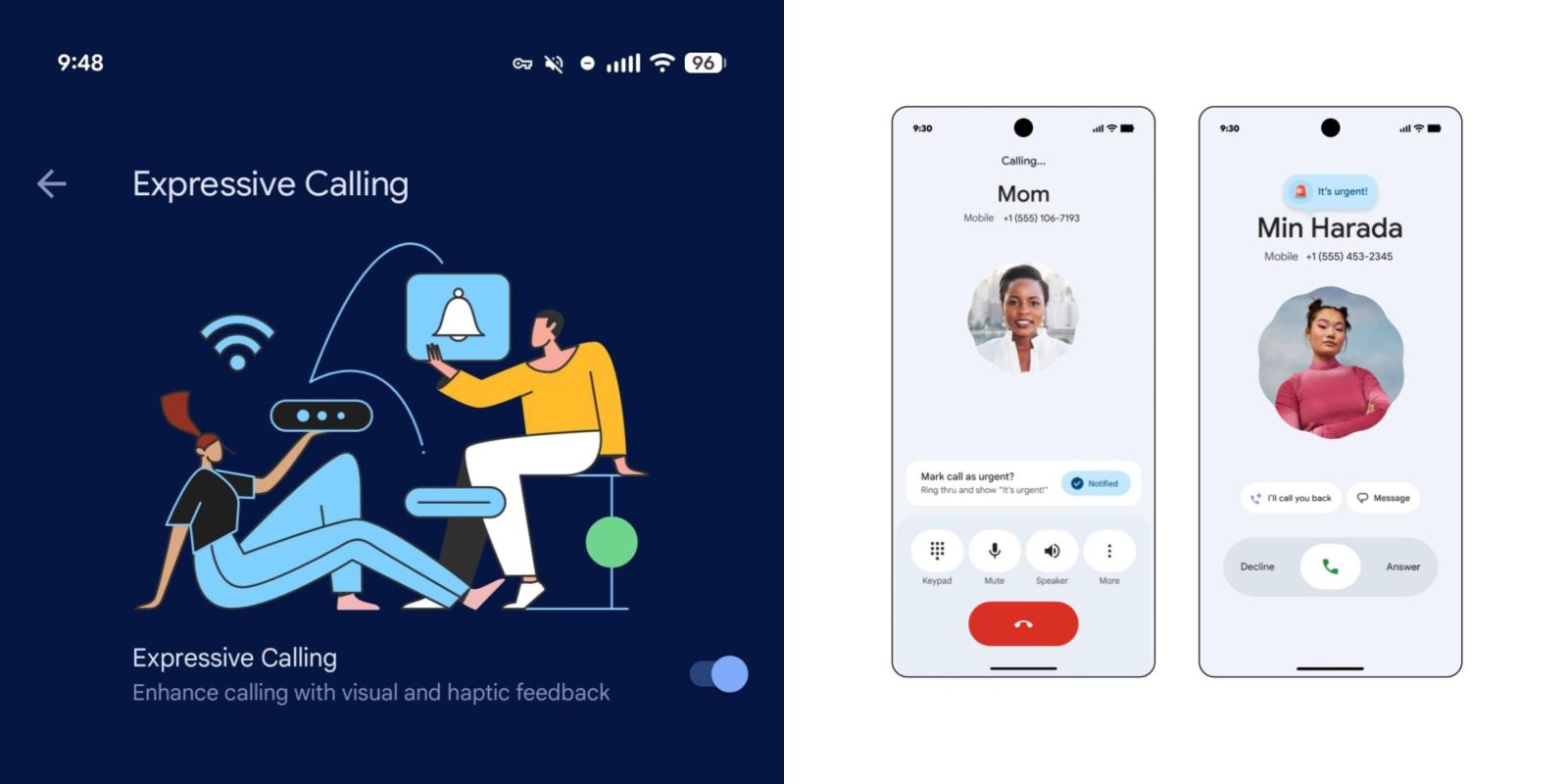
Following the announcement at the start of this month, Phone by Google’s new “Expressive Calling” feature is beginning to roll out for beta users.
Top comment by JG
Two questions:
1) Can/will calls tagged urgent have a different ringtone and/or vibration pattern?
The article mentioned a siren emoji appearing on the screen, which is great. But if the phone is in my pocket or whatever and I can't see the screen...
2) Is there any way to customize how urgent the call happens to be?
A "I need to know if your coming to the party next weekend" call could be "urgent", but not "dad is dying drop everything and get to the hospital NOW" urgent...
To check if this is available on your device, go to Phone Settings > General > Expressive Calling (near the bottom). The high-level preference (“Enhance calling with visual and haptic feedback”) is enabled by default. It’s up to you whether “Urgent call can interrupt Do Not Disturb” is on.


It appears that both parties have to be on the Phone by Google beta (version 203) to get this to work at this stage. If they are, the calling screen will show a “Mark call as urgent?” card above the usual controls that let you tap “Notify.”
The person you are calling will see an “It’s urgent!” message on their screen with an animated siren emoji. If they miss the call, an “urgent” label will appear in call history.
In other developments, Phone by Google 202 is now in the stable channel, but the shorter bottom bar and “Keep portrait mode” setting are not yet widely rolled out. They remain in the beta, but hopefully these tweaks will see a server-side rollout sooner rather than later.


FTC: We use income earning auto affiliate links. More.



Comments