
With the web now dominated by short-form videos, captions have stopped just being an accessibility tool, becoming essential to allow for users to quickly watch content on mute. Today, Google Vids is delivering a big upgrade to its built-in automated captions tool.
Auto-generated closed captions were already a key feature in Google’s web-based, AI-powered video editor, but this week, they’re getting a pretty big overhaul. Rather than sticking with simple white text on a black backdrop, Vids now supports stylized captions than animate alongside your visuals. Google’s examples look right out of various social-friendly web editors designed to export content for destinations like TikTok and YouTube Shorts, complete with a bunch of different fonts, backdrops, opacity levels, and more.
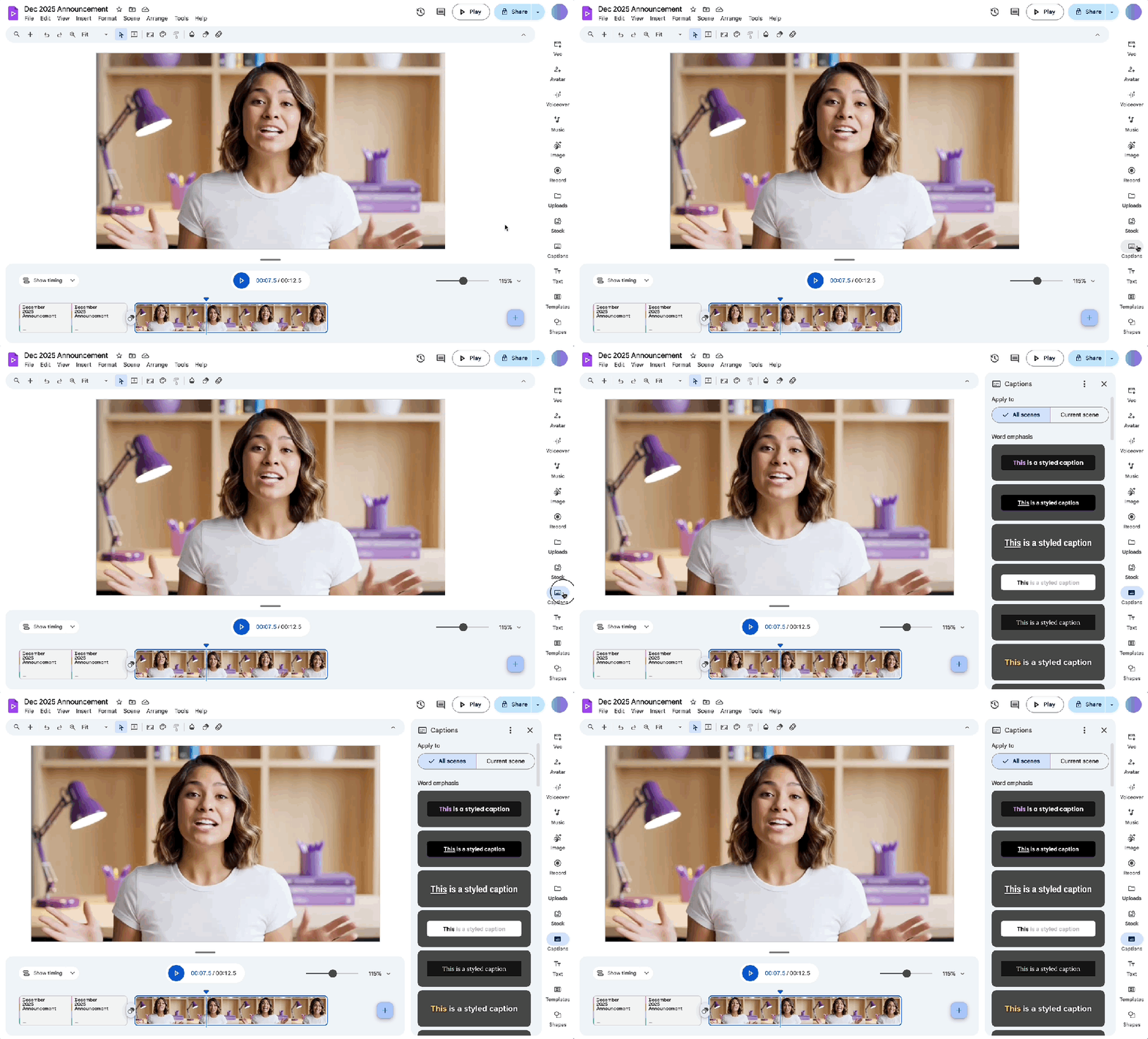
To get started, open a project within Vids and select the Captions menu from the sidebar. You can enable captions for a single scene or all scenes, and then select a style from Google’s list. The old closed captioning style still exists as well, though you’ll need to select the option under the View menu to utilize them. And as with Google’s previous captions tool, you can still make changes to the auto-generated captions as necessary to correct mistakes within the transcript.
Although Vids places a pretty heavy emphasis on its AI integrations, users can still add closed captions manually with file formats like .srt and .sub. (though, as with YouTube at the moment, SRV3 and YTT files are not supported). But largely speaking, auto-generated captions can really streamline your process, especially once you account for these new social-friendly styles.
Google says these new tools are already live in Vids for all Workspace accounts with support for the following languages: English, Arabic, Czech, Mandarin Chinese, German, Greek, Spanish, Finnish, Filipino, French, Hindi, Hungarian, Indonesian, Italian, Hebrew, Japanese, Korean, Malay, Dutch, Norwegian, Polish, Portuguese, Romanian, Russian, Swedish, Thai, Turkish, Ukrainian, Vietnamese, and Chinese.


FTC: We use income earning auto affiliate links. More.




Comments