
Google open-sourced Google Sans and Google Sans Flex in December, and the fonts are now available for you to add in Google Docs.
As part of the 2015 Google logo redesign, the company developed Product Sans. This led to Google Sans, a version optimized for first-party user interfaces and smaller text sizes found on Android phones.
Google Sans Flex arrived a few years after that to allow for more customization across weight, width, optical size, slant, grade, and roundedness.
Google open-sourced them to “bridge the visual gap between first-party and third-party apps.”
The goal is a more unified experience across devices and platforms, creating clearer, more comfortable interfaces for users wherever they engage with technology.
As such, Google Sans, Google Sans Flex, and Google Sans Code — which is meant for code — can now be used in Google Docs, Sheets, and Slides, as well as the other Editors. To do so:
- Start a new document on the web (shortcut: docs.new)
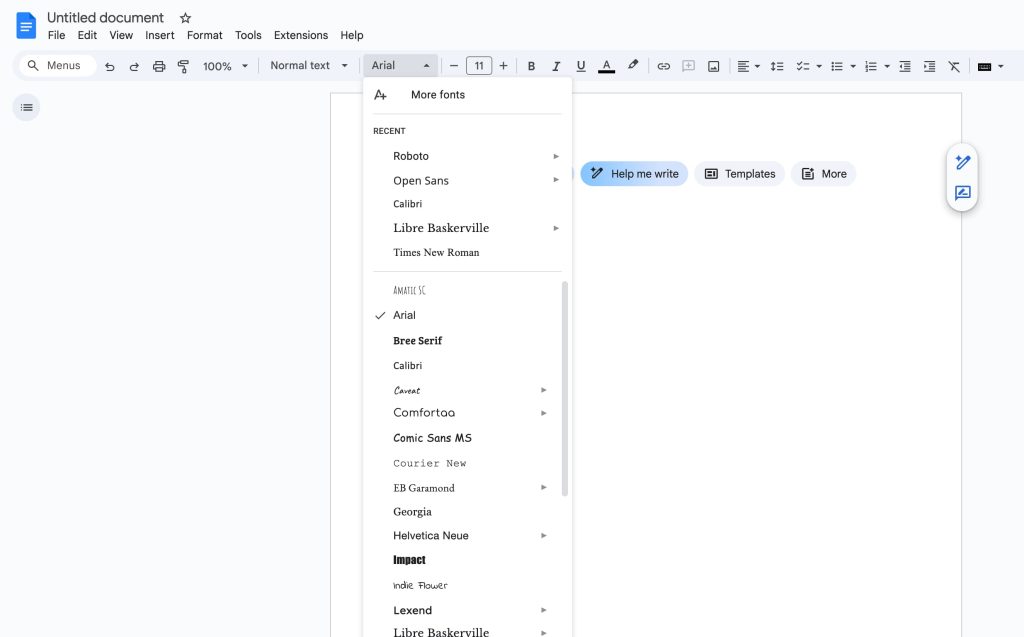
- Open the font dropdown in the toolbar
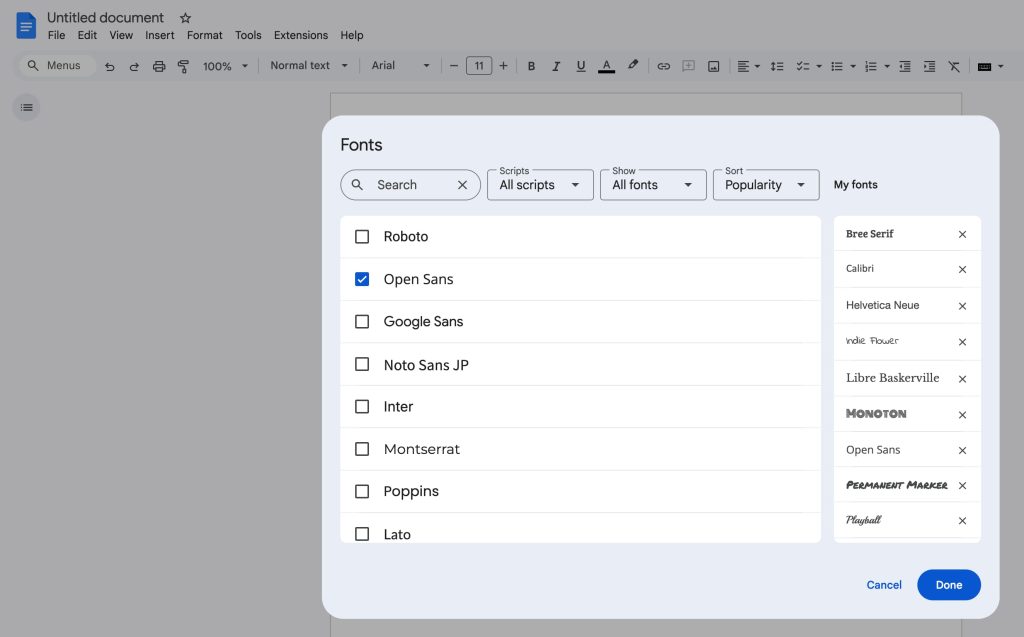
- Select “More fonts” at the very top
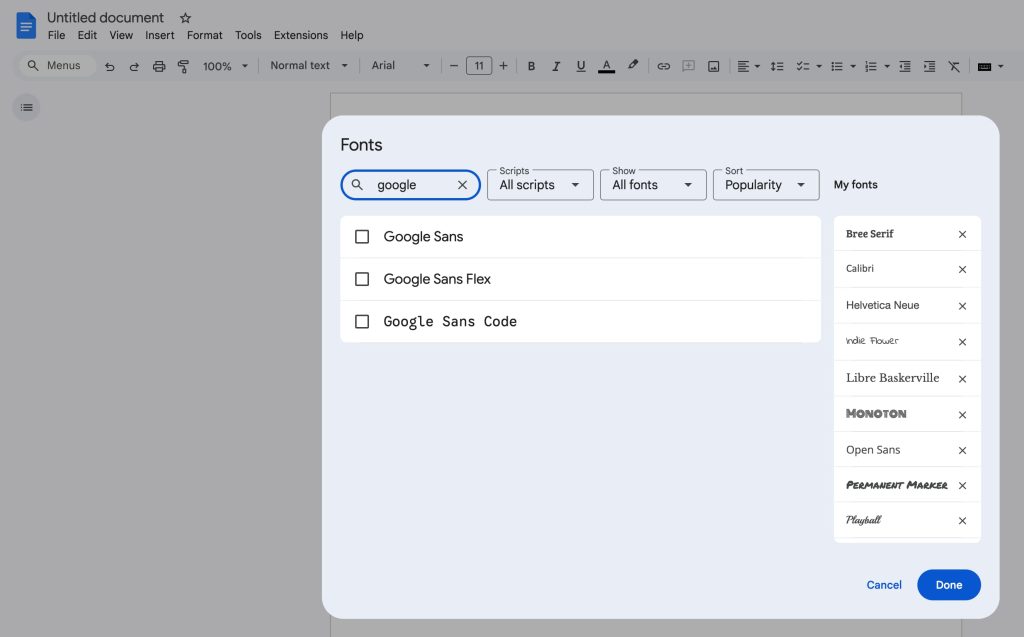
- Search for “Google”
- Select Google Sans, Google Sans Flex, and/or Google Sans Code
Afterwards, they will appear in the dropdown menu and future documents.
Thanks tipster


FTC: We use income earning auto affiliate links. More.



Comments