
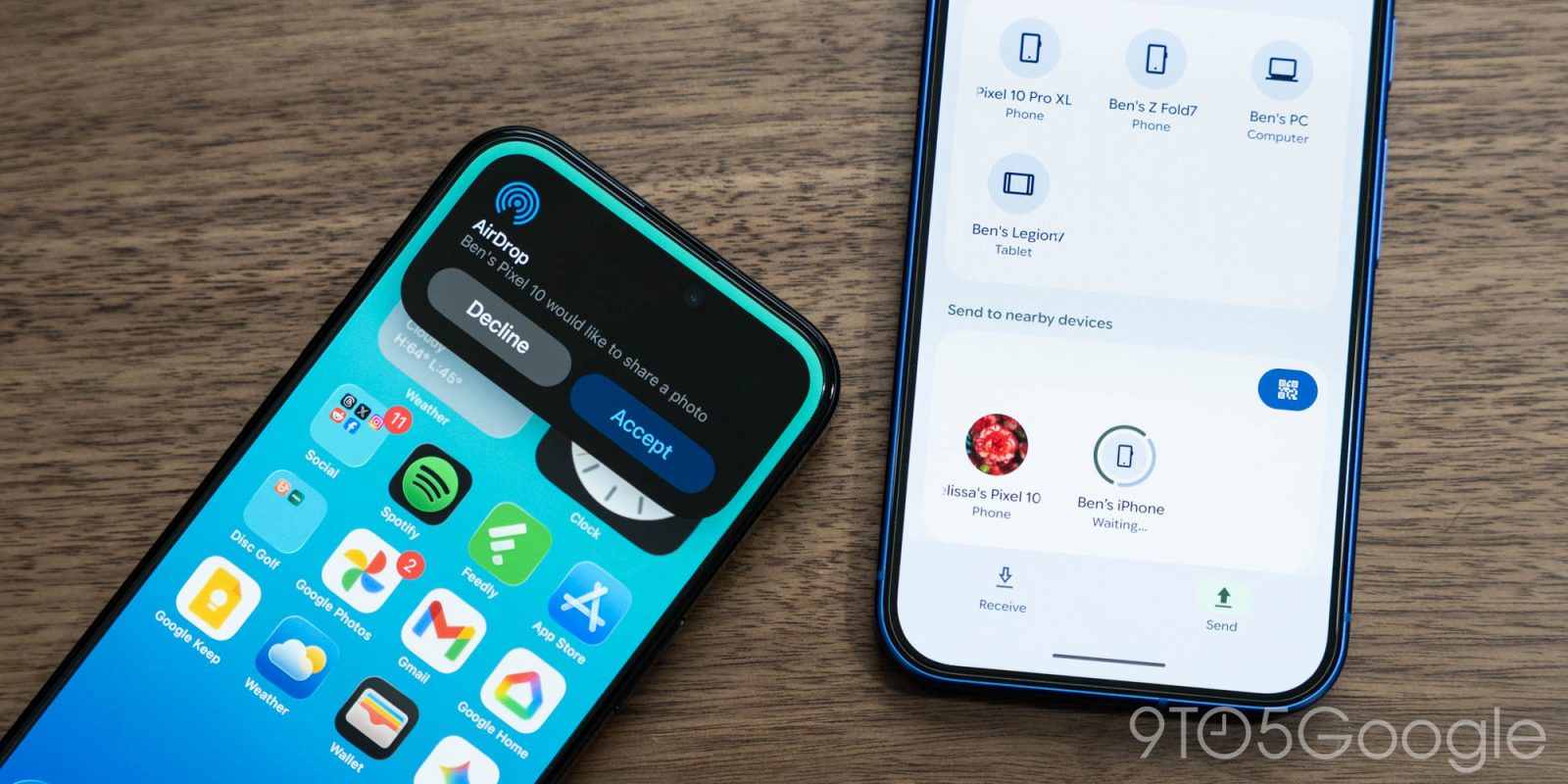
Quick Share, Google’s version of AirDrop for Android, seems to be moving towards the removal of its always-on “Everyone” sharing mode, moving closer to iOS.
Since its launch, Quick Share has had four sharing modes – “Your devices,” “Contacts,” “Everyone,” and “Everyone for 10 minutes,” alongside the abiltiy to just turn off visibility entirely. They’re fairly self-explanatory, with users able to adjust their privacy settings to their own preferences.
But, apparently, Google appears to be removing one of those options.
On our Pixel 10 test device, “Everyone” has gone missing in what appears to be a server-side change. The option has simply disappeared, as pictured below.
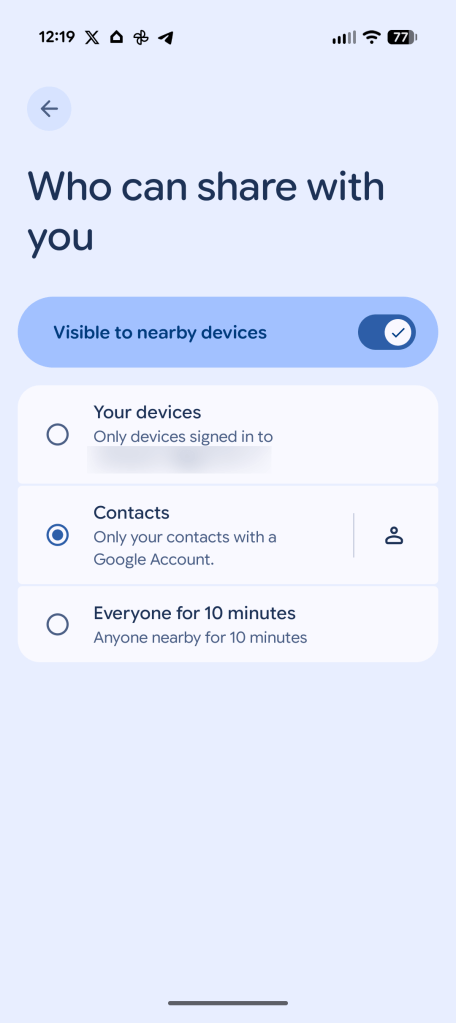
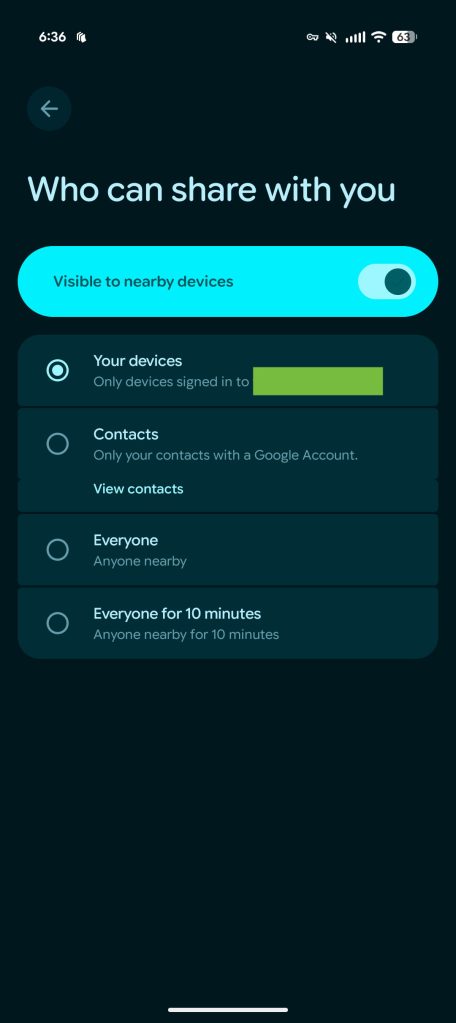
The folks over at Android Authority first noted this change, partially attributing it to Google Play Services v26.06.31, currently available in beta. The outlet observed the change on one device out of “dozens,” but our Pixel 10 is on the current stable track for Play Services on version 26.04.38. With that in mind, this is almost certainly a server-side change, and probably one that Google intends to roll out more widely.
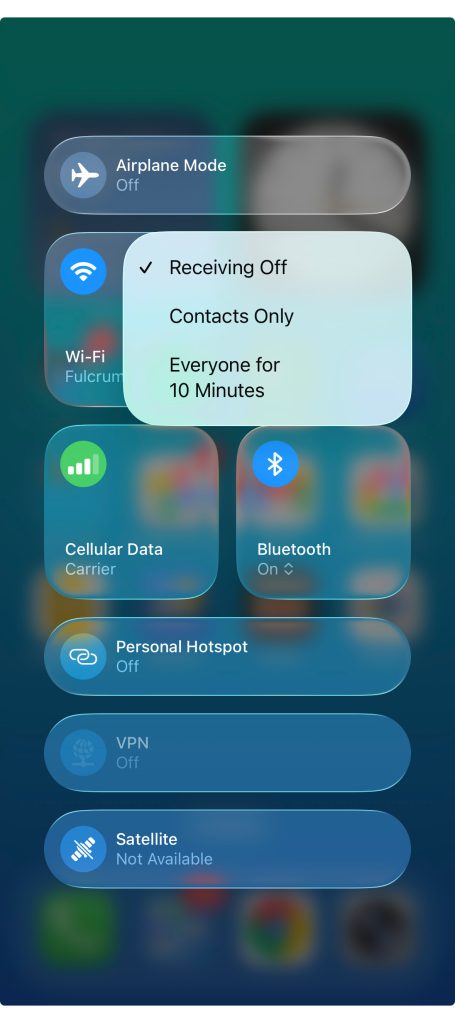
“Everyone for 10 minutes” remains in place, with Quick Share’s sharing settings on Android now matching those of AirDrop on the iPhone. Apple has the same exact setup, with no constant “Everyone” setting. While the always-on nature could be convenient, certainly, it was also ripe for abuse, so now that Quick Share is firmly established, there’s an argument to be made for this change, one that Google certainly seems to have been open to.
More on Quick Share:
- Google teases AirDrop support for more Android phones ‘very soon’
- How to get Quick Share’s new iPhone AirDrop support on your Pixel 10 now [Gallery]
- Fullscreen Quick Share redesign widely rolling out on Android
Follow Ben: Twitter/X, Threads, Bluesky, and Instagram


FTC: We use income earning auto affiliate links. More.



Comments