
With new Gemini features, Google wants to transform Drive “from a passive storage container into an active knowledge base.” These updates are also coming to Google Slides and Sheets, starting today for AI Pro and AI Ultra subscribers, as well as Gemini Alpha business customers for US-English.
Google Drive
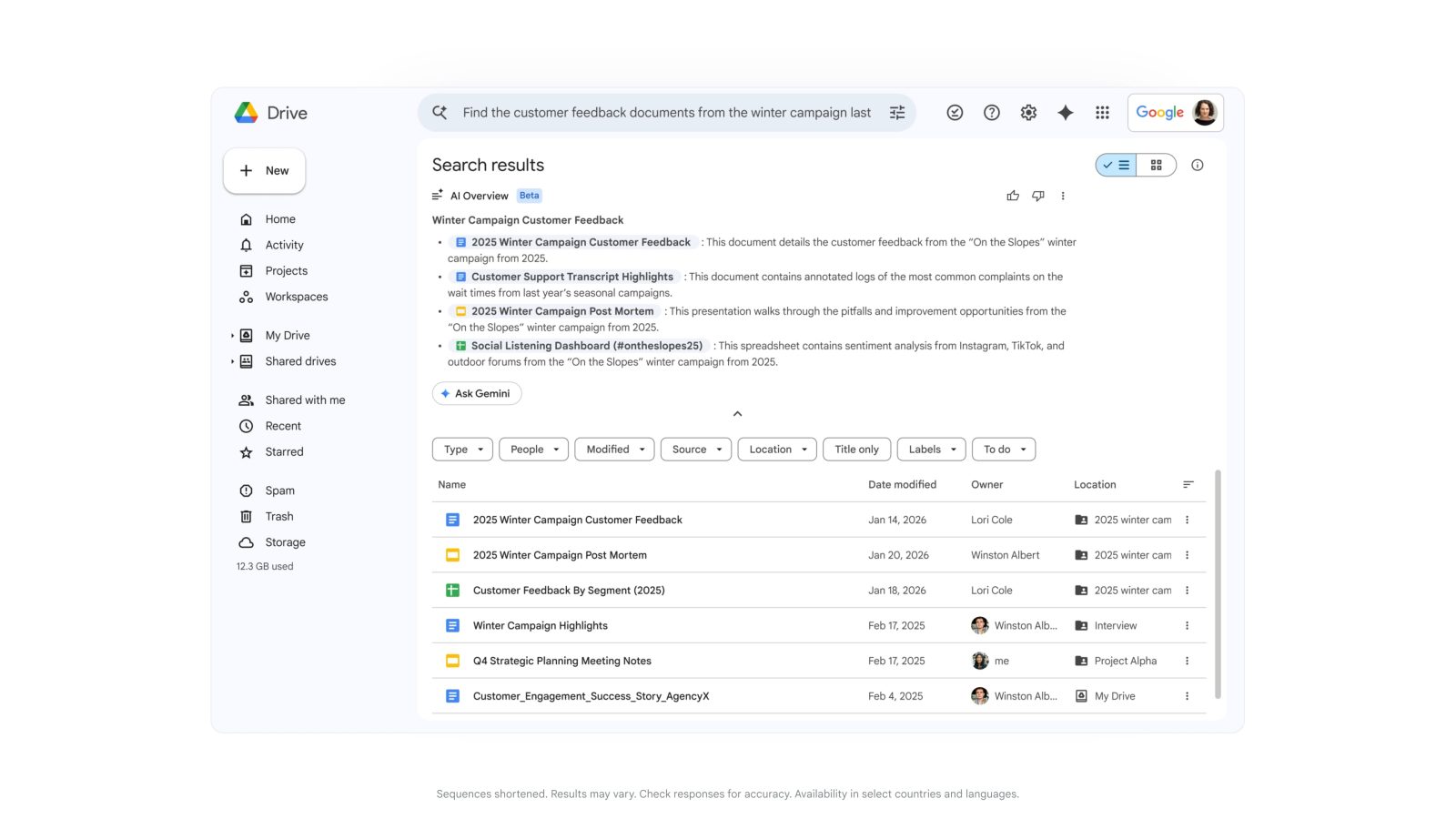
Like Gmail in January, Google Drive search is getting overhauled with AI Overviews. The goal is to replace keyword queries with semantic search that generates a “highly relevant list of documents or a complete answer with citations.”
For example you can ask “Help me find customer feedback from the winter 2025 campaign.” Gemini’s advanced reasoning pulls the answer, quickly summarizing the exact details you need.
Meanwhile, Ask Gemini in Google Drive lets you go deeper. You can “ask questions and get detailed responses, all based on the content from your files in Drive, as well as Gmail, Calendar, and Chat.” Filters let you control what sources are included and narrow to specific folders and files.
You can even save this curated list of sources as a project for you to reference later, or share with others. Projects adhere to Drive’s built-in security and compliance controls, so only those with access to the underlying content can access it in the project.
Google Slides
In Slides, Create a slide has been updated so it “aligns to your overall theme and pulls context from your files, emails and the web.” You can edit with prompts like “make this match the colors of the rest of my deck” or “make this more minimal,” while Google can transform sketches and tables into editable charts and diagrams.
More broadly, Generate a presentation in the future will let you just enter a prompt, like “create a 5-slide deck for my upcoming Tokyo trip.” Gemini will use your Workspace data to create a “complete presentation that is on-brand in a fraction of the time it typically takes.” You can make further edits by prompting.
For example, to pitch your new campaign plan you can ask Gemini to build a presentation based on your document and a style in line with your corporate branding. Gemini instantly synthesizes the document, organizes the narrative into a presentation format, and applies visually appealing layouts to create your presentation.
Google Sheets
Finally, Gemini in Sheets will let you build or edit entire spreadsheets using natural language prompts. Google “orchestrates the complex, multi-step construction from start to finish, synthesizing data across your files, emails, and chat, and the web.”
Imagine you’re a small business and you need a quick view of last year’s financial health. You can ask Gemini to create a P&L dashboard leveraging your historic service incidents and rate cards. Gemini constructs a plan for you to approve, then retrieves the relevant details structuring the data in a well formatted spreadsheet with stylized tables and charts.
A Fill with Gemini feature can auto-populate tables with “summarized, categorized, or brand-new data from your existing sheet or the web.” It can also understand intent.
This method of populating data is 9x faster than manual entry for 100-cell tasks*.
Gemini can now handle hard analytical tasks like advanced optimization problems that “typically require complex manual formulas or third-party tools to solve” thanks to advancements from Google DeepMind and Google Research. Just describe your goal and other rules to Gemini.
For instance, you can ask Gemini to optimize your weekly employee scheduling to maximize profit while balancing staff availability and required skills. Gemini handles the complex logic to identify the best way to deploy your team.


FTC: We use income earning auto affiliate links. More.



Comments