
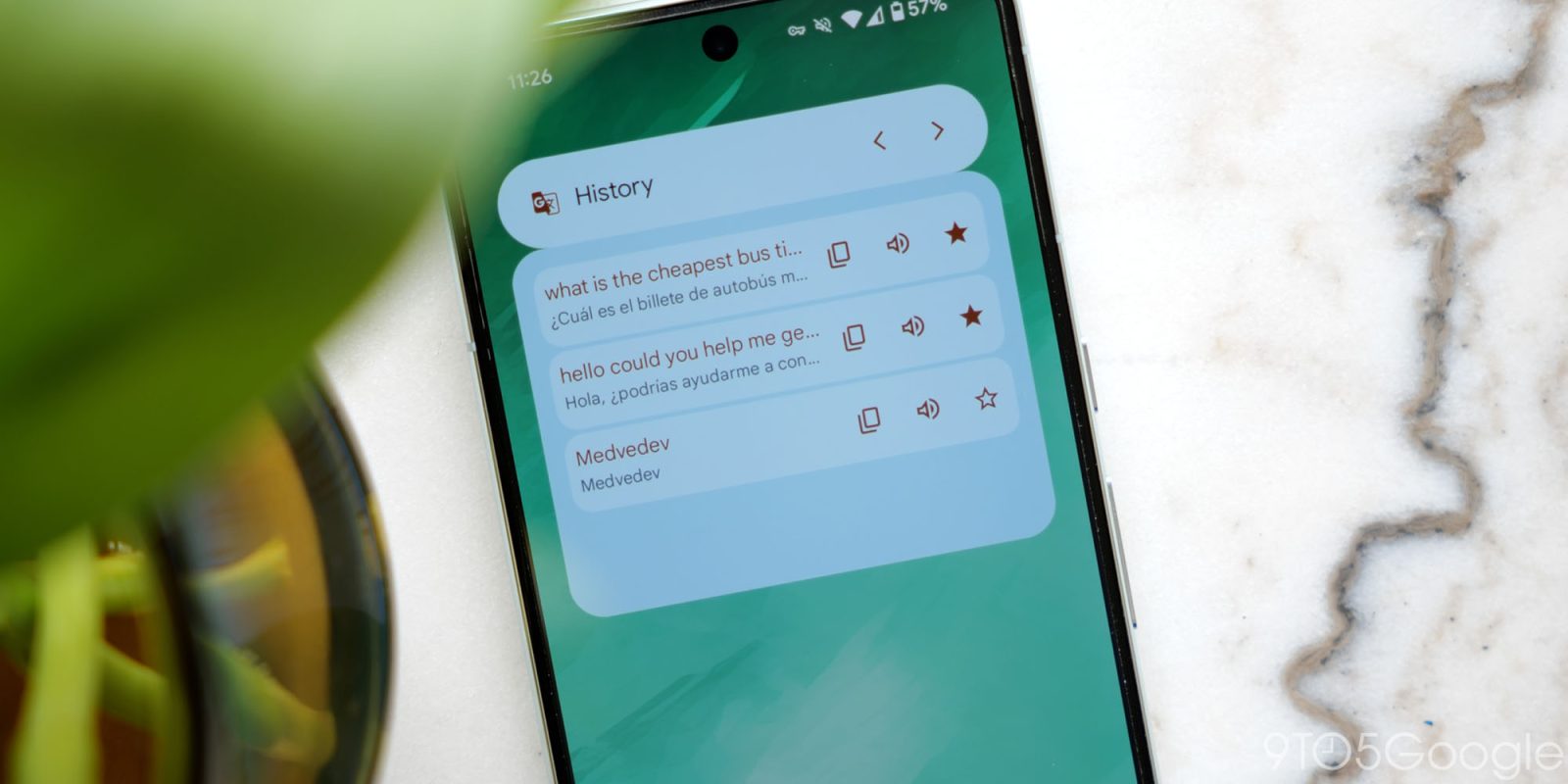
Following the Gemini updates last year, Google Translate for Android is getting a set of new homescreen widgets.
Translate text is essentially the top half of the existing Translate Quick Actions widget. Tapping opens the app and keyboard for immediate text entry. It spans from 3×1 to 5×1, with the language pairing noted inside. There are no changes to the Saved Translations widget with its distinctly Material You style.
This is followed by five tiles:
- Camera: Translate text using your camera
- Voice: Translate text using your voice
- Live translate: Translate audio into any language
- Clipboard: Translate text from your clipboard
- Practice: Language practice made just for you
Old vs. new


These rounded squares come in at 2×1 with the Translate logo in the corner. Camera, Live translate, and Practice are already available as app shortcuts when you long-press on the homescreen icon. Clipboard is particularly handy, while Voice is also available in the older widgets.
These new widgets rolled out with version 10.8 of Google Translate for Android. The app now has a total of eight homescreen items.
More on Google Translate:
- Google Translate rolling out live translation using Gemini with any headphones
- Google Translate adding model picker for ‘Advanced’ or ‘Fast’ translations
- Google Translate adding AI-powered live translation and custom language practice


FTC: We use income earning auto affiliate links. More.



Comments