
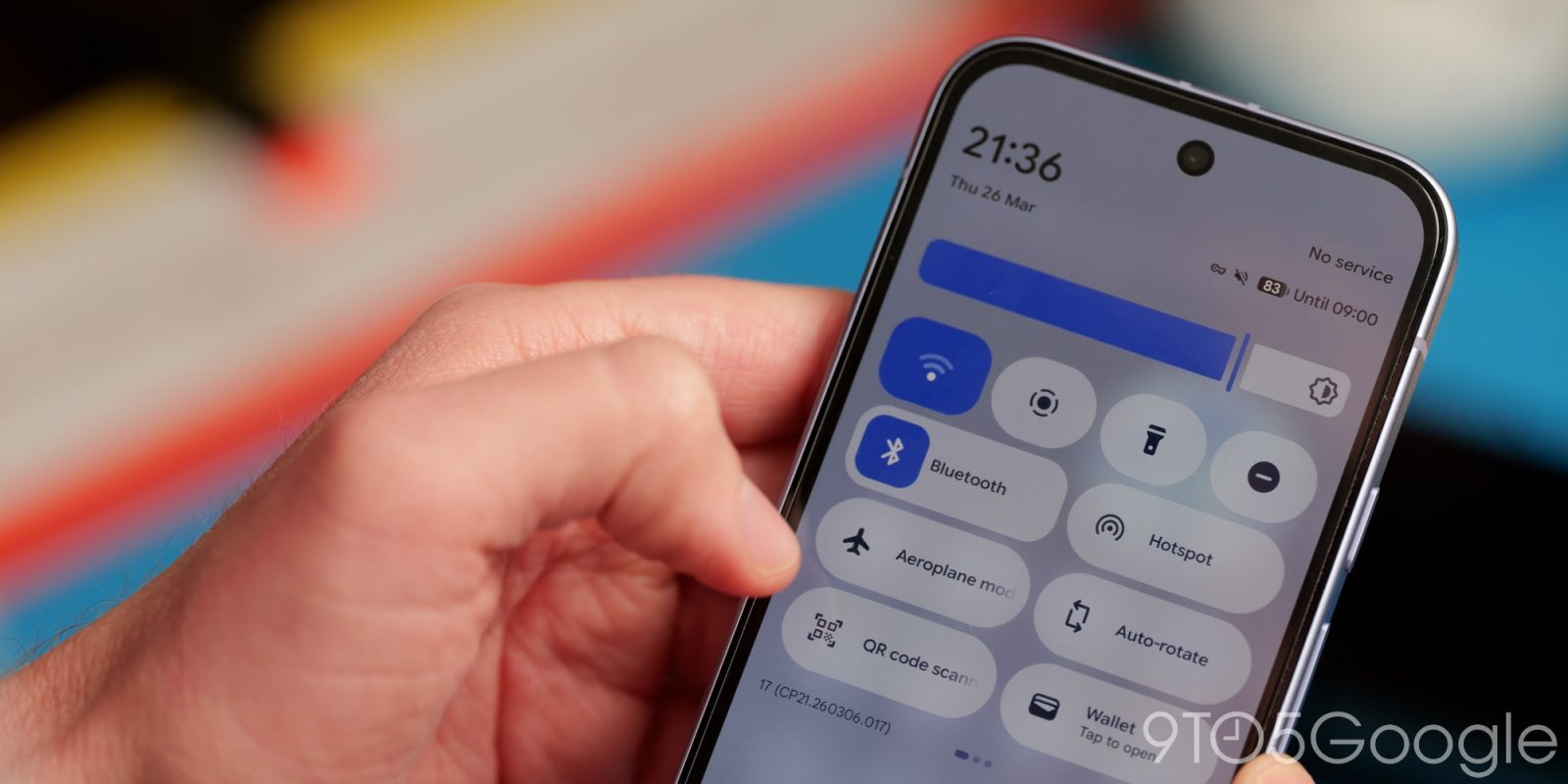
Google has finally decided to restore the ability to quickly enable and disable your Wi-Fi connection with a single tap of the QS toggle in Android 17 Beta 3.
Some five years after introducing a unified “Wi-Fi” button with Android 12, the latest Android 17 Beta 3 release for eligible Pixel phones restores the simpler and more sensible single-tap option for toggling your onboard Wi-Fi connection.
Since Android 12, when tapping the Wi-Fi QS tile, you would get a pop-up with an option that showed nearby Wi-Fi networks, further options, plus an option to enable or disable the Wi-Fi connection. Effectively, this has turned what was once a one-step process into a two-step process.
Understandably, many Pixel owners were upset about this, and at least until this change was made, the Pixel has been one of the few devices to enforce this option in Android. At long last, though, it seems as though common sense has prevailed, and we have the ability to just single-tap to enable or disable Wi-Fi.
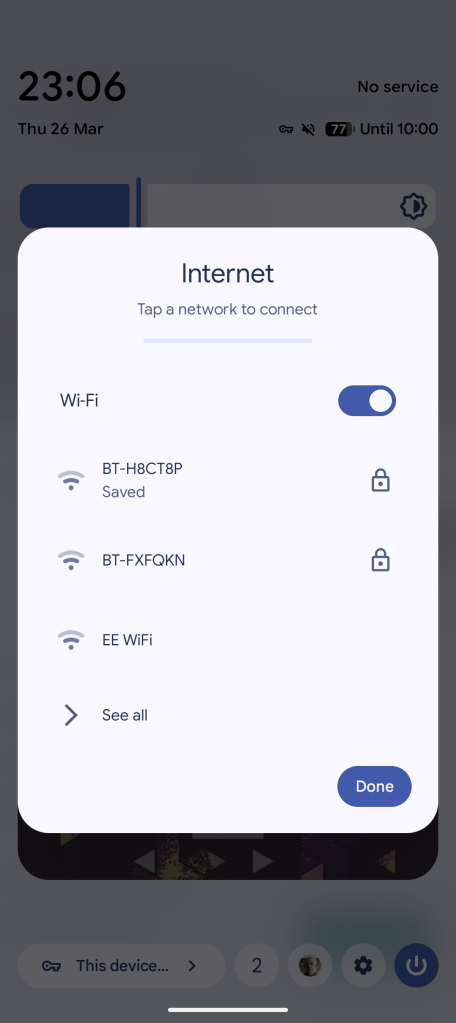
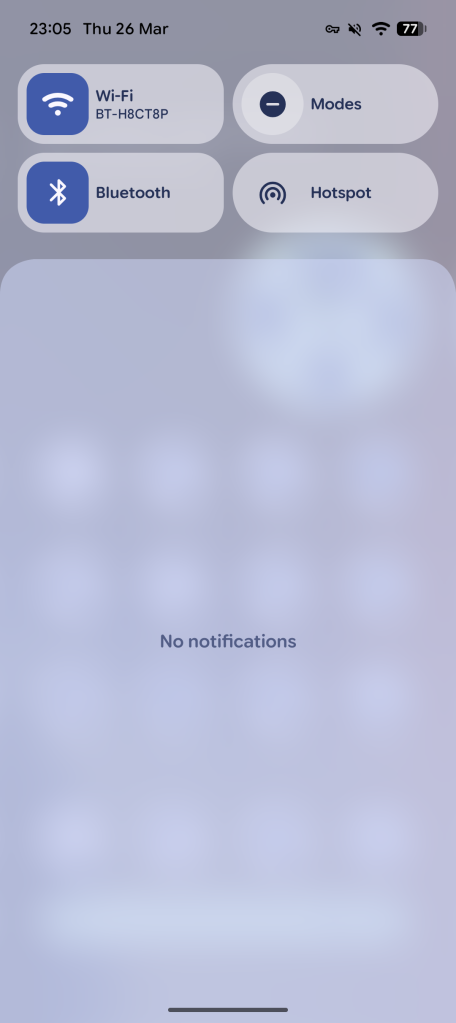
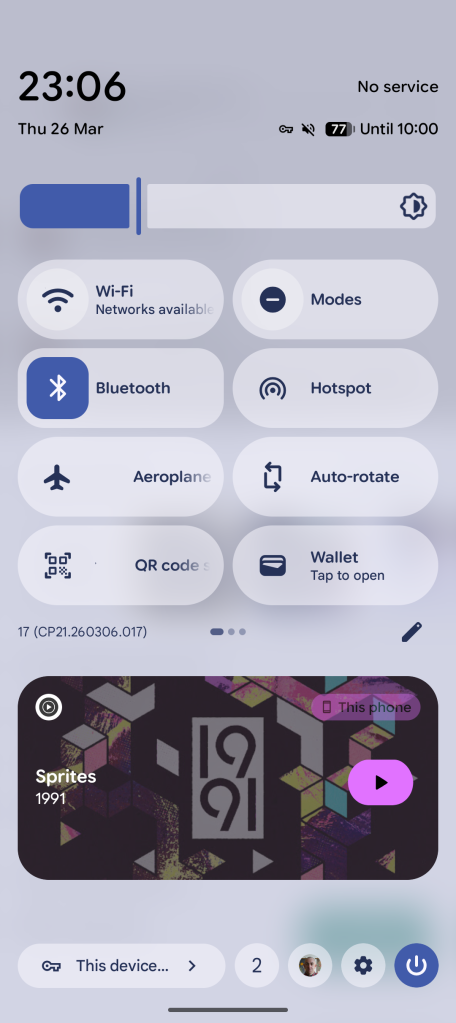
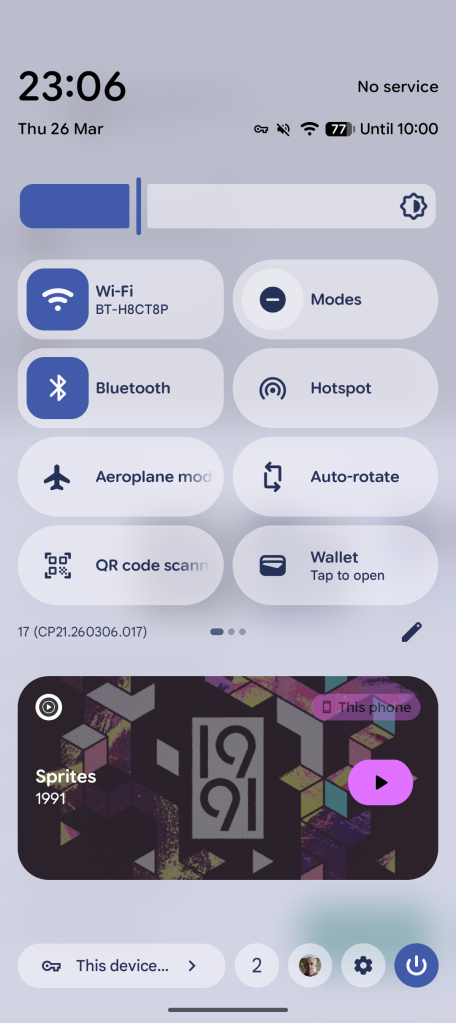
This option will work in a couple of ways. If you have the 2×1 QS tile, tapping the left Wi-Fi icon toggles onboard connections. Tapping the right side – where your current connected network is labeled – you’ll get the old pop-up. When disabled, the text will scroll, telling you if local networks are available. With a 1×1 tile, it’s back to the old single-tap. A long-press will open the full Settings menu section for “Internet.”
If you’re recognizing this Wi-Fi toggle behavior, this is exactly how the Bluetooth QS tile was altered with Android 16 QPR1. While it’s welcome, it’s surprising how long it has taken to restore a function that was present for almost a decade prior to the launch of Android 12. That said, it’s a good move and one many will be pleased to see return.
More on Android 17:
- Android 17 Beta 3 lets you control which apps are forced into dark theme
- Android 17 Beta 3 brings Google’s screen recorder redesign out of Canary
- Android 17 Beta 3 splits Wi-Fi and mobile data into separate Quick Settings tiles


FTC: We use income earning auto affiliate links. More.



Comments