
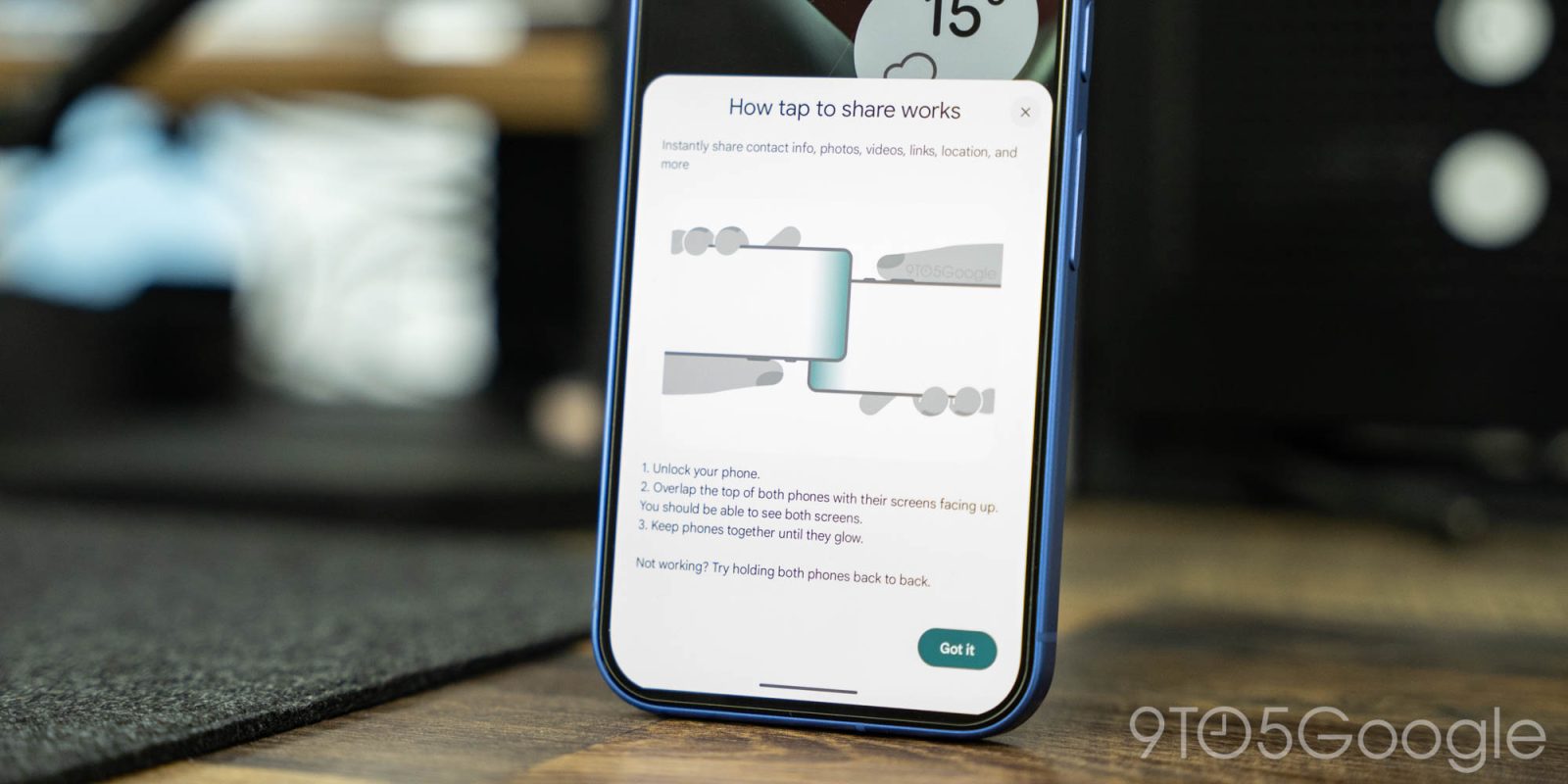
Google is preparing a new “Tap to Share” feature for Android devices and, through the latest updates, we’re able to get a sneak peek as to what it looks like and how it functions.
The ability to tap two phones together has quite a history in Android, with the long-running “Android Beam” allowing users to tap their phones together to share photos, files, and more. That was removed long ago, though it lives on through a little-known shortcut in Android’s Quick Share feature.
Recently, it was found that Google was working on a new version of “Tap to Share” for Android devices, and we’ve been able to uncover a quick peek.
About APK Insight: In this “APK Insight” post, we’ve decompiled the latest version of an application that Google uploaded to the Play Store. When we decompile these files (called APKs, in the case of Android apps), we’re able to see various lines of code within that hint at possible future features. Keep in mind that Google may or may not ever ship these features, and our interpretation of what they are may be imperfect. We’ll try to enable those that are closer to being finished, however, to show you how they’ll look in case that they do ship. With that in mind, read on.
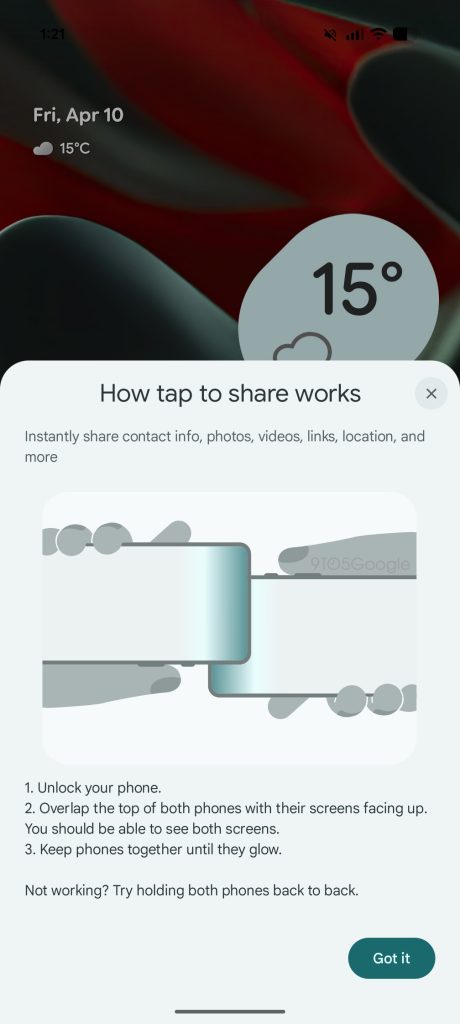
In Google’s latest updates, a new pop-up has appeared that showcases “how tap to share works.” The pop-up explains:
Instantly share contact info, photos, videos, links, location, and more
- Unlock your phone.
- Overlap the top of both phones with their screens facing up. You should be able to see both screens
- Keep phones together until they glow.
Not working? Try holding both phones back to back.
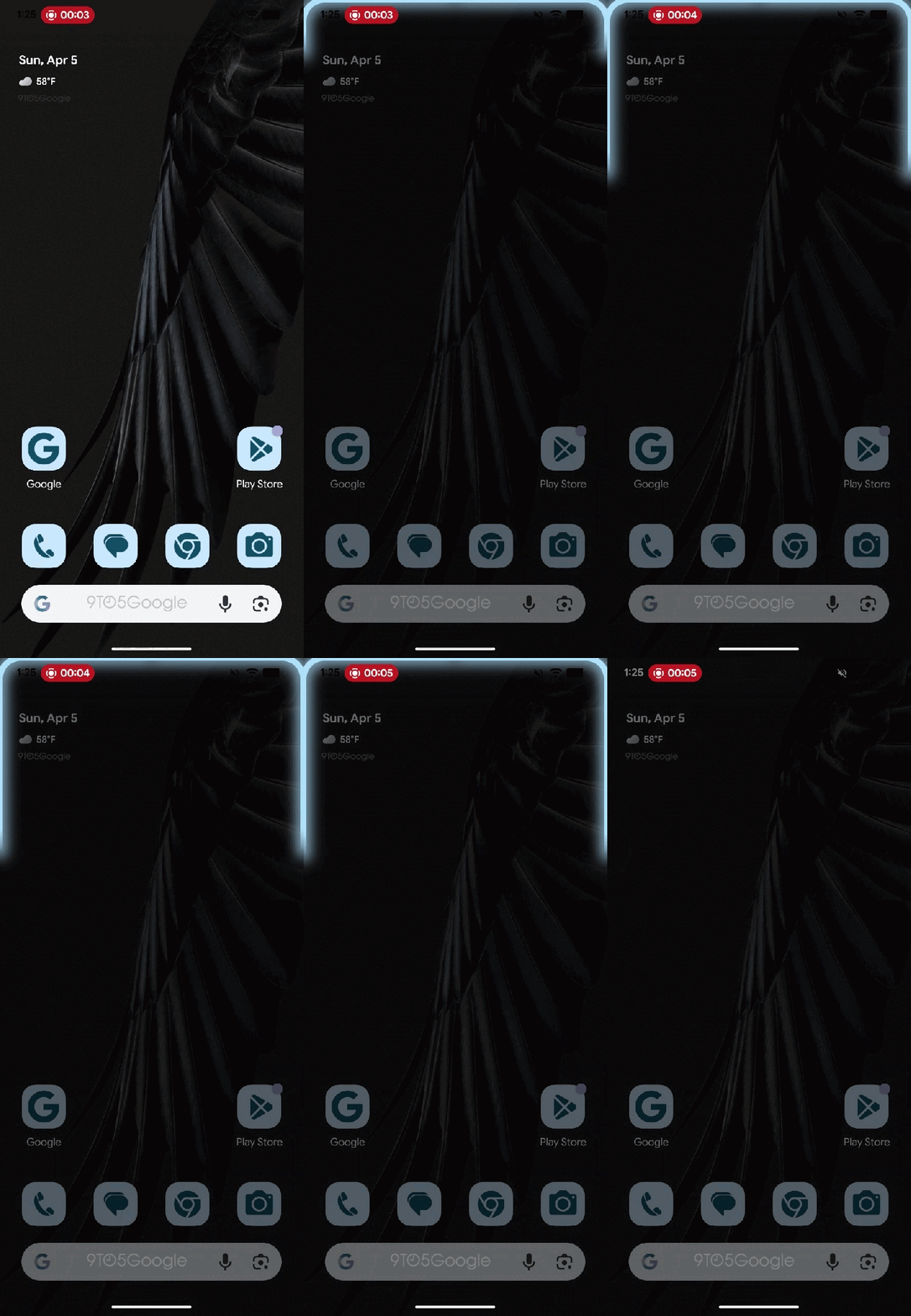
This is accompanied by a brief “glow” animation that shows up when the two phones interact with each other.
None of this is fully functional yet, but the pop-up gives us a pretty good idea of how things work. Similar to Apple’s “NameDrop,” the two phones can interact seemingly without much added work. Presumably, you’ll need to at least have a piece of content open to share it. Previously, we found that it seems to integrate into Android’s share sheet, but the exact methodology remains unclear for now.
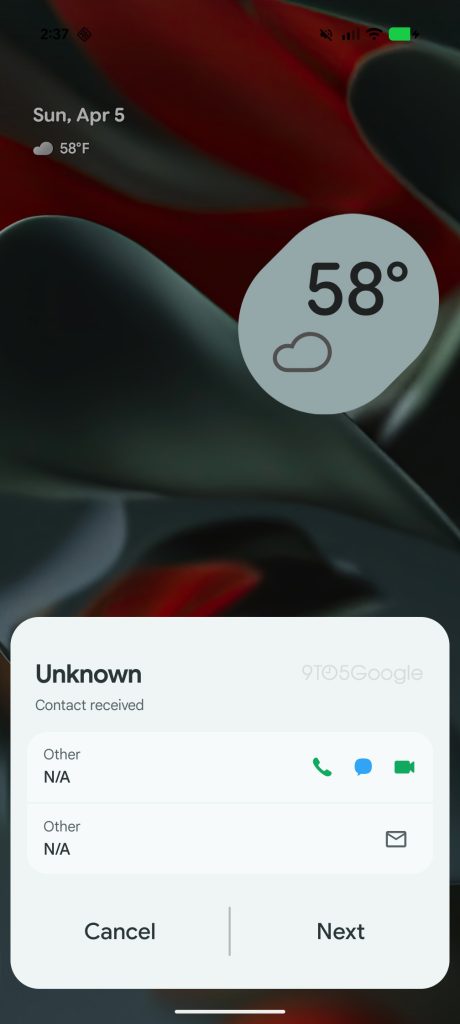
We also found evidence that Samsung users, at least, will be able to share their contact card (VCard) with other users. This pop-up, while we enabled it on a Pixel, is designed with Samsung devices in mind, which explains the specific design of both the explanation and contact card pop-ups. Presumably, though, this will likely be available to other Android devices.
Also notable in Google’s pop-up is the bottom troubleshooting step. While Apple’s implementation of phone-to-phone communication over NFC benefits from iPhones having a standardized location for the NFC hardware, Android phones tend to store this in a number of locations. Some phones have it towards the top, like Samsung’s Galaxy S26 series, while others have it towards the middle portion of the back of the phone. Anyone who’s ever tried to accept a physical card tap payment via apps like Square on an Android phone is well aware of this, though it’s typically not as much of an issue with in-store payments. Still, it’s good on Google’s part to include this quick troubleshooting step.
As with anything that’s manually enabled early, there’s no guarantee that this ends up rolling out in the exact state we see it today, nor any indication as to when it might roll out.
Dylan contributed to this article.
More on Android:
- What’s new in Android’s April 2026 Google System Updates
- Samsung is expanding AirDrop to these Galaxy devices, but only if you install an update
- You won’t need to repeat Android’s sideload bypass when upgrading your phone
Follow Ben: Twitter/X, Threads, Bluesky, and Instagram


FTC: We use income earning auto affiliate links. More.



Comments