
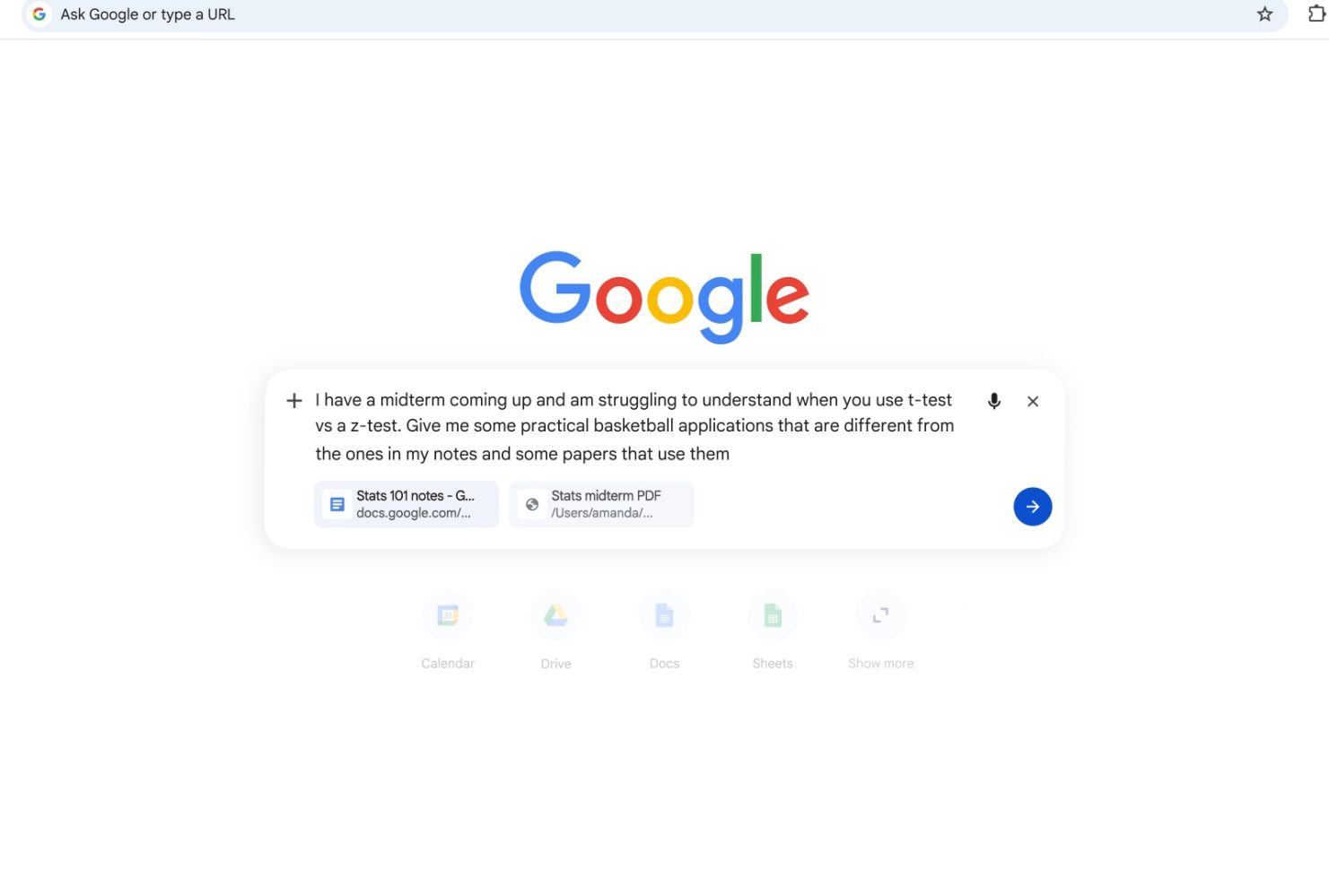
Like the Gemini app before, Google is now deeply integrating AI Mode with desktop and mobile Chrome.
On the desktop New Tab Page (NTP), tapping the “AI Mode” button now opens an inline prompt box instead of just taking you to the website. Tapping the ‘plus’ lets you “Add recent tabs” for context, as well as upload images and files, Create images, Deep Search, Canvas, and switch Gemini 3 models. There’s the ability to mix and match inputs/uploads.
When you click on links in AI Mode, the conversation will shrink into a new side panel, so you can browse and ask follow-up questions about the open page or YouTube video.
Google says early users in testing liked how there’s less tab switching, and that “having both Search and the web side-by-side helped them stay focused on their tasks while exploring useful web pages.”
On the Android and iOS NTP, tapping the search bar opens the fullscreen search/address bar UI like before. The pill will expand into a prompt box the more you type. This mobile plus menu lets you access the Camera, Gallery, and Files, with “Tabs” bringing up a grid UI to select open pages.
This expanded AI Mode integration is available in Chrome for desktop, Android, and iOS. Starting today, it’s rolling out in the US with more countries in the future.


FTC: We use income earning auto affiliate links. More.



Comments