
After testing got underway in January, Google Messages is finally widely rolling out a new long-press menu in conversations.
This new design replaces the top toolbar that housed various actions. Google only surfaced three actions with everything else in an overflow menu.
Upon long-pressing on a chat message or image, Google will show a floating menu with Remix (photos), Reply, Forward, Copy (text), Star, Delete, Select more, Info, and Save (photos).
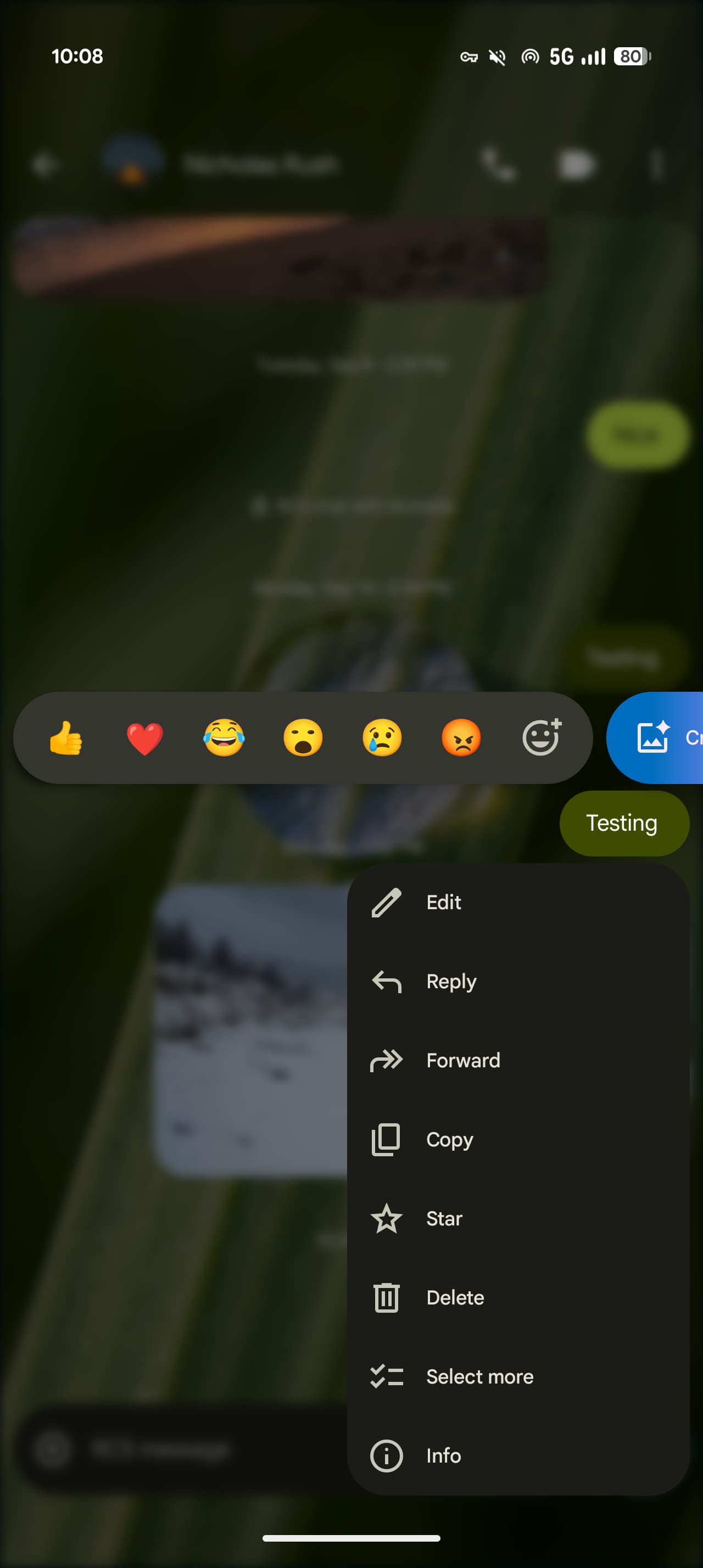
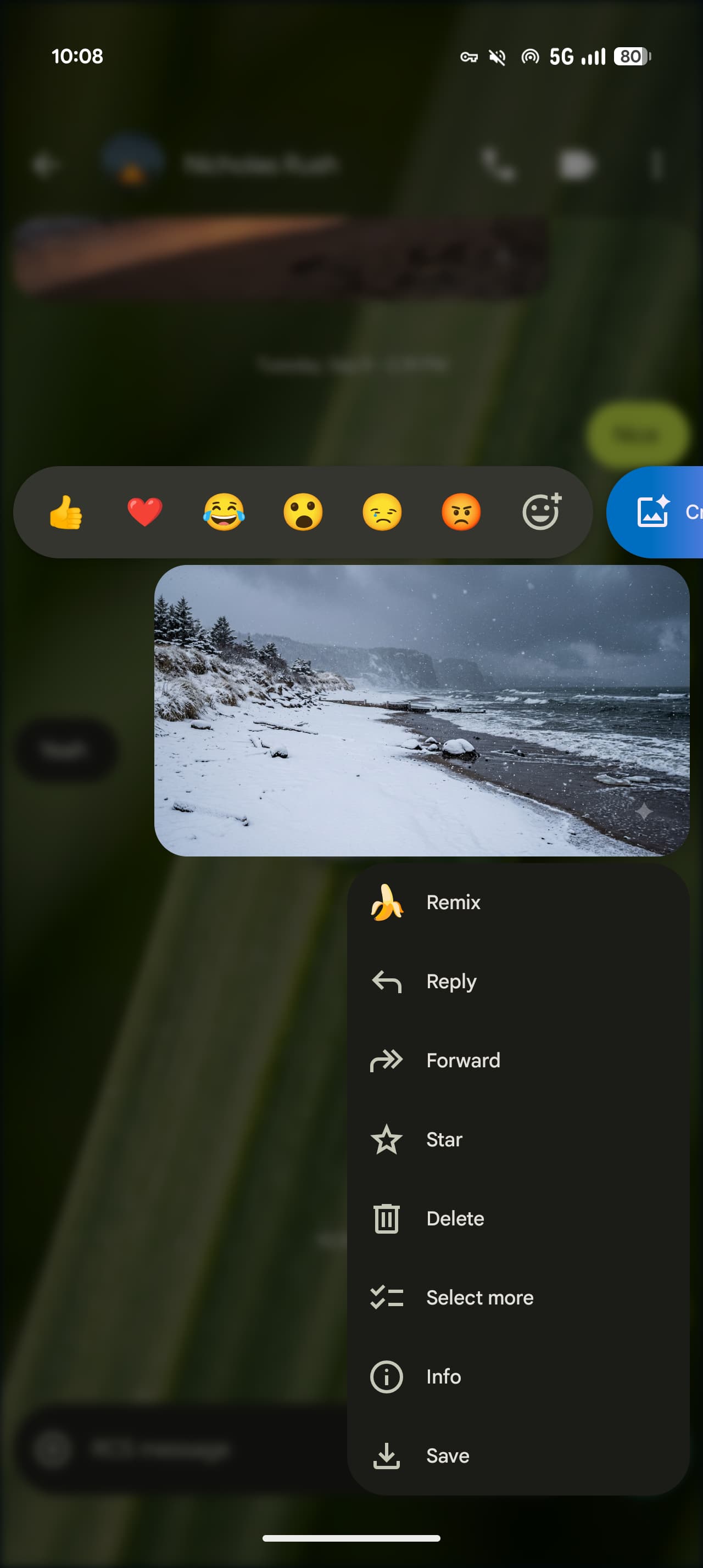
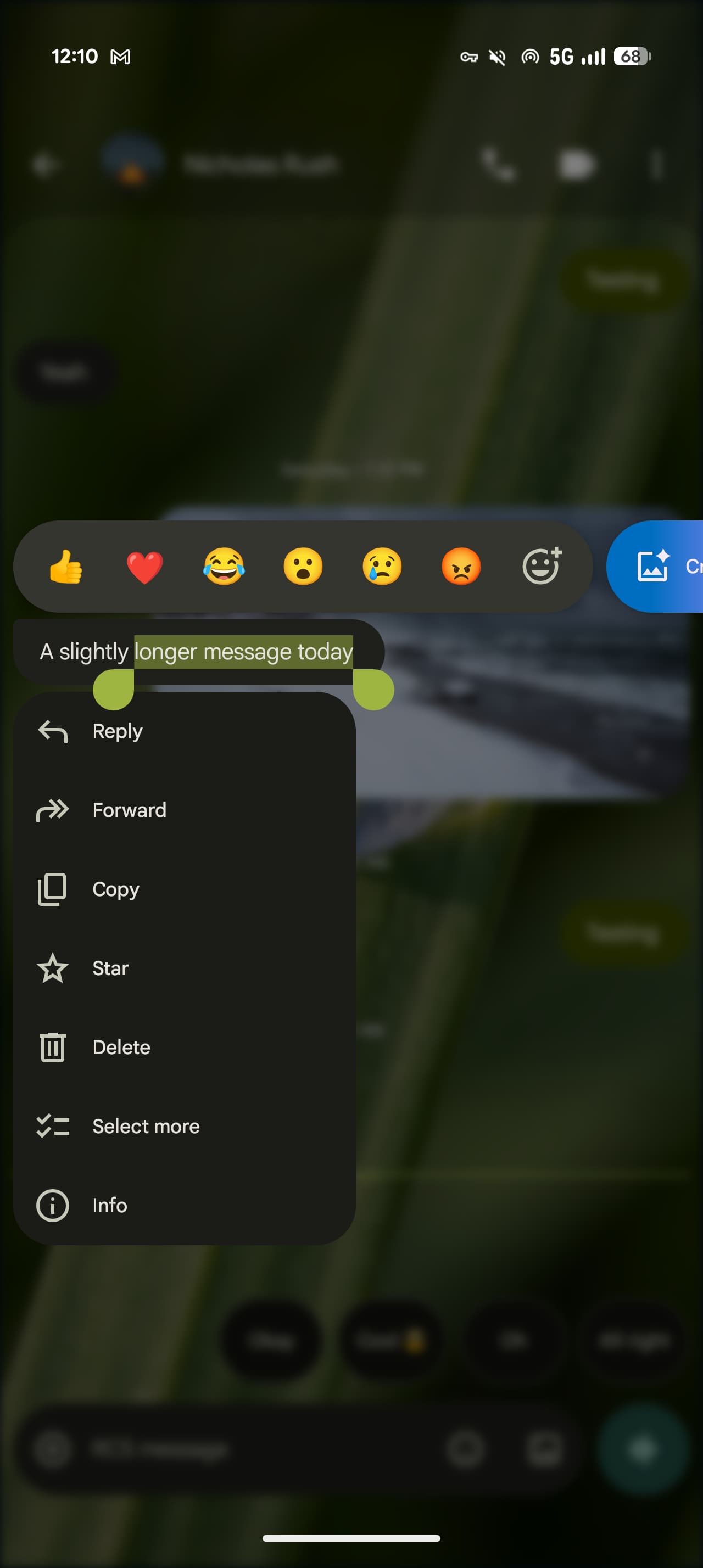
Each action is accompanied by an icon at the front for quick scanning, while Copy lets you highlight a specific part of the message by pressing down and dragging the bubble. Previously, you could only copy the entire message.
If you’ve selected the newest message in a thread, Google will somewhat center it with a bouncy animation and haptic feedback. Messages prominently blurs the background layer when this menu is active. The row of emoji and “Create” Photomoji shortcuts is unchanged.
As of today, we’re seeing the new Google Messages long-press menu widely rolled out with stable version 20260910_03_RC02. There is a server-side component, so be sure to Force stop from the App info menu if it’s not yet live.


FTC: We use income earning auto affiliate links. More.


Comments