
A bug in the Google Home app has left device lists messy for some users, with no obvious way to fix it for the time being.
Over the past week, a number of users have run into a problem in the Google Home app that turns the device list into nothing but clutter.
The way the Google Home app’s “All Devices” page is supposed to work is by grouping linked devices into their assigned rooms, and then show anything that’s not assigned in a room to a generic “Linked to you” section.
That section is the problem right now. Users have found for roughly a week, and we’re seeing the same behavior, that Google Home is listing all of their devices under the “Linked to you” section, whether they’re assigned to a room or not, resulting in a bunch of extra clutter and making it nearly impossible to track down any devices you hadn’t assigned to rooms.
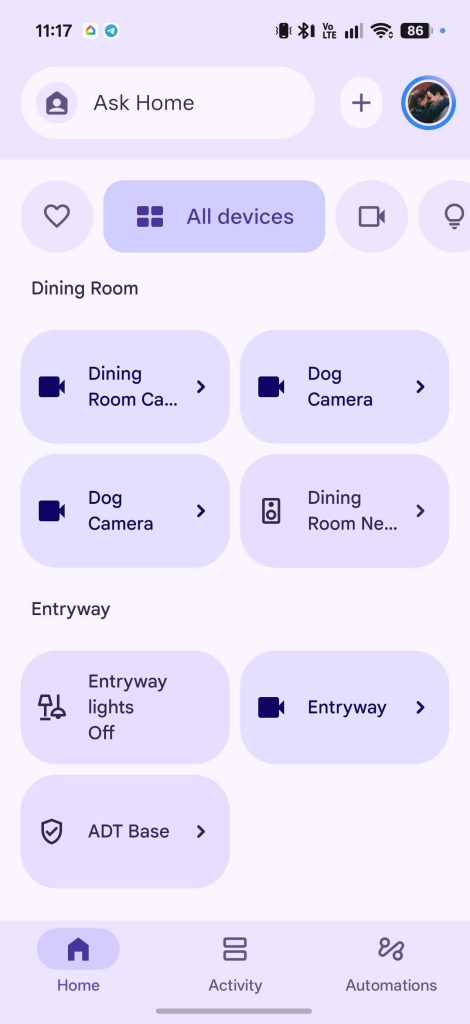
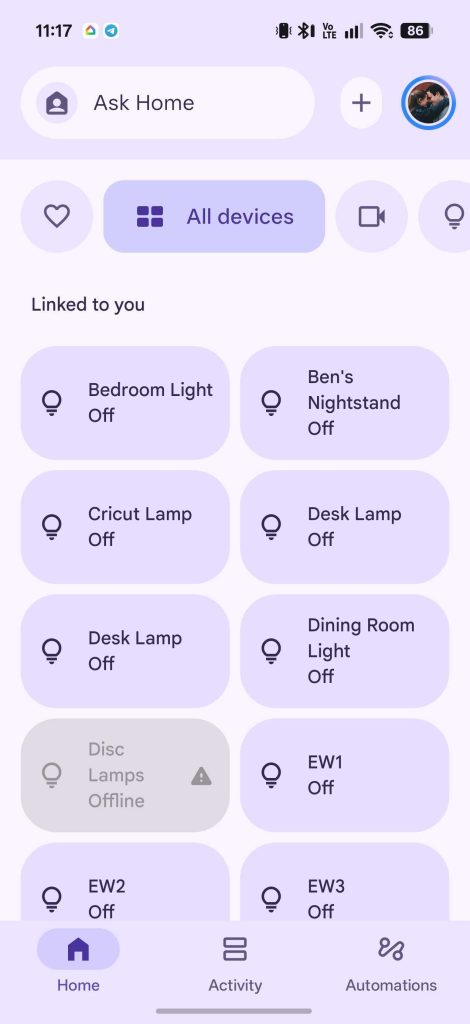
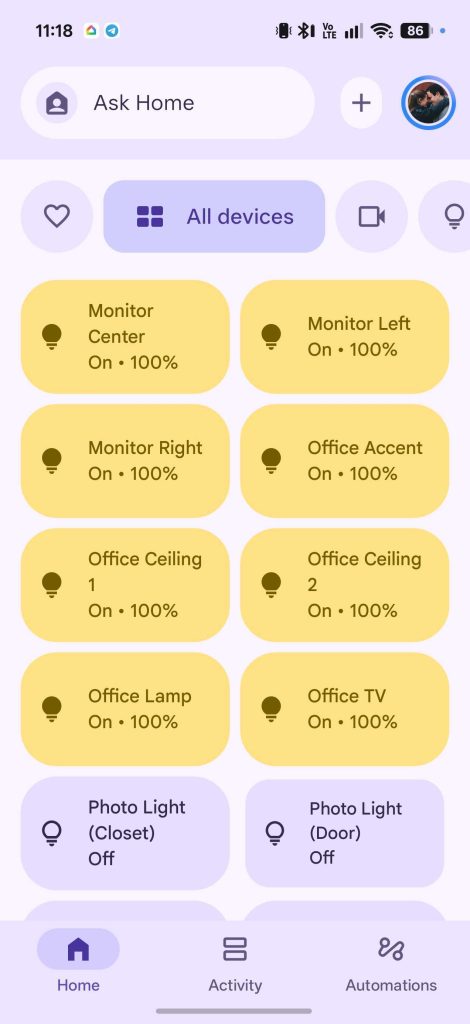
This is almost certainly a bug and not an intentional change, but there seems to be no way to fix it at this point, as devices in the list still show their assigned room groupings in the settings menu.
Meanwhile, Google has so far only acknowledged the issue in recommending that affected users reach out to support.
New Google Home app updates tend to roll out every few weeks, so it’s very possible a patch will clean up this mess sometime soon. Let us know in the comments if you’re running into this problem.
More on Google Home:
- Hey Google, where is the next Nest Hub?
- Google Home update fixes broken smart light color control
- Google Home now lets you preview Nest Doorbell ringtones, just in time for the holidays
Follow Ben: Twitter/X, Threads, Bluesky, and Instagram


FTC: We use income earning auto affiliate links. More.


Comments