
As AI agents continue to get more capable, account credentials are becoming more of a hang-up. 1Password is today offering its solution – giving AI agents the ability to use your passwords without actually seeing them, all while leaving you in control.
“1Password for Agents” is a new way to connect your password vault to your AI agents, all while leaving things secure. This works be connecting an AI agent like Meta’s Muse to 1Password and letting the agent ask for permission to sign into a website, at which point 1Password will provide the needed information on your approval.
The actual sign-in is handled by 1Password, not the agent, with your credentials remaining hidden to the agent. 1Password explains:
1Password for Agents lets AI agents sign in without receiving or seeing the credential. When an agent reaches a sign-in form, it uses a unique digital key to verify its identity to 1Password. The person sees which credential it needs and why, and then chooses whether to approve the request. If approved, 1Password fills it directly into the sign-in form. Once the website accepts the login, 1Password removes the credential so the agent can’t read or reuse it as it continues the task.
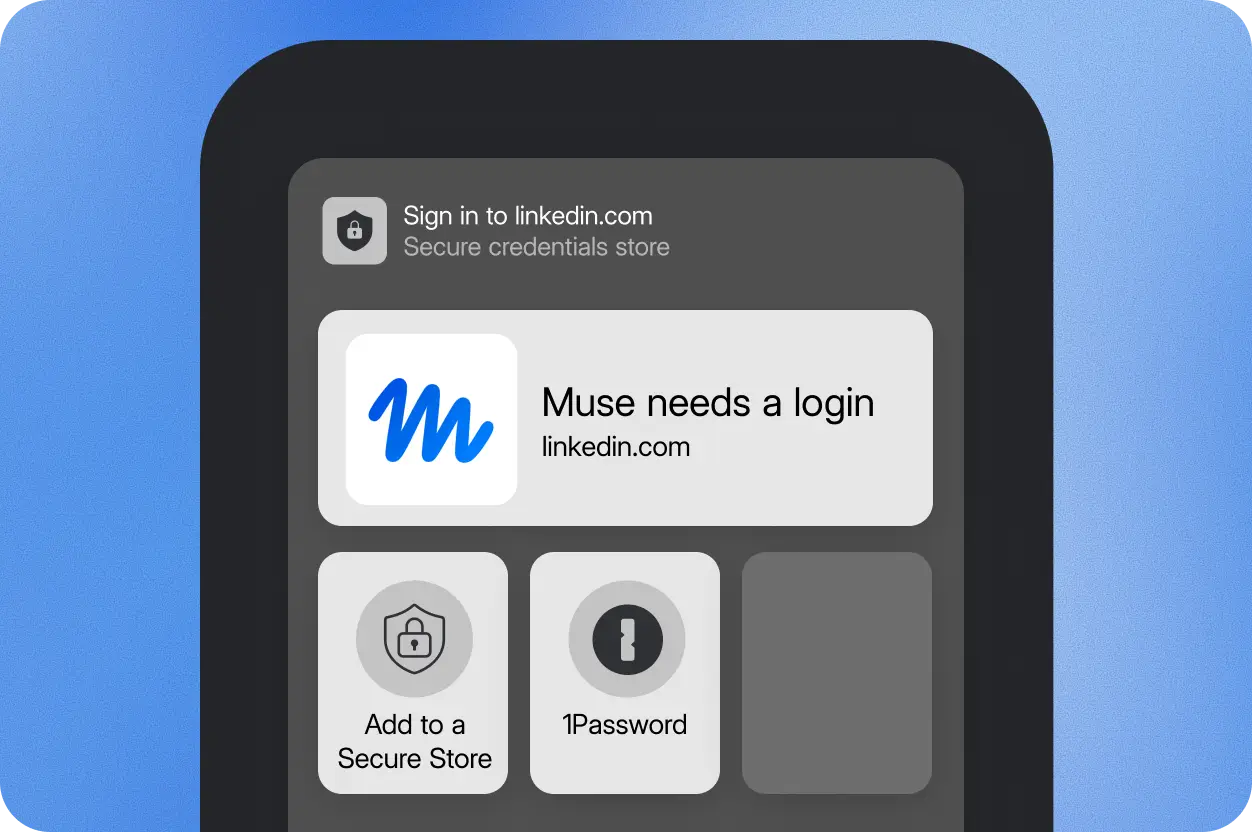
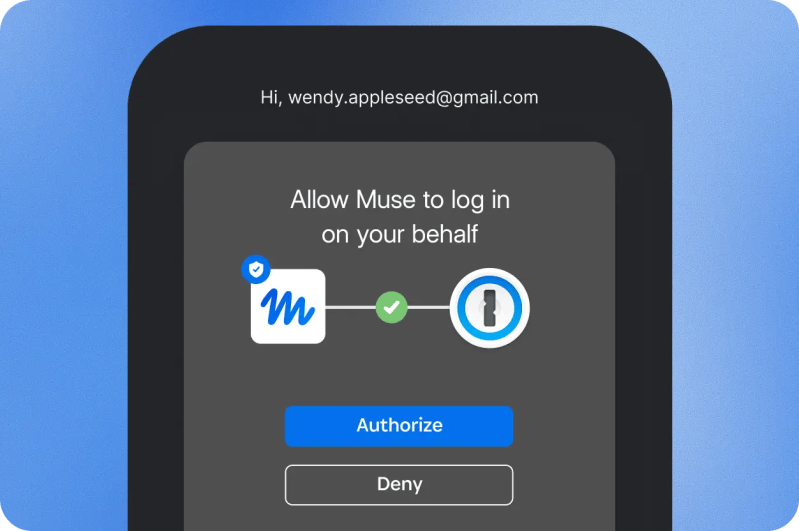
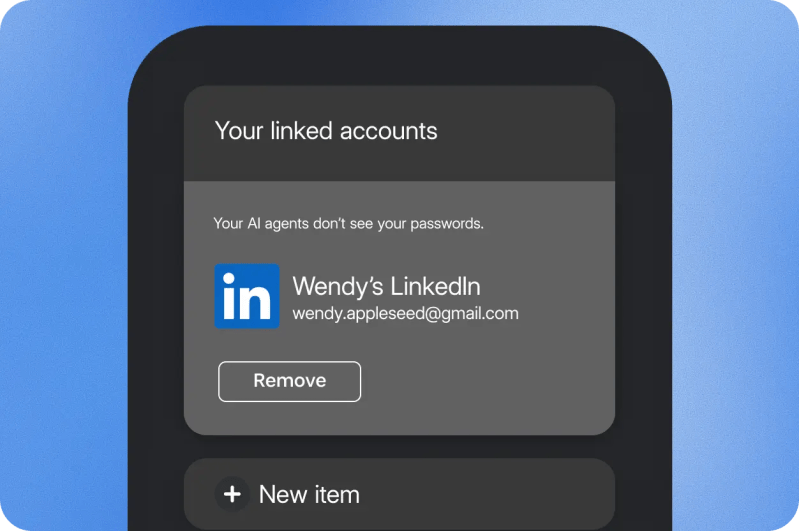
The process also leaves the rest of your password vault inaccessible to the agent.
While there’s still a level of trust, this solution seems far safer than just handing an AI agent your passwords. Right now this integration is limited to Muse and Grok Bot, but support for more agents is in the works, including OpenAI Dots and Anthropic Claude Duet.
More on AI:
- OpenAI GPT models are coming to Google Antigravity ‘soon,’ Cloud ‘in the coming weeks’
- ChatGPT gets deeper Google Chrome integration including control over tabs
- Claude Duet is Anthropic’s proactive AI agent answer to Muse and OpenAI’s Dots [Video]
Follow Ben: Twitter/X, Threads, Bluesky, and Instagram


FTC: We use income earning auto affiliate links. More.


Comments