
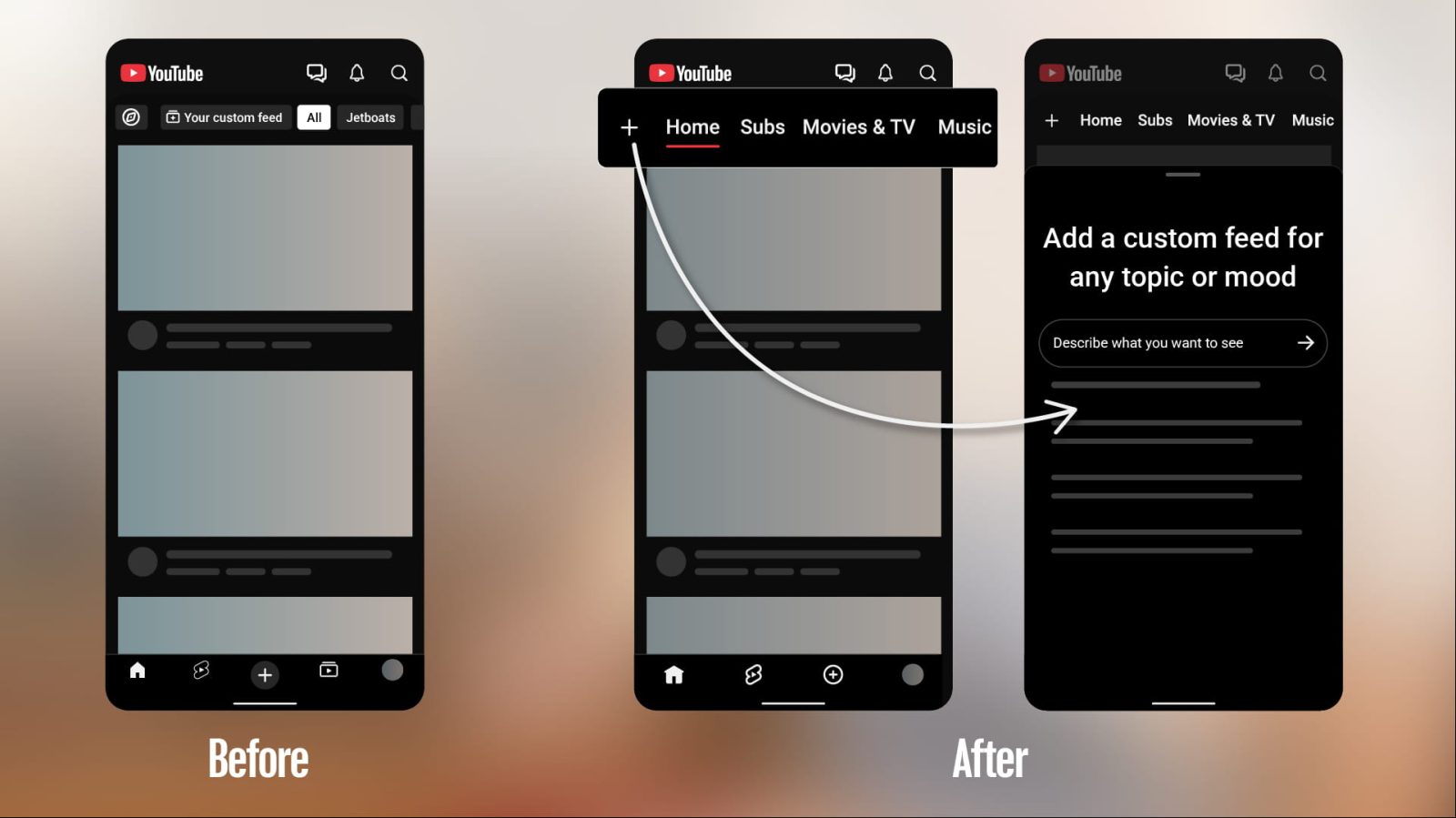
YouTube is making a number of changes to its Android and iOS apps with the launch of custom feeds, including moving Subscriptions out of the bottom bar.
On mobile, YouTube is “kicking off a series of updates to shape a more seamless Home experience.” This starts with a redesigned top bar with dedicated feeds.
As part of this change, YouTube is removing the Subscriptions tab from its fourth position in the bottom bar. It’s now in the “top bar on the Home tab.” Testing of the redesign started earlier this year.
“Subs” appears in the second position after “Home” with a red underline that will take some getting used to. This change will break a lot of muscle memory, with Subscriptions appearing in the YouTube bottom bar for nearly a decade (2017).
Old vs. new
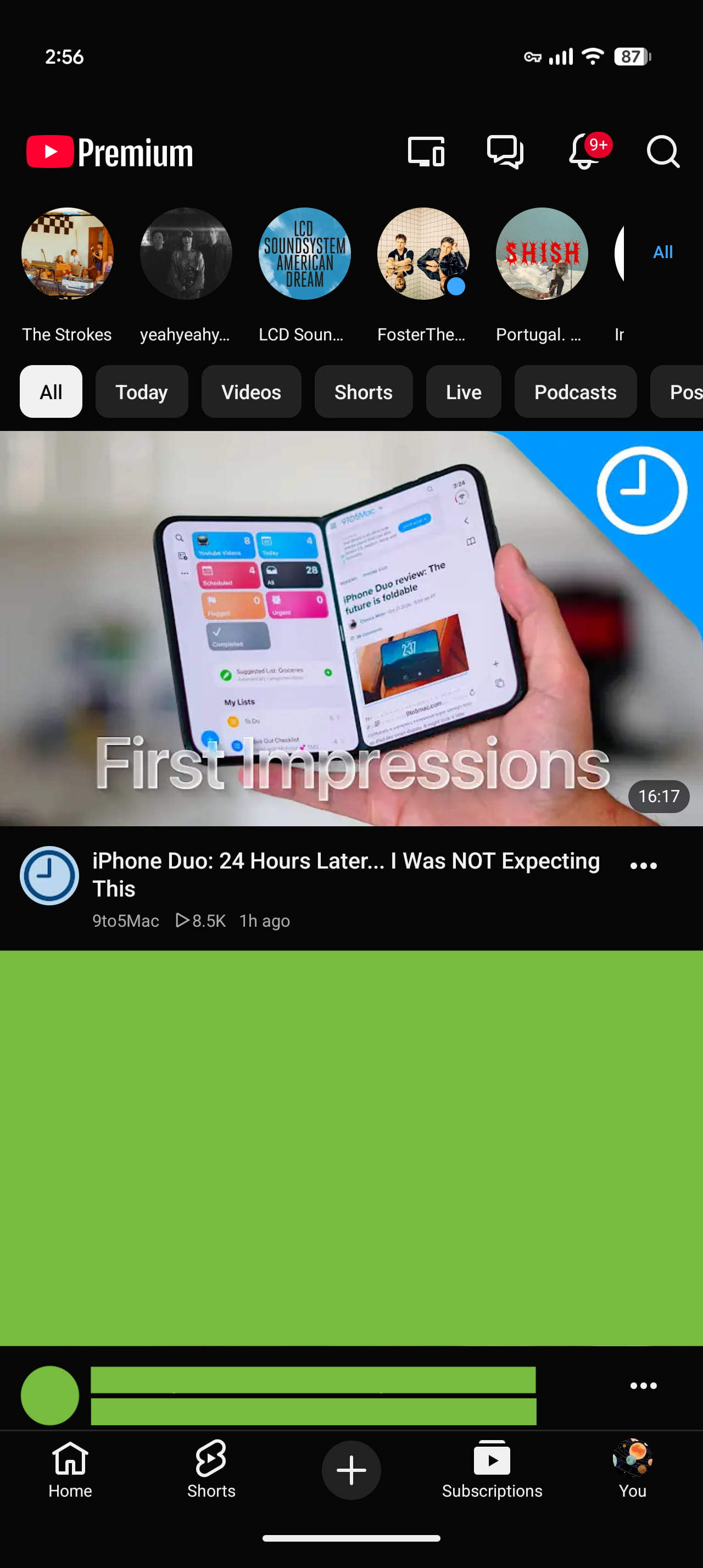
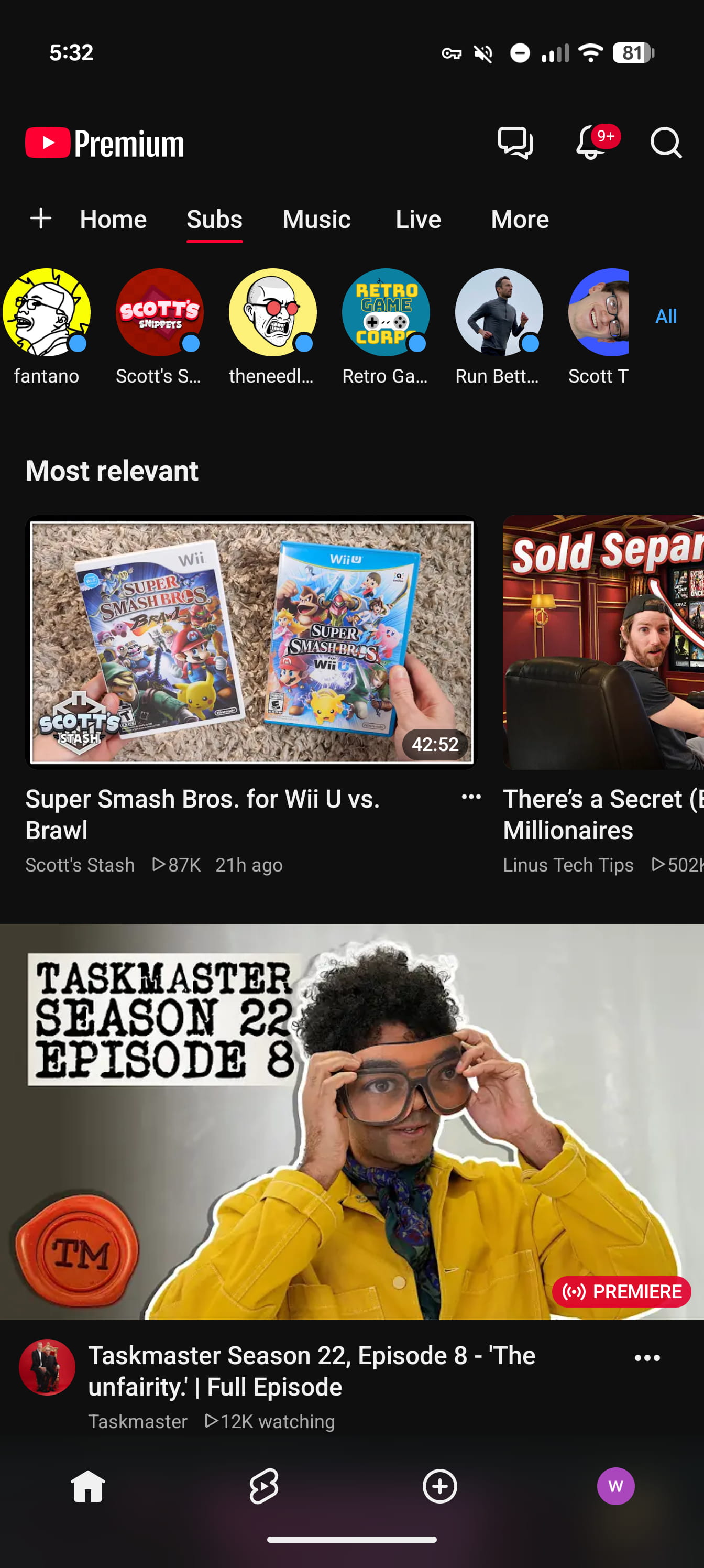
Meanwhile, after Subs, you’ll see new dedicated feeds for Live, Music, and Movies & TV, with the latter only appearing if you have active subscriptions (such as Primetime Channels). This change has the upside of removing YouTube’s navigation drawer.
More broadly, this change coincides with the launch of custom feeds, which are also available on and sync to the web. This lets you describe “what you want to see in your own words”.
Tap “+” at the top of your Home feed and describe the topic, channels, or vibe you’re looking for (for example, “help me unwind after work with guided meditations under 10 minutes”). You’ll then get a new feed tailored to your interests for you to explore.
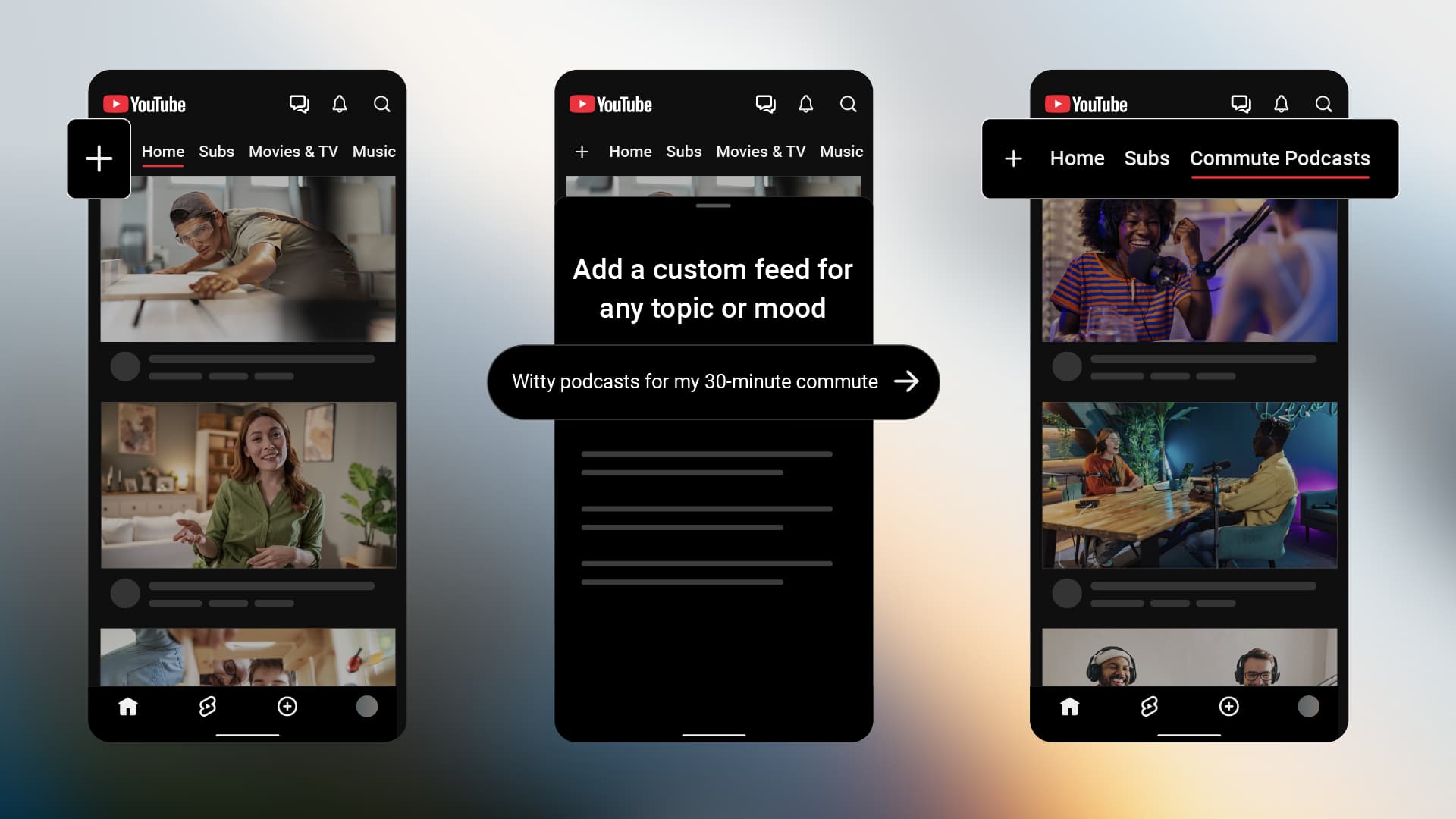
They will appear as top tabs in the main feed after Home and Subs so that “you can jump back into them whenever you want.” The prompt box at the top of each feed lets you change it.
Notably, free users “can save up to 3 active custom feeds, while YouTube Premium members can save up to 8.”
Custom feeds are first rolling out on “mobile and desktop in English to U.S. based, signed-in viewers.” It will be available in more countries going forward.


FTC: We use income earning auto affiliate links. More.


Comments